
- Home
- Building Information Modeling Software - BIM
- AECOsim Building Designer

AECOsim Building Designer Review



What is AECOsim Building Designer?
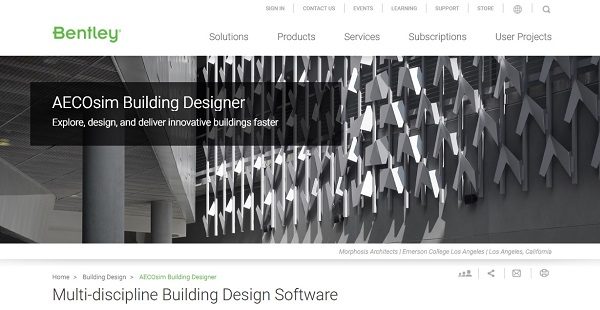
AECOsim Building Designer is a multi-discipline building design software that allows users to create, analyze, document, and visualize structures of various size, form, and complexity. The technology provides tools to properly communicate an envisioned design and connect barriers between building disciplines and geographically distributed teams.
Developed by Bentley Systems, AECOsim Building Designer boasts of building information modeling (BIM) advancements that allow users to rollout building projects more rapidly. Users can be more at ease due to confidence in their design, workflow, capabilities, and deliverables. The platform is multi-discipline, which means it boosts collaboration among architects, mechanical, electrical, and structural engineers using a shared set of features and tasks. Users can integrate data from different formats and easily work and scale on projects of all sizes. Information-rich and customizable deliverables effectively communicate a creator’s design intent.
Users can enjoy an unrestrictive design environment as AECOsim Building Designer provides tools to model anything with complete freedom – from simple structures, to buildings with complex geometry and designs. All these ensure that building performance is prioritized with tools to simulate buildings and predict real-world performance of a structure.
Show MoreOverview of AECOsim Building Designer Benefits
With AECOsim Building Designer, users can accurately and conveniently analyze building system performance. This is with the help of simulation tools to visualize real-world outcomes and evaluate building systems in order to identify the best design options. The software also takes conceptual energy analysis into account and provides peak loads, annual energy calculations, energy consumptions, carbon emissions, and fuel costs.
AECOsim Building Designer allows effective collaboration across multi-discipline teams with the help of tools for architectural, electrical, mechanical, and structural systems design. All is integrated in one platform so that everyone is in a common design environment and streamlined workflow. A built-in clash detector resolves issues quickly and mark-ups of models and documentation can be shared across teams to avoid costly project errors.
Users can develop and design buildings and facilities of any size and complexity with AECOsim Building Designer’s extensive architectural tools. Architects can produce coordinated architectural documentation directly from the building model, as well as create floor plans, sections, elevations, and schedules for any architectural component. These allow designers to work much faster, but without compromising the quality of their work output.
AECOsim Building Designer gives importance to details with tools for designing building structures. Comprehensive features for modelling of steel, concrete, and timber structures from walls, foundations, and columns to other structural components are all available. Since the program also integrates with detailing applications, such as Bentley’s ProStructures, the possibilities are virtually endless.
Aside from the strucutral components, AECOsim Building Designer has features for designing complex MEP systems. Users can model fully parametric air-handling, piping, and plumbing systems, as well as design lighting, power, fire-detection, and other electrical subsystems. Since these capabilities are all integrated in one unified platform, users can create projects more quickly and ensure proper communication across all project stages.
AECOsim Building Designer can produce building documentation and reports directly from a user’s intelligent building model. This capability ensures that drawings are up-to-date and able to communicate design accurately by publishing design model views. In order to support building operations, a model’s specifications, engineering calculations, and equipment documentation are all properly presented.
Users can fine-tune design alternatives by dynamically modeling or manipulating geometry. This is with features to discover more possibilities and explore a broad range of “what-if” alternatives to model different forms, sizes, and complexities without restrictions and limitations. All these are easy-to-learn and can be used fast.
AECOsim Building Designer can produce animations with life-like details and high-quality renderings in order to visualize building designs more accurately. This is possible without the need for additional software or extensions and integrations.
Show MoreOverview of AECOsim Building Designer Features
- 2D Drawing
- 3D Modeling
- Design Modeling
- Document Management
AECOsim Building Designer Position In Our Categories
Knowing that businesses have their own business demands, it is only sensible they steer clear of choosing an all-in-one, ”best” software product. Nevertheless, it would be almost impossible to try to come across such application even among popular software products. The correct step to undertake would be to write down the varied main factors which demand research such as essential features, pricing, skill competence of staff, organizational size, etc. Then, you should do your research to a full extent. Read some of these AECOsim Building Designer evaluations and scrutinize the other applications in your list more closely. Such comprehensive product investigation ensure you steer clear of unfit apps and buy the system that meets all the tools your business requires.
Position of AECOsim Building Designer in our main categories:
TOP
10
AECOsim Building Designer is one of the top 10 Building Information Modeling Software - BIM products
If you are considering AECOsim Building Designer it might also be a good idea to examine other subcategories of Building Information Modeling Software - BIM listed in our base of B2B software reviews.
It is essential to realize that almost no app in the Building Information Modeling Software - BIM category will be a perfect solution that can fulfill all the goals of different company types, sizes and industries. It may be a good idea to read a few AECOsim Building Designer Building Information Modeling Software - BIM reviews first as some solutions might dominate only in a really small set of applications or be created with a really specific industry in mind. Others might function with a goal of being simple and intuitive and as a result lack complicated functions welcomed by more experienced users. You can also come across services that support a broad group of customers and provide a powerful feature set, but this in most cases comes at a more significant price of such a solution. Make sure you're aware of your requirements so that you select a service that offers all the functionalities you search for.
How Much Does AECOsim Building Designer Cost?
AECOsim Building Designer Pricing Plans:
Free Trial
AECOsim Building Designer
$5,633/one-time license
What are AECOsim Building Designer pricing details?
AECOsim Building Designer Pricing Plans:
Free Trial
AECOsim Building Designer
$5,633/one-time license
Enterprise pricing for AECOsim Building Design software is at $5,633/one-time license.
User Satisfaction
Positive Social Media Mentions
18
Negative Social Media Mentions
0
We realize that when you make a decision to buy a Building Information Modeling Software - BIM it’s vital not only to find out how professionals evaluate it in their reviews, but also to check if the actual users and businesses that bought these solutions are indeed satisfied with the service. That’s why we’ve devised our behavior-based Customer Satisfaction Algorithm™ that collects customer reviews, comments and AECOsim Building Designer reviews across a vast range of social media sites. The data is then displayed in a simple to digest form indicating how many users had positive and negative experience with AECOsim Building Designer. With that information available you should be prepared to make an informed purchasing choice that you won’t regret.
Video
Technical details
Devices Supported
- Windows
- Mac
Deployment
- On Premise
Language Support
- English
- Chinese
- German
- Spanish
- French
- Russian
- Italian
- Polish
- Swedish
Pricing Model
- One-time payment
Customer Types
- Large Enterprises
- Medium Business
What Support Does This Vendor Offer?
- phone
- live support
- training
- tickets
What integrations are available for AECOsim Building Designer?
AECOsim Building Design software integrates with the following:
- ProStructures
- ProjectWise
AECOsim Building Designer User Reviews
AECOsim Building Designer average rating:
4/5
Overall impression
5/5
Customer Support
4/5
Value for Money
2/5
Ease of Use
Write your own review of this product
ADD A REVIEWMore reviews from 1 actual users:
Sort by:
Latest
- Latest
- Most useful
- Most positive
- Most negative
Beast for Infrastructure BIM Projects
Read full review >
4/5
Overall impression
2/5
Customer Support
4/5
Value for Money
4/5
Ease of Use
Published on: 29.05.2021
Company Size: 51-100 Employees
Industry: Civil Engineering
PROS:
CONS:


Join a community of 7,369 SaaS experts
Thank you for the time you take to leave a quick review of this software. Our community and review base is constantly developing because of experts like you, who are willing to share their experience and knowledge with others to help them make more informed buying decisions.
Sign in with LinkedIn
Why we require LinkedIn?
- Show the community that you're an actual user.
- We will only show your name and profile image in your review.
- You can still post your review anonymously.
OR
Sign in with company emailSign in with company email
Popular AECOsim Building Designer Alternatives





Top Competitors To AECOsim Building Designer By Price
Product name:
Price:




Trending Building Information Modeling Software - BIM Reviews


AECOsim Building Designer Comparisons
Product name:






AECOsim Building Designer user reviews
Beast for Infrastructure BIM Projects
Read full review >
4/5
Overall impression
2/5
Customer Support
4/5
Value for Money
4/5
Ease of Use
Published on: 29.05.2021
Company Size: 51-100 Employees
Industry: Civil Engineering

Page last modified



Did you find this review useful?
Yes
No
Thank you for your feedback
How can we make this page better?
Unsure about this software?
FIND ALTERNATIVES
 Why is FinancesOnline free?