
- Home
- Rapid Application Development Software - RAD
- Alphinat SmartGuide

Alphinat SmartGuide Review



What is Alphinat SmartGuide?
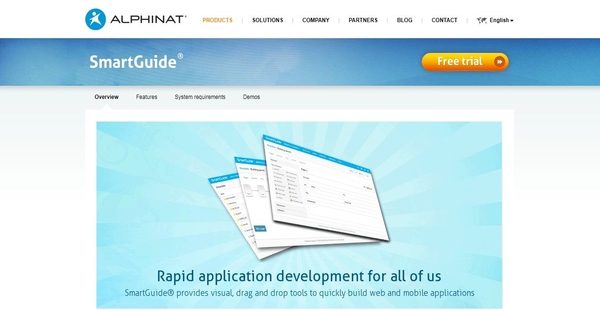
SmartGuide is a feature-rich rapid application development platform built by Alphinat, a company that delivers a suite of software solutions that automates and accelerates business processes, improves service delivery and reduces its cost, and increases employee productivity. SmartGuide allows the quick creation of web and mobile applications that optimize how customers, employees, and partners engage and deal with businesses and organizations. The development platform is suitable for government agencies, retail businesses, and industries like telecommunications, healthcare, banking, and financial services.
Furthermore, SmartGuide provides users with full control over specifying and defining the business content and logic of their applications. Equipped with drag-and-drop tools and point-and-click features, the platform makes it easy for them to manage application logic and content. In addition, SmartGuide can present applications in different ways so users can view what they look like across multiple devices and each team member can focus more on his or her own area of expertise. Last but not least, the rapid application development platform makes it possible to reuse components of applications so applications can be built and deployed quickly.
Show MoreOverview of Alphinat SmartGuide Benefits
1-Click Mechanism
With SmartGuide, users will be able to build interactive web and mobile applications with just a single click. This is because it has a 1-click mechanism that they can apply as they create their applications. For instance, they can automatically generate application fields by simply clicking checkboxes from existing PDF forms. Such mechanism can also be used for importing XML schemas, integrating with web services, and connecting to extension functions.
Drag-And-Drop Design Tool
Aside from its 1-click mechanism, SmartGuide reduces application development time by introducing a design tool that has a drag-and-drop interface. This is a WYSIWYG (What You See Is What You Get) development tool which permits users to layout the components and elements of their applications as well as to handle their business content and logic. As an example, fields can be added to an application through dragging and dropping them onto a page.
Visual Function Editor
SmartGuide also has a function editor that enables users to define field values by simply pointing and clicking on them. Without the need of writing any line of code, they will be able to visually edit strings, numbers, and dates.
Visuals Of Applications’ Pages And Branching Rules
Another powerful feature offered by SmartGuide is its capability to automatically generate visual representations of pages within the applications. Interestingly, these visual representations also show how pages are connected to each other and the branching rules the define their relationships. Users will be able to modify these branching rules through the aid of an integrated editor, allowing them to specify the conditions that govern and affect how end users will navigate through the pages.
Concentrate On Each Area Of Concern
The rapid application development platform ensures that each person involved in the development process can focus on his or her own area of concern or expertise. Thus, users can create presentation templates so members of their team can handle the application ’s business logic and its user interface design separately. For instance, a domain expert will be able to concentrate on working with the application’s business logic and content, while a web designer focuses on managing the application’s user interface. In addition, these templates can be applied to multiple applications so the content, business logic, fields, and appearance of the applications are consistent and standardized.
Preview Applications Across Devices
With SmartGuide, users will be able to preview the appearance of their applications on different devices, regardless of the sizes of such devices. They can create a list of devices and select from this list when they want to preview what the application looks like on specific devices. These include desktops, laptops, tablets, and smartphones.
Automatic Documentation Generation
SmartGuide has the capability to automatically generate documents that provide detailed descriptions of the applications being built. As users create their applications, the platform helps them produce Word documents that contain the pages, fields, services, files, and actions within the applications.
Simplify Data Collection With PDF Prefilling And Creation
Simplifying data collection is another time-saving feature included in SmartGuide. Here, users can automatically fill out PDF forms using the data they previously collected. This enables them to accomplish complex forms without the need of applying any coding. In addition, they will be able to generate PDF files and documents from their applications, and they can even dynamically define the appearance of those files and documents.
Built-In Validation Functionality
SmartGuide offers an advanced built-in validation functionality which permits users to perform syntax and semantic validations with just a single click. For instance, they can set the minimum and maximum character lengths that end users are allowed to enter in text fields. They can also select from predefined validations that they can apply to field entries like email address, phone number, and postal code. Additionally, users can make their own validation rules which they can reuse. With such validation functionality, they can ensure that they are able to collect the correct data based on their business rules.
Build Personalized Knowledge Bases
Summing it up, SmartGuide provides a module that allows users to create knowledge bases which they can personalize. As they build knowledge bases for their applications, they can set up filters so end users can get the relevant information they need. Knowledge bases of various types can be created such as those that contain information about people, activities, locations, and more.
Show MoreOverview of Alphinat SmartGuide Features
- 1-Click Application Creation
- WYSIWYG Development Tools
- Visual Page Flow with Advanced Conditional Branching
- Visual Function Editor
- Accessible Presentation Templates
- Simultaneous Web and Mobile Development
- Automatic Documentation Generation
- XML Document Generation
- PDF Prefilling and Creation
- Advanced Built-In Validations
- Reusable Components
- Zero-Code Web Service Integration
- Create Personalized Knowledge Bases
- Powerful API for Custom Functions
Alphinat SmartGuide Position In Our Categories
Bearing in mind companies have distinct business wants, it is sensible they avoid selecting an all-in-one, ”best” software product. Having said that, it would be almost impossible to find such an app even among widely used software solutions. The efficient step to do can be to make a list of the varied significant factors which merit research like major features, price terms, skill competence of the employees, organizational size, etc. After which, you must follow through the research exhaustively. Go over these Alphinat SmartGuide evaluations and scrutinize each of the software products in your shortlist more closely. Such comprehensive research ensure you steer clear of ill-fitting applications and pay for the one which offers all the features your business requires.
Position of Alphinat SmartGuide in our main categories:
TOP
100
Alphinat SmartGuide is one of the top 100 Rapid Application Development Software - RAD products
If you are considering Alphinat SmartGuide it may also be beneficial to examine other subcategories of Rapid Application Development Software - RAD collected in our base of SaaS software reviews.
There are popular and widely used solutions in each software category. But are they automatically the best fit for your company’s unique requirements? A trendy software solution may have thousands of subscribers, but does it offer what you require? For this reason, do not blindly spend on popular systems. Read at least a few Alphinat SmartGuide Rapid Application Development Software - RAD reviews and consider the elements that you desire in the software such as the fees, main functionality, available integrations etc. Then, select a few systems that fit your needs. Check out the free trials of these products, read online reviews, get clarifications from the seller, and do your homework thoroughly. This profound research is certain to assist you find the most excellent software platform for your firm’s unique wants.
How Much Does Alphinat SmartGuide Cost?
Alphinat SmartGuide Pricing Plans:
Free Trial
Quote-based Plan
Contact vendor
What are Alphinat SmartGuide pricing details?
Alphinat SmartGuide Pricing Plans:
Free Trial
Quote-based Plan
Contact vendor
SmartGuide’s SMB and enterprise pricing information is available only upon request. Please contact the company for details, and ask for a quote.
User Satisfaction
Positive Social Media Mentions
0
Negative Social Media Mentions
0
We realize that when you choose to get a Rapid Application Development Software - RAD it’s crucial not only to see how experts rank it in their reviews, but also to check if the actual clients and companies that use these solutions are indeed content with the service. That’s why we’ve created our behavior-based Customer Satisfaction Algorithm™ that gathers customer reviews, comments and Alphinat SmartGuide reviews across a broad range of social media sites. The data is then featured in a simple to digest form revealing how many users had positive and negative experience with Alphinat SmartGuide. With that information at your disposal you should be prepared to make an informed purchasing choice that you won’t regret.
Video
Technical details
Devices Supported
- Windows
- Mac
- Web-based
Deployment
- Cloud Hosted
- On Premise
- Open API
Language Support
- English
- French
Pricing Model
- Quote-based
Customer Types
- Small Business
- Large Enterprises
- Medium Business
What Support Does This Vendor Offer?
- phone
- live support
- training
- tickets
What integrations are available for Alphinat SmartGuide?
SmartGuide supports integration with SOAP and REST web services. In addition, it works with the following database management systems and application servers:
- Oracle
- Microsoft SQL Server
- IBM DB2
- MySQL
- Any other DBMS with a JDBC or ODBC connector
- IBM WebSphere Application Server
- IBM Liberty Profile
- Oracle WebLogic
- Oracle Application Server
- JBoss CE and EE
- JOnAS
- Tomcat
- Glassfish
- Any other J2EE 1.5 certified application server
- Microsoft Internet Information Services (IIS)

Alphinat SmartGuide
is waiting for
your first review.

Write your own review of this product
ADD A REVIEWMore reviews from 0 actual users:


Join a community of 7,369 SaaS experts
Thank you for the time you take to leave a quick review of this software. Our community and review base is constantly developing because of experts like you, who are willing to share their experience and knowledge with others to help them make more informed buying decisions.
Sign in with LinkedIn
Why we require LinkedIn?
- Show the community that you're an actual user.
- We will only show your name and profile image in your review.
- You can still post your review anonymously.
OR
Sign in with company emailSign in with company email
Popular Alphinat SmartGuide Alternatives


Top Competitors To Alphinat SmartGuide By Price
Product name:
Price:


Trending Rapid Application Development Software - RAD Reviews





Alphinat SmartGuide Comparisons
Product name:







Page last modified



Did you find this review useful?
Yes
No
Thank you for your feedback
How can we make this page better?
Unsure about this software?
FIND ALTERNATIVES
 Why is FinancesOnline free?