

Avidemux Review


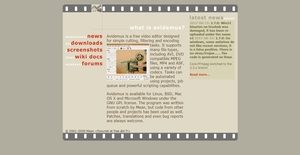

What is Avidemux?
Avidemux is a video editing software that is offered completely free. It can do basic video editing tasks such as filtering, cutting, and encoding, and can support several video formats including MPEG, DVD, AVI, and MP4, among others. It lets save parts of a large video through its cutting and selecting tool and is able to perform multiple video file format conversion and compression.
You can filter your videos before converting them using cropping, resizing, color profiling tools and more. it also lets you process and edit audio track and sync it with the video frame rate. Avidemux is also capable of automating many processes which is useful when editing shorter and simpler videos.
Show MoreOverview of Avidemux Benefits
Avidemux offers three basic operations that users can do with this software: cutting, encoding, and filtering. Cutting means choosing a part of a video that users can either delete, copy, paste or save with a different file. This is very useful in removing commercials from a recorded TV show or selecting and saving a small part of a video that users are interested in.
On the other hand, encoding is used for converting a video to a different video format so players can understand its content better. With Avidemux, users can convert a video they want to publish on the Internet. Its encoding feature can also be used for archiving videos for personal collection or business use.
Avidemux lets users apply filters to their videos. This task, which is known as filtering, involves resizing and sharpening the image of a video, adding subtitles and color profiles, deinterlacing, and increasing or decreasing the overall volume of audio.
At the same time, Avidemux is equipped with task automation features that help users work on their video editing and processing tasks painlessly. As an example, they will be able to organize their projects using its feature called Joblist. Joblist allows users to arrange their projects in a queue so they can process videos in bulk or access them for editing later on.
As part of its task automation features, Avidemux uses custom scripts that enable users to easily store and apply the settings and configurations they want as they edit their videos. Custom scripts are tinypy files (tinypy is a minimalist implementation of Phython in 64k of code), and they contain selections and configurations of video encoder, video filter, and audio filter and format. With Avidemux scripting capabilities, projects or videos can use the same set of filters or configurations very often.
Show MoreOverview of Avidemux Features
- Cutting
- Copy Portions Of A Video
- Remove Portions Of A Video
- Save Small Parts
- Encoding
- Convert Video To A Smaller Size
- Convert Video For Archiving or Publishing
- Filtering
- Video Filters
- Audio Filters
- Deinterlacing Video
- Supports Common Video Formats
- Joblist
- Project Files
- Custom Scripts
Avidemux Position In Our Categories
Because businesses have unique business-related demands, it is only sensible they steer clear of deciding on a one-size-fits-all, ”best” business application. Nevertheless, it would be difficult to pinpoint such an app even among sought-after software solutions. The efficient step to do can be to jot down the different critical factors that require analysis such as crucial features, pricing, skill ability of the users, business size, etc. After which, you must perform your research through and through. Have a look at some of these Avidemux review articles and explore the other applications in your shortlist more closely. Such comprehensive product investigation ensures you avoid unsuitable software products and select the one that provides all the aspects your business requires to be successful.
Position of Avidemux in our main categories:
TOP
20
Avidemux is one of the top 20 Video Editing Software products
Organizations have unique needs and requirements and no software solution can be perfect in such a situation. It is futile to try to find a perfect out-of-the-box software product that fulfills all your business wants. The smart thing to do would be to adapt the solution for your specific wants, employee skill levels, finances, and other elements. For these reasons, do not hurry and pay for well-publicized trendy systems. Though these may be widely used, they may not be the best fit for your particular wants. Do your homework, check out each short-listed application in detail, read a few Avidemux Video Editing Software reviews, call the maker for clarifications, and finally settle for the product that provides what you require.
How Much Does Avidemux Cost?
Avidemux Pricing Plans:
Free Trial
Avidemux
Free
What are Avidemux pricing details?
Avidemux Pricing Plans:
Free Trial
Avidemux
Free
Avidemux is free of charge, and comes with no enterprise pricing fees to worry about.
User Satisfaction
Positive Social Media Mentions
109
Negative Social Media Mentions
5
We realize that when you decide to purchase a Video Editing Software it’s vital not only to learn how professionals rank it in their reviews, but also to check whether the real people and businesses that bought these solutions are actually satisfied with the service. Because of that need we’ve created our behavior-based Customer Satisfaction Algorithm™ that collects customer reviews, comments and Avidemux reviews across a wide array of social media sites. The information is then presented in a simple to digest format indicating how many people had positive and negative experience with Avidemux. With that information available you should be prepared to make an informed purchasing decision that you won’t regret.
Video
Technical details
Devices Supported
- Windows
- Linux
- Mac
- Web-based
Deployment
- Cloud Hosted
- Open API
Language Support
- English
Pricing Model
- Free
Customer Types
- Small Business
- Freelancers
What Support Does This Vendor Offer?
- phone
- live support
- training
- tickets
What integrations are available for Avidemux?
Avidemux supports integration with Flamory, a bookmark manager for web pages and local files.
Avidemux User Reviews
Avidemux average rating:
5/5
Overall impression
5/5
Customer Support
4/5
Value for Money
4/5
Ease of Use
Write your own review of this product
ADD A REVIEWThe most favorable review

PROS: I've never encountered na app that is as easy to use as Avidemux. Not to mention it offers all the tools I need for my video.
CONS: Hope it could allow more elements of a feature to be selected for further editing, instead of just one.
The least favorable review
PROS: Avidemux is great for converting files to popular audio and video formats. It is also open source and can work on any platform.
CONS: It does not have the same precision as Smart Cutter.
More reviews from 4 actual users:
Sort by:
Latest
- Latest
- Most useful
- Most positive
- Most negative
Quick video editing
Read full review >
4/5
Overall impression
3/5
Customer Support
4/5
Value for Money
3/5
Ease of Use
Published on: 02.10.2021
Company Size:
Industry: Non-Profit Organization Management
PROS: I am pleased that it could convert video and audio files into any format. Besides this, I appreciate that it is an open source so other developers can improve on it with new tools and functions.
CONS: It doesn't allow precision cutting in one frame.
Easy to use and complete
Read full review >
5/5
Overall impression
4/5
Customer Support
5/5
Value for Money
5/5
Ease of Use
Published on: 24.04.2021
Company Size: 11-50 Employees
Industry: Marketing and Advertising
PROS: I've never encountered na app that is as easy to use as Avidemux. Not to mention it offers all the tools I need for my video.
CONS: Hope it could allow more elements of a feature to be selected for further editing, instead of just one.
A great tool for video reprocessing
Read full review >
5/5
Overall impression
5/5
Customer Support
4/5
Value for Money
4/5
Ease of Use
Published on: 13.10.2019
Company Size: 11-50 Employees
Industry: N/A
PROS: It has every tool I require for reprocessing videos. On top of that, it is intuitive and very responsive.
CONS: Selection is limited to two or more parts only and does not allow the selection of just one part.
Fast software that works for filtering and encoding
Read full review >
4/5
Overall impression
4/5
Customer Support
4/5
Value for Money
4/5
Ease of Use
Published on: 28.09.2019
Company Size:
Industry: Marketing and Advertising
PROS: Avidemux is great for converting files to popular audio and video formats. It is also open source and can work on any platform.
CONS: It does not have the same precision as Smart Cutter.


Join a community of 7,369 SaaS experts
Thank you for the time you take to leave a quick review of this software. Our community and review base is constantly developing because of experts like you, who are willing to share their experience and knowledge with others to help them make more informed buying decisions.
Sign in with LinkedIn
Why we require LinkedIn?
- Show the community that you're an actual user.
- We will only show your name and profile image in your review.
- You can still post your review anonymously.
OR
Sign in with company emailSign in with company email
Popular Avidemux Alternatives





Top Competitors To Avidemux By Price
Product name:
Price:



Trending Video Editing Software Reviews


Avidemux Comparisons
Product name:





Avidemux user reviews
Quick video editing
Read full review >
4/5
Overall impression
3/5
Customer Support
4/5
Value for Money
3/5
Ease of Use
Published on: 02.10.2021
Company Size:
Industry: Non-Profit Organization Management
Easy to use and complete
Read full review >
5/5
Overall impression
4/5
Customer Support
5/5
Value for Money
5/5
Ease of Use
Published on: 24.04.2021
Company Size: 11-50 Employees
Industry: Marketing and Advertising
A great tool for video reprocessing
Read full review >
5/5
Overall impression
5/5
Customer Support
4/5
Value for Money
4/5
Ease of Use
Published on: 13.10.2019
Company Size: 11-50 Employees
Industry: N/A
Fast software that works for filtering and encoding
Read full review >
4/5
Overall impression
4/5
Customer Support
4/5
Value for Money
4/5
Ease of Use
Published on: 28.09.2019
Company Size:
Industry: Marketing and Advertising

Page last modified



Did you find this review useful?
Yes
No
Thank you for your feedback
How can we make this page better?
Unsure about this software?
FIND ALTERNATIVES
 Why is FinancesOnline free?