
- Home
- CAD Software
- GstarCAD

GstarCAD Review



What is GstarCAD?
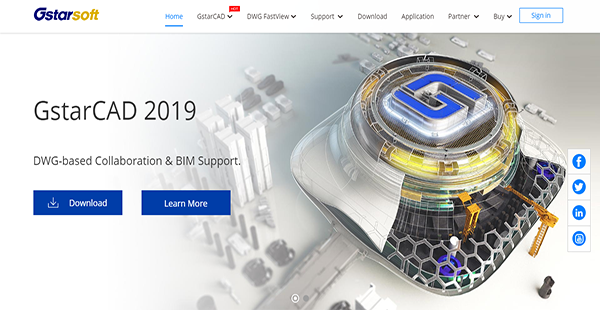
GstarCAD is computer-aided design software that you can use to create a 2D drawing and 3D modeling. It offers high performance, increased stability and is compatible with other major CAD software. With this, you can expect to work with a smooth solution.
GstarCAD also promises a user-friendly interface, which has everything you have come to expect from a CAD software. It has familiar controls as well, allowing you to navigate it comfortably and to complete your tasks with ease. As a result, there is no training required so that you and other members of your team can utilize it immediately after implementation.
Moreover, GstarCAD provides over 100 unique and innovative tools such as “Collaboration,” “Area Table,” “Auto Layer,” “Viewport to Layout,” which significantly speed up the drawing process and improve efficiency.
Show MoreOverview of GstarCAD Benefits
Enhanced Collaboration Support
GstarCAD is designed for better collaboration using innovative technologies. One of these is incremental data storage and transmission, which facilitates streamlined design and teamwork between different departments and units.
BIM Support
BIM models, even if they are large-sized and complex, can work within GstarCAD with the help of the latest IFC data interface. The software further supports the IFC format, which is utilized in the construction industry. This provides interoperability, enabling people from different sectors to work with each other seamlessly.
Drawing Version Tracking
With GstarCAD, it is easier for each team member to save and submit their drawings at any time. This is because of the incremental storage technology that retains drawing versions and keeps a log of submissions. This makes it convenient for team leaders and any member to see what has changed.
New 3D commands
GstarCAD has greatly optimized its 3D functionality with a series of useful 3D commands such as POLYSOLID, CONVTOMESH, CONVTOSOLID.
Better customization
GstarCAD supports the import and export of user custom settings, and preferred custom settings such as user profile, CUI, linetype, and hatches can be easily migrated from earlier versions to GstarCAD.
Significant improvements
Significant improvements in Tool Palette, Mtext Editor and other tools have been made to lighten workload and streamline design process.
Show MoreOverview of GstarCAD Features
- DWG/DWX Compatibility
- Intelligent Display
- Hierarchical Memory Exchange
- Graphics Data Adaptive Compression
- Application Development Tools
Awards & Quality Certificates


GstarCAD Position In Our Categories
Knowing that companies have distinctive business needs, it is wise they steer clear of selecting an all-encompassing, “perfect” system. Just the same, it would be futile to stumble on such a software product even among recognizable software products. The better thing to do should be to jot down the varied critical functions that call for a examination like important features, budget, skill aptitude of the employees, organizational size, etc. Next, you should do your research systematically. Browse through some GstarCAD analyses and explore the other solutions in your shortlist more closely. Such detailed research guarantee you stay away from poorly fit applications and subscribe to the system that offers all the features your business requires.
Position of GstarCAD in our main categories:
TOP
50
GstarCAD is one of the top 50 CAD Software products
If you are interested in GstarCAD it may also be beneficial to analyze other subcategories of CAD Software gathered in our database of SaaS software reviews.
Since each organization has unique business wants, it is advisable for them to desist from looking for a one-size-fits-all ideal software application. Needless to say, it would be pointless to try to find such a system even among market-leading software applications. The intelligent thing to do would be to jot down the various important aspects that need consideration such as key features, finances, skill levels of staff members, company size etc. Then, you should do your homework thoroughly. Read some GstarCAD CAD Software reviews and investigate each of the other solutions in your shortlist in detail. Such exhaustive homework can make sure you reject ill-fitting platforms and select the system that offers all the aspects you require for business success.
How Much Does GstarCAD Cost?
GstarCAD Pricing Plans:
Free Trial
LT
$399/one-time payment
Standard
$799/one-time payment
Professional
$1,099/one-time payment
What are GstarCAD pricing details?
GstarCAD Pricing Plans:
Free Trial
LT
$399/one-time payment
Standard
$799/one-time payment
Professional
$1,099/one-time payment
GstarCAD has three options for enterprise pricing, all of which require a one-time fee. You can read about the inclusions of these packages below.
LT – $399/one-time payment
- ACAD 2019 Compatibility
- Native DWG Support
- User-friendly Interface
- Flexible Licensing
Standard – $799/one-time payment
- All LT Features
- Express Tools
Professional – $1,099/one-time payment
- All Standard Features
- Dynamic Block Editor
- Direct 3D Modeling
User Satisfaction
Positive Social Media Mentions
0
Negative Social Media Mentions
0
We know that when you choose to get a CAD Software it’s crucial not only to see how experts rank it in their reviews, but also to discover whether the real users and companies that purchased it are genuinely content with the product. Because of that need we’ve devised our behavior-based Customer Satisfaction Algorithm™ that gathers customer reviews, comments and GstarCAD reviews across a wide array of social media sites. The information is then featured in an easy to understand way showing how many users had positive and negative experience with GstarCAD. With that information at your disposal you should be ready to make an informed purchasing decision that you won’t regret.
Video
Technical details
Devices Supported
- Windows
Deployment
- On Premise
Language Support
- English
- Chinese
- German
- Japanese
- Spanish
- Polish
Pricing Model
- One-time payment
Customer Types
- Small Business
- Large Enterprises
- Medium Business
- Freelancers
What Support Does This Vendor Offer?
- phone
- live support
- training
- tickets
What integrations are available for GstarCAD?
GstarCAD is compatible with DWG files.

GstarCAD
is waiting for
your first review.

Write your own review of this product
ADD A REVIEWMore reviews from 0 actual users:


Join a community of 7,369 SaaS experts
Thank you for the time you take to leave a quick review of this software. Our community and review base is constantly developing because of experts like you, who are willing to share their experience and knowledge with others to help them make more informed buying decisions.
Sign in with LinkedIn
Why we require LinkedIn?
- Show the community that you're an actual user.
- We will only show your name and profile image in your review.
- You can still post your review anonymously.
OR
Sign in with company emailSign in with company email
Popular GstarCAD Alternatives





Top Competitors To GstarCAD By Price
Product name:
Price:



$2,200


Trending CAD Software Reviews

9.6
100%
6.0
99%

6.0
N/A
GstarCAD Comparisons
Product name:










Page last modified



Did you find this review useful?
Yes
No
Thank you for your feedback
How can we make this page better?
Unsure about this software?
FIND ALTERNATIVES
 Why is FinancesOnline free?