
- Home
- Identity Management Software
- Imprivata OneSign

Imprivata OneSign Review



What is Imprivata OneSign?
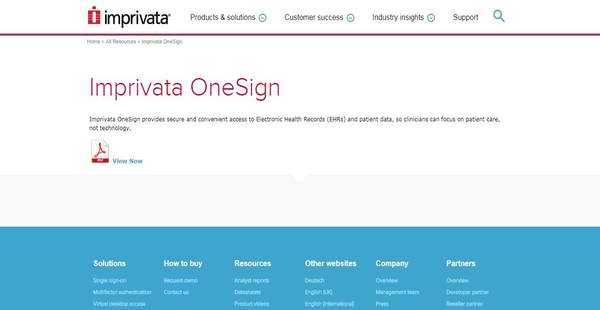
Imprivata OneSign is an efficient and secure single sign-on solution and virtual desktop access technology that provides healthcare providers, doctors, and medical staff with the ability to quickly log into their administrative and clinical applications, access Electronic Health Records and patient information, and concentrate more on delivering quality patient care rather than worrying about technology.
Developed by a leading global healthcare IT security provider, Imprivata OneSign is designed to help users speed up how they run their clinical workflows and processes, eliminating the common barriers that make it difficult for them to give their full attention to their patients such an doing repetitive manual logins and entering complex passwords as they are accessing their EHR system and the data and information contained in it.
Imprivata OneSign delivers a feature called No Click Access that allows users to automatically log into their virtual desktops through a tap of a badge or swipe of a fingerprint and access their virtualized applications without the need to enter any username or password. The technology solution also simplifies the process of tracking and auditing authentication as well as system and application access. As a result, healthcare providers and their staff can easily respond to audit inquiries and comply with HIPAA requirements, enabling them to secure and protect their login credentials and patient information.
Show MoreOverview of Imprivata OneSign Benefits
Eliminate Repetitive Logins And Focus More On Your Patients
Typically, healthcare providers and their staff need to repeatedly enter their usernames and passwords so they can log into their applications and access Electronic Health Records and patient data. Obviously, this is a waste of time; and they are often distracted and frustrated by such time-consuming process. With Imprivata OneSign, this is eliminated. Thus, users no longer have to type in usernames and passwords from time to time. As a single sign-on solution, Imprivata OneSign permits them to automatically log into their applications without the need to type in any username or password. It leverages the capabilities of authentication methods, devices, and systems like fingerprint biometrics so users are instantly logged into their desktop computers and applications.
Quickly Switch Between Shared Workstations To Facilitate Clinical Workflows
Imprivata OneSign enables users to quickly switch from one Windows desktop computer or workstation to another. In healthcare settings, sharing computers and workstation is a common practice. However, others still rely on generic Windows logins in doing that. As a result, they are being exposed to security issues, and at the same time, experiencing management problems. Imprivata OneSign aims to eliminate such issues by offering a solution that enables them to implement quick and secure user switching between concurrent Windows desktop computers or workstations, letting them reduce login times as well as protect patient data.
Enable No Click Access In Virtualized Environments
Some healthcare providers and clinicians are deploying and running their administrative and clinical applications on highly-innovative and modern infrastructures known as virtualized environments. Virtual desktops and applications are used because they provide great mobility, allowing users to work from any location and at any time. Fortunately, Imprivata OneSign lets users quickly access their virtual desktops and applications through the aid of its No Click Access feature. This feature enables them to log into their virtual desktops and applications automatically in such a way that they no longer need to type in their usernames or passwords. This is made possible through its API which can be used for integrating the solution with virtual desktop technologies like VMware, Citrix, and Microsoft RDS.
Activate Applications For Single Sign-On Through Application Profiling
Imprivata OneSign delivers features that allow users to easily set up the applications where single sign-on will be applied and ensure that they are able to keep the solution up-to-date. For instance, if they have new administrative and clinical applications and tools they want to activate for single sign-on, the solution offers an application profile generator that permits them to profile applications by simply doing a simple drag and drop.
Keep The Solution Up-To-Date
When it comes to keeping the solution up-to-date, Imprivata OneSign can respond to technological changes. This is because its vendor is maintaining a partnership with various technology providers who are continuously sharing their latest EHR systems, virtualization tools, and desktop technologies. This makes sure that users will be able to receive regular updates for Imprivata OneSign and access new capabilities, and at the same time, enjoy the most recent tools, devices, and methods for single sign-on and system and application access.
Authentication And System And Application Access Monitoring And Auditing
Imprivata OneSign is also equipped with a centralized database that stores events and activities related to authentication and system and application access. This database can be built within a virtual or physical appliance. Because of this, IT teams and administrators can easily prepare for audits, as they no longer have to manually monitor authentication and system and application access and examine the logs associated with them.
Integration And Interoperability With EHR Systems And Clinical Tools
Imprivata OneSign is a highly-interoperable single sign-on solution. This is because it can be integrated with popular and widely used EHR systems. In addition, the solution supports integration with a lot of clinical tools and applications that are designed for various medical specialties.
Integrate With Other Imprivata Solutions
Moreover, Imprivata OneSign can seamlessly work with the other solutions from Imprivata such as Imprivata Cortext and Imprivata Confirm ID. Imprivata Cortext is a communications solution that permits healthcare professionals, clinical staff, and patients to exchange text messages, communicate, and collaborate with each other from any workstation or mobile device. Once users decide to integrate Imprivata OneSign with Imprivata Cortext, they can access the communications solution instantly and relay patient information conveniently and securely, thereby facilitating care coordination and improving patient care.
Meanwhile, Imprivata Confirm ID is a comprehensive identity and multifactor authentication platform. Integrating Imprivata OneSign with this tool produces a very powerful all-in-one solution that allows users to execute fast and secure authentication processes for their clinical workflows and patient-related transactions across their healthcare enterprise.
Show MoreOverview of Imprivata OneSign Features
- Single Sign-On and Password Management
- Secure, Fast User Switching for Shared Workstations
- No Click Access to Virtual Desktops
- Ease of Deployment
- Application Profiling
- Keep Up-To-Date
- Complete Monitoring and Simplified Reporting
- Integration and Interoperability with EHR and Clinical Systems
- Integrated Platform-Level Solution
Imprivata OneSign Position In Our Categories
Since companies have particular business needs, it is only wise that they abstain from choosing an all-in-one, “perfect” business application. However, it is nearly futile to try to pinpoint such application even among sought-after software products. The reasonable step to do should be to make a list of the different critical aspects that need inspection such as major features, price plans, technical skill ability of staff, business size, etc. The second step is, you should double down on the product research systematically. Go over these Imprivata OneSign analyses and scrutinize each of the software solutions in your list in detail. Such comprehensive product investigation ascertain you stay away from unfit apps and subscribe to the one which offers all the aspects your business requires.
Position of Imprivata OneSign in our main categories:
TOP
50
Imprivata OneSign is one of the top 50 Identity Management Software products
If you are considering Imprivata OneSign it may also be beneficial to examine other subcategories of Identity Management Software listed in our base of B2B software reviews.
It's essential to realize that almost no app in the Identity Management Software category is a perfect solution able to match all the requirements of all business types, sizes and industries. It may be a good idea to read a few Imprivata OneSign Identity Management Software reviews first as specific solutions might dominate just in a very narrow set of applications or be created with a really specific industry in mind. Others can function with a goal of being simple and intuitive and consequently lack advanced functionalities needed by more experienced users. There are also software that focus on a wide group of customers and give you a rich feature toolbox, however that frequently comes at a more significant cost of such a service. Make sure you're aware of your requirements so that you choose a software that offers exactly the features you look for.
How Much Does Imprivata OneSign Cost?
Imprivata OneSign Pricing Plans:
Free Trial
Quote-based Plan
Contact vendor
What are Imprivata OneSign pricing details?
Imprivata OneSign Pricing Plans:
Free Trial
Quote-based Plan
Contact vendor
Imprivata OneSign’s SMB and enterprise pricing plan information is available only upon request. Please keep in touch with a sales rep, and get your quote.
User Satisfaction
Positive Social Media Mentions
0
Negative Social Media Mentions
0
We realize that when you choose to buy a Identity Management Software it’s vital not only to learn how experts evaluate it in their reviews, but also to check whether the actual users and companies that purchased this software are genuinely content with the service. Because of that need we’ve designer our behavior-based Customer Satisfaction Algorithm™ that aggregates customer reviews, comments and Imprivata OneSign reviews across a wide range of social media sites. The data is then presented in a simple to digest way showing how many customers had positive and negative experience with Imprivata OneSign. With that information available you will be ready to make an informed business choice that you won’t regret.
Video
Technical details
Devices Supported
- Windows
- Linux
- Android
- iPhone/iPad
- Mac
- Web-based
- Windows Mobile
Deployment
- Cloud Hosted
- On Premise
- Open API
Language Support
- English
Pricing Model
- Quote-based
Customer Types
- Small Business
- Medium Business
What Support Does This Vendor Offer?
- phone
- live support
- training
- tickets
What integrations are available for Imprivata OneSign?
Imprivata OneSign supports integration with leading EHR and clinical systems. Also, it integrates with the following virtual desktop technologies, zero client hardware and device vendors, and other solutions from Imprivata:
- VMware
- Citrix
- Microsoft RDS
- Dell Wyse
- HP
- Samsung
- Texas Instruments
- Teradici
- Imprivata Cortext
- Imprivata Confirm ID

Imprivata OneSign
is waiting for
your first review.

Write your own review of this product
ADD A REVIEWMore reviews from 0 actual users:


Join a community of 7,369 SaaS experts
Thank you for the time you take to leave a quick review of this software. Our community and review base is constantly developing because of experts like you, who are willing to share their experience and knowledge with others to help them make more informed buying decisions.
Sign in with LinkedIn
Why we require LinkedIn?
- Show the community that you're an actual user.
- We will only show your name and profile image in your review.
- You can still post your review anonymously.
OR
Sign in with company emailSign in with company email
Popular Imprivata OneSign Alternatives


Top Competitors To Imprivata OneSign By Price
Product name:
Price:


$23.95
Trending Identity Management Software Reviews

8.5
100%

8.8
97%


Imprivata OneSign Comparisons
Product name:






Page last modified


Did you find this review useful?
Yes
No
Thank you for your feedback
How can we make this page better?
Unsure about this software?
FIND ALTERNATIVES
 Why is FinancesOnline free?