

iSpring LMS Review


What is iSpring LMS?
iSpring LMS is a user-friendly learning management system that closes the loop on employee development, from onboarding to continuous skill growth. It allows businesses and organizations to create and deliver eLearning content as well as launch training quickly and efficiently. Requiring little to no learning curve, the platform lets clients get started simply by uploading their training materials, assigning training, and monitoring learners’ progress.
iSpring LMS provides users with an out-of-the-box learning management solution that suits any type of organization and can reflect its structure perfectly. Administrators can label and categorize their users into groups and organizations, set access permissions, and get clearer reports. It also allows corporate users to customize their training portals and track training results. Personalized development plans, combined with detailed analytics, make it easy to map skill growth, spot gaps early, and align every employee’s learning path with actual business goals.
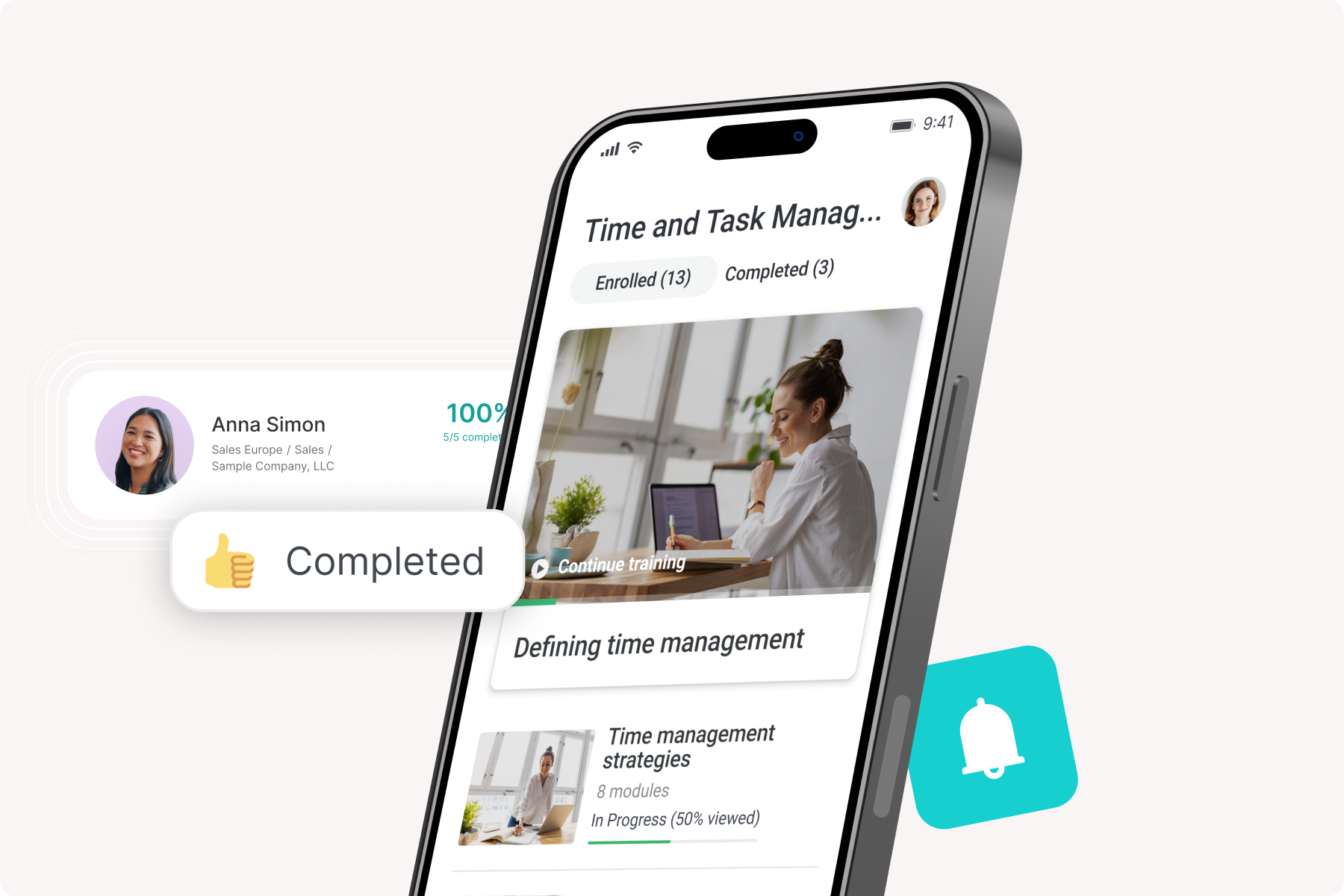
With iSpring LMS’s native app for iOS and Android, users also have access to the content from any device at any time, even when offline. iSpring LMS is also ideal for blended learning. It helps users organize all of their activities, including live trainings, webinars, and workshops in a single place. You can also send invitations and set up reminders and notifications to ensure that they won’t miss any training events.
Show MoreOverview of iSpring LMS Benefits
iSpring LMS offers a comprehensive set of tools to make e-learning hassle-free for any user. These are the principal advantages of using iSpring LMS:
Ease of use
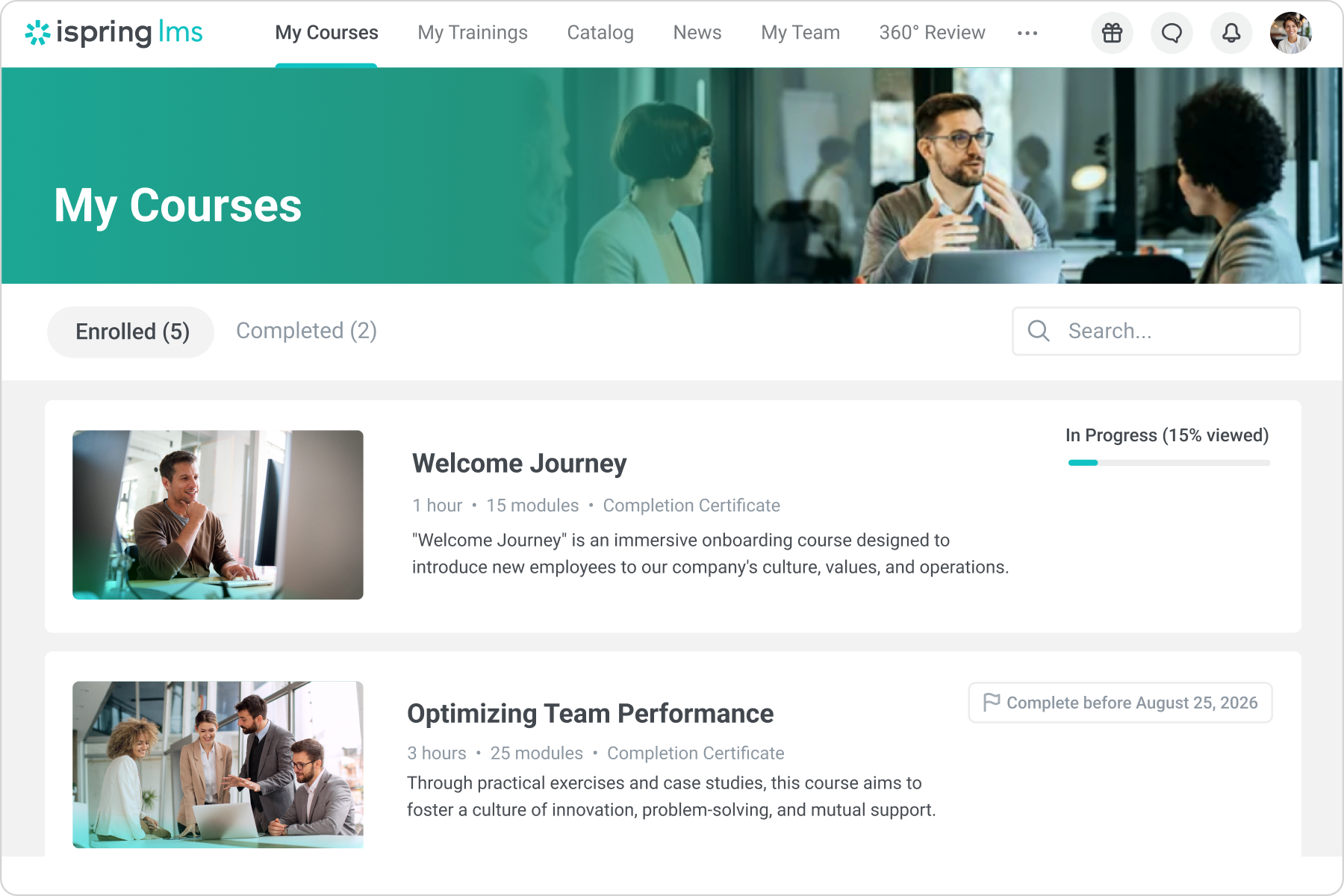
iSpring LMS is a simple yet effective learning management system designed for teaching and assessing employees or students online. As this LMS requires little to no learning curve, educators and facilitators can quickly upload their learning materials to the platform. iSpring LMS also provides learners with quick and simple access to their courses. Furthermore, all users can create and upload their learning materials to their accounts, giving them full control of their learning experience.
Learning on the go
iSpring LMS allows users to learn anytime, anywhere, using any device. Both the desktop and mobile apps offer the same capabilities, so you won’t miss anything regardless of the device you use. There’s no need to worry about compatibility issues as well.
Knowledge Base
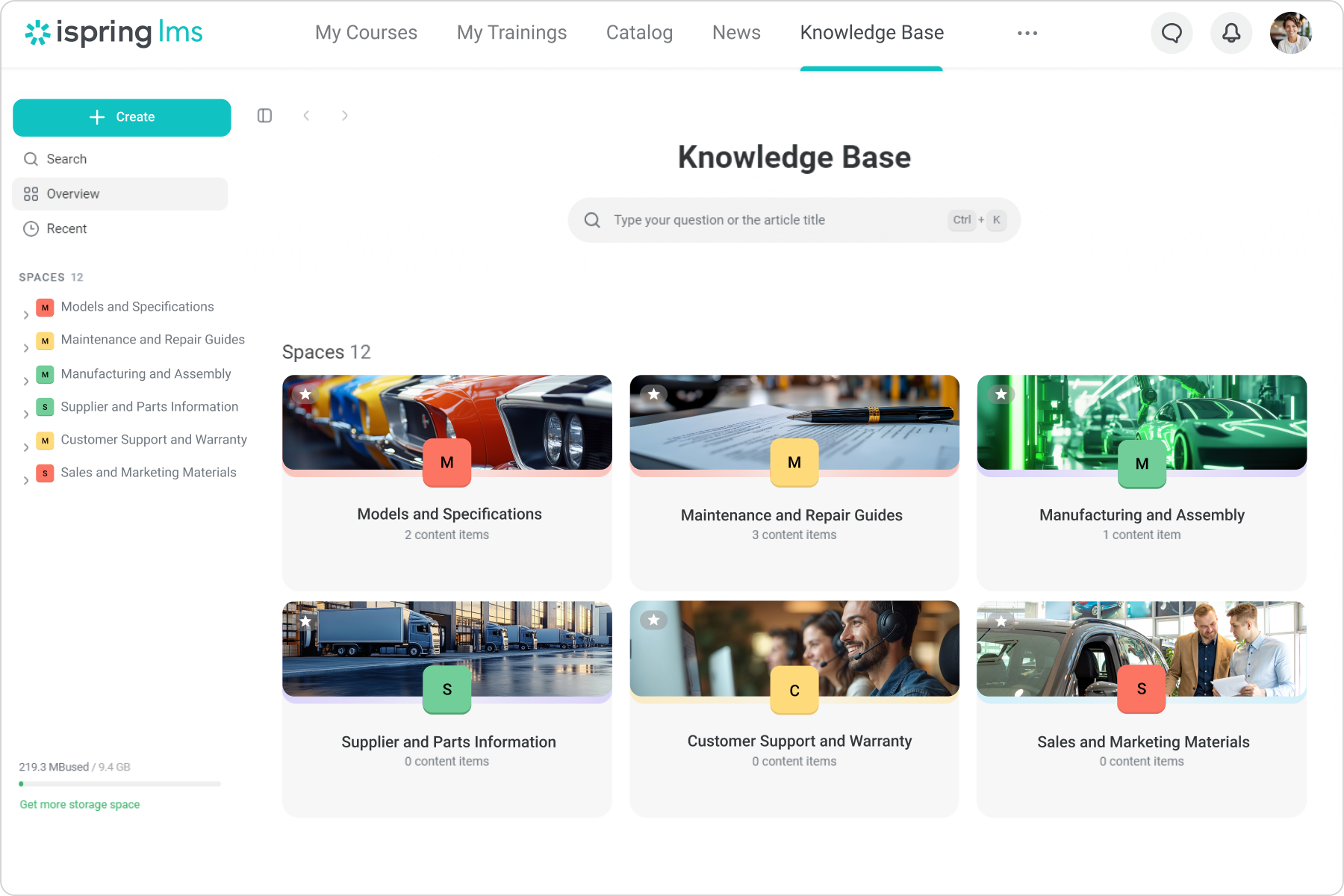
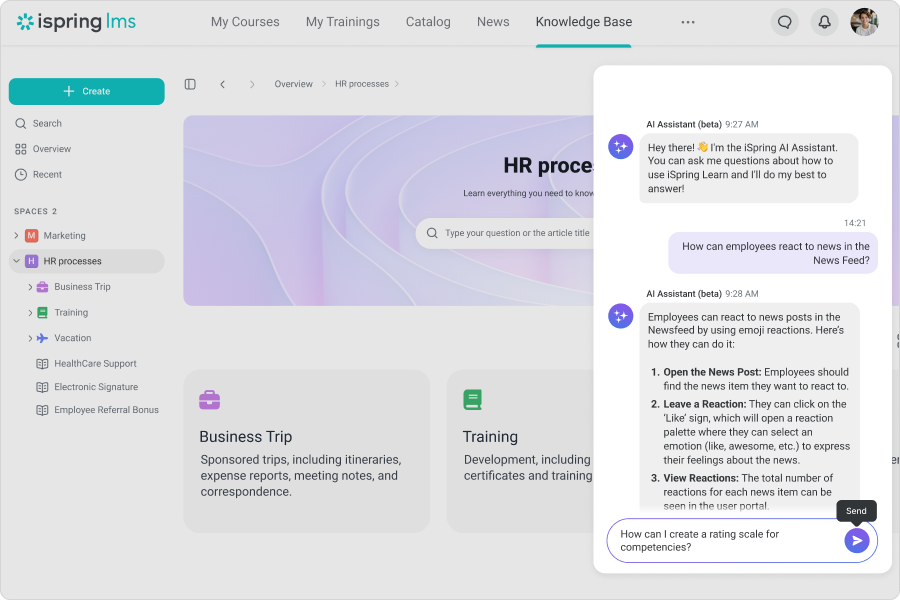
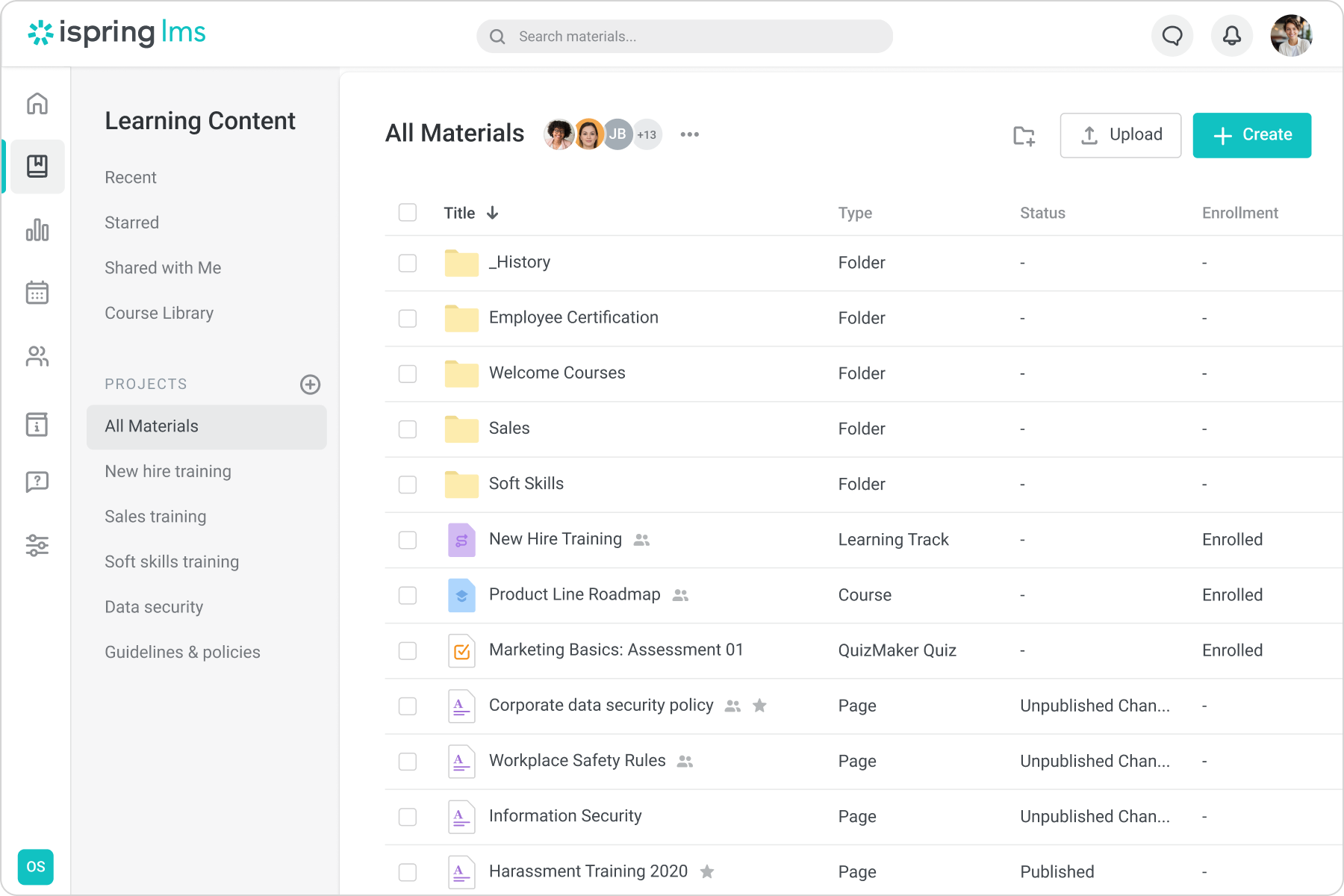
iSpring LMS provides a centralized, cloud-based knowledge hub where companies can store all corporate resources, guides, and FAQs. This keeps institutional knowledge, SOPs, and reference content in one secure repository that users can access anytime — reducing reliance on informal or word-of-mouth knowledge transfer and making sure critical information stays organized, findable, and preserved for the long term.
Development Plans
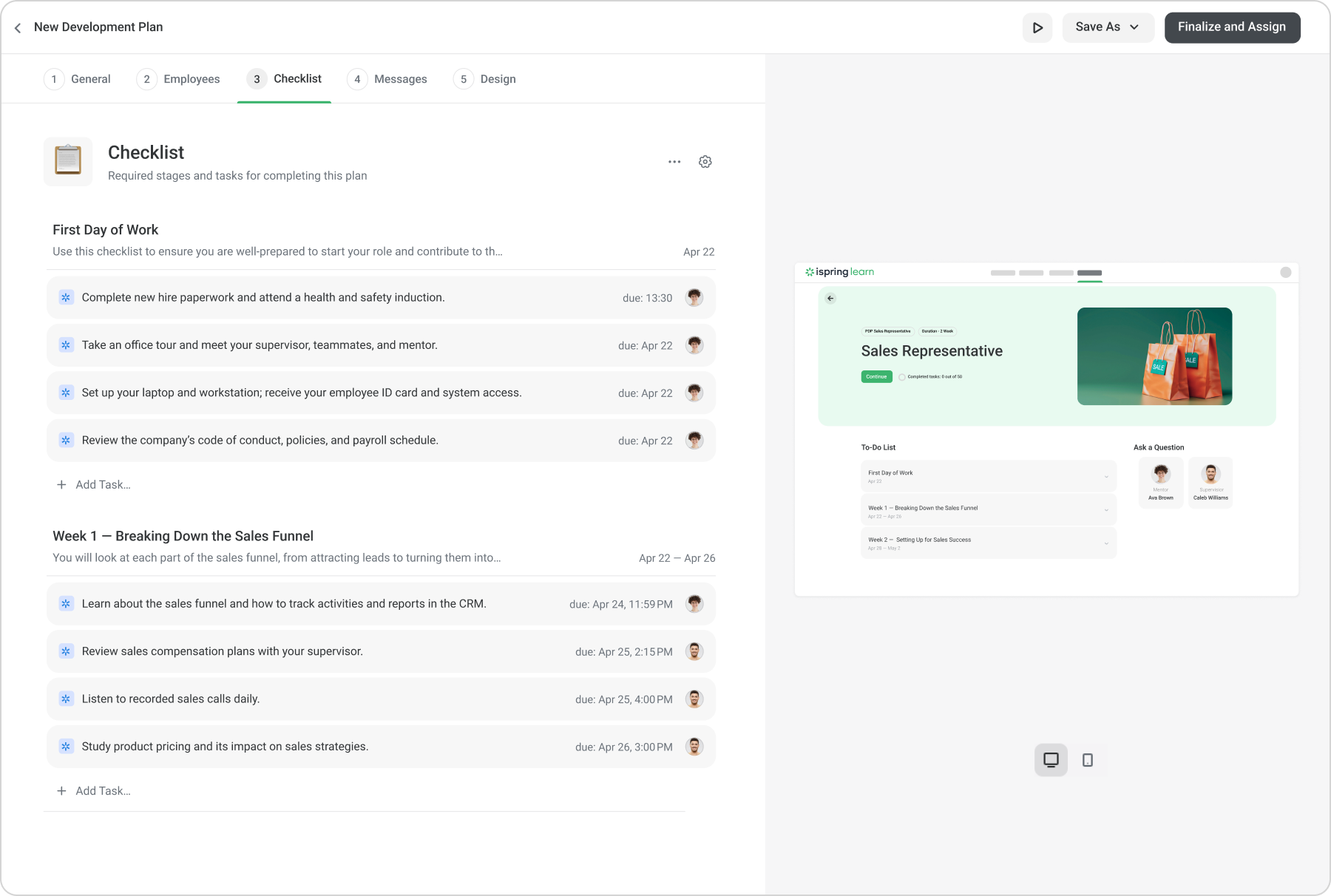
The platform enables creation of personalized learning or development plans for each learner, offering structured, role-specific training paths, task checklists, and mentoring support; it also tracks onboarding milestones and supports ongoing upskilling for seasoned employees. This helps organizations standardize training processes, ensure consistent skill development, and align personnel growth with business needs.
ispring.com
On-the-Job Training
iSpring LMS supports on-the-job training by allowing practical, hands-on tasks and assessments to be part of learning plans — combining theoretical coursework with real-world job training. This integrated approach helps ensure that knowledge isn’t just learned conceptually but is applied, making onboarding and skill acquisition more effective and aligned with actual job performance.
ispring.com
24/7 Multi-Channel Support
Users of iSpring LMS benefit from round-the-clock support via phone, email, and chat, with access to real human experts rather than automated bots and a high rate of fast ticket resolution. This reliable, always-available assistance ensures organizations can get help whenever needed — for setup, troubleshooting, or customization — which reduces downtime and supports smoother deployment and ongoing use.
Offline learning
While some cloud learning platforms necessitate internet connectivity to access lessons and submit activities, iSpring LMS prevents learning interruption by allowing users to take courses and do activities even when they’re offline. Activities and lesson progress will automatically be uploaded once an internet connection is available.
Blended learning
Aside from letting learners finish their course at their preferred schedule, iSpring LMS also supports blended learning. Users can organize their online and offline activities and lessons in one place.
Instant availability
Once educators and facilitators have created their courses and uploaded them to the system, they can immediately assign them to students or employees and then assess their progress with detailed statistics.
Built-in video conferencing
iSpring LMS has partnered with Zoom to deliver video broadcasting and web meetings for users right on the platform. As such, facilitators and students no longer have to install and open a different app during lectures and synchronous classes.
Efficient calendar
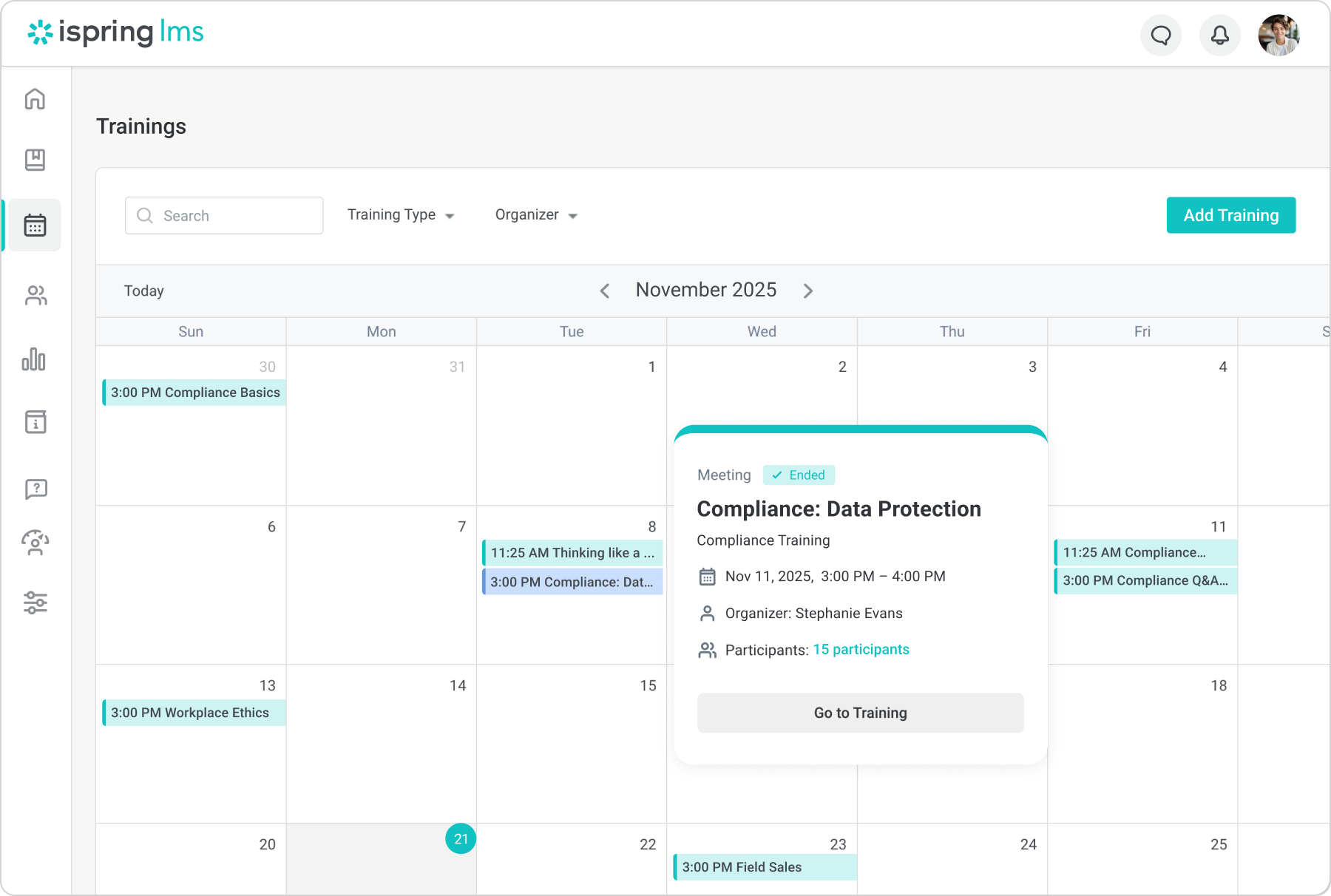
iSpring LMS provides a calendar tool. It organizes the scheduling of webinars, live training sessions, quizzes, and workshops. Additionally, users can set up and send notifications about upcoming events and schedule changes to other users. With this feature, users can also combine e-learning modules with offline training to set up a blended learning program.
Engaging content
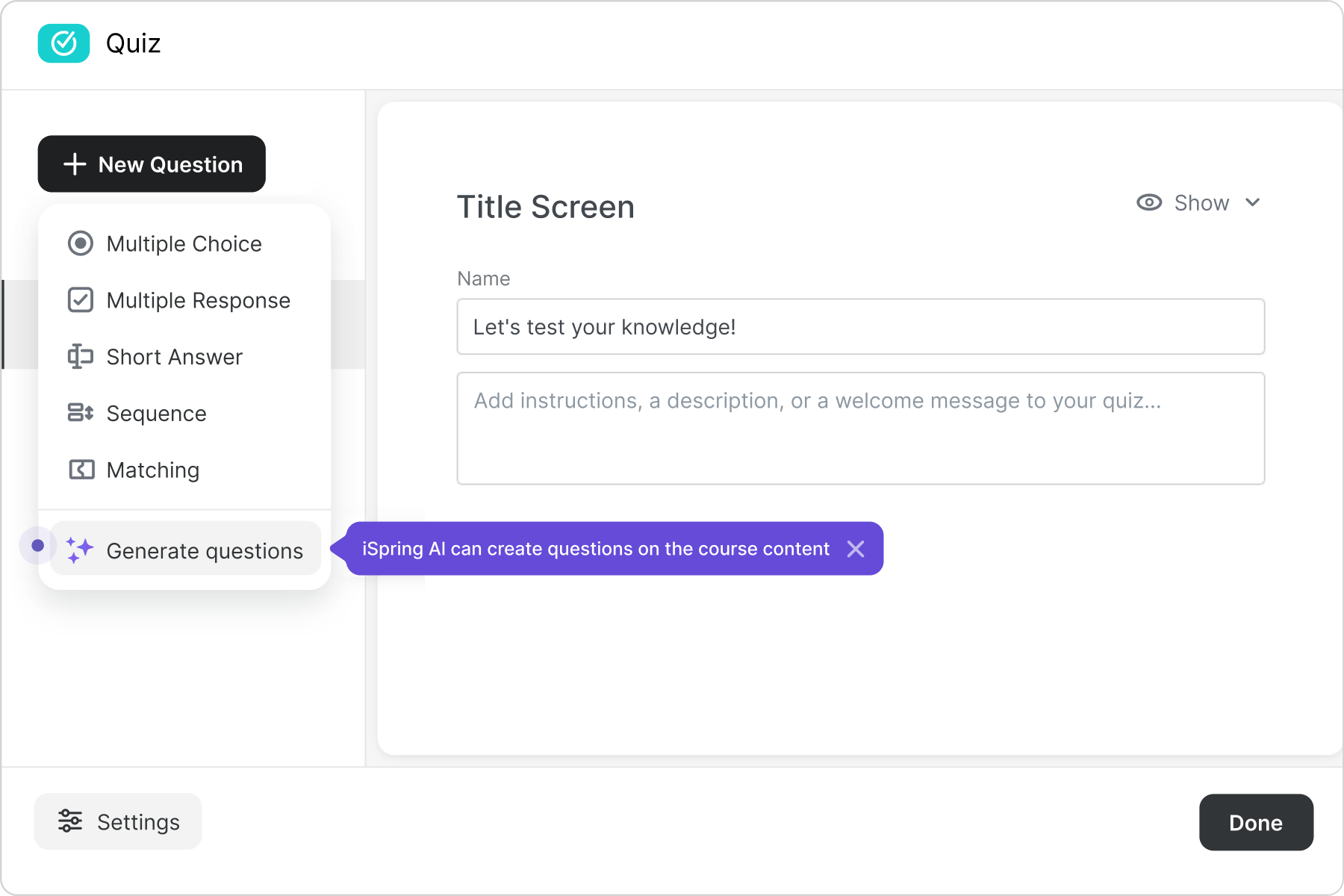
Uploading your e-courses straight to iSpring LMS can be done with just one click. The system supports SCORM packages, HTML5, audio/video files, and more. You can also incorporate games and quizzes into your courses.
Robust analytics
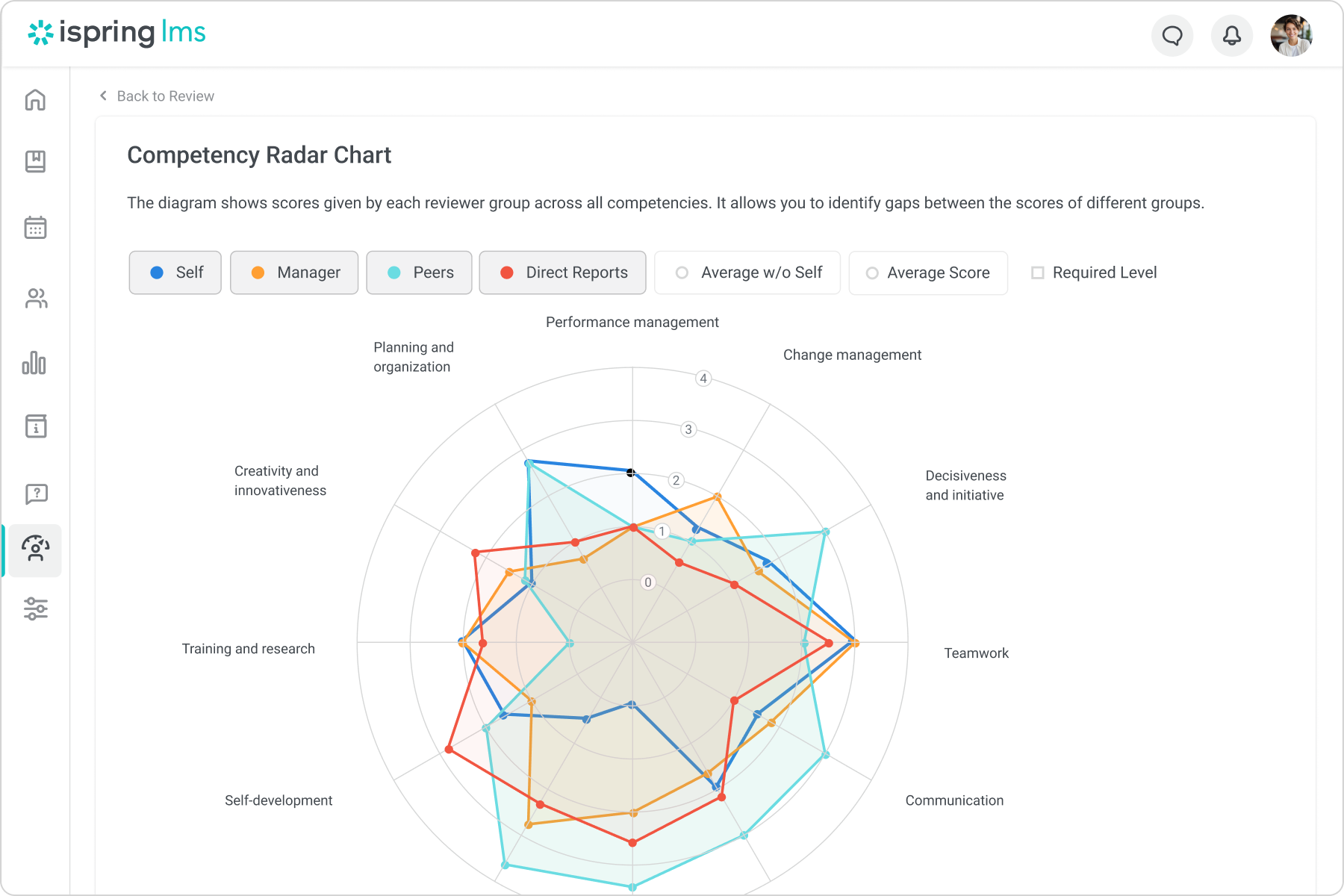
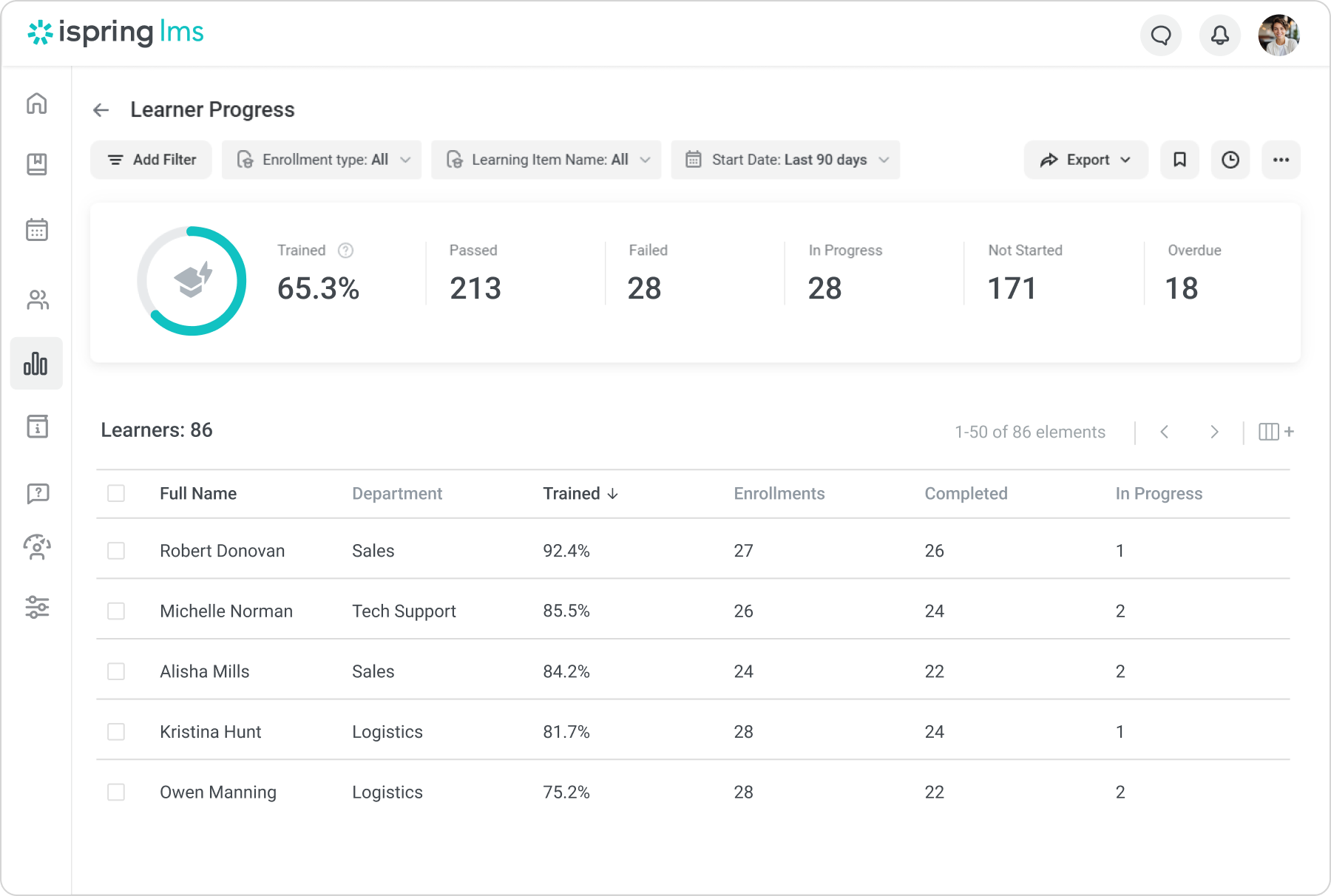
The system offers a rich set of reporting tools to help you follow the progress of individual users or groups, and evaluate the effectiveness of your training programs. With iSpring LMS, you have a wide range of reports at your fingertips to help you gain and maintain control over your training more efficiently and effectively. The platform also delivers certificates to your learners automatically by email after they complete courses and quizzes.
Customization options
The software offers a plethora of customization options. This means you can tailor the visual elements of your materials, including colors, logos, and the language of your user portal, to reflect your corporate identity.
Unlimited storage
iSpring LMS offers unlimited storage so users can hold multiple classes and upload unlimited content with different learning pathways.
Advanced user management
iSpring provides enhanced user management features, such as setting up departments to reflect the corporate structure, rule-based smart groups, flexible assignments for employees, and automated enrollment to courses.
Regular system updates
The iSpring LMS team updates the system and tools on a monthly basis. Users can be confident that they will always get the latest features for their training.
Show MoreOverview of iSpring LMS Features
- Integration with iSpring tools
- SCORM-compliance
- API
- Content Management
- User Management
- Event Calendar
- Assignment Management
- Assignment Tracking
- Advanced Reporting
- Training Metrics
- Completion Tracking
- Progress Tracking
- Real-Time Data
- Automatic Notifications
- Employee Onboarding
- Access Control
- Blended Learning
- Custom Branding
- User Portal
- Course Catalog
- Data Import/Export
- Defined User Roles
- Gamification
- Multiple Document Formats
- Mobile Access
- Offline Access
- Self-Learning
- Secure Data Storage
- SSL Security
- Single Sign-On
- URL Customization
- Synchronous Learning
- Certificates
- Chat
- Conferencing
- Departments
- Smart Groups
- Flexible Assignments
- Automated Enrollment
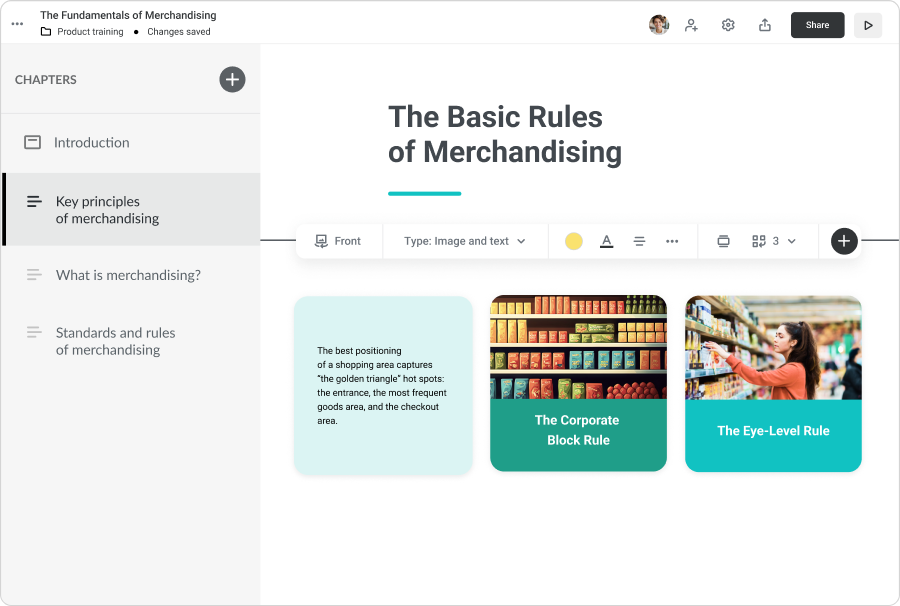
- Built-In Authoring
- Webinar (via integrated Zoom)
What Problems Will iSpring LMS Solve?
Problem #1. Training is scattered and inconsistent.
Solution: iSpring LMS centralizes content in one place and lets you organize it with groups, organizations, and structured catalogs. The Knowledge Base also provides a single hub for SOPs, docs, and product information.
Problem #2. Onboarding doesn’t scale.
Solution: Automated enrollment rules, learning tracks/development plans, and auto-notifications deliver consistent onboarding flows without manual effort. Managers see progress in the Supervisor Dashboard for quick oversight.
Problem #3. Compliance is hard to track and prove.
Solution: Built-in certification management, deadline control, automatic reminders, and detailed reporting (including per-user and per-team analytics) make compliance measurable and audit-ready.
Problem #4. Employees skip training or don’t retain key knowledge.
Solution: Engagement improves with microlearning courses, quizzes, assignments, and on-the-job training checklists. The mobile app that works both online and offline ensures that people can learn anywhere, while gamification mechanics help maintain long-term knowledge and improve motivation.
Problem #5. Teams want a learning culture but lack resources.
Solution: iSpring LMS’s out-of-the-box setup, white-label branding, clean interface, and 24/7 real human support make it easy to launch and manage training without extra headcount or complex implementation.
Awards & Quality Certificates




iSpring LMS Position In Our Categories
Bearing in mind businesses have distinctive business needs, it is only logical they avoid buying an all-in-one, ”best” system. However, it would be difficult to try to come across such an app even among recognizable software solutions. The clever thing to do can be to make a list of the numerous essential factors which entail deliberation including key features, costing, skill aptitude of staff, business size, etc. Then, you must follow through the product research thoroughly. Go over some of these iSpring LMS evaluations and check out each of the applications in your shortlist more closely. Such all-encompassing research ensure you stay away from poorly fit software solutions and buy the system that has all the aspects your business requires to be successful.
Position of iSpring LMS in our main categories:
TOP
5
iSpring LMS is one of the top 5 Learning Management Systems (LMS) products
Since each enterprise has unique business wants, it is prudent for them to desist from looking for a one-size-fits-all ideal software solution. Needless to say, it would be pointless to try to find such a system even among popular software platforms. The smart thing to do would be to jot down the various important factors that require consideration such as key features, finances, skill levels of employees, company size etc. Then, you should do your research thoroughly. Read some iSpring LMS Learning Management Systems (LMS) reviews and check out each of the other systems in your shortlist in detail. Such in-depth research can make sure you weed out ill-fitting applications and choose the solution that provides all the aspects you require for business success.
How Much Does iSpring LMS Cost?
iSpring LMS Pricing Plans:
Free Trial
Pay-per-Active-User
Contact Vendor
Custom Plan
Contact Vendor
What are iSpring LMS pricing details?
iSpring LMS Pricing Plans:
Free Trial
Pay-per-Active-User
Contact Vendor
Custom Plan
Contact Vendor
iSpring LMS follows the pay-per-active-user model. It features several pricing plans depending on the customers’ LMS capability requirements and the number of learners. A custom quote is also available.
User Satisfaction
Positive Social Media Mentions
0
Negative Social Media Mentions
0
We realize that when you make a decision to purchase a Learning Management Systems (LMS) it’s important not only to find out how professionals evaluate it in their reviews, but also to find out if the actual users and companies that purchased these solutions are genuinely content with the service. Because of that need we’ve devised our behavior-based Customer Satisfaction Algorithm™ that collects customer reviews, comments and iSpring LMS reviews across a wide range of social media sites. The information is then displayed in an easy to understand format revealing how many users had positive and negative experience with iSpring LMS. With that information available you should be ready to make an informed buying decision that you won’t regret.
Video
Screenshots
Technical details
Devices Supported
- Windows
- Linux
- Android
- iPhone/iPad
- Mac
- Web-based
- Windows Mobile
Deployment
- Cloud Hosted
- On Premise
Language Support
- English
- Chinese
- German
- Japanese
- Spanish
- French
- Russian
- Italian
- Dutch
- Portugese
- Polish
- Swedish
- Arabic
Pricing Model
- Monthly payment
- Annual Subscription
- Quote-based
Customer Types
- Small Business
- Large Enterprises
- Medium Business
What Support Does This Vendor Offer?
- phone
- live support
- training
- tickets
What integrations are available for iSpring LMS?
All courses and quizzes created with iSpring’s authoring tool (iSpring Suite) are perfectly compatible with iSpring LMS. The platform also integrates with various business systems, such as ERP solutions, HR platforms, and others, using REST/SOAP API. In addition, it can connect with third-party platforms such as:
-
Zoom
-
Microsoft Teams
-
Albato
-
Salesforce
-
PeopleWeek
-
Microsoft Outlook Calendar
-
Single sign-on (SSO)
-
API for a custom app integration
-
Shopify
-
Courseboost
-
Bitrix24
-
OctoProctor
-
Power BI
-
OrangeHRM
-
PeopleWeek
-
BambooHR
-
Udemy
-
Go1
-
LinkedIn Learning
-
Albato
-
Google Meet
-
GoodHabitz
iSpring LMS User Reviews
iSpring LMS average rating:
5/5
Overall impression
5/5
Customer Support
4/5
Value for Money
4/5
Ease of Use
Write your own review of this product
ADD A REVIEWThe most favorable review

PROS: iSpring Suite and Learn are working nicely together. I'm able to create beautiful sheets (with a little help from the Content Library) which are properly displayed on larger and smaller screens. Nothing to worry about, it simply works!
CONS: No problems found, there are monthly updates.
The least favorable review

PROS: I enjoy using iSpring Learn in presenting the courses I made in iSpring Suite. I particularly liked how these two complementing applications were effectively integrated, making the whole management process easier for me.
CONS: While I see iSpring as the top-quality LMS available in the market, I think it can still be improved further by allowing us to link our content to our organization's data system.
More reviews from 14 actual users:
Sort by:
Latest
- Latest
- Most useful
- Most positive
- Most negative
Versatile and smart software!
Read full review >
5/5
Overall impression
4/5
Customer Support
4/5
Value for Money
5/5
Ease of Use
Published on: 12.11.2021
Company Size: 1-10 Employees
Industry: N/A
PROS: What I love the most about iSpring is that it allows me to migrate Powerpoint presentations and convert them into a brand new course. Its functionality is amazing! I can give quizzes, monitor deadlines, do surveys, record audio, export class reports -- it's pretty responsive! Big thumbs up, as well, to their great customer service!
CONS: Minor issues: (1) there's no way to keep old courses hidden from new participants, and (2) it doesn't have a "send-to-all" messaging feature. I also think that the e-commerce feature needs improving since it does not have an "add to cart" option allowing multiple course purchases at a time.
The perfect e-learning companion!
Read full review >
4/5
Overall impression
3/5
Customer Support
3/5
Value for Money
3/5
Ease of Use
Published on: 11.11.2021
Company Size: More than 100 Employees
Industry: Biotechnology
PROS: I enjoy using iSpring Learn in presenting the courses I made in iSpring Suite. I particularly liked how these two complementing applications were effectively integrated, making the whole management process easier for me.
CONS: While I see iSpring as the top-quality LMS available in the market, I think it can still be improved further by allowing us to link our content to our organization's data system.
Optimizes e-Learning
Read full review >
5/5
Overall impression
4/5
Customer Support
4/5
Value for Money
5/5
Ease of Use
Published on: 10.11.2021
Company Size: 1-10 Employees
Industry: Hospital & Health Care
PROS: We are using iSpring Learn to teach and impart practical skills among our employees. Since we work in a health care facility, these skills include proper communication with patients and their families. It seems impossible to teach this through e-learning but iSpring effectively allows us to do so through its features. Setting up a learning path is really easy and linking your PowerPoint presentations is totally possible.
CONS: We tried to sync audio and videos that are coming from different files, and it's really time-consuming. We hope it gets more intuitive. We also encountered some Mac OS issues. It seems like the software isn't 100% compatible with Mac. Hoping it gets fixed soon!
I got more than what I paid for!
Read full review >
5/5
Overall impression
5/5
Customer Support
4/5
Value for Money
5/5
Ease of Use
Published on: 11.07.2021
Company Size: More than 100 Employees
Industry: Telecommunications
PROS: iSpring has a simple, but really functional, user interface. You can easily develop and manage courses even if it's your first time using the app. It won't take long for you to master it.
CONS: It does not allow users to add/link short video clips from external sources that can be used in the courses.
A user-friendly learning resource!
Read full review >
5/5
Overall impression
4/5
Customer Support
4/5
Value for Money
5/5
Ease of Use
Published on: 01.07.2021
Company Size: More than 100 Employees
Industry: N/A
PROS: New users can easily navigate across the system because of its uncomplicated interface. Its extensive resource library also helps improve the overall user experience.
CONS: I wish it has a feature where it allows users to attach or upload multiple media files at a time.
Worth it!
Read full review >
5/5
Overall impression
5/5
Customer Support
4/5
Value for Money
5/5
Ease of Use
Published on: 07.04.2021
Company Size: 1-10 Employees
Industry: N/A
PROS: The app is perfect for online classes, webinars, and forums. It's so easy to use. I don't have to spend so much time figuring out the app features, that's why I can focus more on developing my courses.
CONS: Copy-pasting content requires patience since the app doesn't allow copying multiple items. When copying lists, you have to copy the items one by one.
Extremely helpful support staff!
Read full review >
4/5
Overall impression
3/5
Customer Support
4/5
Value for Money
3/5
Ease of Use
Published on: 02.04.2021
Company Size: More than 100 Employees
Industry: Aviation & Aerospace
PROS: iSpring's customer service representatives are the best! We rarely have issues with iSpring because it's indeed a quality product, but when we do, it always gets fixed right away. Thanks to their support staff who patiently troubleshoots even the littlest things.
CONS: I had trouble editing audios from screen recordings because it doesn't have a noise reduction feature like when editing audio files.
iSpring is an eLearning game-changer
Read full review >
5/5
Overall impression
4/5
Customer Support
5/5
Value for Money
5/5
Ease of Use
Published on: 12.03.2021
Company Size: 11-50 Employees
Industry: N/A
PROS: iSpring Learn LMS is probably the best eLearning tool out there! The "learning paths" feature facilitates interaction among users through the comments. It also has a really user-friendly interface which makes it easier for me to create new courses, conduct quizzes, and export reports.
CONS: If you were previously using a different e-learning tool, transferring materials to iSpring has to be done manually.
Best e-Learning tool in the market!
Read full review >
5/5
Overall impression
5/5
Customer Support
4/5
Value for Money
4/5
Ease of Use
Published on: 10.03.2021
Company Size: More than 100 Employees
Industry: N/A
PROS: iSpring has been a really reliable tool to facilitate e-learning. Some of my favorite features are the evaluation (quizzes, exams, etc.) and certification functions. The software makes it easier for me to organize the outputs and track the performances of the trainees.
CONS: It would be better if there is no limit with the number of trainees that are simultaneously using the software.
The secret ingredient to an effective e-learning program
Read full review >
5/5
Overall impression
4/5
Customer Support
4/5
Value for Money
4/5
Ease of Use
Published on: 19.02.2021
Company Size: More than 100 Employees
Industry: Health, Wellness and Fitness
PROS: I really love how smooth and convenient it is to import courses made in iSpring Suite to iSpring Learn LMS! That, and the software compatibility to various electronic devices, optimized my whole experience with the product. They have an exceptional team of customer support staff, as well!
CONS: It's really a minor issue (and maybe it's just me), but I don't like it that there's no option to make the password visible when logging in. I raised it to customer support and they assured me it will never be a problem again.
An All-in-One e-Learning Essential
Read full review >
4/5
Overall impression
4/5
Customer Support
3/5
Value for Money
3/5
Ease of Use
Published on: 03.02.2020
Company Size: More than 100 Employees
Industry: Hospital & Health Care
PROS: The best part of this software is the tracking feature that allows me to monitor the progress of the trainees.
CONS: The "learning path" component doesn't have a timeline feature that allows trainers to plot target completion dates for the course.
Working Great – Doing Everything We Need
Read full review >
4/5
Overall impression
5/5
Customer Support
5/5
Value for Money
4/5
Ease of Use
Published on: 19.06.2019
Company Size: More than 100 Employees
Industry: Information Technology and Services
PROS: It is a very affordable LMS. It is also pretty easy to use, and over the past 8 months, the online documentation for how to do things or solve problems has increased a lot. But in any event, support is very fast to respond to an issue and works tirelessly to resolve challenges.
CONS: Nothing that comes to mind.
I Spring is the answer for a smooth running E Learning experience & the IT support is UNPARALLELED
Read full review >
5/5
Overall impression
5/5
Customer Support
5/5
Value for Money
5/5
Ease of Use
Published on: 23.01.2019
Company Size: More than 100 Employees
Industry: Hospital & Health Care
PROS: The learning content displays easily on all devices, the reporting capabilities vibrant, the direct upload from I Spring Suite to I Spring Learn LMS is fantastically easy. I appreciate how quick it is to sign up learners and assign them the learning content on a \"Learning Path\". These paths are very easy to put together and update as content is updated. Best of all, if you need help....the I Spring Team is there for you. Cheerful, knowledgeable and they get you answers fast. They have my highest most enthusiastic rating!
CONS: I honestly have not had difficulties that couldn\'t be resolved by the IT Support Team. I love how there is often somebody to immediately chat with to resolve any issues-the turnaround to get assistance is AMAZING. We were with a different LMS prior-that offered LITTLE TO NO SUPPORT. It drove my crazy and was a detriment to the class... I am so thankful we found I Spring. I Spring won\'t let you down!
Very professional and easy to use LMS solution
Read full review >
5/5
Overall impression
5/5
Customer Support
4/5
Value for Money
4/5
Ease of Use
Published on: 14.12.2018
Company Size: 1-10 Employees
Industry: Professional Training & Coaching
PROS: iSpring Suite and Learn are working nicely together. I'm able to create beautiful sheets (with a little help from the Content Library) which are properly displayed on larger and smaller screens. Nothing to worry about, it simply works!
CONS: No problems found, there are monthly updates.


Join a community of 7,369 SaaS experts
Thank you for the time you take to leave a quick review of this software. Our community and review base is constantly developing because of experts like you, who are willing to share their experience and knowledge with others to help them make more informed buying decisions.
Sign in with LinkedIn
Why we require LinkedIn?
- Show the community that you're an actual user.
- We will only show your name and profile image in your review.
- You can still post your review anonymously.
OR
Sign in with company emailSign in with company email
Useful iSpring LMS Resources
Popular iSpring LMS Alternatives




Top Competitors To iSpring LMS By Price
Product name:
Price:


Trending Learning Management Systems (LMS) Reviews

9.0
N/A




7.8
N/A
iSpring LMS Comparisons
Product name:


iSpring LMS user reviews
Versatile and smart software!
Read full review >
5/5
Overall impression
4/5
Customer Support
4/5
Value for Money
5/5
Ease of Use
Published on: 12.11.2021
Company Size: 1-10 Employees
Industry: N/A
The perfect e-learning companion!
Read full review >
4/5
Overall impression
3/5
Customer Support
3/5
Value for Money
3/5
Ease of Use
Published on: 11.11.2021
Company Size: More than 100 Employees
Industry: Biotechnology
Optimizes e-Learning
Read full review >
5/5
Overall impression
4/5
Customer Support
4/5
Value for Money
5/5
Ease of Use
Published on: 10.11.2021
Company Size: 1-10 Employees
Industry: Hospital & Health Care
I got more than what I paid for!
Read full review >
5/5
Overall impression
5/5
Customer Support
4/5
Value for Money
5/5
Ease of Use
Published on: 11.07.2021
Company Size: More than 100 Employees
Industry: Telecommunications
A user-friendly learning resource!
Read full review >
5/5
Overall impression
4/5
Customer Support
4/5
Value for Money
5/5
Ease of Use
Published on: 01.07.2021
Company Size: More than 100 Employees
Industry: N/A

Page last modified
 Why is FinancesOnline free?