

Navisworks Review



What is Navisworks?
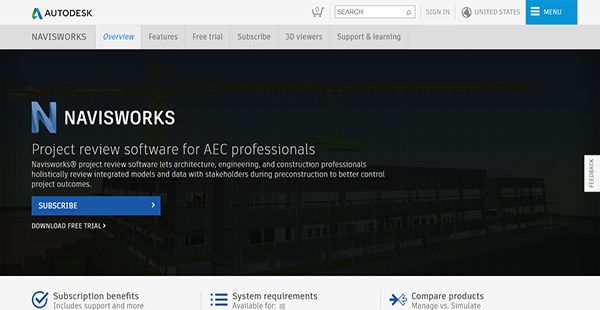
Navisworks is a project review and management software for AEC professionals and teams. It offers a holistic review of integrated models and data that involves stakeholders during the preconstruction phase for better control of project conclusions.
This Autodesk product has two editions: Navisworks Manage and Navisworks Simulate. The former provides clash detection, advanced coordination, 5D analysis, and simulation tools. Meanwhile, the latter is more focused on the reviewing and communication of project details via 5D analysis and simulation. Each package has features that meet your unique review and management needs that let you complete your projects quickly and improve your bottom line.
Show MoreOverview of Navisworks Benefits
RFI Volume Reduction
Detecting clashes in building systems is a laborious task that used to rely heavily on manual processes such as overlaying drawings on light tables. This can result in a dramatic increase in the volume of RFIs. However, you can mitigate that by using the enhanced BIM technology offered by Navisworks and cut down RFI volume for you to swiftly complete projects.
Cost Reduction
Delays in project completion due to clashes are costly and can drastically affect your company’s bottom line. However, you can avoid that and streamline your workflows in the process with the help of Navisworks. The platform’s Manage edition allows you to swiftly detect mismatches and quickly resolve them. As such, you can stay within the project budget, avoid having to overspend, and save time.
Environment-Friendly Initiatives
As nations rush to adapt to the ever-changing climate, AEC firms must also be smart in their designs to ensure that they do not extremely alter the environment. With Navisworks Simulate, they can make certain that their designs work with rather than against the natural backdrop.
Cloud Access
Navisworks has a simple but robust integration with BIM 360 Glue. This allows you and your collaborators to share models in the cloud and access them seamlessly. With this, you can facilitate the smoother flow of work processes by preventing bottlenecks due to team members’ inability to access important project files.
Aggregated Data
Instead of working with separate data for design and construction, you can save time by putting them together in a single model. Navisworks aids you in doing this through its model publishing and model aggregation tools.
Show MoreOverview of Navisworks Features
- Highlighted Section Cutouts
- Multithread Clash Detection
- IFC File Reader
- DGN File Reader
- BIM 360 Glue Integration
- BIM 360 Shared Views
- BIM Coordination
- Model Review
- Model Simulation & Analysis
- Project Viewing
- Quantification
Navisworks Position In Our Categories
Because companies have particular business needs, it is only sensible that they abstain from seeking an all-encompassing, ideal software product. Having said that, it would be futile to discover such application even among well-known software systems. The better step to undertake can be to make a list of the numerous critical aspects that entail examination including key features, price terms, technical skill capability of the employees, business size, etc. Next, you should do your research to a full extent. Browse over some Navisworks reviews and look over the other software systems in your shortlist in detail. Such detailed research guarantee you keep away from poorly fit software solutions and pay for the system that includes all the function your company requires.
Position of Navisworks in our main categories:
TOP
5
Navisworks is one of the top 5 Building Information Modeling Software - BIM products
If you are considering Navisworks it might also be a good idea to investigate other subcategories of Building Information Modeling Software - BIM collected in our base of B2B software reviews.
Every enterprise has its own characteristics, and might call for a particular type of Building Information Modeling Software - BIM solution that will be adjusted to their company size, type of customers and employees and even individual industry they support. You should not count on finding a perfect app that will work for each company no matter what their history is. It may be a good idea to read a few Navisworks Building Information Modeling Software - BIM reviews first and even then you should remember what the service is supposed to do for your company and your workers. Do you need an easy and intuitive solution with just elementary functions? Will you really use the advanced functionalities required by pros and big enterprises? Are there any specific tools that are especially practical for the industry you work in? If you ask yourself these questions it will be much easier to get a trustworthy software that will fit your budget.
How Much Does Navisworks Cost?
Navisworks Pricing Plans:
Free Trial
Navisworks Stimulate
$110.00/month
Navisworks Manage
$265.00/month
Architecture, Engineering, Construction
$345.00/month
What are Navisworks pricing details?
Navisworks Pricing Plans:
Free Trial
Navisworks Stimulate
$110.00/month
Navisworks Manage
$265.00/month
Architecture, Engineering, Construction
$345.00/month
Autodesk Navisworks has two enterprise pricing packages, each with three payment options based on the length of time you wish to access the tools and features of the software. The pricing plans are listed below, as well as their inclusions, to help you decide which one is the best for your organization.
Navisworks Stimulate
- Monthly – $110.00/month
- 1 Year – $860.00/year
- 3 Years – $2,580.00/month
Navisworks Manage
- Monthly – $265.00/month
- 1 Year – $2,12.00/year
- 3 Years – $6,360.00/month
Each enterprise pricing package has the following benefits:
- Call Support Scheduling
- Live Support
- Remote Desktop Assistance
- Online Resources
- Latest Releases & Enhancements
- Previous Releases Access
- Administrative Tools
You can also acquire Navisworks as a part of a collection together with AutoCAD, Revit, and more.
Architecture, Engineering & Construction Collection
- Monthly – $345.00/month
- 1 Year – $2,755.00/year
- 3 Years – $8,625.00/month
Please note that fees indicated above are for a single user only. For accurate prices for two or more users, visit the website or call a sales representative.
User Satisfaction
Positive Social Media Mentions
194
Negative Social Media Mentions
3
We know that when you decide to buy a Building Information Modeling Software - BIM it’s crucial not only to see how experts rank it in their reviews, but also to discover if the real clients and enterprises that purchased these solutions are genuinely content with the product. Because of that need we’ve devised our behavior-based Customer Satisfaction Algorithm™ that gathers customer reviews, comments and Navisworks reviews across a vast range of social media sites. The data is then presented in a simple to digest format indicating how many people had positive and negative experience with Navisworks. With that information available you will be prepared to make an informed purchasing decision that you won’t regret.
Video
Technical details
Devices Supported
- Windows
Deployment
- On Premise
Language Support
- English
- Chinese
- German
- Japanese
- Spanish
- French
- Russian
- Italian
- Portugese
- Polish
Pricing Model
- Monthly payment
- Annual Subscription
Customer Types
- Small Business
- Large Enterprises
- Medium Business
What Support Does This Vendor Offer?
- phone
- live support
- training
- tickets
What integrations are available for Navisworks?
Navisworks can integrate with BIM 360 Glue for data and workflow management.
Navisworks User Reviews
Navisworks average rating:
5/5
Overall impression
5/5
Customer Support
4/5
Value for Money
4/5
Ease of Use
Write your own review of this product
ADD A REVIEWThe most favorable review

PROS: I am really happy about how much quicker it is now to navigate and render models. That has made work much more manageable.
CONS: This tool could still be improved especially when it comes to user-friendliness. A number of its functions I found to be a little complicated, such as the erase function, the test editing function, and the markup tool.
The least favorable review
PROS: The area where it has been the most significant aid has been with fire, plumbing, and mechanical protection. It's an exceptional software at clash detection and helps us see the problems before they grow bigger.
CONS: It's not a perfect tool. I wish that rendering can be improved because the high-resolution option needs a lot of improvement.
More reviews from 14 actual users:
Sort by:
Latest
- Latest
- Most useful
- Most positive
- Most negative
It’s excellent, but I wish it didn’t require so much power
Read full review >
5/5
Overall impression
4/5
Customer Support
4/5
Value for Money
4/5
Ease of Use
Published on: 29.11.2021
Company Size: More than 100 Employees
Industry: N/A
PROS: When it comes to coordinating Revit files and detecting clashes, I don't think there's any other software out there that is just as good as this one.
CONS: While it is an exceptional software, it can be costly as the specs required to run it are only on high configuration laptops. The files needed for it can also be costly.
Work has been sped up
Read full review >
5/5
Overall impression
4/5
Customer Support
4/5
Value for Money
4/5
Ease of Use
Published on: 16.10.2021
Company Size: More than 100 Employees
Industry: Construction
PROS: I am really happy about how much quicker it is now to navigate and render models. That has made work much more manageable.
CONS: This tool could still be improved especially when it comes to user-friendliness. A number of its functions I found to be a little complicated, such as the erase function, the test editing function, and the markup tool.
It really works!
Read full review >
5/5
Overall impression
5/5
Customer Support
4/5
Value for Money
5/5
Ease of Use
Published on: 13.08.2021
Company Size: 11-50 Employees
Industry: N/A
PROS: There are a lot of things to love about this. First of all, it is very user-friendly, intuitive, and practical. I've been using it as a way to showcase my projects. As a software, it is also really good at clash detection and has helped me catch clashing elements in my projects. I think it's the best of its kind out in the market.
CONS: I'm racking my brain to come up with something to complain about, but frankly, I think this is software that works and delivers on its promises.
It’s great for reviewing files
Read full review >
5/5
Overall impression
5/5
Customer Support
5/5
Value for Money
4/5
Ease of Use
Published on: 07.08.2021
Company Size: More than 100 Employees
Industry: Automotive
PROS: I was impressed at how this tool can take on several CAD formats showing large assembly models.
CONS: It's frustrating that I can't have the changes I make be pushed onto the native assembly files. I'd like to see an option for this if ever a new version comes out.
Really outstanding software
Read full review >
5/5
Overall impression
5/5
Customer Support
5/5
Value for Money
5/5
Ease of Use
Published on: 03.08.2021
Company Size: 11-50 Employees
Industry: N/A
PROS: Thanks to this tool, our project models have improved immensely. Navigating them has been easy because of this tool and that has enabled us to find MEP's that are buried and any clashes quickly.
CONS: If any improvements are going to be made, I hope they focus on the navigation tools. We've discovered that they can be overly sensitive and make it difficult for us to focus on specific areas.
As a management tool, it’s perfect
Read full review >
4/5
Overall impression
3/5
Customer Support
4/5
Value for Money
3/5
Ease of Use
Published on: 17.06.2021
Company Size: 11-50 Employees
Industry: Architecture & Planning
PROS: Projects have become easier to understand thanks to this tool and its excellent management of BIM databases. I would also like to commend the user-friendliness of the quantities take-off tool as well as the clash detective.
CONS: I don't have a problem with the tool itself, but I think its developer could give it more focus since it is a great tool.
I liked how hassle-free it is
Read full review >
5/5
Overall impression
5/5
Customer Support
5/5
Value for Money
4/5
Ease of Use
Published on: 28.03.2021
Company Size: 11-50 Employees
Industry: N/A
PROS: I don't have to worry about parts of a model clashing anymore, as this software points it out to me whenever that happens. it helps me ensure that what I put out has no clashes in it.
CONS: I found it disappointing that this tool could not handle big files, as it either lags or crashes outright.
A great blend of power and user-friendliness
Read full review >
4/5
Overall impression
4/5
Customer Support
4/5
Value for Money
3/5
Ease of Use
Published on: 24.02.2021
Company Size: More than 100 Employees
Industry: Construction
PROS: I'd like to specifically commend this tool's Freedom version, as I've found it to be easy to use and great for even the less tech-savvy. There is no intimidating learning curve and I don't think I've seen anyone struggle to learn how to use it. I also was impressed with this tool's measuring ability as well as its section view.
CONS: My biggest gripe about this tool is how there isn't much word on anything new about it. I'm curious if this means that this tool has been discontinued? I want to get some updates about it.
It has simplified our processes
Read full review >
4/5
Overall impression
4/5
Customer Support
4/5
Value for Money
3/5
Ease of Use
Published on: 28.01.2021
Company Size: 11-50 Employees
Industry: E-Learning
PROS: Our general auditing process has been made easy and streamlined thanks to the clash tests this tool can run. Model navigation has also become smoother since we started using this. Overall, the process of coordinating is much more straightforward and easy than ever before.
CONS: Generally, I like this tool. However, I admit that I am sometimes confused by the NWC, NWD and NWF file formats. I think that's something that can be improved in future versions.
Packs a punch and is easy to use
Read full review >
4/5
Overall impression
3/5
Customer Support
3/5
Value for Money
4/5
Ease of Use
Published on: 23.01.2021
Company Size: 11-50 Employees
Industry: Design
PROS: Whether you're using a CAD file or a BIM file, this tool can easily open it. It also goes without saying that its clash detection feature is impressive.
CONS: One complaint I do have is how difficult it is when I need to line up two models. I hope this can be improved in any future versions of this tool.
So easy to use
Read full review >
5/5
Overall impression
5/5
Customer Support
4/5
Value for Money
5/5
Ease of Use
Published on: 14.10.2020
Company Size: More than 100 Employees
Industry: N/A
PROS: It's really good at detecting clashes and allowing us to look at the construction timeline, but what I was really impressed with is how easy it is to use.
CONS: I don'r have a problem with the software itself, but anyone looking to use it has to be aware that your PC or laptop has to have a high configuration for this tool to work.
Can’t imagine not having it around
Read full review >
5/5
Overall impression
5/5
Customer Support
4/5
Value for Money
5/5
Ease of Use
Published on: 09.10.2020
Company Size: More than 100 Employees
Industry: N/A
PROS: Whatever your trade, you'll really find this tool useful. It lets you easily and quickly view and navigate your models.
CONS: I think they can still make some improvements with regards to the view feature. For one, I'd like to see individual components rather than the views currently provided. I'd also like to see better switchback integration with Revit or Autocad when viewing changes.
It’s good software
Read full review >
4/5
Overall impression
4/5
Customer Support
4/5
Value for Money
4/5
Ease of Use
Published on: 03.10.2020
Company Size: More than 100 Employees
Industry: Information Technology and Services
PROS: The area where it has been the most significant aid has been with fire, plumbing, and mechanical protection. It's an exceptional software at clash detection and helps us see the problems before they grow bigger.
CONS: It's not a perfect tool. I wish that rendering can be improved because the high-resolution option needs a lot of improvement.
Quite a fantastic tool
Read full review >
5/5
Overall impression
5/5
Customer Support
4/5
Value for Money
4/5
Ease of Use
Published on: 01.10.2020
Company Size: More than 100 Employees
Industry: N/A
PROS: It's remarkable how user-friendly this tool is. As an example, I've been able to use this as a walkthrough tool for my clients and they've been able to clearly see the designs and easily recommend changes or approve it. And they all manage to do this even if they haven't encountered the software before! I appreciate how more comfortable it is now for different teams to coordinate, thanks to this tool. Checking for interference or clashes can now be done so easily.
CONS: I do have one little complaint and that is with regards to the measure tool. I think it would be an excellent addition to have it snap to model points because doing that will result in more accurate measurements.


Join a community of 7,369 SaaS experts
Thank you for the time you take to leave a quick review of this software. Our community and review base is constantly developing because of experts like you, who are willing to share their experience and knowledge with others to help them make more informed buying decisions.
Sign in with LinkedIn
Why we require LinkedIn?
- Show the community that you're an actual user.
- We will only show your name and profile image in your review.
- You can still post your review anonymously.
OR
Sign in with company emailSign in with company email
Popular Navisworks Alternatives


Top Competitors To Navisworks By Price
Product name:
Price:



Trending Building Information Modeling Software - BIM Reviews





Navisworks Comparisons
Product name:






Navisworks user reviews
It’s excellent, but I wish it didn’t require so much power
Read full review >
5/5
Overall impression
4/5
Customer Support
4/5
Value for Money
4/5
Ease of Use
Published on: 29.11.2021
Company Size: More than 100 Employees
Industry: N/A
Work has been sped up
Read full review >
5/5
Overall impression
4/5
Customer Support
4/5
Value for Money
4/5
Ease of Use
Published on: 16.10.2021
Company Size: More than 100 Employees
Industry: Construction
It really works!
Read full review >
5/5
Overall impression
5/5
Customer Support
4/5
Value for Money
5/5
Ease of Use
Published on: 13.08.2021
Company Size: 11-50 Employees
Industry: N/A
It’s great for reviewing files
Read full review >
5/5
Overall impression
5/5
Customer Support
5/5
Value for Money
4/5
Ease of Use
Published on: 07.08.2021
Company Size: More than 100 Employees
Industry: Automotive
Really outstanding software
Read full review >
5/5
Overall impression
5/5
Customer Support
5/5
Value for Money
5/5
Ease of Use
Published on: 03.08.2021
Company Size: 11-50 Employees
Industry: N/A

Page last modified


Did you find this review useful?
Yes
No
Thank you for your feedback
How can we make this page better?
Unsure about this software?
FIND ALTERNATIVES
 Why is FinancesOnline free?