
- Home
- CAD Software
- TurboCAD Professional

TurboCAD Professional Review



What is TurboCAD Professional?
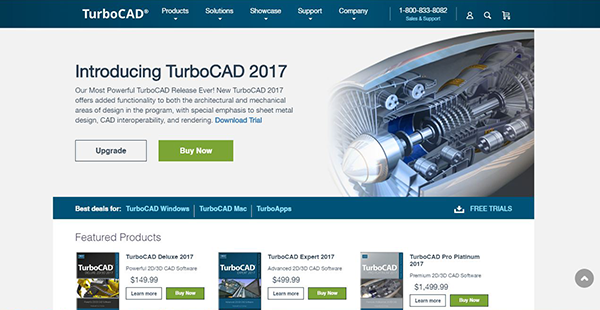
TurboCAD Pro Platinum is your Swiss-Army knife CAD solution, offering comprehensive 2D or 3D CAD tools to address any modern drafting and designing team needs from anywhere in the world. It features command line and dynamic input cursor, professional part tree than can undo or redo all your design operations.
It allows you to generate photorealistic rendering, materials and lighting to create powerful presentations. It also gives you dozens of productivity tools like PDF underlays and ePack which comes with New Intelligent File Send. For collaboration, it offers 40 industry standard CAD and graphic file formats to share your work.
Show MoreOverview of TurboCAD Professional Benefits
Turbo Professional is a robust CAD platform that addresses a wide array of design and modeling needs without compromising simplicity. The application is of great use to the automotive, aerospace, electrical engineering, AEC, and civil engineering industries. It’s ease of use and ability to meet virtually any 2D/3D drafting, and modeling need (simulation, modeling, documentation, analysis, and more) make it a proficient CAD system. The solution can be programmed with software development kit or Ruby Scripting to come up with custom features, routines, and more.
TurboCAD employs a large selection of line, arc, curve, spline tools, and other expected tools, so that no matter the situation you’ve got access to the right tool for the job. When used with TurboCAD® snaps, modification tools, and drawing aids you will be able to quickly draft and document your designs.
There’s an advanced handle-based editing that allows you to save time and draw more accurately, more quickly. TurboCAD not only provides handles for scaling, but also for rotating, moving and aligning objects. Plus, the totally flexible design of the Conceptual Selector allows users to customize any visual and editing parameters available in the application (eg. move, scale, or rotate).
Among its architectural features, there’s the automatic wall openings wherein “slide” doors, windows, arches or any shape to create “openings” in walls with linked 2D and 3D views. It even sets vertical alignment properties. Dimensions display as doors and windows are inserted, showing the distance to and from the wall ends for easier, more precise placement. Plus, corresponding offset fields display in the Inspector Bar.
Show MoreOverview of TurboCAD Professional Features
- Complete 2D/3D Design Tools for drafting, modeling, modifying, dimensioning and annotation.
- AutoCAD® 2018-like 2D drafting interface option with command line and dynamic input cursor.
- Over 40 industry standard CAD & graphic file formats supported to share your work.
- Surface Modeling Tools like 2D/3D Booleans, extrude, revolve, sweeps, & more.
- Setup wizards, handle-based editing, contextualized help, alignment aids, snaps
- ACIS® 3D Solid Modeling and Advanced Mechanical Design tools to create complex 3D objects.
- Professional Part Tree that can act like a selective Undo/Redo for all your 2D/3D operations.
- Powerful Drafting Palette that creates associative sections and cut planes.
- Advanced Architectural Tools including a greater range of parametric architectural objects, style manager, and IFC support.
- Superior Photorealistic Rendering, materials, and lighting to create powerful presentations.
- Dozens of Productivity Tools such as PDF underlay and ePack with New Intelligent File Send.
- 2D Geometric and Dimension Constraints.
- Database Connectivity with Customizable Reporting.
- Point Cloud Support.
- Programmable with Ruby Scripting or Software
- Development Kit to create routines, features, & more.
- New Import of TurboApp files from mobile devices.
TurboCAD Professional Position In Our Categories
Since companies have their own business-related demands, it is only practical they steer clear of settling on a one-size-fits-all, ideal business application. Regardless, it is troublesome to try to pinpoint such a software solution even among recognizable software solutions. The right step to do can be to write down the varied vital aspects which need careful thought such as essential features, plans, skill capability of staff members, company size, etc. The second step is, you must follow through the research through and through. Have a look at some TurboCAD Professional analyses and check out each of the software products in your list more closely. Such comprehensive product research ensures you keep away from unsuitable apps and select the system which includes all the features your business requires.
Position of TurboCAD Professional in our main categories:
TOP
50
TurboCAD Professional is one of the top 50 CAD Software products
If you are interested in TurboCAD Professional it could also be beneficial to examine other subcategories of CAD Software listed in our database of B2B software reviews.
Every enterprise has different requirements and needs an application that can be customized for their size, kind of workers and clients, and the particular industry they are in. For these reasons, no platform can provide perfect tools out-of-the-box. When you search a software system, first be sure what you want it for. Read some TurboCAD Professional CAD Software reviews and ask yourself do you desire basic functionality or do you require sophisticated functionality? Are there any industry-specific functionalities that you are searching for? Get the answers to these queries to aid your search. There are lots of factors that you need to mull over and these include your finances, specific business requirements, your company size, integration requirements etc. Take your time, check out a few free trials, and finally select the system that provides all that you need to boost your firm effectiveness and productivity.
How Much Does TurboCAD Professional Cost?
TurboCAD Professional Pricing Plans:
Free Trial
TurboCAD Platinum
$1,499.90
What are TurboCAD Professional pricing details?
TurboCAD Professional Pricing Plans:
Free Trial
TurboCAD Platinum
$1,499.90
TurboCAD Professional’s enterprise pricing structure includes a one off pricing plan:
- TurboCAD Platinum – $1,499.90
User Satisfaction
Positive Social Media Mentions
0
Negative Social Media Mentions
0
We are aware that when you choose to purchase a CAD Software it’s vital not only to learn how professionals score it in their reviews, but also to discover if the real people and enterprises that purchased this software are indeed content with the service. Because of that need we’ve created our behavior-based Customer Satisfaction Algorithm™ that aggregates customer reviews, comments and TurboCAD Professional reviews across a wide range of social media sites. The data is then presented in a simple to understand way indicating how many customers had positive and negative experience with TurboCAD Professional. With that information at your disposal you will be prepared to make an informed purchasing decision that you won’t regret.
Video
Technical details
Devices Supported
- Windows
- Mac
Deployment
- On Premise
Language Support
- English
Pricing Model
- One-time payment
Customer Types
- Small Business
- Large Enterprises
- Medium Business
What Support Does This Vendor Offer?
- phone
- live support
- training
- tickets
What integrations are available for TurboCAD Professional?
No available information.

TurboCAD Professional
is waiting for
your first review.

Write your own review of this product
ADD A REVIEWMore reviews from 0 actual users:


Join a community of 7,369 SaaS experts
Thank you for the time you take to leave a quick review of this software. Our community and review base is constantly developing because of experts like you, who are willing to share their experience and knowledge with others to help them make more informed buying decisions.
Sign in with LinkedIn
Why we require LinkedIn?
- Show the community that you're an actual user.
- We will only show your name and profile image in your review.
- You can still post your review anonymously.
OR
Sign in with company emailSign in with company email
Popular TurboCAD Professional Alternatives





Top Competitors To TurboCAD Professional By Price
Product name:
Price:




Trending CAD Software Reviews





TurboCAD Professional Comparisons
Product name:








Page last modified



Did you find this review useful?
Yes
No
Thank you for your feedback
How can we make this page better?
Unsure about this software?
FIND ALTERNATIVES
 Why is FinancesOnline free?