

VideoProc Review


What is VideoProc?
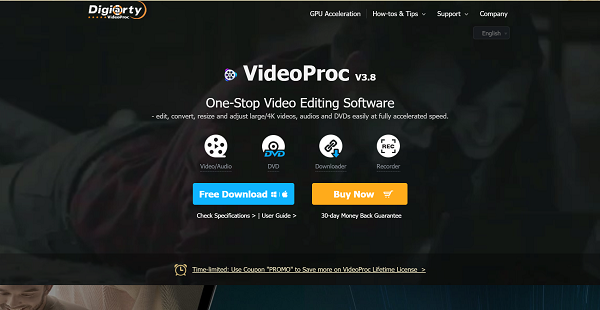
VideoProc is an all-purpose video processing software that is user-friendly enough to suit a beginner’s skill and powerful enough to meet the needs of professional video editors. This platform is capable of processing 4K/HD videos from iPhone, Android, GoPro, DJI, camcorder, or any other 4k cameras (DSLR or mirrorless). It offers both basic and advanced video editing functions.
In addition to editing capabilities, this tool can also convert media into over 400 output formats. Downloading the media you want to convert is also a breeze. VideoProc comes with a built-in media downloader engine, enabling users to download music, videos, playlists, and channels from more than a thousand video audio sites such as Twitch and SoundCloud. Basically, VideoProc is a go-to solution if you want to download, convert, and edit video at one go.
Aside from that, this software offers a screen recording feature. You can record from your webcam, record your desktop’s screen with voiceover, or do both simultaneously. It also allows adding texts, images, highlighting content, and more during recording, helping you better interact with your audience.
But this solution’s most attractive feature is its speed. It uses the massive processing power of Intel Core, NVIDIA, and AMD, delivering speedy and seamless (4K) video editing, transcoding, and rendering without compromising quality. So even a low-end computer will be able to efficiently process 4k videos, 3D and 360 degrees VR videos, large-sized videos without experiencing freezing and crashing.
Show MoreOverview of VideoProc Benefits
One-stop Video Editing Solution For Beginners and Professional Video Editors
VideoProc is a complete video toolbox, offering basic and advanced editing functionalities. You can crop, cut, merge, add subtitles, stabilize shaky video footages, and reduce or remove unwanted noise background to mention some. What’s more, its user interface is intuitive, making video editing easy even for starters.
Full Hardware Accelerated Video Processing
With Level-3 hardware acceleration, VideoProc makes it possible to do seamless editing work even on power-hungry 4K UHD files. This feature boosts video processing speed, accelerates 720p and 1080p video transcoding speed, enables stutter-free screen recording, optimizes video quality and file size, and lowers CPU usage. Also, this makes 4K video processing possible on lower-end computers.
Robust Media Converter
VideoProc supports the conversion of video to audio/video, audio to audio, and DVD to video. It has over 370 built-in audio and video codecs and supports more than 400 output formats so you can process and convert nearly any video in any codec, format, size, and quality.
Powerful Screen Recorder
VideoProc comes with screen recording functionality, making it ideal for those who like streaming videos or gameplay, vlogging, and the likes. It features three recording modes- screen recording with voiceover, recording from the webcam, and simultaneous screen and webcam recording in picture-in-picture mode. There are also utility tools such as add text, highlighting content, voiceover, etc., which makes it easier to interact with the audience.
Overview of VideoProc Features
- Level-3 Hardware Acceleration
- Basic and Advanced Editing Capabilities
- Built-in Media Downloader Engine
- 1000+ Supported Audio/Video Sites
- A-B Video Conversion
- 420+ Supported Output Formats
- Screen Recorder
What Problems Will VideoProc Solve?
Problem #1: Shaky Footages
David is an extreme sports enthusiast and also loves to shoot videos. He is now arranging videos that were filmed when moving or during sports such as swimming, surfing, hiking, cycling, mountaineering, and skiing. Unfortunately, he found out that some of the videos are jerky and shaky although he used a stabilizer. With VideoProc, this problem is solved as the software allows users to easily stabilize videos while keeping high output quality.
Problem #2: 4k Video Editing
Lisa just came back from her travel and wants to share travel videos. But she found out that her 4K videos have many segments and some parts are unnecessary. VideoProc helps its users fix this problem by offering basic editing capabilities such as cut, crop, rotate, and even merge 4K videos to polish footage.
Problem #3: Downloading, Converting, and Editing Videos at One Go
Video editors who wish to download, convert, and edit their footage at one go can find all the tools they will need from VideoProc. This tool comes with a built-in media downloader engine to allow easy file download, converter tool that supports more than 400 output formats, and editing capabilities.
Awards & Quality Certificates


VideoProc Position In Our Categories
Since businesses have specific business demands, it is sensible that they steer clear of selecting a one-size-fits-all, ideal software solution. Still, it would be hard to chance on such a software solution even among sought-after software solutions. The logical step to undertake would be to note down the several major factors that call for a deliberation including key features, budget, skill ability of the users, company size, etc. Thereafter, you must conduct the research comprehensively. Read these VideoProc evaluations and scrutinize each of the software programs in your list more closely. Such detailed research can make sure you circumvent unfit apps and select the one that includes all the features your company requires to be successful.
Position of VideoProc in our main categories:
TOP
20
VideoProc is one of the top 20 Video Editing Software products
If you are considering VideoProc it may also be a good idea to check out other subcategories of Video Editing Software listed in our database of SaaS software reviews.
It is crucial to keep in mind that hardly any software in the Video Editing Software category is a perfect solution able to match all the goals of all company types, sizes and industries. It may be a good idea to read a few VideoProc Video Editing Software reviews first as some services might excel exclusively in a very narrow group of applications or be created with a really specific industry in mind. Others might function with a goal of being easy and intuitive and therefore lack advanced functionalities welcomed by more experienced users. You can also come across software that support a broad group of customers and give you a powerful feature base, but that frequently comes at a more significant price of such a service. Make sure you're aware of your needs so that you get a service that has exactly the functionalities you search for.
How Much Does VideoProc Cost?
VideoProc Pricing Plans:
Free Trial
1 Year License
$59.90
Lifetime License
$78.90
Family License
$119.90
What are VideoProc pricing details?
VideoProc Pricing Plans:
Free Trial
1 Year License
$59.90
Lifetime License
$78.90
Family License
$119.90
VideoProc is free to download but to be able to use all available features one must choose from its three SMB and enterprise pricing plans. Give the details a look, and select the best for you or your business.
1 Year License – $59.90
- 1 year/ 1 device
- Free update within 1 year
- Lifetime free tech support
Lifetime License – $78.90
- Lifetime/ 1 device
- Unlimited Downloads of up-to-date Full Version
- Free lifetime upgrade
- Lifetime free tech support
Family License -$119.90
- Lifetime /2-5 device
- Multi-user license with free lifetime upgrade
- Lifetime free tech support
User Satisfaction
Positive Social Media Mentions
106
Negative Social Media Mentions
12
We realize that when you decide to buy a Video Editing Software it’s important not only to learn how professionals score it in their reviews, but also to find out if the real users and businesses that purchased it are indeed happy with the service. Because of that need we’ve designer our behavior-based Customer Satisfaction Algorithm™ that aggregates customer reviews, comments and VideoProc reviews across a vast range of social media sites. The data is then featured in a simple to understand format revealing how many clients had positive and negative experience with VideoProc. With that information at your disposal you will be ready to make an informed business decision that you won’t regret.
Video
Technical details
Devices Supported
- Windows
- Mac
Deployment
- On Premise
Language Support
- English
- Chinese
- German
- Japanese
- Spanish
- French
Pricing Model
- One-time payment
Customer Types
- Small Business
- Large Enterprises
- Medium Business
- Freelancers
What Support Does This Vendor Offer?
- phone
- live support
- training
- tickets
What integrations are available for VideoProc?
No information available.

VideoProc
is waiting for
your first review.

Write your own review of this product
ADD A REVIEWMore reviews from 0 actual users:


Join a community of 7,369 SaaS experts
Thank you for the time you take to leave a quick review of this software. Our community and review base is constantly developing because of experts like you, who are willing to share their experience and knowledge with others to help them make more informed buying decisions.
Sign in with LinkedIn
Why we require LinkedIn?
- Show the community that you're an actual user.
- We will only show your name and profile image in your review.
- You can still post your review anonymously.
OR
Sign in with company emailSign in with company email
Popular VideoProc Alternatives


Top Competitors To VideoProc By Price
Product name:
Price:




Trending Video Editing Software Reviews



VideoProc Comparisons
Product name:



Page last modified



Did you find this review useful?
Yes
No
Thank you for your feedback
How can we make this page better?
Unsure about this software?
FIND ALTERNATIVES
 Why is FinancesOnline free?