

VisualARQ Review


What is VisualARQ?
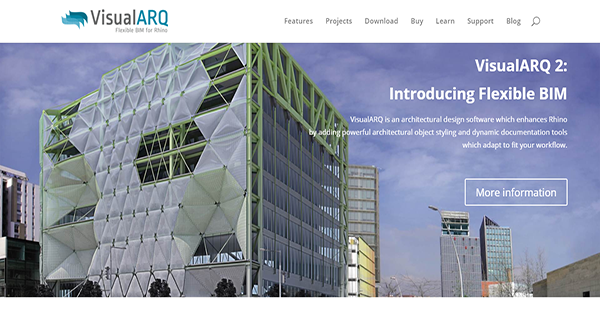
VisualARQ is an architectural design software that enhances Rhino. It augments the solution with additional object styling and documentation tools that seamlessly integrate with your existing workflow.
One of the tools that you get to enjoy by connecting your Rhino 5 or 6 with VisualARQ is freeform modelling. This lets you transform any freeform geometry into precisely controlled complex shapes. With this, you can create designs that incorporate solids and unique geometries.
VisualARQ has workflow defining features as well that Grasshopper powers. The integrated editor automates object and object style creation and allows you to produce and edit architectural objects from VisualARQ in the Grasshopper interface too.
Further, the solution has dynamic documentation tools that automatically lists native information from objects, lets you tag and annotate objects, link 2D drawings to 3D models, and more.
Show MoreOverview of VisualARQ Benefits
2D Printing
With VisualARQ, you can print your 3D models in a 2D view. The application generates these drawings in real-time from different perspectives. This allows you to show an accurate though two-dimensional image of your model for paper presentations.
Architectural Objects Modelling
VisualARQ has a rich library of architectural objects such as walls, doors, railings, stairs, and many more. These are customizable to fit the dimensions of your model and you are able to adjust them as you wish via their control points. You can also easily edit them even when you have already embedded them in your design through floating and docked dialogs that you can access when you need to.
Intuitive Interface & Management
Regardless of the complexity of an object, you can seamlessly edit it when you have the power of the tools by Rhino and VisualARQ combined. The latter enhances the former’s existing features to make them more robust to enable you to create the design that you have envisioned with exact specifications.
VisualARQ provides you with management tools as well to allow you to organize your project. This way, you can streamline your workflow and go back to layers, levels, and section with ease as the application helps you arrange them coherently on the interface.
Multiple Visualization Options
With VisualARQ, you can present your model from different perspectives in real-time using section views. You can modify the appearances of your model as well to make them appear in modes such as standard, ghosted, X-Ray, artistic, and more. These variable options allow you to explain your concept in different ways depending on your audience.
Collaborative Platform
Asuni understands that the best projects are worked on by different minds. That is why VisualARQ is designed to be interoperable so as to enable the seamless sharing of models between team mates and external collaborators.
Show MoreOverview of VisualARQ Features
- Freeform Modelling
- Grasshopper Integration
- Documentation
- Parametric Architectural Objects
- Architectural Visualization
- Team Collaboration
- Interoperability
VisualARQ Position In Our Categories
Because companies have specific business wants, it is only reasonable that they abstain from picking a one-size-fits-all, “perfect” software product. At any rate, it would be difficult to try to come across such application even among recognizable software systems. The efficient step to do is to note down the varied significant functions that entail examination like key features, budget, skill capability of staff members, business size, etc. The second step is, you must do your product research fully. Have a look at these VisualARQ review articles and scrutinize each of the solutions in your list in detail. Such all-encompassing research makes sure you weed out ill-fitting apps and subscribe to the one that provides all the function your company requires.
Position of VisualARQ in our main categories:
TOP
20
VisualARQ is one of the top 20 Building Information Modeling Software - BIM products
If you are considering VisualARQ it may also be beneficial to check out other subcategories of Building Information Modeling Software - BIM collected in our base of B2B software reviews.
Every organization has different requirements and requires an application that can be customized for their size, type of workers and clients, and the specific industry they are in. For these reasons, no platform can offer perfect tools off-the-shelf. When you search a software system, first be sure what you need it for. Read some VisualARQ Building Information Modeling Software - BIM reviews and ask yourself do you need basic tools or do you want advanced features? Are there any industry-specific tools that you are looking for? Find the answers to these queries to aid your search. There are plenty of elements that you need to reflect on and these include your budget, specific business requirements, your organization size, integration requirements etc. Take your time, check out a few free trials, and finally select the system that offers all that you require to improve your company competence and productivity.
How Much Does VisualARQ Cost?
VisualARQ Pricing Plans:
Free Trial
VisualARQ
$795.00/one-time payment
What are VisualARQ pricing details?
VisualARQ Pricing Plans:
Free Trial
VisualARQ
$795.00/one-time payment
Asuni offers a single enterprise pricing for the commercial license of VisualARQ. You can purchase your software directly from the company or from a reseller near you.
VisualARQ – $795.00/one-time payment
- All VisualARQ Features
- Support
- Service Releases
User Satisfaction
Positive Social Media Mentions
0
Negative Social Media Mentions
0
We are aware that when you decide to purchase a Building Information Modeling Software - BIM it’s vital not only to find out how experts rank it in their reviews, but also to discover if the actual clients and businesses that use these solutions are actually happy with the service. Because of that need we’ve designer our behavior-based Customer Satisfaction Algorithm™ that collects customer reviews, comments and VisualARQ reviews across a broad range of social media sites. The information is then displayed in a simple to digest form showing how many clients had positive and negative experience with VisualARQ. With that information available you will be prepared to make an informed business decision that you won’t regret.
Video
Technical details
Devices Supported
- Windows
- Mac
Deployment
- On Premise
Language Support
- English
- Chinese
- German
- Spanish
- French
- Italian
Pricing Model
- One-time payment
Customer Types
- Small Business
- Large Enterprises
- Medium Business
- Freelancers
What Support Does This Vendor Offer?
- phone
- live support
- training
- tickets
What integrations are available for VisualARQ?
VisualARQ is designed to fully integrate with Rhino. It is also able to connect with Grasshopper.

VisualARQ
is waiting for
your first review.

Write your own review of this product
ADD A REVIEWMore reviews from 0 actual users:


Join a community of 7,369 SaaS experts
Thank you for the time you take to leave a quick review of this software. Our community and review base is constantly developing because of experts like you, who are willing to share their experience and knowledge with others to help them make more informed buying decisions.
Sign in with LinkedIn
Why we require LinkedIn?
- Show the community that you're an actual user.
- We will only show your name and profile image in your review.
- You can still post your review anonymously.
OR
Sign in with company emailSign in with company email
Popular VisualARQ Alternatives





Top Competitors To VisualARQ By Price
Product name:
Price:


Trending Building Information Modeling Software - BIM Reviews



VisualARQ Comparisons
Product name:







Page last modified


Did you find this review useful?
Yes
No
Thank you for your feedback
How can we make this page better?
Unsure about this software?
FIND ALTERNATIVES
 Why is FinancesOnline free?