

CashOS Review



What is CashOS?
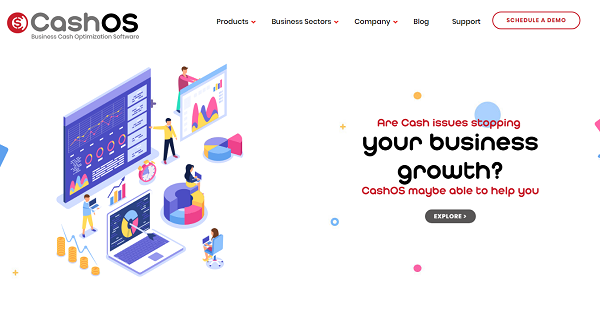
CashOS is a cash optimization software for businesses and organizations that are looking to discover how they can fully optimize and maximize their cash and generate more. The software helps users track their cash in real time across their value chain using the latest mobile technology. Using their mobile devices, companies can monitor their expenses and see where and how their cash is gained and utilized down to the last penny.
CashOS offers a plethora of modules, each with its specific and unique set of features and capabilities that cater to various business sectors, namely manufacturing, distribution, brands, and marketplaces.
CashOS for Manufacturing helps manufacturers keep a close eye on cash movement that occurs from sourcing up to the retailing point. CashOS for Distribution gives users the capability to track their cash from stockroom to retailing point. CashOS for Brands gives users coverage from sourcing to branded stores end to end. CashOS for MarketPlaces provides users cash coverage across their marketplaces.
Show MoreOverview of CashOS Benefits
Effectively Manage Your Invisible Cash
It is easy to manage cash that you can see. But what about money that you can’t? CashOS is designed to help you see both your visible and invisible money so that you get a clear and detailed picture on where your business stands in terms of cash. Innovations in digital technology have ushered in the age of cashless transactions. And while they may be convenient, quick, and easy, they can be really hard to track and manage.
With CashOS, you have a firm view of where your money is and how they are utilized, including invisible cash. The software provides you with a clear picture of both your visible and invisible cash across all your departments, enabling you to know your real cash value. Not only can you track your money, but you also know how much you are losing via Wastage/Loss reports.
Know Your Real P&L (Profits and Losses)
CashOS allows you to generate P&L reports from your operations to see how your business is using the cash and reveal issues that get in the way to more profits. You are able to derive insights into the productivity and efficiency of every department and employee, giving you a clear picture of how you can further improve your profits and minimize your losses.
Mobile-Based
You don’t have to be in your office to know what’s going on with your cash. With CashOS, you can access the system from your mobile device and see all the action from the palm of your hand. Make informed decisions quickly, decisively, and confidently.
Show MoreOverview of CashOS Features
- Present Cash
- Weekly Cashflow
- Operational P&L
- Receivable Reports
- Payable Reports
- Income & Expense
What Problems Will CashOS Solve?
CashOS is the perfect solution for the following scenarios:
- Businesses often face challenges in profitability, cash flows or growth
- An FMCG company wants to have an end to end visibility of its value chain including its Point of sale data
- A brand with its own retail outlet wants to run the entire business on smartphones
Awards & Quality Certificates


CashOS Position In Our Categories
Since businesses have distinct business-related demands, it is only reasonable they abstain from settling on a one-size-fits-all, ”best” system. Just the same, it is difficult to try to stumble on such an app even among well-known software solutions. The best thing to do can be to make a list of the several critical functions which necessitate investigation including major features, budget, technical skill levels of staff, organizational size, etc. Then, you must do your product research comprehensively. Read some CashOS evaluations and check out each of the software products in your shortlist in detail. Such all-encompassing research ensures you stay away from poorly fit software solutions and select the system which provides all the tools your business requires to be successful.
Position of CashOS in our main categories:
TOP
500
CashOS is one of the top 500 Accounting Software products
There are trendy and widely used applications in each software category. But are they essentially the best fit for your enterprise’s specific wants? A trendy software application may have thousands of subscribers, but does it present what you require? For this reason, do not blindly spend on popular systems. Read at least a few CashOS ERP Software reviews and consider the elements that you wish to have in the software such as the fees, main functionality, available integrations etc. Then, shortlist a few apps that fit your wants. Check out the free trials of these products, read online opinions, get clarifications from the maker, and do your investigation thoroughly. This in-depth homework is certain to help you choose the finest software application for your firm’s specific requirements.
How Much Does CashOS Cost?
CashOS Pricing Plans:
Free Trial
Startup Edition
$5/user/month or $3.5/user/month (Annual Billing)
Business Edition
$4/user/month or $2.8/user/month (Annual Billing)
Big Business Edition
$3/user/month or $2.1/user/month (Annual Billing)
Enterprise Edition
$2/user/month or $1.4/user/month (Annual Billing)
What are CashOS pricing details?
CashOS Pricing Plans:
Free Trial
Startup Edition
$5/user/month or $3.5/user/month (Annual Billing)
Business Edition
$4/user/month or $2.8/user/month (Annual Billing)
Big Business Edition
$3/user/month or $2.1/user/month (Annual Billing)
Enterprise Edition
$2/user/month or $1.4/user/month (Annual Billing)
CashOS offers the following basic and enterprise pricing packages:
Startup Edition – $5/user/month or $3.5/user/month (Annual Billing)
- 1-20 Users
Business Edition – $4/user/month or $2.8/user/month (Annual Billing)
- 21-150 Users
Big Business Edition – $3/user/month or $2.1/user/month (Annual Billing)
- 151-300 Users
Enterprise Edition – $2/user/month or $1.4/user/month (Annual Billing)
- 301-500 Users
Quarterly and Semi-Annual Pricing are also available.
User Satisfaction
Positive Social Media Mentions
2
Negative Social Media Mentions
0
We are aware that when you decide to get a ERP Software it’s important not only to learn how professionals evaluate it in their reviews, but also to find out whether the real users and businesses that use it are actually content with the product. Because of that need we’ve created our behavior-based Customer Satisfaction Algorithm™ that collects customer reviews, comments and CashOS reviews across a broad array of social media sites. The data is then featured in a simple to digest way indicating how many customers had positive and negative experience with CashOS. With that information available you should be ready to make an informed business choice that you won’t regret.
Video
Technical details
Devices Supported
- Android
Deployment
- Cloud Hosted
Language Support
- English
Pricing Model
- Monthly payment
- Annual Subscription
Customer Types
- Small Business
- Medium Business
What Support Does This Vendor Offer?
- phone
- live support
- training
- tickets
What integrations are available for CashOS?
CashOS integrates with the following business systems and applications:
- Accounting software
- ERP systems

CashOS
is waiting for
your first review.

Write your own review of this product
ADD A REVIEWMore reviews from 0 actual users:


Join a community of 7,369 SaaS experts
Thank you for the time you take to leave a quick review of this software. Our community and review base is constantly developing because of experts like you, who are willing to share their experience and knowledge with others to help them make more informed buying decisions.
Sign in with LinkedIn
Why we require LinkedIn?
- Show the community that you're an actual user.
- We will only show your name and profile image in your review.
- You can still post your review anonymously.
OR
Sign in with company emailSign in with company email
Popular CashOS Alternatives


Top Competitors To CashOS By Price
Product name:
Price:
by quote

by quote

By quote


Trending ERP Software Reviews


8.0
N/A
CashOS Comparisons
Product name:


Page last modified



Did you find this review useful?
Yes
No
Thank you for your feedback
How can we make this page better?
Unsure about this software?
FIND ALTERNATIVES
 Why is FinancesOnline free?