

Coda Review



What is Coda?
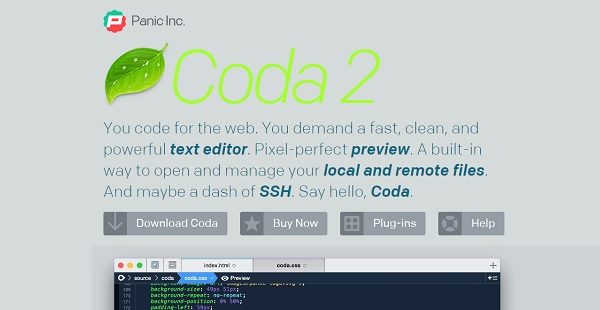
Coda is an all-in-one macOS web editor that comes with comprehensive tools needed by developers to hand-code a website.
Developed by software company Panic Inc., Coda’s latest version features a Touch Bar that switches instantly between editor and preview, comments lines in a flash, and more. Its speed provides users with up to 10 times faster syntax highlighting and symbol parsing. Editor tools include a vertical indentation guide, customizable column guide, and color-coded traditional or visual tabs.
Local Indexing allows site-wide autocompletion of functions, classes, and variables, all indexed from a user’s local files. Plugin Preferrences help manage existing plugins and discover new and exciting ones.
Developers can easily override and edit a site’s CSS, live, right within Coda’s Preview. The technology also tracks and publishes files modified outside of Coda, complete with a convenient Save and Publish shortcut.
Show MoreOverview of Coda Benefits
Coda is a text editor with extensive features such as syntax highlighting for various languages, code folding, and project-wide autocomplete. It also has indentation guides, automated tag closing, and quick commenting and shifting of code. A handy find-and-replace function has a “Wildcard” token that makes RegEx one-button simple. Coda Pops uses easy controls so that users can instantly create colors, gradients, and more as they type.
Coda has reliable, deeply integrated file management that helps users handle files conveniently from anywhere – from open local files or edit remotely on FTP, SFTP, WebDAV, or Amazon S3 servers. Features in the Files tab lets users move, rename, copy, and transfer from server-to-server. Changes can be tracked for remote publishing, with support for Git and Subversion.
Developers can review how their code will look like using Coda’s WebKit Preview. The feature has a web inspector, debugger, and profiler. Latest versions include AirPreview, which lets users preview pages on their iPad and iPhone as they code on a desktop.
Coda’s Sidebar carries tools to help developers work better. A feature called Clips gets frequently used bits of text that can be inserted into a document with special triggers. A project-wide Find and Replace feature scans even across multiple files.
The Plus button contains a built-in Terminal that can open a local shell or SSH. Another tab tool is a MySQL editor, which helps define structure, edit data, and more.
Show MoreOverview of Coda Features
- Touch Bar for switching between editor and preview
- Optimized speeds for syntax highlighting and symbol parsing
- Vertical indentation guides
- Customizable column guide
- Color-coded traditional or visual tabs
- Local indexing
- Plugin preferrences
- CSS overriding
- Publishing features
- Sync with other Panic products
Coda Position In Our Categories
Keeping in mind companies have particular business needs, it is only reasonable they avoid buying a one-size-fits-all, ideal system. Nevertheless, it would be difficult to try to pinpoint such application even among popular software products. The practicable thing to undertake can be to spell out the varied essential aspects which need research such as crucial features, budget, skill ability of staff members, business size, etc. After which, you should conduct the research through and through. Browse through these Coda evaluations and explore each of the software options in your list more closely. Such well-rounded product investigation ascertain you steer clear of unfit apps and subscribe to the system which includes all the benefits your business requires.
Position of Coda in our main categories:
TOP
100
Coda is one of the top 100 Application Development Software products
If you are considering Coda it might also be beneficial to examine other subcategories of Application Development Software listed in our base of SaaS software reviews.
Companies have different needs and requirements and no software platform can be perfect in such a condition. It is futile to try to find a perfect out-of-the-box software product that meets all your business needs. The intelligent thing to do would be to adapt the system for your unique requirements, worker skill levels, budget, and other elements. For these reasons, do not hasten and subscribe to well-publicized trendy systems. Though these may be widely used, they may not be the ideal fit for your particular wants. Do your research, check out each short-listed application in detail, read a few Coda Application Development Software reviews, call the seller for clarifications, and finally settle for the product that offers what you require.
How Much Does Coda Cost?
Coda Pricing Plans:
Free Trial
Coda
$99
What are Coda pricing details?
Coda Pricing Plans:
Free Trial
Coda
$99
Enterprise pricing for Coda is at $99 (one-time payment). Discounts are also given for multiple purchases upon requesting for a quotation via the vendor’s official website.
User Satisfaction
Positive Social Media Mentions
315
Negative Social Media Mentions
4
We are aware that when you decide to get a Application Development Software it’s crucial not only to see how professionals rank it in their reviews, but also to check if the actual people and businesses that bought this software are genuinely content with the product. Because of that need we’ve created our behavior-based Customer Satisfaction Algorithm™ that collects customer reviews, comments and Coda reviews across a vast array of social media sites. The data is then featured in an easy to digest form revealing how many customers had positive and negative experience with Coda. With that information available you should be ready to make an informed purchasing choice that you won’t regret.
Technical details
Devices Supported
- iPhone/iPad
- Mac
Deployment
- On Premise
Language Support
- English
- Japanese
Pricing Model
- One-time payment
- Quote-based
Customer Types
- Small Business
- Large Enterprises
- Medium Business
- Freelancers
What Support Does This Vendor Offer?
- phone
- live support
- training
- tickets
What integrations are available for Coda?
Coda integrates with the following business systems and applications:
- FTP
- SFTP
- WebDAV
- Amazon S3
- Git
- Subversion

Coda
is waiting for
your first review.

Write your own review of this product
ADD A REVIEWMore reviews from 0 actual users:


Join a community of 7,369 SaaS experts
Thank you for the time you take to leave a quick review of this software. Our community and review base is constantly developing because of experts like you, who are willing to share their experience and knowledge with others to help them make more informed buying decisions.
Sign in with LinkedIn
Why we require LinkedIn?
- Show the community that you're an actual user.
- We will only show your name and profile image in your review.
- You can still post your review anonymously.
OR
Sign in with company emailSign in with company email
Popular Coda Alternatives


Top Competitors To Coda By Price
Product name:
Price:


Trending Application Development Software Reviews


Coda Comparisons
Product name:





Page last modified



Did you find this review useful?
Yes
No
Thank you for your feedback
How can we make this page better?
Unsure about this software?
FIND ALTERNATIVES
 Why is FinancesOnline free?