
- Home
- CAD Software
- Creo View

Creo View Review



What is Creo View?
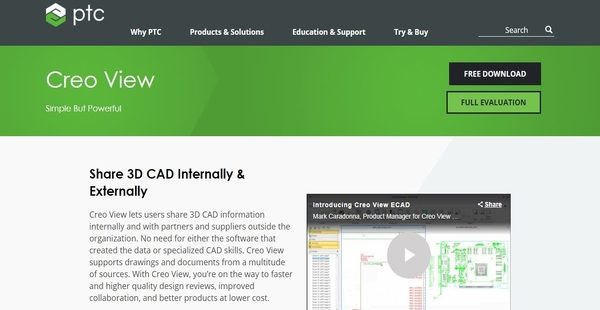
Creo View is a mechanical computer-aided software and product lifecycle management solution that enables manufacturers and engineers to visualize and share 3D CAD product information, models, assemblies, drawings, images and documents for interrogation and visual collaboration. It is a simple yet powerful MCAD viewer which allows users to access and share 3D CAD information with colleagues within their organization and with their partners and suppliers outside the organization.
Offering comprehensive view, markup, and annotation tools, Creo View speeds up the product development and design process as all stakeholders can easily access and interact with massive digital models wherever they are. The software also eliminates data interoperability issues and reduces IT overhead because digital product data and definitions are viewed from a single tool and common interface. With CreoView, users can quickly share visual information internally while still having the capability to measure dimensions accurately, thereby increasing efficiency and productivity.
Show MoreOverview of Creo View Benefits
Simple But Powerful MCAD Viewer
Creo View is regarded as a simple yet powerful MCAD viewer which lets users easily and consistently visualize MCAD models, documents, and images. They can use the software even if they don’t have special CAD skills. It permits viewing of product content and visual collaboration without the need for the authoring applications used in creating such content.
The MCAD viewer supports drawings and documents from multiple sources which include 3D models, 2D drawings and images, and other formats. Using optional adapters, the software has the capability to work with all major MCAD formats (e.g., CADDS5, CATIA V4, CATIA V5, NX, I-DEAS, SolidWorks, Microstation (DGN), and Autodesk Inventor).
Another powerful feature of Creo View is it allows users to visually combine MCAD and ECAD or electronic computer-aided information within the software in a way that provides consistent user experience. Meanwhile, to easily access reference information, the software provides users with metadata and annotations.
Accelerate Design Reviews With Markup Tools
Creo View is built to accelerate design reviews throughout the product development process. It eliminates the paper-based processes involved in conducting design reviews which are prone to errors and inefficient. Thus, the MCAD software offers markup tools that can be accessed online. It is equipped with a full set of markup tools that can be applied to 3D models, 2D drawings, images, and documents. Users can also handle multiple markups easily. With Creo View, they will be able to mark up sections in real time. They can share markups with stakeholders outside their organization as well.
Identify And Fix Errors Early
As Creo View accelerates the design review process, it ensures that users can pinpoint and fix errors in their designs as early as possible. They will be able to quickly identify parts that are physically interfering or those parts that need clearance from each other. When critical dimensions and tolerances lack information and are vaguely represented, user can immediately verify that. In addition, through the aid of interactive animations, they will be able to assess the functional behavior of their products.
Filter Visual Information
When it comes to searching for specific components within a 3D model, Creo View delivers rich product queries so users can quickly look for components without the need of entering too much information. For instance, they can query based on material or color, and other product attributes. If they want to find parts based on positional location, the software enables them to do that. They can also search for the components or properties of their products using multiple criteria.
Scalability And Performance
The scalability and performance of Creo View is worth noting. It has the capability to quickly load massive sets of data and allows users to interact with them at good frame rates. Through the aid of its advanced 3D thumbnail technology, they will be able to navigate through 3D models directly from PLMs or Product Lifecycle Management systems. Also, it can render graphics 10 times faster than its previous versions.
Show MoreOverview of Creo View Features
- Simple and Powerful Viewer
- Supports Drawings and Documents from Multiple Sources
- Supports All Major MCAD Formats
- Integrates MCAD And ECAD Information
- Metadata and Annotations
- Effective Markup Tools
- Identify and Correct Errors
- Check Different Types of Interferences
- Review Critical Dimensions and Tolerances
- Evaluate Functional Behavior of Product
- Filter Visual Information
- Color-Coded Searches by Attribute or Spatial Location
- In-Graphics Assembly, Navigation, and Assembly
- Ultime Scalability And Performance
Creo View Position In Our Categories
Bearing in mind businesses have distinct business wants, it is only prudent that they avoid paying for a one-size-fits-all, ideal software. However, it is almost impossible to try to pinpoint such a software system even among popular software products. The clever thing to undertake can be to write the several essential aspects which necessitate analysis like major features, costing, skill ability of staff, business size, etc. Thereafter, you should follow through the research thoroughly. Have a look at some Creo View analyses and check out each of the software options in your shortlist more closely. Such comprehensive product research makes sure you keep away from unfit apps and select the system that meets all the function your business requires for success.
Position of Creo View in our main categories:
TOP
20
Creo View is one of the top 20 CAD Software products
Since each enterprise has unique business needs, it is sensible for them to refrain from searching for a one-size-fits-all faultless software system. Needless to say, it would be pointless to try to find such an app even among popular software applications. The clever thing to do would be to list the various essential factors that require consideration such as key features, budget, skill levels of employees, company size etc. Then, you should do your research thoroughly. Read some Creo View CAD Software reviews and check out each of the other apps in your shortlist in detail. Such exhaustive homework can make sure you reject ill-fitting applications and choose the solution that provides all the elements you require for business success.
How Much Does Creo View Cost?
Creo View Pricing Plans:
Free Trial
Creo View
Starts at $1,226
What are Creo View pricing details?
Creo View Pricing Plans:
Free Trial
Creo View
Starts at $1,226
Alongside its free-for-life version called Creo View Express, Creo View is offered through an enterprise pricing plan which you can avail by purchasing a license that starts at $1,020, and the price varies depending on the number of licenses you will buy.
On top of that, the plan includes and requires a one-year maintenance fee of $206 per license. You can contact the company to get more information about its other subscription plans and offerings. Here are the features you will get for this plan:
- Simple and Powerful Viewer
- Effectively Collaborate and Markup
- Filter Visual Information
User Satisfaction
Positive Social Media Mentions
144
Negative Social Media Mentions
0
We know that when you decide to purchase a CAD Software it’s crucial not only to learn how professionals rank it in their reviews, but also to discover if the actual users and enterprises that use this software are genuinely content with the product. Because of that need we’ve devised our behavior-based Customer Satisfaction Algorithm™ that gathers customer reviews, comments and Creo View reviews across a broad range of social media sites. The data is then displayed in an easy to digest form indicating how many customers had positive and negative experience with Creo View. With that information at hand you will be prepared to make an informed buying decision that you won’t regret.
Video
Technical details
Devices Supported
- Windows
- Linux
- Android
- iPhone/iPad
- Mac
- Web-based
Deployment
- Cloud Hosted
- Open API
Language Support
- English
Pricing Model
- Free
- Annual Subscription
- Quote-based
Customer Types
- Small Business
- Large Enterprises
- Medium Business
What Support Does This Vendor Offer?
- phone
- live support
- training
- tickets
What integrations are available for Creo View?
Creo View supports intgeration with other Product Lifecycle Management systems. It also intgerates with the other applications from PTC such as Windchill PDMLink and Windchill ProjectLink.
Creo View User Reviews
Creo View average rating:
4/5
Overall impression
5/5
Customer Support
3/5
Value for Money
4/5
Ease of Use
Write your own review of this product
ADD A REVIEWMore reviews from 1 actual users:
Sort by:
Latest
- Latest
- Most useful
- Most positive
- Most negative
Excellent for viewing CAD files
Read full review >
4/5
Overall impression
4/5
Customer Support
4/5
Value for Money
3/5
Ease of Use
Published on: 22.03.2021
Company Size: More than 100 Employees
Industry: Information Services
PROS: Creo has a user-friendly UI, it's very easy to use. I find it best for viewing 2D and 3D CAD files in PLM.
CONS: Files often open slowly; App sometimes crashes when opening files.


Join a community of 7,369 SaaS experts
Thank you for the time you take to leave a quick review of this software. Our community and review base is constantly developing because of experts like you, who are willing to share their experience and knowledge with others to help them make more informed buying decisions.
Sign in with LinkedIn
Why we require LinkedIn?
- Show the community that you're an actual user.
- We will only show your name and profile image in your review.
- You can still post your review anonymously.
OR
Sign in with company emailSign in with company email
Popular Creo View Alternatives





Top Competitors To Creo View By Price
Product name:
Price:





Trending CAD Software Reviews





Creo View Comparisons
Product name:








Creo View user reviews
Excellent for viewing CAD files
Read full review >
4/5
Overall impression
4/5
Customer Support
4/5
Value for Money
3/5
Ease of Use
Published on: 22.03.2021
Company Size: More than 100 Employees
Industry: Information Services

Page last modified



Did you find this review useful?
Yes
No
Thank you for your feedback
How can we make this page better?
Unsure about this software?
FIND ALTERNATIVES
 Why is FinancesOnline free?