

DataCAD Review


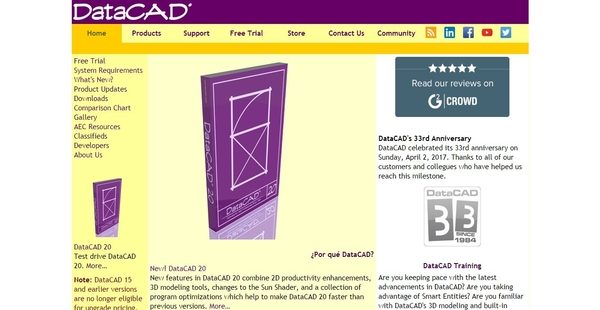

What is DataCAD?
DataCAD is an affordable and professional-grade computer-aided design and drafting software exclusively designed to handle architectural tasks. This intuitive, straightforward, and low-cost architectural application provides AEC or architecture, engineering, and construction professionals with tools and capabilities that enable them to create designs and drafts much easier.
As the preferred software for many registered architects based on the most recent survey conducted by the American Institute of Architects (AIA), DataCAD is used for creating architectural designs, producing photo-realistic renderings and animations, and generation of construction documents. With DataCAD, users will be able to automatically insert walls and doors, perform associative dimensioning and hatching, apply 3D framing, and take advantage of Teigha-based DXF/DWG translators.
Aside from functioning primarily as a design and drafting tool, DataCAD is also a strategic program which supports the different phases of the AEC practice which include estimating, bidding, and construction contract management.
Show MoreOverview of DataCAD Benefits
Affordable Computer-Aided Design And Drafting Solution
DataCAD is an affordable AEC computer-aided design and drafting solution. The DataCAD license can be purchased at a lower price, much less expensive than the licenses being offered by other CADD solutions. Due to high licensing fees, some CADD solutions make it difficult for architectural offices to allocate budget for training so that their can staff can master those applications. With DataCAD, users will still be able to avail professional training after they purchase the software.
Easy To Use And Learn
The computer-aided design and drafting solution is easy to use and learn. Because of this, architects and AEC professionals are ensured that they are able to maintain their productivity as they operate the software. DataCAD allows users to quickly interact with their drawings, eliminating the need for constantly dealing with dialog boxes and prompts.
Efficient Command Structure
DataCAD delivers a command structure which provides users with multiple ways to execute commands. For example, when they want to execute the Move command, that can be done in four ways: clicking the icon associated with it on the toolbar, selecting the command from the main menu, pressing a function key, or invoking it using a keyboard shortcut key. Thus, DataCAD uses command execution methods that help users perform their tasks faster, thereby increasing their productivity.
Furthermore, the keyboard shortcut keys in DataCAD can be customized and grouped together as batches. Also, these shortcuts are using just a single letter, enabling users to execute commands without the need for entering or typing the whole word.
Evolutionary Design Process
In DataCAD, creating construction drawings is done through an evolutionary process. This is what makes the software different from other CADD programs that require first the creation of complete virtual building models before plans, sections, and elevations are generated from those models, a design trend and approach known as BIM or Building Information Modeling.
With DataCAD, plans, sections, and elevations can be formed and developed from simple design ideas. For instance, users can start by drawing simple lines and then convert these lines into walls. From here, they will be able to create and develop a plan, add complex relationships, and transform the design details into three-dimensional elements. Once they’re done building a model, they can use it to come up with plans, sections, and elevations. Although the drawings that they can produce are not connected to the models, such process gives them the flexibility needed for creating construction documents.
Comprehensive And Strategic Tool
The computer-aided design and drafting solution is regarded as a strategic tool. It can be used for drafting, 3D modeling, project design visualization; but on top of that, it can perform special functions through the aid of add-ons the provide users with more comprehensive capabilities.
As a strategic tool, users will be able to utilize DataCAD to manage the different phases of their practice which include the creation of schematic designs, development of designs, generation of construction documents, handling of bidding and negotiation processes, and administration of contracts.
Show MoreOverview of DataCAD Features
- Affordability
- Easy To Learn
- Powerful and Easy To Use
- Design Tool
- Create Construction Drawings through Evolutionary Process
- Automated 3D Modeling
- 3D Framing
- Photorealistic Rendering Tools
- Automatic Door and Window Insertion
- Associative Dimensioning and Hatching
- Command Structure
- Teigha-Based DXF/DWG Translators
- Comprehensive and Strategic Tool
- Add-On Macros
DataCAD Position In Our Categories
Because companies have unique business-related demands, it is wise that they abstain from purchasing a one-size-fits-all, ideal solution. Still, it is hard to find such application even among branded software products. The practical step to do is to narrow down the varied chief factors that demand research including crucial features, plans, skill competence of the users, business size, etc. Then, you should double down on the product research through and through. Read some DataCAD review articles and explore each of the software options in your shortlist more closely. Such well-rounded product investigation guarantees you stay away from mismatched apps and choose the one which offers all the tools your company requires for success.
Position of DataCAD in our main categories:
TOP
50
DataCAD is one of the top 50 Architecture Software products
If you are interested in DataCAD it may also be beneficial to examine other subcategories of Architecture Software gathered in our database of SaaS software reviews.
Every company has its own characteristics, and can require a special Architecture Software solution that will be designed for their company size, type of customers and employees and even particular industry they support. You should not count on locating an ideal app that is going to work for every company regardless of their background is. It may be a good idea to read a few DataCAD Architecture Software reviews first and even then you should remember what the software is intended to do for your company and your workers. Do you require an easy and straightforward service with only basic features? Will you actually use the advanced functionalities needed by pros and large enterprises? Are there any particular features that are especially practical for the industry you operate in? If you ask yourself these questions it is going to be much easier to locate a reliable app that will fit your budget.
How Much Does DataCAD Cost?
DataCAD Pricing Plans:
Free Trial
DataCAD 20 Professional
$1295.00/First License
DataCAD Subscription Edition
$35.00/month
DataCAD LT 20
$395.00/First License
What are DataCAD pricing details?
DataCAD Pricing Plans:
Free Trial
DataCAD 20 Professional
$1295.00/First License
DataCAD Subscription Edition
$35.00/month
DataCAD LT 20
$395.00/First License
DataCAD offers two SMB and enterprise pricing packages for all users to choose from. The pricing of the plans is calculated based on the specific edition you’re going to purchase and the version that you already own. DataCAD is available in three editions, namely DataCAD 20 Professional, DataCAD Subscription, and DataCAD LT 20 edition. Give the details a look, and select the best plan/edition for your practice:
DataCAD 20 Professional
- DataCAD is a professional-level AEC CADD program for architectural design, presentation, and construction document creation.
- New features in DataCAD 20 combine 2D productivity enhancements, 3D modeling tools, changes to the Sun Shader, and a collection of program optimizations which help to make DataCAD 20 faster than previous versions. The DataCAD 20 drawing file format is currently compatible with DataCAD versions 15, through 19 however, you must use the “Save As” command in the “File” menu to save files backward to older version formats.
- License Options:
- First License ($1295.00)
- Additional License ($495.00)
- Upgrade from 19 ($395.00)
- Upgrade from 16 – 18 ($495.00)
- Trade-Up from LT 16 – 20 ($995.00)
- Support Options:
- Standard (30 Days)
- Priority Service Plan ($150.00)
- Subscription Edition ($300.00)
DataCAD Subscription Edition
- The DataCAD Subscription Edition is provided for customers who want continuous software enhancements and fixes, and priority attention and problem resolution.
- Includes:
- Toll-free Telephone Support
- Private Help Desk
- DataCAD File Recovery Services
- Per-incident Technical Support
- Fee-based, Per-incident support is available to DataCAD customers who have not purchased the DataCAD Subscription Edition.
- DataCAD Per-incident Support – $50
- Pricing Options:
- 1 Year New ($350.00)
- 1 Year Renewal ($300.00)
- Monthly ($35.00)
DataCAD LT 20
- DataCAD LT is a low-cost 2D/3D architectural CADD program for design professionals. DataCAD LT is useful for developing construction drawings and creating architectural presentations.
- DataCAD LT provides the essential production drawing and modeling features of DataCAD. In one package you’ll find automatic door and window insertion, associative dimensioning and hatching, unlimited undo/redo, 23 standard and hand-lettered fonts, and Teigha-based DXF/DWG translators.
- License Options:
- First License ($395.00)
- Upgrade from DataCAD LT 16 – 19 ($149.00)
- Support Options:
- Standard (30 Days)
- Priority Service Plan ($150.00)
User Satisfaction
Positive Social Media Mentions
25
Negative Social Media Mentions
2
We are aware that when you make a decision to get a Architecture Software it’s vital not only to learn how experts rank it in their reviews, but also to check whether the actual people and companies that use this software are indeed satisfied with the service. Because of that need we’ve designer our behavior-based Customer Satisfaction Algorithm™ that aggregates customer reviews, comments and DataCAD reviews across a wide range of social media sites. The data is then displayed in a simple to understand way revealing how many clients had positive and negative experience with DataCAD. With that information available you should be prepared to make an informed business decision that you won’t regret.
Video
Technical details
Devices Supported
- Windows
- Mac
- Web-based
Deployment
- Cloud Hosted
- Open API
Language Support
- English
Pricing Model
- Monthly payment
- Annual Subscription
Customer Types
- Small Business
- Large Enterprises
- Medium Business
What Support Does This Vendor Offer?
- phone
- live support
- training
- tickets
What integrations are available for DataCAD?
DataCAD supports integration with SketchUp, a 3D modeling computer program used for creating architectural, interior, landscape architecture, and civil and mechanical engineering designs.

DataCAD
is waiting for
your first review.

Write your own review of this product
ADD A REVIEWMore reviews from 0 actual users:


Join a community of 7,369 SaaS experts
Thank you for the time you take to leave a quick review of this software. Our community and review base is constantly developing because of experts like you, who are willing to share their experience and knowledge with others to help them make more informed buying decisions.
Sign in with LinkedIn
Why we require LinkedIn?
- Show the community that you're an actual user.
- We will only show your name and profile image in your review.
- You can still post your review anonymously.
OR
Sign in with company emailSign in with company email
Popular DataCAD Alternatives





Top Competitors To DataCAD By Price
Product name:
Price:





Trending Architecture Software Reviews





DataCAD Comparisons
Product name:


Page last modified



Did you find this review useful?
Yes
No
Thank you for your feedback
How can we make this page better?
Unsure about this software?
FIND ALTERNATIVES
 Why is FinancesOnline free?