

DHTMLX Review



What is DHTMLX?
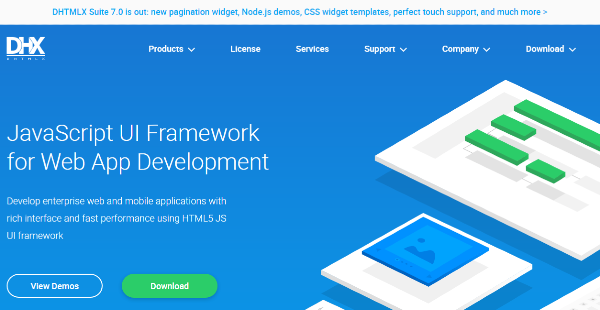
DHTMLX is an HTML5 JavaScript GUI framework that permits developers, managers, and team leaders to efficiently and affordably build business applications with rich interfaces, functionalities, optimal speed, and performance. This full-featured development framework comes with a library of UI components you can instantly implement and customize to create the features and functionalities you need for your web and mobile applications.
You can embed Gantt charts, Kanban boards, diagrams, and event scheduling components into your applications. This allows you to produce fully-functional and feature-rich solutions that help users handle projects, tasks, and resources, schedule appointments, and visualize infrastructures, processes, and data easily and quickly. Moreover, DHTMLX enables you to handle large volumes of data with greater speed, convenience, and flexibility. You can simultaneously load and render thousands of project tasks to your Gantt charts and work with big datasets displayed in a grid, table, or tree view.
DHTMLX also lets you integrate its UI components with different front-end development frameworks, such as Angular, Vue.js, and React. It provides technical support, online resources, and sample codes so you can seamlessly use the components for applications you’re building through those frameworks. With an easy-to-use and robust API, you can connect its UI components with various back-end tools. DHTMLX allows you to customize the design and behavioral elements of UI components based on your project or application-related needs using CSS templates and API configurations.
Show MoreOverview of DHTMLX Benefits
Faster Development Time
DHTMLX enables you to build complex, fully-functional, and high-performance applications at high speed, whether you’re running a SaaS business, developing and maintaining in-house systems, or managing specific departments or teams. With its library of JavaScript user interface components, the development framework allows you to quickly create business applications and solutions and incorporate all the essential features and functionalities they need. You no longer need to waste your time building application features and functionalities on your own using various third-party tools.
For instance, DHTMLX allows you to add Gantt charts to your project management applications. These Gantt charts give users the capability to track and handle project resource distribution, usage efficiently, and capacity, identify interconnected activities or tasks crucial to timely completion of projects, calculate the duration of projects’ critical paths, and simultaneously collaborate in updating project tasks and schedules.
The development framework also has a UI component that lets you easily incorporate calendar features into scheduling or booking applications. Users can organize and visualize events in different view modes, including timeline, grid, map, units, and agenda. They can also assign the same events or tasks to different locations, employees, and other timeline view sections and set up a popup form that contains customizable event data fields.
Optimal Performance
DHTMLX’s UI tools and widgets can perform well for business applications, regardless of the type of platform and browser you use and the amount of data. They are optimized for processing high volumes of data, including CRM systems, dashboard solutions, and reporting tools. You can embed UI components that allow web and mobile applications to display data in a table, grid, tree, and tree grid structure.
You’ll be able to load large datasets into grids or pivot, tree, or tree grid tables with fast and flexible rendering. Furthermore, DHTMLX provides features that permit you to control grids, tables, and data conveniently. You can sort, filter, or re-arrange data, edit data without switching to a different view, resize data tables, and span columns and rows. Displaying the total, average, maximum, or minimum values of selected cells in headers or footers and adding checkboxes or other custom content to cells is possible.
Comprehensive Knowledge & Support
DHTMLX helps you gain all the knowledge and support you need to leverage the framework and its UI components for your development initiatives. You can access demos, guides, and samples that help you learn how the various JavaScript UI tools and widgets in DHTMLX work and relate with each other.
Its team of support staff and professional developers can provide all essential details about the JavaScript UI framework, its suite of UI components and widgets, and integrations with your existing client-side or server-side development frameworks. You can also get information and assistance from other users through the live community forum if you don’t have an active support plan.
Show MoreOverview of DHTMLX Features
- Gantt Chart
- Project Resource Management
- Event Calendar
- Custom Views
- Kanban Board
- Diagrams
- File Uploader
- Text Editor
- Grids
- TreeGrids
- Pivot Tables
- Dynamic Rendering
- Data Operations
- UI Wiget Library
- UI Components & Widget Customization
- Framework Integrations
- Demos & Samples
- Technical Documentation
- Professional Support
What Problems Will DHTMLX Solve?
Scenario #1: Alternative To Expensive Project Management Solutions
Company X is a SaaS company that develops and sells cloud-based project management solutions for businesses and professionals. They built a project management app that enables clients to monitor and handle their projects online using a Gantt chart tool which was incorporated into the app. John, one of their clients, purchased the app through a monthly subscription plan. However, in order to generate Gantt charts, the tool requires him to use MS Project.
John submitted feedback to Company X to inform them that he’s not satisfied with the project management app, as he needs to pay two separate license fees. The company purchased DHTMLX’s Gantt chart tool and used it to embed a ready-to-use Gantt chart into an existing project management app. They produced a project management app built with Gantt chart features that are not dependent on third-party tools. This made John happy, as he won’t pay additional license fees anymore.
Scenario #2: Flexible Employee Scheduling System
A construction company needed a scheduling system that they can easily use and customize based on their own requirements. They’re looking for advanced and dynamic features for monitoring and adjusting employees’ shifts which are not available in a simple Google calendar. They adopted the event calendar UI component offered by DHTMLX. With this JavaScript user interface tool, they can schedule shifts and present them in different ways. They can generate a timeline view in which employees’ names are arranged vertically while their shifts are presented on the X-axis as separate timelines.
The tool also permits them to set up custom content for cells in timeline views. For example, they can define the maximum and the minimum number of shifts required for workdays. If the total number of shifts scheduled for the day reaches the maximum limit, it will be displayed in the cell with a different color. This gives the company an easy way to track workload capacity, preventing them from overscheduling employees which might lead to negative incidents at work.
Scenario #3: Quick CRM Tool Development
The directors of a European company were stranded in the U.S. as a result of the COVID-19 pandemic. Because their company doesn’t have an online intranet system, they couldn’t access any information about its operations and activities in Europe. The company’s software developer proposed that an online intranet system equipped with dashboards should be created so that managers and supervisors can monitor operations and activities and access vital statistics and information even if they’re outside of the office.
The company considered buying an off-the-shelf CRM system, but the price of such tool is expensive. So, they decided to build their own system, which is more practical than purchasing a ready-made one. This, however, requires longer development time, especially if the CRM system would be built from scratch. Using DHTMLX’s library of UI widgets, the software developer was able to create a fully-functional CRM tool with rich and interactive reporting features in just a few months. He implemented UI widgets for creating forms, charts, grids, lists, and trees.
Awards & Quality Certificates


DHTMLX Position In Our Categories
Because companies have their own business needs, it is only logical they steer clear of choosing an all-encompassing, ideal software. Be that as it may, it is nearly futile to try to pinpoint such an app even among recognizable software products. The reasonable step to do would be to take note of the varied critical factors that merit analysis including key features, budget, skill capability of the employees, business size, etc. After which, you must follow through the product research fully. Read these DHTMLX reviews and scrutinize each of the software systems in your list in detail. Such detailed product investigation guarantee you stay away from unfit apps and pay for the system that has all the aspects your business requires to achieve growth.
Position of DHTMLX in our main categories:
TOP
20
DHTMLX is one of the top 20 Application Development Software products
If you are interested in DHTMLX it may also be beneficial to examine other subcategories of Application Development Software collected in our database of B2B software reviews.
It is crucial to note that virtually no app in the Application Development Software category will be an ideal solution able to fulfill all the requirements of different business types, sizes and industries. It may be a good idea to read a few DHTMLX Application Development Software reviews first as specific software may perform well only in a very narrow group of applications or be created with a really specific industry in mind. Others can function with an intention of being easy and intuitive and therefore lack complicated features welcomed by more experienced users. You can also find solutions that cater to a wide group of users and offer a rich feature toolbox, but this in most cases comes at a more significant price of such a solution. Make sure you're aware of your needs so that you select a solution that has all the features you look for.
How Much Does DHTMLX Cost?
DHTMLX Pricing Plans:
Free Trial
GNU GPL V2 License
Free Plan
Commercial Bundled License
Starts at $1,169
Enterprise Bundled License
Starts at $2,159
Ultimate Bundled License
Starts at $4,129
Commercial Widget Suite License
$799
Enterprise Widget Suite License
$1,699
Ultimate Widget Suite License
$3,499
Commercial Component License
Starts at $79
Enterprise Component License
Starts at $159
Ultimate Component License
Starts at $359
What are DHTMLX pricing details?
DHTMLX Pricing Plans:
Free Trial
GNU GPL V2 License
Free Plan
Commercial Bundled License
Starts at $1,169
Enterprise Bundled License
Starts at $2,159
Ultimate Bundled License
Starts at $4,129
Commercial Widget Suite License
$799
Enterprise Widget Suite License
$1,699
Ultimate Widget Suite License
$3,499
Commercial Component License
Starts at $79
Enterprise Component License
Starts at $159
Ultimate Component License
Starts at $359
DHTMLX’s JavaScript UI components are being sold and distributed in a perpetual licensing model. There are various options you can choose from, including enterprise pricing options that enable you to use the components for SaaS product development projects and projects not covered by the GNU General Public License with annual support, updates, and bug fixes.
You can purchase individual UI components separately, combinations of UI components and widgets you need, or DHTMLX’s complete suite of UI components. Here are the details:
DHTMLX Bundle Offers
Commercial Licensing
Scheduling – $1,169
- Gantt Chart
- Event Calendar
Scheduling Plus – $1,1479
- Gantt Chart
- Event Calendar
- Export Module
Advanced – $1,189
- JavaScript UI Component Suite
- Gantt Chart
- Event Calendar
Complete – $2,299
- JavaScript UI Component Suite
- Gantt Chart
- Event Calendar
- File Uploader
- Spreadsheet
- Pivot Table
- Diagram
- Text Editor
Enterprise Licensing
Scheduling – $2,159
- Gantt Chart
- Event Calendar
- Export to PDF/PNG Module
Scheduling Plus – $2,439
- Gantt Chart
- Event Calendar
- Export to MS Project Module
Advanced – $3,079
- JavaScript UI Component Suite
- Gantt Chart
- Event Calendar
Complete – $4,159
- JavaScript UI Component Suite
- Gantt Chart
- Event Calendar
- File Uploader
- Spreadsheet
- Pivot Table
- Diagram
- Text Editor
Ultimate Licensing
Scheduling – $4,129
- Gantt Chart
- Event Calendar
- Export to PDF/PNG Module
- Export to MS Project Module
Advanced – $6,109
- JavaScript UI Component Suite
- Gantt Chart
- Event Calendar
Complete – $7,609
- JavaScript UI Component Suite
- Gantt Chart
- Event Calendar
- File Uploader
- Spreadsheet
- Pivot Table
- Diagram
- Text Editor
DHTMLX UI Library (Full Suite of 23 UI Widgets)
Commercial Licensing – $799
Enterprise Licensing – $1,699
Ultimate Licensing – $3,499
Separate Product Purchasing
Gantt Chart – $699 (Commercial), $1,399 (Enterprise), $2,999 (Ultimate)
Event Calendar – $599 (Commercial), $1,299 (Enterprise), $2,899 (Ultimate)
Scheduler.Net – $599 (Commercial), $1,299 (Enterprise), $2,899 (Ultimate)
Diagram – $599 (Commercial), $1,299 (Enterprise), $2,899 (Ultimate)
Pivot Table – $299 (Commercial), $499 (Enterprise), $749 (Ultimate)
Spreadsheet – $149 (Commercial), $449 (Enterprise), $669 (Ultimate)
File Uploader – $99 (Commercial), $199 (Enterprise), $299 (Ultimate)
Text Editor – $149 (Commercial), $449 (Enterprise), $669 (Ultimate)
Tree – $249 (Commercial), $479 (Enterprise), $1,119 (Ultimate)
Grid – $339 (Commercial), $639 (Enterprise), $1,489 (Ultimate)
TreeGrid – $509 (Commercial), $959 (Enterprise), $2,239 (Ultimate)
Calendar – $79 (Commercial), $159 (Enterprise), $359 (Ultimate)
Chart – $79 (Commercial), $159 (Enterprise), $359 (Ultimate)
DHTMLX Licensing
GNU GPL
- Use in unlimited projects
- Use in cloud-based software products
- Unlimited developers
- Source code access
- Perpetual distribution rights
- Support via the community forum
- Standard edition features & functionalities
Commercial
- Use in 1 project
- Use in projects not covered by GNU GPL
- 5 developers
- Source code access
- Perpetual distribution rights
- Standard support plan (1-year period)
- Professional edition features & functionalities:
- Free export to PDF/PNG without watermark via online service (1-year period)
- XML data processing module for UI widget suite
Enterprise
- Use in 5 projects
- Use in cloud-based software products
- Use in projects not covered by GNU GPL
- 20 developers
- Source code access
- Perpetual distribution rights
- Premium support plan (1-year period)
- Professional edition features & functionalities:
- Free export to PDF/PNG without watermark via online service (1-year period)
- XML data processing module for UI widget suite
- Free export to PDF/PNG via your own local module
- Multiple Gantt chart or Scheduler instances on 1 page
Ultimate
- Use in unlimited projects
- Use in cloud-based software products
- Use in projects not covered by GNU GPL
- Unlimited developers
- Source code access
- Perpetual distribution rights
- Ultimate support plan (1-year period)
- Professional edition features & functionalities:
- Free export to PDF/PNG without watermark via online service (indefinite period)
- XML data processing module for UI widget suite
- Free export to PDF/PNG via your own local module
- Multiple Gantt chart or Scheduler instances on 1 page
- Free export to MS Project via your own local module
User Satisfaction
Positive Social Media Mentions
53
Negative Social Media Mentions
1
We know that when you choose to buy a Application Development Software it’s vital not only to find out how experts score it in their reviews, but also to discover if the actual users and businesses that bought it are genuinely happy with the product. Because of that need we’ve created our behavior-based Customer Satisfaction Algorithm™ that aggregates customer reviews, comments and DHTMLX reviews across a broad range of social media sites. The data is then displayed in a simple to digest format revealing how many users had positive and negative experience with DHTMLX. With that information at your disposal you will be ready to make an informed buying decision that you won’t regret.
Video
Technical details
Devices Supported
- Windows
- Linux
- Android
- iPhone/iPad
- Mac
- Web-based
Deployment
- Cloud Hosted
- Open API
Language Support
- English
- Chinese
- German
- Hindi
- Japanese
- Spanish
- French
- Russian
- Dutch
- Portugese
- Polish
- Turkish
- Swedish
Pricing Model
- Free
- One-time payment
- Annual Subscription
Customer Types
- Small Business
- Medium Business
What Support Does This Vendor Offer?
- phone
- live support
- training
- tickets
What integrations are available for DHTMLX?
DHTMLX integrates with the following client-side and server-side frameworks and technologies:
- Vue.js
- Angular
- React
- JQuery
- Ruy on Rails
- ASP.Net
- Node.js
- Slim PHP Microframework
- Laravel PHP Framework
- Go
- Salesforce
- Primevera P6
- Excel
- iCal
- MS Project
- Salesforce

DHTMLX
is waiting for
your first review.

Write your own review of this product
ADD A REVIEWMore reviews from 0 actual users:


Join a community of 7,369 SaaS experts
Thank you for the time you take to leave a quick review of this software. Our community and review base is constantly developing because of experts like you, who are willing to share their experience and knowledge with others to help them make more informed buying decisions.
Sign in with LinkedIn
Why we require LinkedIn?
- Show the community that you're an actual user.
- We will only show your name and profile image in your review.
- You can still post your review anonymously.
OR
Sign in with company emailSign in with company email
Popular DHTMLX Alternatives


Top Competitors To DHTMLX By Price
Product name:
Price:


Trending Application Development Software Reviews


DHTMLX Comparisons
Product name:


Page last modified



Did you find this review useful?
Yes
No
Thank you for your feedback
How can we make this page better?
Unsure about this software?
FIND ALTERNATIVES
 Why is FinancesOnline free?