
- Home
- Video Editing Software
- DVDFab Video Converter

DVDFab Video Converter Review



What is DVDFab Video Converter?
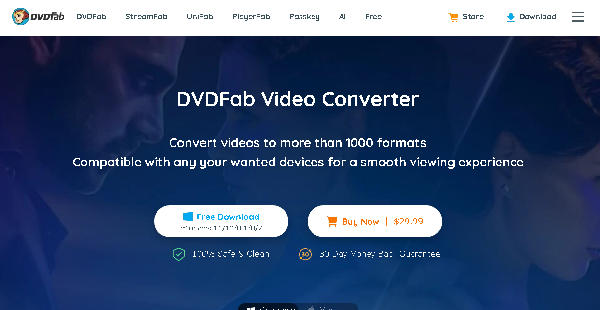
DVDFab Video Converter is an easy-to-use and newbie-friendly video converter software that allows users to convert videos on Windows and Mac computers with improved speed, flexibility, performance, and security. It enables converting videos to a wide range of video and audio file formats optimized for various devices, media players, and social media platforms.
You can convert multiple videos at once and reduce the file size of source videos without losing the original quality. DVDFab Video Converter lets you change and enhance your videos’ look and feel by setting up the appropriate conversion parameters and utilizing its pre-built non-linear video editor.
The tool permits transforming low-resolution videos into higher resolutions as well. DVDFab Video Converter supports hardware acceleration technologies to speed up video conversion and ripping tasks, including NVIDIA CUDA, Intel Quick Sync, Video Toolbox, and AMD. Moreover, you’ll produce and handle metadata information and files for your UHD, DVD, and Blu-ray videos.
Show MoreOverview of DVDFab Video Converter Benefits
Seamless User Experience
DVDFab Video Converter helps you quickly and reliably convert online, recorded, or camera-captured videos into more than 1,000 popular video and audio formats. You can output videos to formats supported by smartphones, portable devices, home theaters, media platforms, and social networking sites. Some examples of such file formats are MP4, MP3, MKV, WMA, FLV, 3D AVI, DTS X, DTS-HD, TrueHD, WAV, and AC-3/E-AC-3 5.1. You and other users can smoothly playback videos, watch movies, stream TV shows, and listen to music on your preferred devices and platforms anywhere and anytime.
Impressive & High-Quality Videos
You’ll have complete freedom to customize the look and feel of your converted videos. DVDFab Video Converter’s pre-built video editor allows you to make changes to your videos without playing or scrubbing through video clips or footages in sequential order. You can combine video clips together, cut out parts of a video, change video brightness and sharpness, and include titles, subtitles, and watermarks.
DVDFab Video Converter enables compressing videos into smaller file size while maintaining their original visual quality. The quality of your videos can also be improved through AI-driven resolution enhancement, such as upscaling videos from 480p to 4K. Thus, you’ll produce high-quality HD videos showing images with greater sharpness, finer detail, and lower noise.
Enhanced Productivity
With DVDFab Video Converter, you don’t have to spend a lot of time and effort on your projects or jobs. The software performs video decoding and encoding tasks at a faster speed when copying, ripping, compressing, and converting video contents from DVDs, Blu-rays, and UHD Blu-rays. This can be done on computers where AMD, NVIDIA CUDA, Intel Quick Sync, or Video Toolbox hardware acceleration is enabled.
You can rip movies and TV episodes efficiently, which can be organized, shared, and watched in Kodi, Plex, or PlayerFab. Moreover, the metadata info feature makes it easy to set up all the important and proper information about your DVD/Blu-ray movie and TV show collections. This includes titles, subtitles, actors, directors, genres, descriptions, backgrounds, directors, runtimes, and file formats. That way, users can find, work on, playback, and understand video contents better.
Show MoreOverview of DVDFab Video Converter Features
- Video & Audio Formats
- Conversion Parameters
- Video Editor
- GPU Acceleration
- Quality Retention
- Batch Conversion
- Video Compression
- AI Upscaling
- DVD Ripping
- Metadata Information
- Media Player Integration
Awards & Quality Certificates

DVDFab Video Converter Position In Our Categories
Keeping in mind businesses have distinctive business demands, it is logical they abstain from selecting an all-encompassing, “perfect” software. Needless to say, it would be difficult to pinpoint such a software solution even among well-known software systems. The best thing to undertake can be to shortlist the several essential aspects that entail deliberation such as key features, price plans, technical skill aptitude of the users, business size, etc. After which, you must perform the product research exhaustively. Go over some DVDFab Video Converter reviews and look over the other software products in your shortlist more closely. Such all-encompassing research can make sure you avoid ill-fitting apps and pay for the system which includes all the aspects your company requires to achieve growth.
Position of DVDFab Video Converter in our main categories:
TOP
50
DVDFab Video Converter is one of the top 50 Video Editing Software products
If you are interested in DVDFab Video Converter it may also be beneficial to investigate other subcategories of Video Editing Software collected in our database of SaaS software reviews.
Since each enterprise has specific business requirements, it is prudent for them to refrain from searching for a one-size-fits-all perfect software solution. Needless to say, it would be useless to try to find such a system even among widely used software solutions. The intelligent thing to do would be to list the various vital factors that need consideration such as key features, budget, skill levels of employees, company size etc. Then, you should do your homework thoroughly. Read some DVDFab Video Converter Video Editing Software reviews and check out each of the other systems in your shortlist in detail. Such in-depth homework can make sure you weed out ill-fitting applications and select the system that offers all the features you need for business success.
How Much Does DVDFab Video Converter Cost?
DVDFab Video Converter Pricing Plans:
Free Trial
Free Version
$0
1-Month
$29.99
Lifetime
$64.99
Video Converter Pro (Windows)
$84.99
DVD Ripper Suite (Mac)
$189.99
What are DVDFab Video Converter pricing details?
DVDFab Video Converter Pricing Plans:
Free Trial
Free Version
$0
1-Month
$29.99
Lifetime
$64.99
Video Converter Pro (Windows)
$84.99
DVD Ripper Suite (Mac)
$189.99
DVD Video Converter is available in free and paid versions for Windows and Mac. Here are the enterprise pricing details:
Free Version
- MP4 or MKV file formats only
- 720p video output only
- 2.0 channels audio output only
- CPU encoding only
Paid Version
1-Month – $29.99
- Instant license renewal
- Cancel any time
- Free 1-month upgrade
Lifetime – $64.99
- One-time payment
- Free unlimited upgrade
Recommended
Video Converter Pro (Windows) – $84.99
- 3-in1 Bundle – Video Converter, Toolkit, & VideoCruise
DVD Ripper Suite Pro (Mac) – $189.99
- DVD Ripper for Mac, Blu-ray Ripper for Mac, & Video Converter for Mac
Paid Version Features:
- All formats
- Video output without quality loss
- 1080p/4K video output
- 5.1 multi-channel audio output
- CUDA, IQS, & AMD acceleration
User Satisfaction
Positive Social Media Mentions
11
Negative Social Media Mentions
0
We are aware that when you choose to purchase a Video Editing Software it’s crucial not only to learn how professionals rank it in their reviews, but also to find out if the real users and businesses that use it are indeed satisfied with the service. That’s why we’ve created our behavior-based Customer Satisfaction Algorithm™ that collects customer reviews, comments and DVDFab Video Converter reviews across a vast array of social media sites. The information is then displayed in an easy to understand way showing how many clients had positive and negative experience with DVDFab Video Converter. With that information available you should be equipped to make an informed business choice that you won’t regret.
Video
Technical details
Devices Supported
- Windows
- Mac
Deployment
- On Premise
Language Support
- English
- Chinese
- German
- Japanese
- French
- Italian
Pricing Model
- Free
- Monthly payment
- One-time payment
Customer Types
- Small Business
- Large Enterprises
- Medium Business
- Freelancers
What Support Does This Vendor Offer?
- phone
- live support
- training
- tickets
What integrations are available for DVDFab Video Converter?
DVDFab Video Converter integrates with:
- NVIDIA CUDA
- AMD
- Intel Quick Sync
- Video Toolbox
- PlayerFab
- Plex
- Kodi
- YouTube

DVDFab Video Converter
is waiting for
your first review.

Write your own review of this product
ADD A REVIEWMore reviews from 0 actual users:


Join a community of 7,369 SaaS experts
Thank you for the time you take to leave a quick review of this software. Our community and review base is constantly developing because of experts like you, who are willing to share their experience and knowledge with others to help them make more informed buying decisions.
Sign in with LinkedIn
Why we require LinkedIn?
- Show the community that you're an actual user.
- We will only show your name and profile image in your review.
- You can still post your review anonymously.
OR
Sign in with company emailSign in with company email
Popular DVDFab Video Converter Alternatives





Top Competitors To DVDFab Video Converter By Price
Product name:
Price:





Trending Video Editing Software Reviews


8.9
94%
9.0
100%
DVDFab Video Converter Comparisons
Product name:


Page last modified



Did you find this review useful?
Yes
No
Thank you for your feedback
How can we make this page better?
Unsure about this software?
FIND ALTERNATIVES
 Why is FinancesOnline free?