
- Home
- Architecture Software
- Easy Blue Print

Easy Blue Print Review



What is Easy Blue Print?
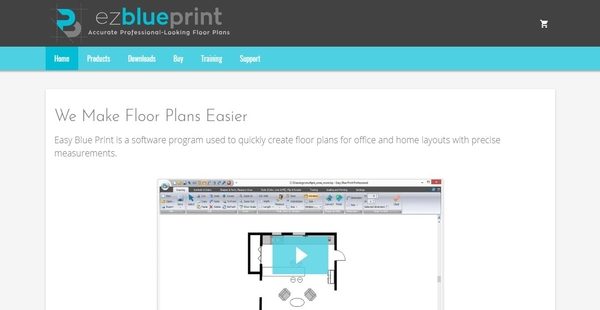
Easy Blue Print is an easy-to-use floor plan drawing solution used by various professionals from different fields of specialization to remove the complexities in creating floor plans for office and home layouts. Whether they are working for a real estate company, selling modular commercial properties, creating a school project, remodeling office areas, or aiming to get funding for a new clinic; users can have their job done fast using the software program.
Available in two editions, Easy Blue Print delivers capabilities that streamline the accurate designing of floor plans. These include the ability to automatically generate rooms from any shape, edit different types of walls, trace over floor plan images, modify door orientation, and use custom objects and symbols. The software program also offers advanced features that are ideal for creating and sharing complex floor plans. Thus, Easy Blue Print can produce detailed drawings for larger office or home layouts. Drawings can be exported as PDF files, embedded onto Microsoft Word documents, or published on websites.
Show MoreOverview of Easy Blue Print Benefits
Automatically Generate Floor Plans From Lines And Objects
Easy Blue Print has an automated feature which allows users to automatically generate floor plans quickly. With this feature, they will be able to transform shapes or lines into walls and rooms. What’s great about this is that this feature can be applied to any type of line or shape, helping users save time and increase productivity.
Tracing Feature
The floor plan drawing software has a tracing feature that permits users to use an existing floor plan image and trace it within the software. This makes it easy for them to copy elements and attributes that are found in other floor plans or drawings.
Add Dimension Lines
With Easy Blue Print, adding dimension lines to a floor plan drawing is a breeze. For instance, if a dimension line between the edge of a window and corner of a room needs to be added; users simply need to select the wall where the window is located, click on the point on the edge of the window, and click on the point in the corner of the room. Then, the dimension line is immediately generated. In this particular example, when the window is moved across the wall, the dimension line will be adjusted accordingly.
Wall List Editor
The floor plan drawing software provides a tool called wall list editor. This tool is used for adding, updating, and deleting different wall types. As users add or update a specific type of wall, the wall list editor gives them an option by which they can enter certain attributes such as thick, fill, and color.
Automatic Distance Adjusting
Easy Blue Print ensures that accurate measurements are applied to floor plan drawings. Through the aid of its automatic distance adjusting feature, distance measurements in floor plans are checked against real-world measurements and instantly updated based on such measurements.
Create And Use Custom Objects To Enhance Floor Plans
In Easy Blueprint, floor plan drawings can be enhanced using custom objects or symbols. Thus, users can create their own objects and symbols, and organize them in libraries. They can also use the objects and symbols created by their coworkers. Because of this, they will be able to produce floor plans that look very interesting.
Share Floor Plan Drawings
Easy Blue Print offers robust and flexible export capabilities which simplify how floor plan drawings are shared and presented. Drawings can be exported as JPEG or BITMAP image files, or PDF files. To improve image quality, the size and resolution of the images can be modified to match one’s preferences and improve reusability. In addition, floor plans can be copied and pasted on third-party applications like Microsoft Word. This is very useful if the drawings need to be embedded on flyers or brochures like those ones distributed by real estate agents. If users need to publish their floor plans on their own website, Easy Blue Print makes that possible too.
Show MoreOverview of Easy Blue Print Features
- Autogenerate Rooms
- Tracing
- Add Dimension Lines
- Hide/Show Dimension Lines
- Snap To Grid Technique
- Rotate Objects, Change Door Orientation, and Zoom In/Out
- Wall List Editor
- Custom Wall Widths
- Automatic Distance Adjusting
- Integrated Quick Help Panel
- Custom Symbols and Special Graphics
- Share Your Drawings
- Generate Adobe Files
- Print To Paper
- Large Property And Detailed Drawings
Easy Blue Print Position In Our Categories
Since companies have distinct business-related wants, it is only rational that they steer clear of paying for an all-encompassing, “perfect” software. Needless to say, it is hard to stumble on such a software solution even among recognizable software systems. The correct step to undertake is to write the varied important aspects that necessitate examination like major features, plans, skill aptitude of the users, organizational size, etc. Next, you should double down on the product research comprehensively. Have a look at some Easy Blue Print review articles and look over each of the software options in your list more closely. Such well-rounded research makes sure you weed out mismatched applications and select the system which delivers all the tools your business requires.
Position of Easy Blue Print in our main categories:
TOP
50
Easy Blue Print is one of the top 50 Architecture Software products
If you are considering Easy Blue Print it might also be beneficial to investigate other subcategories of Architecture Software listed in our base of SaaS software reviews.
Each company has different requirements and needs an application that can be personalized for their size, type of employees and customers, and the specific industry they are in. For these reasons, no software can offer perfect functionality off-the-shelf. When you look for a software product, first be sure what you need it for. Read some Easy Blue Print Architecture Software reviews and ask yourself do you need basic features or do you need advanced tools? Are there any industry-specific features that you are searching for? Obtain the answers to these questions to assist your search. There are lots of elements that you need to mull over and these include your budget, particular business requirements, your company size, integration needs etc. Take your time, use a few free trials, and finally zero in on the system that offers all that you require to improve your company efficiency and productivity.
How Much Does Easy Blue Print Cost?
Easy Blue Print Pricing Plans:
Free Trial
Basic
Free
Pro
$59.99
What are Easy Blue Print pricing details?
Easy Blue Print Pricing Plans:
Free Trial
Basic
Free
Pro
$59.99
Alongside its free basic trial version, Easy Blue Print offers an enterprise pricing package which you can avail by purchasing its professional edition at a one-time price of $59.99. Give the details a look, and select the edition that suits your needs:
Basic
- Save files.
- View all drawings, all sizes, including Pro detail drawings.
- Export floor plan drawings to JPEG/BITMAP images with the ability to set a custom resolution for better image quality. Option to cut and paste floor plan drawings into Microsoft Word or other applications to create accurate real estate brochures or post on the website. Basic version – export is limited to smaller drawings
- Rotate objects, change door orientation and zoom in/out.
- Snap to grid technique – position and modify wall dimensions in pre-selected increments.
- Integrated Quick help panel (Quick menu changes as you click on different drawing tools and buttons).
Pro
- $59.99
- Save files.
- View all drawings, all sizes, including Pro detail drawings.
- Export floor plan drawings to JPEG/BITMAP images with the ability to set a custom resolution for better image quality. Option to cut and paste floor plan drawings into Microsoft Word or other applications to create accurate real estate brochures or post on the website.
- Ability to print and to scale the printing of your entire drawing.
- Ability to export to PDF.
- Autogenerate rooms – convert lines and shapes into walls, allowing you to create a floor plan using any shape.
- Tracing – trace over an image of a floor plan.
- Create custom symbols and symbol libraries.
- Overwrite the length of the dimension line length by entering the new value.
- Adjust gap between the wall and the dimension line (very useful if there are multiple dimension lines attached to a wall).
- Ability to hide/show the dimension lines with one button click no need to delete/add them again.
- Rotate objects, change door orientation and zoom in/out.
- Snap to grid technique – position and modify wall dimensions in pre-selected increments.
- Undo/Redo option.
- The custom wall list editor allows you to effortlessly add, update, or delete different types of walls, and specify their attributes (thickness, fill, color).
- Automatic distance adjusting is part of the software, to enable you to match your drawing against real-world measurements.
- Change door, window & stair widths these can all be drawn accurately to scale in both dimensions.
- Integrated Quick help panel (Quick menu changes as you click on different drawing tools and buttons).
User Satisfaction
Positive Social Media Mentions
119
Negative Social Media Mentions
2
We know that when you make a decision to purchase a Architecture Software it’s important not only to learn how professionals rank it in their reviews, but also to find out whether the real users and companies that use it are actually content with the product. That’s why we’ve devised our behavior-based Customer Satisfaction Algorithm™ that collects customer reviews, comments and Easy Blue Print reviews across a wide range of social media sites. The data is then presented in an easy to understand format showing how many users had positive and negative experience with Easy Blue Print. With that information at hand you should be prepared to make an informed business decision that you won’t regret.
Technical details
Devices Supported
- Windows
- Mac
Deployment
- Cloud Hosted
Language Support
- English
Pricing Model
- Free
- One-time payment
Customer Types
- Small Business
- Large Enterprises
- Medium Business
What Support Does This Vendor Offer?
- phone
- live support
- training
- tickets
What integrations are available for Easy Blue Print?
Easy Blue Print supports integration with third-party tools like MS Word and Adobe Reader.

Easy Blue Print
is waiting for
your first review.

Write your own review of this product
ADD A REVIEWMore reviews from 0 actual users:


Join a community of 7,369 SaaS experts
Thank you for the time you take to leave a quick review of this software. Our community and review base is constantly developing because of experts like you, who are willing to share their experience and knowledge with others to help them make more informed buying decisions.
Sign in with LinkedIn
Why we require LinkedIn?
- Show the community that you're an actual user.
- We will only show your name and profile image in your review.
- You can still post your review anonymously.
OR
Sign in with company emailSign in with company email
Popular Easy Blue Print Alternatives





Top Competitors To Easy Blue Print By Price
Product name:
Price:



Trending Architecture Software Reviews


Easy Blue Print Comparisons
Product name:





Page last modified



Did you find this review useful?
Yes
No
Thank you for your feedback
How can we make this page better?
Unsure about this software?
FIND ALTERNATIVES
 Why is FinancesOnline free?