

Eclipse Review



What is Eclipse?
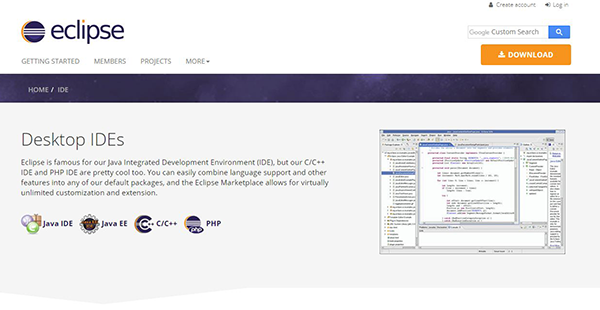
Eclipse is a free, powerful Java integrated development environment (IDE) for team specializing in Java development. It is a cross-platform software that manifests its shell-like architecture with a core foundation written in Java. The application provides both cloud-based and desktop deployments with inimitable extensibility that make it compatible with many languages including C, C++, Ada, ABAP, Haskell, Julia, Lasso, C#, JavaScript, Fortran, Perl, Python, Ruby, Scala, Rust, Scheme, Groovy, Prolong, Erlang, and Clojure.
Its open-source design allows Java developers to customize the solution and create a robust, full-featured development environment for highly integrated tools. Some of the main Eclipse features include XML editing, code recommendation, Apache Maven integration, Git version control, Gradle support, Eclipse marketplace, etc.
Show MoreOverview of Eclipse Benefits
Eclipse is a powerful, full-featured Java IDE that is compatible with Windows, Mac, and Linux devices. The software provides an extensible plugin system and a foundational workspace that permits high customizability. Eclipse’s Marketplace Client functionality allows users to customize and extend the solution’s ability and tailor it to their specific development needs. It allows users to write their own Plugin Development Environment (PDE), or combine multiple features to create a reliable web IDE.
Although the application is primarily built for developing Java applications, its free and open-source design means it can be extended to create applications in other Languages. It provides an impressive library of plugins created by its ecosystem of active providers. The plugins provide real value and enable Eclipse to work with different Java files, Graphics, videos, and web content.
The software’s SDK is released under the Eclipse Public License terms, but it’s compatible with the GNU General Public License. Eclipse is available for both on-premises and cloud-based deployments. Both options provide an impressive set of features that support a variety of functions including modeling, charting, GUI building, testing, reporting and more. The desktop version offers a modern development environment for JavaScript, Java, HTML, and CSS.
On the other hand, the cloud-based option provides a seamless, hosted workspaces and unparalleled accessibility that allow users to work wherever they go. The workspace empowers users to manage multiple related projects. It allows teams to collaborate and work on an app within a single development environment with vital configurations that may be reused in multiple projects. Some of the powerful Eclipse cloud IDE tools include: Dirigible, Eclipse Che, and Orion.
Show MoreOverview of Eclipse Features
- Eclipse Marketplace
- Eclipse workspace
- XML editing
- Debug
- Releng
- Standard widget tool
- Code recommendation
- Apache Maven integration
- Git version control
- Gradle support
Eclipse Position In Our Categories
Because companies have their own business-related needs, it is prudent they steer clear of choosing an all-encompassing, ”best” solution. Nevertheless, it is difficult to try to come across such an app even among widely used software solutions. The better step to do would be to list the various major functions that entail inspection such as major features, costing, technical skill competence of staff, organizational size, etc. After which, you should double down on your product research exhaustively. Browse over some Eclipse evaluations and explore each of the software options in your list in detail. Such all-encompassing product investigation ascertains you weed out unsuitable applications and select the one which provides all the tools your company requires.
Position of Eclipse in our main categories:
TOP
20
Eclipse is one of the top 20 IDE Software products
If you are interested in Eclipse it could also be sensible to investigate other subcategories of IDE Software collected in our database of SaaS software reviews.
Every company has different wants and needs a software that can be personalized for their size, type of workers and clients, and the specific industry they are in. For these reasons, no platform can provide perfect functionality off-the-shelf. When you search a software app, first be sure what you want it for. Read some Eclipse IDE Software reviews and ask yourself do you need basic features or do you require sophisticated functionality? Are there any industry-specific features that you are looking for? Get the answers to these queries to help your search. There are multiple elements that you need to consider and these include your finances, particular business requirements, your organization size, integration needs etc. Take your time, check out a few free trials, and finally zero in on the system that provides all that you need to boost your company effectiveness and productivity.
How Much Does Eclipse Cost?
Eclipse Pricing Plans:
Free Trial
Eclipse
Free
What are Eclipse pricing details?
Eclipse Pricing Plans:
Free Trial
Eclipse
Free
Eclipse is a free IDE software, there are no enterprise pricing plans.
User Satisfaction
Positive Social Media Mentions
353
Negative Social Media Mentions
6
We know that when you decide to purchase a IDE Software it’s vital not only to learn how experts rank it in their reviews, but also to find out whether the real clients and companies that use this software are genuinely happy with the service. That’s why we’ve designer our behavior-based Customer Satisfaction Algorithm™ that aggregates customer reviews, comments and Eclipse reviews across a broad array of social media sites. The data is then featured in an easy to digest format revealing how many customers had positive and negative experience with Eclipse. With that information at hand you will be prepared to make an informed purchasing decision that you won’t regret.
Video
Technical details
Devices Supported
- Windows
- Linux
- Mac
Deployment
- On Premise
Language Support
- English
Pricing Model
- Free
Customer Types
- Small Business
- Medium Business
- Freelancers
What Support Does This Vendor Offer?
- phone
- live support
- training
- tickets
What integrations are available for Eclipse?
Eclipse integrates with the following applications:
- Orion
- Dirigible
Eclipse User Reviews
Eclipse average rating:
4/5
Overall impression
5/5
Customer Support
4/5
Value for Money
4/5
Ease of Use
Write your own review of this product
ADD A REVIEWThe most favorable review

PROS: Even if you started your project on another environment, you can still open and work on it on Eclipse. This is a function that I really like about it. It has full support for Javascript and can even offer code suggestions. And if there is a need for it, users can simply add plugins. But the best thing is it is all for free.
CONS: Setting up and configuring Eclipse for the first time was a bit challenging. Apart from that, it uses up to much RAM. And if you have a low-spec computer, it can hang and crash. Still, it is still a top-notch IDE and the best.
The least favorable review
PROS: It has an intuitive interface and you can import new packages easily. Also, it is very easy to setup. What's more, is that it makes switching to different modes easily like from debug mode to run mode. It also gives accurate suggestions and the compiler module is also well built.
CONS: The program seems a little slow to load. You need more ram to run it. If you want to run the project structure in the future, you might run into some problems.
More reviews from 14 actual users:
Sort by:
Latest
- Latest
- Most useful
- Most positive
- Most negative
The best IDE a Java developer can get their hands on
Read full review >
4/5
Overall impression
4/5
Customer Support
3/5
Value for Money
3/5
Ease of Use
Published on: 08.11.2021
Company Size: More than 100 Employees
Industry: N/A
PROS: Eclipse has such broad interoperability that it can work with any language and support any plugin. Code integration is finished in a blink too so that people could accelerate their software productions without sacrificing quality.
CONS: Eclipse needs to open more avenues for communication with people needing assistance regarding the platform.
Your best bet when working on Java projects
Read full review >
4/5
Overall impression
4/5
Customer Support
3/5
Value for Money
4/5
Ease of Use
Published on: 20.10.2021
Company Size: More than 100 Employees
Industry: Information Technology and Services
PROS: It is a free IDE that you can extend with plugins without additional cost. There is also a rich community that develops features and shares them with other users for a more vibrant Eclipse. Though it is popular among developers working on Java, it can be used for projects based on other languages as well.
CONS: Despite being designed for ease of use, there are certain aspects that do not comport to that such as the troubleshooting. Apart from that, I have no other complaints about Eclipse.
An intuitive platform that’s a great option for Java application developers
Read full review >
4/5
Overall impression
4/5
Customer Support
3/5
Value for Money
3/5
Ease of Use
Published on: 22.09.2021
Company Size:
Industry: Internet
PROS: If you are thinking about creating a website that has multiple elements using different languages or codes, then Eclipse is your best bet. It makes work seamless because it can support plugins. It has plenty of functional tools as well that you can find in an intuitive interface that streamlines coding work.
CONS: The latest iteration of IDE is the complete opposite of lightweight. It requires a lot of computing power that some developers may not have. Moreover, when issues arise, sometimes we have to wait to resolve them because the documentation is incomplete.
A great IDE for developing the backend
Read full review >
4/5
Overall impression
4/5
Customer Support
4/5
Value for Money
4/5
Ease of Use
Published on: 08.09.2021
Company Size:
Industry: Higher Education
PROS: Eclipse has a great feature that assists users in inputting the right code. It has other value-added features as well that make it a rich development platform. And all of that is packaged in a free and open source solution that can work with other languages apart from Java.
CONS: Other editors are now lightweight but still powerful compared to Eclipse. Still, it is a great tool for Java developers. However, you have to be patient because it takes time to launch and even takes up a lot of RAM.
If you develop Java, this is the best IDE to use
Read full review >
5/5
Overall impression
5/5
Customer Support
4/5
Value for Money
5/5
Ease of Use
Published on: 15.08.2021
Company Size:
Industry: Information Technology and Services
PROS: Even if you started your project on another environment, you can still open and work on it on Eclipse. This is a function that I really like about it. It has full support for Javascript and can even offer code suggestions. And if there is a need for it, users can simply add plugins. But the best thing is it is all for free.
CONS: Setting up and configuring Eclipse for the first time was a bit challenging. Apart from that, it uses up to much RAM. And if you have a low-spec computer, it can hang and crash. Still, it is still a top-notch IDE and the best.
Very useful
Read full review >
5/5
Overall impression
4/5
Customer Support
4/5
Value for Money
4/5
Ease of Use
Published on: 12.06.2021
Company Size: More than 100 Employees
Industry: Staffing and Recruiting
PROS: We use this to develop further and edit projects we started with other IDE. Despite that, we can work with them with ease because of the availability of plugins that extend the functions of the platform. It is user-friendly and I can write scripts using it without breaking a sweat. Even when I need to replace or edit codes, I can find them within a few moments using the search function. It is good for collaboration as well because of its support for multiple workspaces. On top of it all, it is open-source and free.
CONS: If there is not enough RAM available, Eclipse is difficult to use. It is also difficult to setup in the beginning.
Works for Java
Read full review >
4/5
Overall impression
4/5
Customer Support
3/5
Value for Money
3/5
Ease of Use
Published on: 21.05.2021
Company Size:
Industry: N/A
PROS: It has an intuitive interface and you can import new packages easily. Also, it is very easy to setup. What's more, is that it makes switching to different modes easily like from debug mode to run mode. It also gives accurate suggestions and the compiler module is also well built.
CONS: The program seems a little slow to load. You need more ram to run it. If you want to run the project structure in the future, you might run into some problems.
A robust IDE for software developers
Read full review >
4/5
Overall impression
3/5
Customer Support
4/5
Value for Money
4/5
Ease of Use
Published on: 20.01.2021
Company Size: 1-10 Employees
Industry: Information Technology and Services
PROS: One of the things I like about Eclipse is how it helps me organize my workspace and project storage. I can even work the way I want because I can customize abbreviations and keyboard shortcuts. Best of all, it can automatically complete codes, allowing me to finish my work faster. Also, I can use it with version tracking plugins so I have more control over my work.
CONS: When I run a project on the platform, my computer would lag.
A free yet robust IDE for Java projects
Read full review >
4/5
Overall impression
3/5
Customer Support
3/5
Value for Money
3/5
Ease of Use
Published on: 05.01.2021
Company Size: 51-100 Employees
Industry: Computer Software
PROS: I mostly have Java development projects and I use Eclipse for them. This platform has the tools I need to get things done efficiently. It is even extensible because of its broad support for plugins. More than that, I can use it on any operating system. And in case I have problems, I only need to ask fellow users who are always prompt in offering solutions.
CONS: In less powerful machines, Eclipse runs slowly. In that case, it would be nice if there was a lite version available so that those who have less computing powers can still benefit from it.
The first IDE I ever used
Read full review >
4/5
Overall impression
4/5
Customer Support
4/5
Value for Money
4/5
Ease of Use
Published on: 04.01.2021
Company Size: 1-10 Employees
Industry: Higher Education
PROS: Eclipse has a gentle learning curve, making it a great place to start for those learning to develop. Despite that, it has features that can support complicated actions and it can integrate plugins too for more extensive usage. Because of that, people can use it for different kinds of projects that utilize a variety of programming languages. And if ever anyone encounters an issue, they do not have to look far for help because the community is only a question away.
CONS: Features that should be native require plugins, making the startup time of Eclipse longer. There are also some aspects wherein Eclipse performs poorly compared to another IDE.
Costless application development platform
Read full review >
4/5
Overall impression
3/5
Customer Support
3/5
Value for Money
4/5
Ease of Use
Published on: 26.09.2019
Company Size: 1-10 Employees
Industry: N/A
PROS: Eclipse is a free development environment that has plenty of robust features. It is suitable for beginners because of its intuitive interface. For all the years that I have been using Eclipse, not once was I ever disappointed with it. It even adds value because of its extra components.
CONS: I have been using Eclipse for almost five years now and yet I have not encountered anything about it that really disappointed me. Although I have to mention that it uses a lot of computing power from the RAM and the initial configuration was a bit complex.
An awesome web development platform
Read full review >
4/5
Overall impression
3/5
Customer Support
3/5
Value for Money
3/5
Ease of Use
Published on: 16.09.2019
Company Size: More than 100 Employees
Industry: Information Technology and Services
PROS: The suggestions that I get when I use a simple command with the keyboard is one of the best features of Eclipse. It has amazing support for a wide range of plugins as well. For example, I am currently using SVN and GIT plugins to help me keep track of versions.
CONS: Eclipse is by no means a lightweight software. In fact, it requires good hardware with great RAM to run like butter.
A tool that is good for more than just Java
Read full review >
5/5
Overall impression
4/5
Customer Support
4/5
Value for Money
5/5
Ease of Use
Published on: 16.09.2019
Company Size: More than 100 Employees
Industry: Information Technology and Services
PROS: I like that Eclipse can be used for other languages other than Java though it is popularly used for that. Since it can also work with Python, I do not have to switch between IDEs when working on a multi-language project. One of the best things about it is that it has a rich community that lets everyone learn. Additionally, it works on any operating system.
CONS: At first, those new to development may find Eclipse challenging but as they continue to use it, they would find that it is a great platform. Meanwhile, core developers would not have any problem with it at all. However, it should be noted that Eclipse requires plenty of computing resources to work as smoothly as possible.
Simply the best
Read full review >
5/5
Overall impression
5/5
Customer Support
4/5
Value for Money
4/5
Ease of Use
Published on: 15.09.2019
Company Size: More than 100 Employees
Industry: N/A
PROS: I like how it gives accurate and useful suggestions for coding. Also, the database connection is reliable and speedy. Plus, I use it for both front and backend development. Superb.
CONS: The program is too heavy. So, you need a good amount of RAM to run it. Also, updates are quite rare.


Join a community of 7,369 SaaS experts
Thank you for the time you take to leave a quick review of this software. Our community and review base is constantly developing because of experts like you, who are willing to share their experience and knowledge with others to help them make more informed buying decisions.
Sign in with LinkedIn
Why we require LinkedIn?
- Show the community that you're an actual user.
- We will only show your name and profile image in your review.
- You can still post your review anonymously.
OR
Sign in with company emailSign in with company email
Popular Eclipse Alternatives



Top Competitors To Eclipse By Price
Product name:
Price:



By quote


Trending IDE Software Reviews




Eclipse Comparisons
Product name:





Eclipse user reviews
The best IDE a Java developer can get their hands on
Read full review >
4/5
Overall impression
4/5
Customer Support
3/5
Value for Money
3/5
Ease of Use
Published on: 08.11.2021
Company Size: More than 100 Employees
Industry: N/A
Your best bet when working on Java projects
Read full review >
4/5
Overall impression
4/5
Customer Support
3/5
Value for Money
4/5
Ease of Use
Published on: 20.10.2021
Company Size: More than 100 Employees
Industry: Information Technology and Services
An intuitive platform that’s a great option for Java application developers
Read full review >
4/5
Overall impression
4/5
Customer Support
3/5
Value for Money
3/5
Ease of Use
Published on: 22.09.2021
Company Size:
Industry: Internet
A great IDE for developing the backend
Read full review >
4/5
Overall impression
4/5
Customer Support
4/5
Value for Money
4/5
Ease of Use
Published on: 08.09.2021
Company Size:
Industry: Higher Education
If you develop Java, this is the best IDE to use
Read full review >
5/5
Overall impression
5/5
Customer Support
4/5
Value for Money
5/5
Ease of Use
Published on: 15.08.2021
Company Size:
Industry: Information Technology and Services

Page last modified


Did you find this review useful?
Yes
No
Thank you for your feedback
How can we make this page better?
Unsure about this software?
FIND ALTERNATIVES
 Why is FinancesOnline free?