

eHopper Review



What is eHopper?
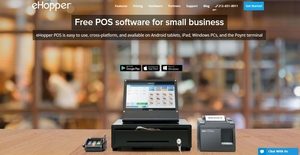
eHopper is a point of sale solution designed for small retail stores, consumer businesses, and merchandisers alike quick service restaurants, liquor, jewelry, and convenience stores. User-friendly and straightforward, eHopper aims to help small businesses and stores save time by streamlining their day-to-day operations. It offers features for processing payments, tracking orders, managing stock, monitoring employee hours, organizing customers’ information, and sending out marketing campaigns.
Additionally, through the aid of its inventory, order, and sales reports; users will be able to adjust their stock based on their items that are driving in sales, view the profit generated by their sold items for a given period, and obtain information on previous and current orders and transactions.
It also provides a receipt management feature, which helps users create custom receipts. They will also be able to void some orders made by their customers and refund them. With its cash management feature, users will be able to manage their cash register, enabling them to add or subtract money from it efficiently. Moreover, eHopper has a tax management feature which enables users to automatically add the appropriate taxes for their items and analyze their tax data. Last but not the least, eHopper is using the Poynt terminal; a touchscreen tablet, card reader, receipt printer, and POS barcode scanner.
Show MoreOverview of eHopper Benefits
eHopper offers powerful order management functionalities. It provides users with the capability to organize and view all orders in one place, which include previous and current orders. eHopper enables them to assign names to orders and save them, so they can reopen them quickly when the time comes that they need to process them. This functionality also allows users to access previously processed orders if they need to print or email receipts, or void orders and process refunds.
Furthermore, they will also be able to organize orders based on their type. Thus, they have the possibility to assign a specific order type to an order made by a customer. The order types that they can select are dine in, take out, and drive thru. With this functionality, they can process orders quickly and deliver a satisfactory customer service and experience.
In addition, eHopper allows users to easily update the status of their orders as they fulfill them at any point in time throughout the order process: receiving, processing, and delivering. Thus, they will be able to update the status of orders when they are still being prepared, already prepared, being sent to customers, or received by customers.
eHopper aids users to process payments quickly. The POS software allows them to receive payments via the merchant service provider or payment processor they are currently using, whether it is integrated with their system or not.
Furthermore, by setting up a payment gateway in eHopper and integrating it with their checkout, they will be able to process credit and debit card payments. In processing such payments, they have the option to either input the credit/debit card information manually or swipe the card. eHopper also allows them to quickly process cash payments.
Included in its payment processing feature is its support for the Poynt Smart Terminal. This is is a mobile technology and system that functions as a card reader, receipt printer, and barcode scanner. This technology is integrated with eHopper, enabling users to collect payments in just a few minutes. Interestingly, the Poynt terminal can work offline, so they will be able to process payments when they do not have an internet connection. It can also be used for saving and updating orders.
The inventory management feature offered by eHopper is another powerful feature. It helps users prevent stock shortages by allowing them to view the stock totals of their products across their stores. They can easily update their stock totals every time new inventory comes in from their suppliers. Also, through its Store Transfer functionality, users will be able to control the movement of their products from one store to another by allowing them to identify the needed stock for each store.
Its inventory management feature helps users adjust their stock when some of their products or items are damaged, lost, or stolen. The POS software enables them to quickly record items that are damaged, lost, or stolen in a specific store. They can replace their stock by allowing them to specify the vendor they want to receive new stock from.
Show MoreOverview of eHopper Features
- Order Management
- Save and Reopen Orders
- Access Previous Orders
- Void Orders and Process Refunds
- Order Types
- Manage Order Status
- All-in-One Order View
- Order Tracking
- External Payments
- Use Existing Cash Processor
- Manage Cash Payments
- Credit and Debit Card Payments
- Poynt Smart Terminal Integration
- Mobile and Contactless Payments
- Process Payments Offline
- Print or Email Receipts
- EBT Card
- Split Payments
- Tax Management
- Tip Management
- Payin and Payouts
- Open/Close Register
- Discounts and Loyalty
- Cash Management
- Inventory Management
- View Current Stock Totals
- Update Stock Totals
- Store Transfer
- Inventory Adjustment
- Menu Builder
- Vendor Management
- Product Management
- Modifiers
- Inventory Matrix
- Serial Items
- Reports
- Employee Management
- Multi-Store
- POS Hardware
- Customer Management
eHopper Position In Our Categories
Knowing that businesses have their own business demands, it is sensible they steer clear of going for a one-size-fits-all, ideal software solution. Still, it is difficult to discover such application even among sought-after software products. The rational step to do should be to note down the varied chief factors that call for a research including crucial features, budget, skill capability of staff members, organizational size, etc. Thereafter, you must perform the research systematically. Browse over some eHopper evaluations and scrutinize the other solutions in your list more closely. Such comprehensive product research ascertains you drop unsuitable apps and select the one that meets all the aspects your business requires.
Position of eHopper in our main categories:
TOP
500
eHopper is one of the top 500 Sales Tools products
Since each enterprise has specific business wants, it is sensible for them to desist from seeking a one-size-fits-all faultless software application. Needless to say, it would be futile to try to find such a system even among widely used software solutions. The clever thing to do would be to catalog the various essential elements that require consideration such as key features, budget, skill levels of staff members, company size etc. Then, you should do your research thoroughly. Read some eHopper POS Systems reviews and look into each of the other apps in your shortlist in detail. Such comprehensive groundwork can ensure you discard ill-fitting applications and select the system that presents all the features you require for business success.
How Much Does eHopper Cost?
eHopper Pricing Plans:
Free Trial
eHopper Essential Package
Free
eHopper Freedom Package
$39.99/mo./register
What are eHopper pricing details?
eHopper Pricing Plans:
Free Trial
eHopper Essential Package
Free
eHopper Freedom Package
$39.99/mo./register
eHopper offers two enterprisepricing plans for small retail and consumer businesses. There is a free plan, and an additional paid plan which is calculated based on the number of cash registers you want for your stores. Here are the details:
eHopper Essential Package
- $0.00
- License Free
- Limited to 1 Register
- Works on Android tablets, iPad and Windows PC
- Point of Sale
- Order Tracking
- Inventory Management
- Customer Management
- Tip Management
- Modifier Management
- Include/Exclude Taxes
- Assign Taxes to Products
- Include Tax in Product Price
- Full/Split Payment
- Print/Email Receipts
- Reporting
- Online Documentation
- Use Your Own Device or Purchase a New Hardware
- Merchant services integration (Credit/Debit) with A1 Charge
eHopper Freedom Package
- $39.99/mo./register
- License Free
- Unlimited Registers
- Works on Android tablets, iPad, and Windows PC
- Point of Sale
- Order Tracking
- Inventory Management
- Customer Management
- Tip Management
- Modifier Management
- Include/Exclude Taxes
- Assign Taxes to Products
- Include Tax in Product Price
- Full/Split Payment
- Print/Email Receipts
- Reporting
- Online Documentation
- Use Your Own Device or Purchase a New Hardware
- Merchant services integration with A1 Charge or your own
- EBT
- Use eHopper on Poynt Terminal
- Clock in/Clock Out
- Menu Builder
- Inventory Matrix
- Inventory Adjustments
- Store Transfer
- Purchase Order Receiving
- Puerto Rico Control #
- QuickBooks Integration
- Email Support
- Implementation & Training
- Phone & Chat support – 7 days a week
User Satisfaction
Positive Social Media Mentions
2
Negative Social Media Mentions
2
We know that when you decide to buy a POS Systems it’s crucial not only to find out how experts score it in their reviews, but also to find out whether the actual clients and enterprises that purchased this software are actually content with the product. Because of that need we’ve created our behavior-based Customer Satisfaction Algorithm™ that aggregates customer reviews, comments and eHopper reviews across a broad array of social media sites. The information is then presented in a simple to understand format revealing how many clients had positive and negative experience with eHopper. With that information at your disposal you will be equipped to make an informed business choice that you won’t regret.
Video
Technical details
Devices Supported
- Windows
- Linux
- Android
- iPhone/iPad
- Web-based
- Windows Mobile
Deployment
- Cloud Hosted
- On Premise
Language Support
- English
Pricing Model
- Free
- Monthly payment
Customer Types
- Small Business
What Support Does This Vendor Offer?
- phone
- live support
- training
- tickets
What integrations are available for eHopper?
eHopper supports integration with QuickBooks Online and Poynt Smart Terminal POS System. It can also be connected with third-party or external payment gateway, payment processors, and merchant services.
eHopper User Reviews
eHopper average rating:
4/5
Overall impression
1/5
Customer Support
3/5
Value for Money
1/5
Ease of Use
Write your own review of this product
ADD A REVIEWMore reviews from 1 actual users:
Sort by:
Latest
- Latest
- Most useful
- Most positive
- Most negative
Good Software, bad service
Read full review >
4/5
Overall impression
1/5
Customer Support
1/5
Value for Money
3/5
Ease of Use
Published on: 13.04.2021
Company Size: 1-10 Employees
Industry: Food & Beverages
PROS: the software has many functionalities that make simplify the operations and setting of the products.
CONS: Some basic and Most of the nice functionalities of the software are in the Freedom pay package, and the upgrade is not easy or works at all.


Join a community of 7,369 SaaS experts
Thank you for the time you take to leave a quick review of this software. Our community and review base is constantly developing because of experts like you, who are willing to share their experience and knowledge with others to help them make more informed buying decisions.
Sign in with LinkedIn
Why we require LinkedIn?
- Show the community that you're an actual user.
- We will only show your name and profile image in your review.
- You can still post your review anonymously.
OR
Sign in with company emailSign in with company email
Popular eHopper Alternatives





Top Competitors To eHopper By Price
Product name:
Price:

by quote

By quote

By quote

Trending POS Systems Reviews




eHopper Comparisons
Product name:




eHopper user reviews
Good Software, bad service
Read full review >
4/5
Overall impression
1/5
Customer Support
1/5
Value for Money
3/5
Ease of Use
Published on: 13.04.2021
Company Size: 1-10 Employees
Industry: Food & Beverages

Page last modified



Did you find this review useful?
Yes
No
Thank you for your feedback
How can we make this page better?
Unsure about this software?
FIND ALTERNATIVES
 Why is FinancesOnline free?