

Foxfire WMS Review



What is Foxfire WMS?
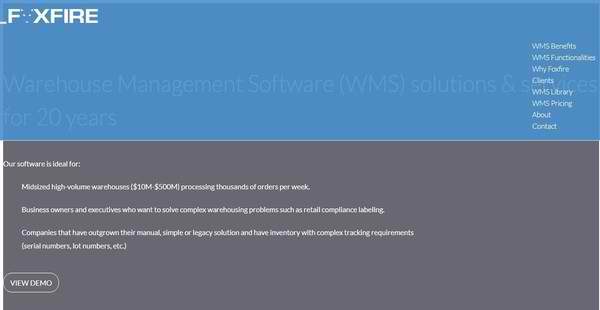
Foxfire WMS is an intuitive, flexible, and compliant warehouse management system which is implemented by companies and businesses from various industries such as 3PL, food, apparel, retail, and, electronics. The WMS software is designed to adapt to the specific needs of users in their warehouse operations. This is different from other warehouse management software solutions wherein users have to adjust their processes and workflows to fit how the software works and operates.
With Foxfire WMS, companies will be able to meet the expectations of their customers, and at the same time, comply with the regulations and requirements being implemented within their organization and industry. The software is equipped with a web-based dashboard that makes it easy for business owners, executives, and managers to assess the different areas of their warehouse operations, letting them identify which areas are performing well and which ones need improvement.
Foxfire WMS aims to improve inventory accuracy. Users can view all the items in their inventory at all times. They can also monitor how they are allocating human resources and reduce labor costs. The software can reduce risks associated with physical inventories, as it permits users to proactively manage their inventory. Moreover, Foxfire WMS helps them reduce costs of missed shipments and returns, and enables them to deliver an excellent customer service.
Show MoreOverview of Foxfire WMS Benefits
Receive Shipments And Attach Barcode Labels To Inventories
Foxfire WMS is equipped with a robust set of functionalities that covers key areas of warehouse operations. One of those areas is the receiving process. When users receive partial or full shipments in their warehouse, they can attach unique barcode labels to the inventory items included in the shipments. By simply scanning these barcode labels, they can quickly record or review any information related to the inventory items they are receiving and track the items later on.
A Put-Away Process Guided By Business Rules
After users are done receiving inventories or stocks, the software allows them to immediately determine the proper locations where the stocks should be placed. In other words, Foxfire WMS automates the put-away process. Users can set up their own business rules to ensure that stocks are assigned to the correct locations.
Inventory Management
Foxfire WMS gives users full control over their inventory. In fact, it has an inventory management functionality that lets them monitor the movement of their inventory from receiving to shipping. They can automatically assign tasks to warehouse employees, track the progress of each task, and make sure that the tasks are completed on time.
Achieve Real-Time Inventory Accuracy Through Mobile Cycle Counting
The warehouse management software also permits users to perform cycle count tasks, whether those tasks are directed by the system itself or not. Through the aid of its mobile app, they will be able to execute cycle counts quickly, helping them enhance inventory accuracy in real time.
Rules-Based Order Fulfillment
Order fullfillment within Foxfire WMS utilizes predefined rules. With these rules, users can apply the appropriate inventory accounting methods, locations, inventory attributes, and picking methods as they allocate inventory.
Intelligent Cubing Or Cartonization
Foxfire WMS offers an intelligent way to implement cubing or cartonization. It uses efficient algorithms which have the capability to identify the best carton combinations and proper carton sizes needed for shipments. Interestingly, the system can do this even before users pick items. Thus, it streamlines shipping procedures, as users can quickly transfer items into the shipping cartons.
Flexible And Systematic Picking
In terms of picking items, the warehouse management software allows the application of different types of picking methods. During the picking process, UPC codes and boxes can be scanned using handheld devices. In addition, the software uses color codes that enable users to organize their shipments systematically.
Perform Replenishments Accurately
Foxfire WMS also provides capabilities that permit users to implement replenishment accurately. Among those capabilities is the ability to set minimum stock levels so that when the quantities of stock or inventory items contained in pick locations fall below the minimum levels, replenishments are triggered. Moreover, the software allows the creation of replenishment tasks so users can respond to high-demand situations.
Tools That Simplify Packing
Another key area of warehouse operations is packing. This is the final stage in the order fulfillment process where items are consolidated and inspected before they are loaded into delivery trucks or transported by carriers. The software has tools that simplify packing tasks, covering the efficient creation of pallets and outbound shipments.
Generate Custom Labels
In Foxfire WMS, creating custom labels that are tailored to the specifications and preferences of customers is made possible. The software can produce labels based on customer orders automatically, eliminating manual processes and interventions.
Complete Traceability Of Inventory Movement
In warehouse operations, inventory items can move from one stage to another in a very fast manner. Thus, sometimes it is very difficult to trace and monitor items as they are being moved within the warehouse. With Foxfire WMS, the movement of inventory within the warehouse can be completely traced.
Print Shipping Documents With Simple Mouse Clicks
Generating shipping documents like manifests and bills of lading using Foxfire WMS is a breeze. This is because, by simply doing mouse clicks, users can print all the shipping documents they need immediately.
Productivity Auditing
Foxfire WMS can record all data related to the activities and transactions being managed by warehouse employees within its system as well as those data needed to evaluate the performance of the entire warehouse operation. It can even generate out-of-the-box reports that enable managers to easily measure and evaluate the productivity of their employees, allowing them to access KPI metrics and productivity rates.
Enable Warehouse Transactions In iOS And Android Devices
The warehouse management software extends its capabilities to mobile devices. As a result, managers and warehouse employees can handle their transactions right straight from their Android or iOS devices. This is made possible through the aid of its mobile application which can be enabled on such devices.
Integration Capabilities
To wrap it up, Foxfire WMS can be integrated with ERP, voice picking, and transportation management systems. Because of this, users can exchange data and information between the warehouse management system and their existing ERP system which include items, vendor data, and purchase orders. Likewise, this optimizes picking and shipping procedures.
Show MoreOverview of Foxfire WMS Features
- Receiving
- Put-Away
- Inventory Management
- Cycle Counting
- Rules-Based Order Fulfillment
- Cubing/Cartonization
- Picking
- Replenishment
- Packing
- Labeling/Reports
- Custom Labels
- Inventory Management
- Shipping
- Quality Check/Audit
- Productivity Audits
- Lot/Serial Number Tracking
- iOS and Android Enabled
- Integrates with any ERP System
- Voice Picking, Pick-To-Light, Transportation Management System
Foxfire WMS Position In Our Categories
Bearing in mind businesses have specific business-related requirements, it is wise that they avoid paying for an all-in-one, ”best” software product. Just the same, it would be futile to try to find such an app even among well-known software products. The clever step to undertake can be to make a list of the several important factors which merit investigation including essential features, price terms, skill competence of the users, organizational size, etc. Thereafter, you must follow through your product research through and through. Browse over these Foxfire WMS reviews and check out the other software products in your list more closely. Such comprehensive product investigation makes sure you take out unsuitable software products and choose the one which delivers all the aspects your company requires.
Position of Foxfire WMS in our main categories:
TOP
100
Foxfire WMS is one of the top 100 Warehouse Management Software products
If you are considering Foxfire WMS it might also be a good idea to analyze other subcategories of Warehouse Management Software collected in our base of SaaS software reviews.
Every enterprise has its own characteristics, and can call for a special Warehouse Management Software solution that will be fit for their business size, type of clients and employees and even individual niche they deal with. It's not wise to count on locating an ideal solution that will be suitable for each company no matter what their background is. It may be a good idea to read a few Foxfire WMS Warehouse Management Software reviews first and even then you should pay attention to what the solution is intended to do for your company and your workers. Do you require an easy and intuitive service with just basic functions? Will you actually make use of the advanced functionalities needed by experts and large enterprises? Are there any particular features that are especially useful for the industry you operate in? If you ask yourself these questions it will be much easier to find a reliable app that will fit your budget.
How Much Does Foxfire WMS Cost?
Foxfire WMS Pricing Plans:
Free Trial
Enterprise Plan
$2,000/named user
What are Foxfire WMS pricing details?
Foxfire WMS Pricing Plans:
Free Trial
Enterprise Plan
$2,000/named user
Foxfire WMS offers several SMB and enterprise pricing options and services you can choose from. Here are the details:
Enterprise Pricing Per Named User
- $2K
Yearly Support
- 20% of license fees
Onsite Services
- 4-8 weeks to install, configure and integrate
Average 10-User Project
- $50K-$75K
SaaS
- Subscription pricing available upon request
Hardware
- Through Foxfire’s ScanSource network of local dealer partners
User Satisfaction
Positive Social Media Mentions
0
Negative Social Media Mentions
0
We realize that when you make a decision to get a Warehouse Management Software it’s vital not only to find out how experts score it in their reviews, but also to find out if the real users and businesses that purchased this software are genuinely happy with the service. That’s why we’ve devised our behavior-based Customer Satisfaction Algorithm™ that aggregates customer reviews, comments and Foxfire WMS reviews across a broad range of social media sites. The data is then featured in an easy to understand way indicating how many clients had positive and negative experience with Foxfire WMS. With that information available you should be prepared to make an informed purchasing decision that you won’t regret.
Video
Technical details
Devices Supported
- Windows
- Linux
- Android
- iPhone/iPad
- Mac
- Web-based
Deployment
- Cloud Hosted
- On Premise
Language Support
- English
- Spanish
Pricing Model
- Monthly payment
- One-time payment
- Quote-based
Customer Types
- Small Business
- Large Enterprises
- Medium Business
What Support Does This Vendor Offer?
- phone
- live support
- training
- tickets
What integrations are available for Foxfire WMS?
Foxfire WMS supports integration with ERP, picking, and transportation management systems.

Foxfire WMS
is waiting for
your first review.

Write your own review of this product
ADD A REVIEWMore reviews from 0 actual users:


Join a community of 7,369 SaaS experts
Thank you for the time you take to leave a quick review of this software. Our community and review base is constantly developing because of experts like you, who are willing to share their experience and knowledge with others to help them make more informed buying decisions.
Sign in with LinkedIn
Why we require LinkedIn?
- Show the community that you're an actual user.
- We will only show your name and profile image in your review.
- You can still post your review anonymously.
OR
Sign in with company emailSign in with company email
Popular Foxfire WMS Alternatives





Top Competitors To Foxfire WMS By Price
Product name:
Price:


By quote

By quote

By quote

Trending Warehouse Management Software Reviews




Foxfire WMS Comparisons
Product name:









Page last modified



Did you find this review useful?
Yes
No
Thank you for your feedback
How can we make this page better?
Unsure about this software?
FIND ALTERNATIVES
 Why is FinancesOnline free?