
- Home
- Learning Management Systems (LMS)
- iSpring Suite

iSpring Suite Review



What is iSpring Suite?
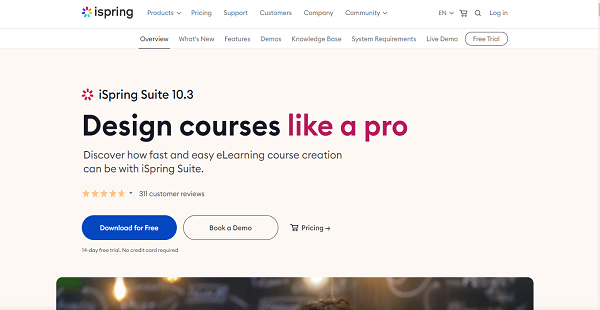
iSpring Suite is a robust PowerPoint-based toolkit that enables course content creators to develop and share eLearning content. It has a rich set of course content creation tools that allows instructional designers and non-designers from any professional field to create appealing and engaging courses. The solution provides all the essential features that you need to develop interactive and mobile‑friendly eLearning modules.
With an extremely easy learning curve, iSpring Suite works well within the familiar PowerPoint environment. It is built with a user-friendly interface that allows you to turn your presentations into eLearning courses in just a few clicks. It also supports Word and PDF documents, enabling you to convert your files into professional-looking eLearning content with no training. On top of that, you can also create interactive e-books out of your Word, PPT, or PDF files.
To help you monitor the performance of your learners, iSpring Suite allows you to track what learners are reading and how far they have progressed on your courses. You can also build interactive and engaging assessments that can help you test the knowledge of your learners. The solution comes with a wide range of assessment tools, including flexible scoring, branching, drag-and-drops, and customizable testing rules.
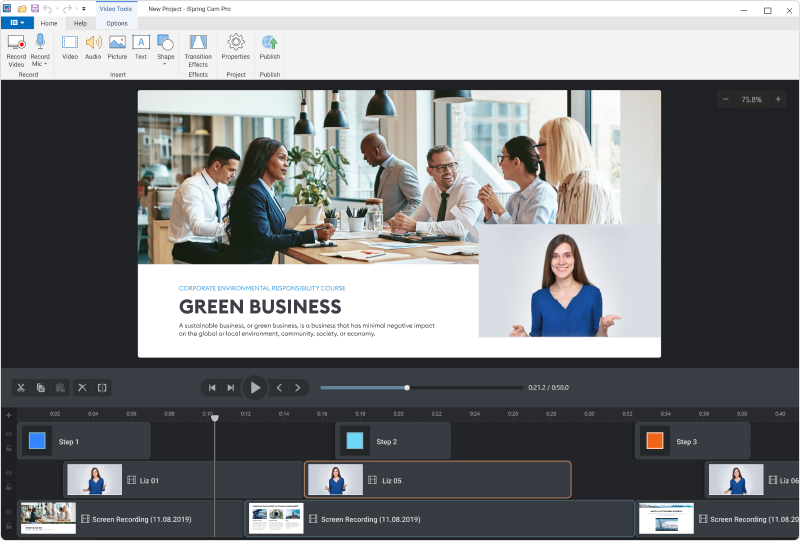
Moreover, iSpring Suite allows you to create high-quality screencasts, making it easier for you to develop tutorial content in video form. The solution lets you capture everything on your screen all at once, or you can simply select which part of your screen you want to record and highlight. You can also add shortcuts, use spotlight mouse actions, and include visual hints in every step of your tutorial content.
iSpring Suite also ensures that all your eLearning content looks great on every device, whether on Macs, PCs, tablets, or iOS or Android phones. With thousands of ready-made eLearning assets and templates, the solution helps you turn existing presentations into online courses much faster and easier.
Ranging from $470/author/year to $970/author/year, iSpring Suite has a variety of pricing plans ideal for nonprofit, businesses, and academic users. It integrates seamlessly with hundreds of popular LMS platforms as it supports xAPI, SCORM, cmi5, and AICC standards.
Show MoreOverview of iSpring Suite Benefits
Fast and User‑Friendly eLearning Toolkit
iSpring Suite has easy-to-use features that allow content creators to create online courses, record narration, develop quizzes and assessments, and publish and share courses online. Built into the PowerPoint application, this eLearning toolkit enables you to keep all transitions, buttons, hyperlinks, SmartArt objects, styles, and animations intact, making your output course look exactly the same as the original PPT presentation.
Customizable Quiz Designs
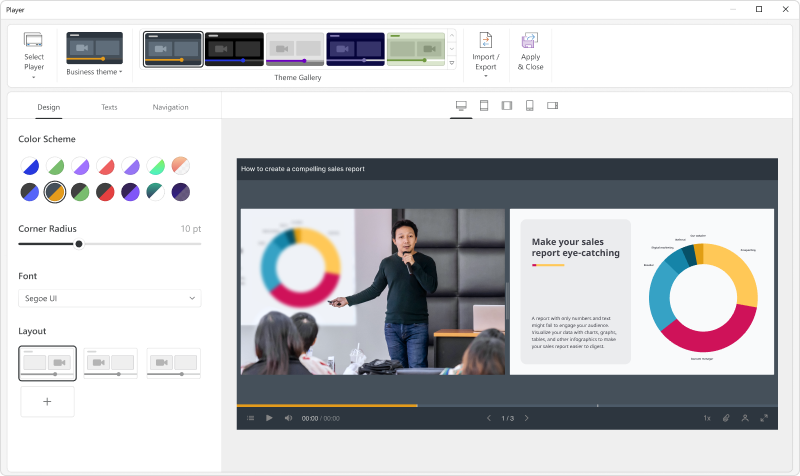
With iSpring Suite’s quiz maker tool, you can easily create beautifully designed quizzes and surveys. The system comes with user-friendly tools that help you customize the design of your quizzes and adjust fonts, layout, and color schemes for every question in your assessments. In managing the questions you want to include in your quizzes, you can choose from form or slide views of the quiz editing interface. In form view mode, you can perform detailed editing of question properties and answer choices, while slide view offers a more visual editing mode for your quizzes.
Detailed Feedback
Another core capability of iSpring Suite is its feedback tools, which allow you to add your own feedback for correct and incorrect answers in your assessments and quizzes. The application lets you create specific feedback messages for each question, or you can also add unified feedback messages for the entire test. To explain instructions and quiz answers in detail, iSpring Suite also allows you to use images, formulas, and audio content.
High-quality Graphics and Visuals
iSpring Suite offers thousands of high-quality images that you can use to make the design of your online courses more realistic and relatable. The platform is also equipped with a narration editor that allows you to record audio or video narration and synchronize them with the slides from your presentation. With iSpring Suite, you can easily edit texts in your courses, design micro-courses, or add videos to slides simultaneously in real-time.
Highly Interactive and Appealing Courses
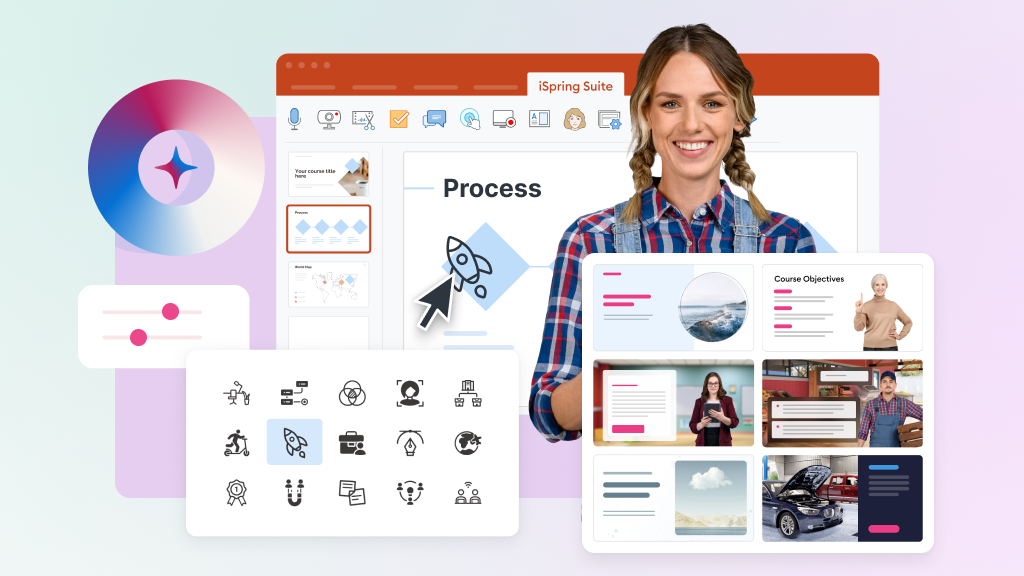
To fully capture the attention of your learners, iSpring Suite offers a variety of ready-made templates that you can use to quickly create interactive timelines, graphics, diagrams, FAQs, catalogs, and more. This helps you to convert your schemes, guidelines, and catalogs into interactive training courses that best represent your data and gets learners more involved with your course content.
Shareable Course Content
iSpring Suite supports mobile and web-friendly format courses, enabling you to publish your eLearning content across all platforms and devices. You can even publish your courses in HTML5 format, which makes them easily shareable on your website, blog, or intranet. Another option is to save your course content in MP4 video format and upload it to YouTube directly from the platform.
Show MoreOverview of iSpring Suite Features
- Role-plays
- Assessments
- Video lessons
- Interactions
- HTML5/SCORM courses
- Navigation and playback
- Voiceovers
- Quizzes
- Color scheme adjustments
- eBooks
- Flip books
- Video lectures
- Screencasts
- 24/7 technical support
What Problems Will iSpring Suite Solve?
Problem #1: Quick launch of eLearning
The simplicity and clarity of the product interface and its features, and the resulting absence of a learning curve, allow iSpring customers to launch online training in the shortest time possible.
Problem #2: Reducing costs for transitioning to online training
Being very intuitive and easy-to-use, iSpring Suite helps to save human and financial resources. Clients can create great training content themselves without seeking help from content developing agencies or independent experts.
Problem #3: Streamlined content creation process and extended scales of training
With iSpring, instructional designers and trainers save 50% of their time on average on the management of eLearning content. They can quickly refresh or enhance existing materials whenever needed. As a result, they can tailor training materials for a significantly larger number of learners.
iSpring Suite Position In Our Categories
Knowing that businesses have particular business-related wants, it is sensible they abstain from settling on a one-size-fits-all, ”best” business application. Just the same, it is troublesome to pinpoint such an app even among sought-after software products. The best step to do is to write the numerous key functions which entail careful thought including key features, price terms, technical skill levels of staff, organizational size, etc. Then, you should double down on the research to a full extent. Go over these iSpring Suite analyses and scrutinize each of the software programs in your shortlist more closely. Such well-rounded research guarantees you drop ill-fitting apps and select the one which meets all the function your business requires.
Position of iSpring Suite in our main categories:
TOP
50
iSpring Suite is one of the top 50 Learning Management Systems (LMS) products
There are well-liked and widely used applications in each software group. But are they automatically the best fit for your enterprise’s special needs? A trendy software solution may have thousands of customers, but does it offer what you need? For this reason, do not blindly invest in popular systems. Read at least a few iSpring Suite Learning Management Systems (LMS) reviews and consider the elements that you desire in the software such as the price, main features, available integrations etc. Then, select a few apps that fit your needs. Check out the free trials of these products, read online reviews, get explanations from the maker, and do your investigation meticulously. This profound homework is sure to aid you select the best software application for your organization’s unique wants.
How Much Does iSpring Suite Cost?
iSpring Suite Pricing Plans:
Free Trial
iSpring Suite (Business)
$970/author/year
iSpring Suite Max (Business)
$1,290/author/year
iSpring Cloud (Business)
$720/author/year
iSpring Suite (Individual)
$970/author/year
iSpring Suite Max (Individual)
$1,290/author/year
iSpring Cloud (Individual)
$720/author/year
What are iSpring Suite pricing details?
iSpring Suite Pricing Plans:
Free Trial
iSpring Suite (Business)
$970/author/year
iSpring Suite Max (Business)
$1,290/author/year
iSpring Cloud (Business)
$720/author/year
iSpring Suite (Individual)
$970/author/year
iSpring Suite Max (Individual)
$1,290/author/year
iSpring Cloud (Individual)
$720/author/year
iSpring Suite has a variety of pricing plans and packages for business, academic, and nonprofit users. Below is a detailed breakdown of each plan offered by the platform;
iSpring Suite – $970/author/year
-
eLearning Authoring Tool
-
24/7 Technical Support
-
Content Library
iSpring Suite AI – $1,290/author/year
-
eLearning Authoring Tool
-
24/7 Technical Support
-
Content Library
-
Text-To-Speech
-
iSpring Cloud AI
iSpring Cloud AI – $720/author/year
-
Scrollable Course Builder
-
24/7 Technical Support
-
iSpring AI assistant
-
Real-Time Collaboration
iSpring Suite (Individual) – $720/author/year
-
eLearning Authoring Tool
-
24/7 Technical Support
-
Content Library
iSpring Suite AI (Individual) – $970/author/year
-
eLearning Authoring Tool
-
24/7 Technical Support
-
Content Library
-
Text-To-Speech
-
iSpring Cloud AI
iSpring Cloud AI (Individual) – $540/author/year
-
Scrollable Course Builder
-
24/7 Technical Support
-
iSpring AI assistant
-
Real-Time Collaboration
User Satisfaction
Positive Social Media Mentions
92
Negative Social Media Mentions
2
We realize that when you decide to get a Learning Management Systems (LMS) it’s crucial not only to learn how experts evaluate it in their reviews, but also to check whether the actual people and companies that bought it are genuinely happy with the product. Because of that need we’ve devised our behavior-based Customer Satisfaction Algorithm™ that aggregates customer reviews, comments and iSpring Suite reviews across a wide range of social media sites. The data is then featured in a simple to digest way revealing how many clients had positive and negative experience with iSpring Suite. With that information at your disposal you should be equipped to make an informed buying choice that you won’t regret.
Video
Screenshots
Technical details
Devices Supported
- Windows
- Web-based
Deployment
- Cloud Hosted
- On Premise
Language Support
- English
- Chinese
- German
- Japanese
- Spanish
- French
- Russian
- Italian
- Dutch
- Portugese
Pricing Model
- Annual Subscription
Customer Types
- Small Business
- Medium Business
- Freelancers
What Support Does This Vendor Offer?
- phone
- live support
- training
- tickets
What integrations are available for iSpring Suite?
iSpring Suite works perfectly with Microsoft’s PowerPoint application.

iSpring Suite
is waiting for
your first review.

Write your own review of this product
ADD A REVIEWMore reviews from 0 actual users:


Join a community of 7,369 SaaS experts
Thank you for the time you take to leave a quick review of this software. Our community and review base is constantly developing because of experts like you, who are willing to share their experience and knowledge with others to help them make more informed buying decisions.
Sign in with LinkedIn
Why we require LinkedIn?
- Show the community that you're an actual user.
- We will only show your name and profile image in your review.
- You can still post your review anonymously.
OR
Sign in with company emailSign in with company email
Popular iSpring Suite Alternatives


Top Competitors To iSpring Suite By Price
Product name:
Price:


Trending Learning Management Systems (LMS) Reviews



iSpring Suite Comparisons
Product name:


Page last modified



Did you find this review useful?
Yes
No
Thank you for your feedback
How can we make this page better?
Unsure about this software?
FIND ALTERNATIVES
 Why is FinancesOnline free?