

Mapbox Review



What is Mapbox?
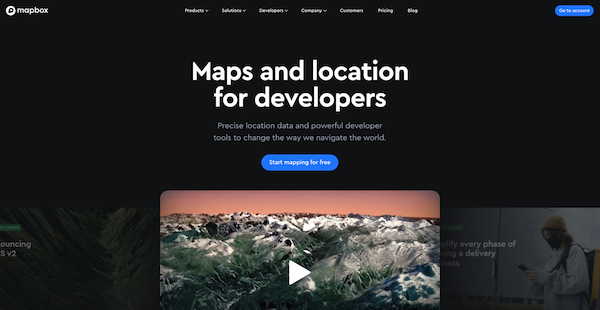
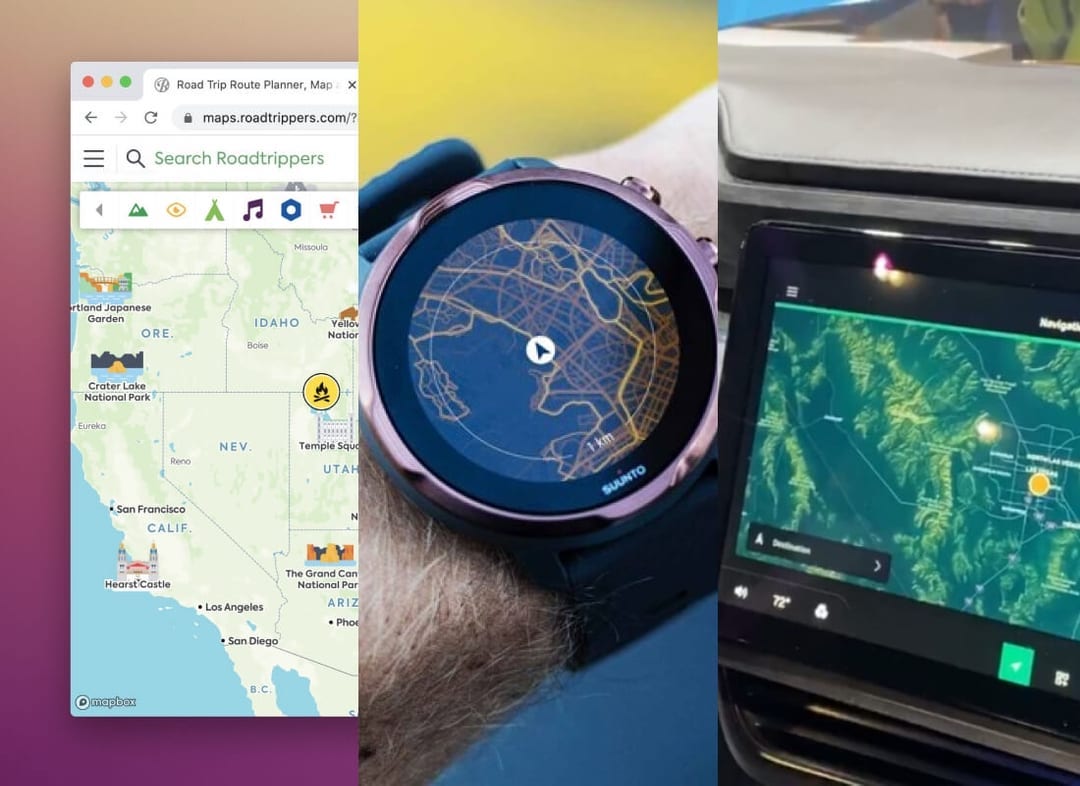
Mapbox is a powerful location data solution designed for developers. The platform equips users to add maps and other navigation features into their applications, from the web to mobile to embedded systems.
The platform handles the complexities of geospatial data and calculations, giving developers the freedom to focus on building, developing, and designing custom applications.
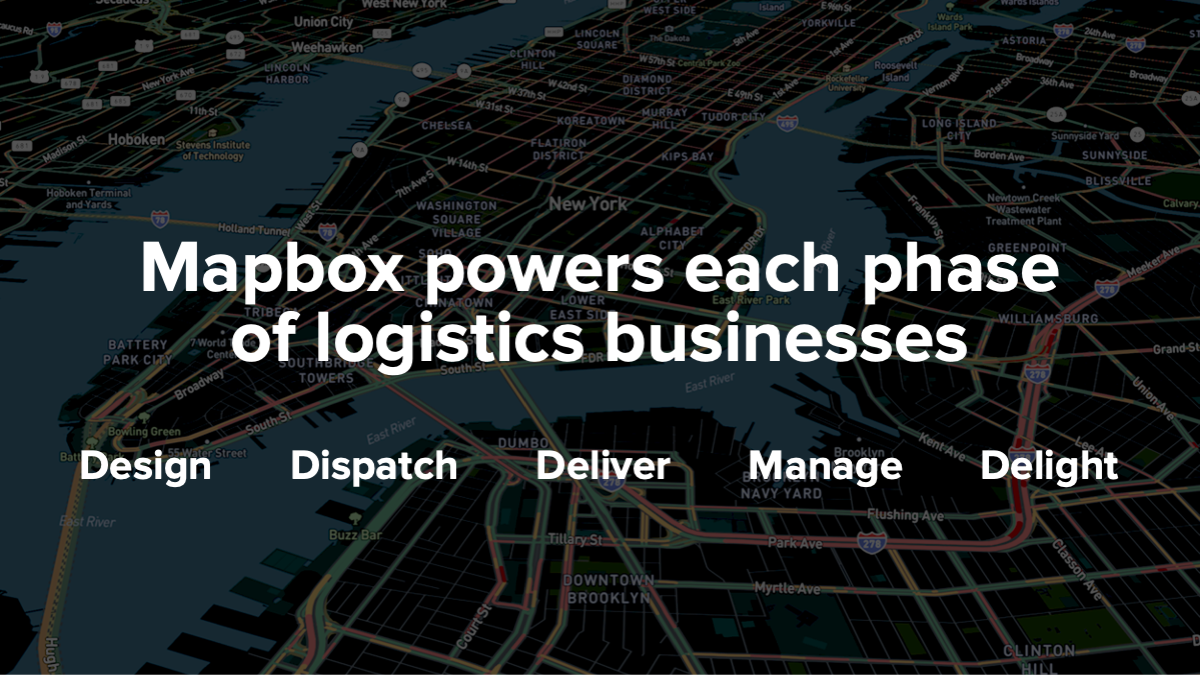
As a result, Mapbox drives the location intelligence of platforms, apps, and brands around the world. From helping B2C companies build engaging location features for their customers, to partnering with automotive companies to power in-vehicle navigation, to equipping logistics and delivery companies to monitor assets, to enabling businesses to analyze big data for location intelligence insights. Efficient, reliable, fully customizable, and scalable, Mapbox location services are relied on by leaders across industries.
Mapbox is a global team of 700+ with offices in Washington D.C., Helsinki, and Tokyo.
Show MoreOverview of Mapbox Benefits
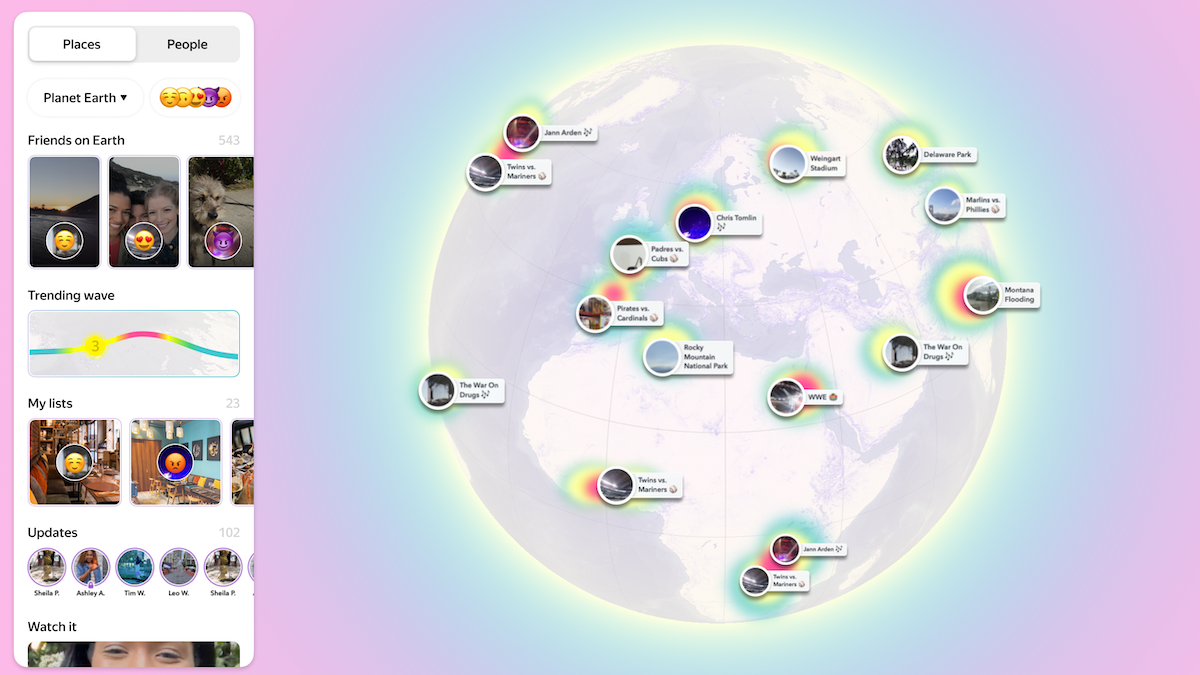
Mapbox creates beautiful maps and user-friendly location data, SDKs, and APIs and gives you the freedom to focus on vital aspects of building your app. It has all the features required to build perfect experiences of exploring the world. This software has a unique set of building blocks which include maps, search, and navigation.
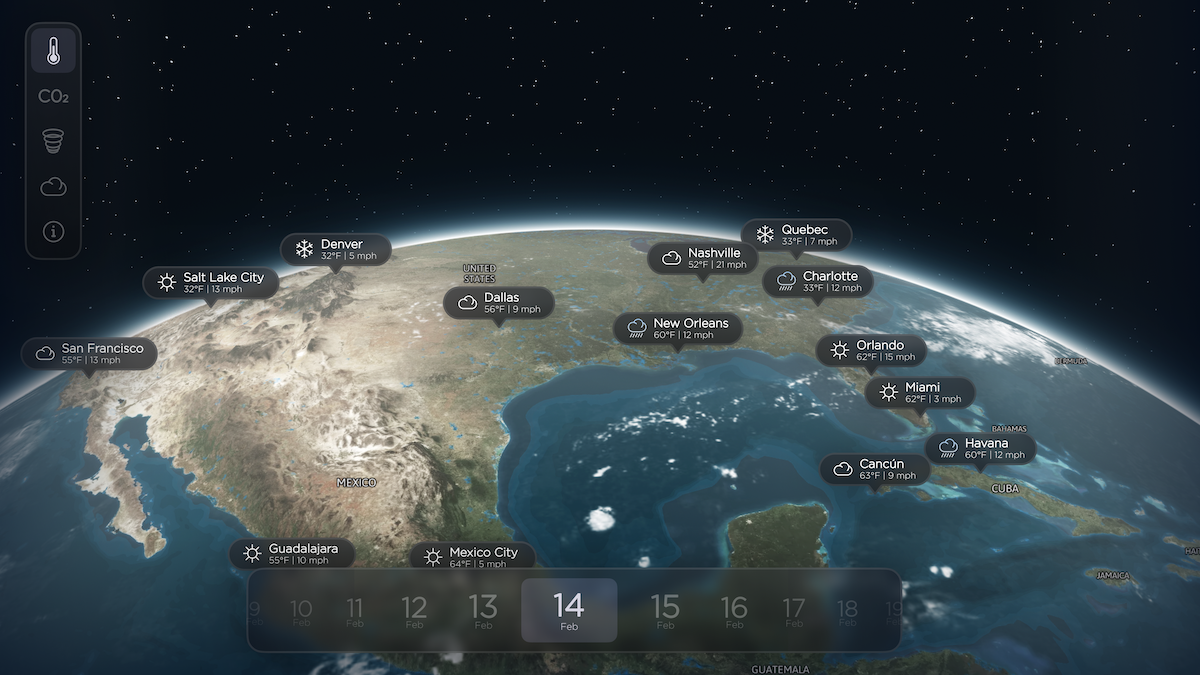
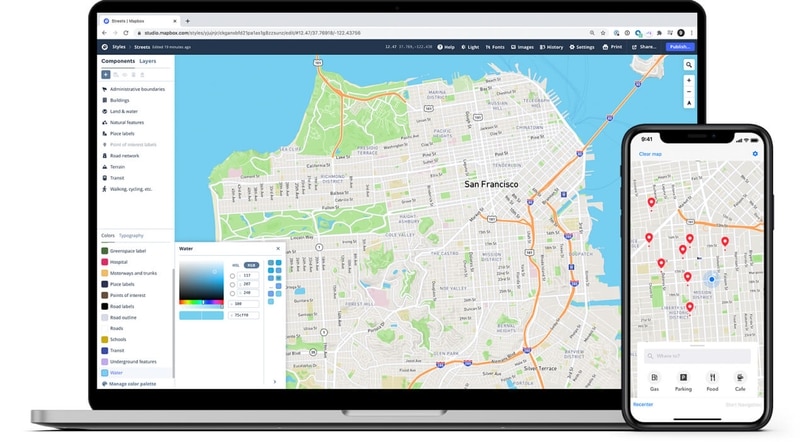
Mapbox provides professionally designed, smooth vector maps to all developers. Besides, this application gives you the freedom to customize your map using the Mapbox studio. The maps render at super high frame rates and respond fluidly to scripted events and user feedback. Also, the maps provide a unique animate scale that changes spontaneously. This provides smooth zooming on both desktop and mobile devices. Besides, all labels and icons on the maps adjust smoothly to maximize legibility from all angles.
The search functionality has a robust geocoding API that offers a global forward/reverse permanent geocoding. It helps you to convert your address into coordinates and vice versa. Also, the search building block makes it easy to run batch queries and store the results for use on Mapbox map or wherever you want.
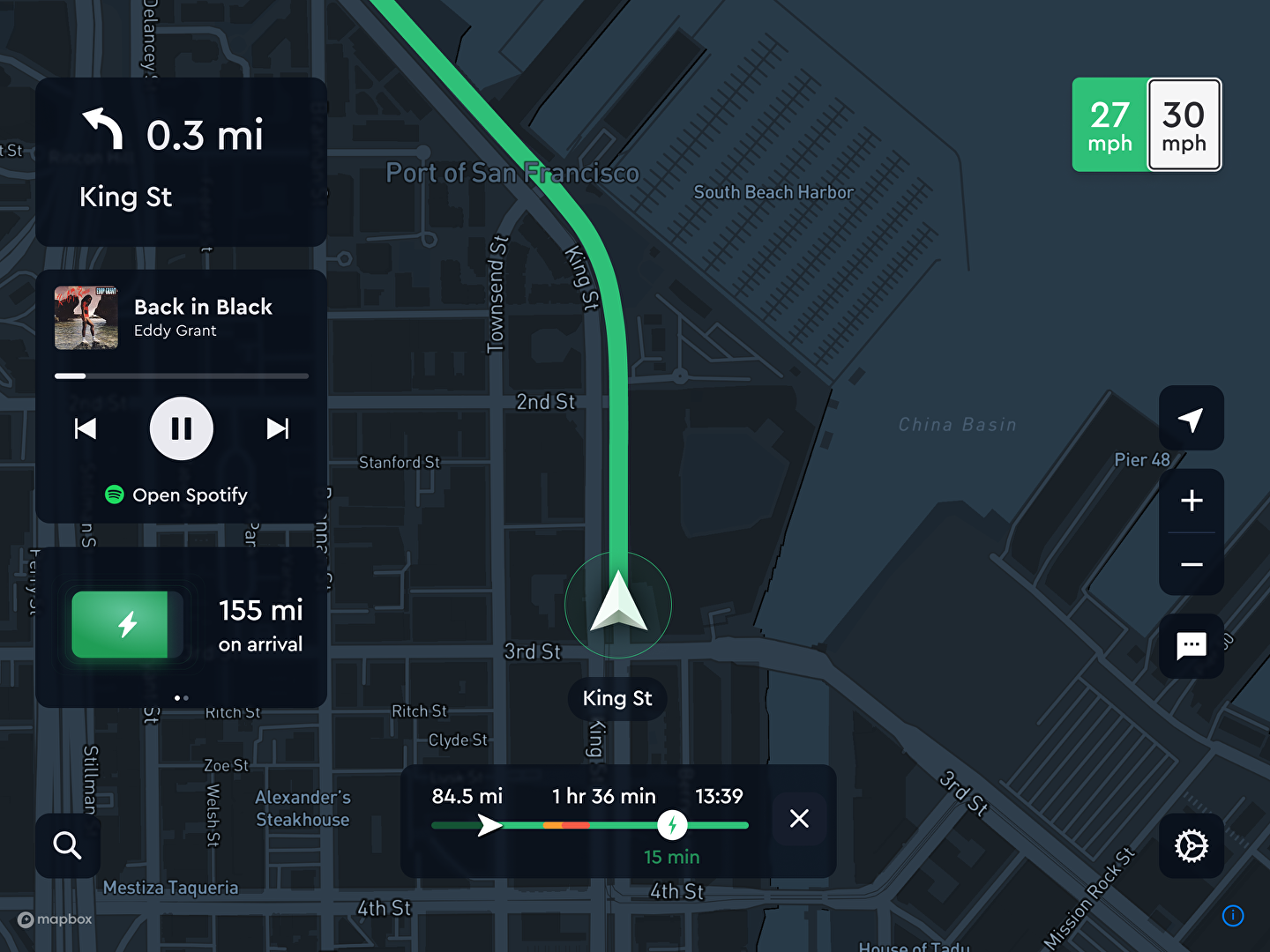
Finally, the navigation functionality offers an intelligent turn by turn routing using real-time traffic. The feature provides convenient lane instructions, traffic-aware routing, turn by turn guidance, incidents, and walk bike, and driving.
Show MoreOverview of Mapbox Features
- Maps
- Search
- Navigation
- Lane instructions
- Traffic-aware routing
- Incidents
- Turn-by-tun guidance
Mapbox Position In Our Categories
Knowing that companies have specific business needs, it is only prudent they avoid settling on a one-size-fits-all, “perfect” software product. Nevertheless, it is futile to try to find such a software solution even among well-known software systems. The better step to undertake should be to spell out the various essential aspects which need investigation such as major features, costing, skill aptitude of staff members, organizational size, etc. Next, you must double down on your product research to a full extent. Browse through these Mapbox review articles and check out each of the solutions in your shortlist in detail. Such all-encompassing research makes sure you keep away from mismatched applications and select the one that meets all the features your company requires to realize efficiency.
Position of Mapbox in our main categories:
TOP
3
Mapbox is one of the top 3 GIS Software products
If you are interested in Mapbox it might also be sensible to investigate other subcategories of GIS Software listed in our base of B2B software reviews.
Since each organization has unique business needs, it is sensible for them to desist from looking for a one-size-fits-all perfect software solution. Needless to say, it would be pointless to try to find such a platform even among widely used software platforms. The smart thing to do would be to jot down the various essential aspects that need consideration such as key features, budget, skill levels of workers, company size etc. Then, you should do your groundwork thoroughly. Read some Mapbox GIS Software reviews and check out each of the other systems in your shortlist in detail. Such comprehensive groundwork can make certain you weed out ill-fitting systems and zero in on the solution that offers all the features you need for business success.
How Much Does Mapbox Cost?
Mapbox Pricing Plans:
Free Trial
Pay as you go plan
by quote
What are Mapbox pricing details?
Mapbox Pricing Plans:
Free Trial
Pay as you go plan
by quote
Designed for businesses of all sizes, Mapbox is free to start building with and offers generous free tiers for most products.
As your usage grows, you’ll automatically get volume pricing. No negotiation necessary.
Pricing is based either on pay-as-you-go usage or negotiated sales contracts which unlock additional discounts for annual commitments.
Paid support plans are also available.
User Satisfaction
Positive Social Media Mentions
191
Negative Social Media Mentions
2
We know that when you make a decision to get a GIS Software it’s important not only to find out how experts evaluate it in their reviews, but also to discover if the real people and enterprises that use these solutions are indeed satisfied with the product. That’s why we’ve devised our behavior-based Customer Satisfaction Algorithm™ that gathers customer reviews, comments and Mapbox reviews across a broad array of social media sites. The data is then featured in a simple to understand way indicating how many users had positive and negative experience with Mapbox. With that information available you will be equipped to make an informed purchasing decision that you won’t regret.
Video
Screenshots


Technical details
Devices Supported
- Windows
- Android
- iPhone/iPad
- Mac
- Web-based
Deployment
- Cloud Hosted
Language Support
- English
- Chinese
- German
- Japanese
- Spanish
- French
- Russian
- Italian
- Dutch
- Portugese
- Polish
- Turkish
- Swedish
- Arabic
Pricing Model
- Free
- Monthly payment
Customer Types
- Small Business
- Large Enterprises
- Medium Business
What Support Does This Vendor Offer?
- phone
- live support
- training
- tickets
What integrations are available for Mapbox?
Mapbox integrates with the following business systems and applications.
- Tableau Server, Desktop, Public, and Online
- Microsoft Power BI
- WordPress
- Webflow
- Flutter
- Figma
Mapbox User Reviews
Mapbox average rating:
4/5
Overall impression
5/5
Customer Support
4/5
Value for Money
4/5
Ease of Use
Write your own review of this product
ADD A REVIEWThe most favorable review

PROS: It's easy to use, and exactly what we need -- it also doesn't require too much memory to use the app.
CONS: Crashes post-update are non-existent. No further issues after that.
The least favorable review
PROS: Mapbox can help design better maps, even if if you don't have CSS experience.
CONS: It would be great to have more map design templates that can fit our project so we can avoid using other tools.
More reviews from 10 actual users:
Sort by:
Latest
- Latest
- Most useful
- Most positive
- Most negative
Happy non-profit partners
Read full review >
4/5
Overall impression
4/5
Customer Support
4/5
Value for Money
3/5
Ease of Use
Published on: 22.03.2023
Company Size: 11-50 Employees
Industry: Research
PROS: We use vector map tiles extensively and appreciate their responsiveness and the ability to update the styling client side.
CONS: At times, we have had a hard time navigating the documentation. Also, it would be nice if there was a way to backup tilesets. I know this functionality has been in the works, so I apologize if it is already in existence and I am unaware.
Excellent app interface
Read full review >
5/5
Overall impression
5/5
Customer Support
4/5
Value for Money
5/5
Ease of Use
Published on: 13.11.2021
Company Size: 1-10 Employees
Industry: Food & Beverages
PROS: It's easy to use, and exactly what we need -- it also doesn't require too much memory to use the app.
CONS: Crashes post-update are non-existent. No further issues after that.
Streamlined mapmaking tool
Read full review >
4/5
Overall impression
4/5
Customer Support
4/5
Value for Money
3/5
Ease of Use
Published on: 30.09.2021
Company Size: 11-50 Employees
Industry: Environmental Services
PROS: It's easy to create, customize, and edit maps and live traffic online, for desktop and mobile app use.
CONS: There are intermittent delays, other than that it's ok.
My thoughts on Mapbox
Read full review >
2/5
Overall impression
1/5
Customer Support
1/5
Value for Money
2/5
Ease of Use
Published on: 19.07.2021
Company Size: More than 100 Employees
Industry: Leisure, Travel & Tourism
PROS: Mapbox can help design better maps, even if if you don't have CSS experience.
CONS: It would be great to have more map design templates that can fit our project so we can avoid using other tools.
User-friendly Mapbox
Read full review >
4/5
Overall impression
4/5
Customer Support
3/5
Value for Money
3/5
Ease of Use
Published on: 30.06.2021
Company Size: 1-10 Employees
Industry: Media Production
PROS: Because it's quick and user-friendly, I get to finish my tasks a lot more quickly.
CONS: Great if transitioning from other platforms would also be made easier.
Great way to customize map functions
Read full review >
4/5
Overall impression
4/5
Customer Support
3/5
Value for Money
3/5
Ease of Use
Published on: 07.02.2021
Company Size: 11-50 Employees
Industry: N/A
PROS: We like that we can customize our map features, from geojson to kml and shapefiles. We're also able to game-fy our interactive map, so I'm looking forward to finding more use of Mapbox's functions.
CONS: More flexible and custom-ready features and file conversions would be great. At the top of my head: from accommodating more versions of zipped tile directries to tilesets and vector stroke thickness.
Added value service
Read full review >
5/5
Overall impression
4/5
Customer Support
4/5
Value for Money
4/5
Ease of Use
Published on: 14.01.2021
Company Size: More than 100 Employees
Industry: Leisure, Travel & Tourism
PROS: Mapbox's visual maps are custom-friendly, and the added value with quality really elevates our output.
CONS: More video tutorials will be very helpful
Good experience with this site
Read full review >
4/5
Overall impression
4/5
Customer Support
3/5
Value for Money
4/5
Ease of Use
Published on: 20.03.2020
Company Size: More than 100 Employees
Industry: Fund-Raising
PROS: I like my user experience and design. It's easy and well thought out.
CONS: I haven't found anything yet.
Easy-to-make maps
Read full review >
4/5
Overall impression
4/5
Customer Support
4/5
Value for Money
4/5
Ease of Use
Published on: 18.03.2020
Company Size: More than 100 Employees
Industry: Higher Education
PROS: I like that we can import neighborhood lines and other third-party data.
CONS: Improvement of graphic design tools would be appreciated.
Great service!
Read full review >
5/5
Overall impression
5/5
Customer Support
5/5
Value for Money
5/5
Ease of Use
Published on: 02.03.2020
Company Size: More than 100 Employees
Industry: Non-Profit Organization Management
PROS: Aided by well-documented tips, I find that I can use this easily. If I can't figure something out the customer support team, who happens to also be involved in humanitarian groups, is always ready to help me.
CONS: I wish there are no limits to tileset numbers, so I don't have to figure out a workaround.


Join a community of 7,369 SaaS experts
Thank you for the time you take to leave a quick review of this software. Our community and review base is constantly developing because of experts like you, who are willing to share their experience and knowledge with others to help them make more informed buying decisions.
Sign in with LinkedIn
Why we require LinkedIn?
- Show the community that you're an actual user.
- We will only show your name and profile image in your review.
- You can still post your review anonymously.
OR
Sign in with company emailSign in with company email
Popular Mapbox Alternatives



Top Competitors To Mapbox By Price
Product name:
Price:




Trending GIS Software Reviews



Mapbox Comparisons
Product name:





Mapbox user reviews
Happy non-profit partners
Read full review >
4/5
Overall impression
4/5
Customer Support
4/5
Value for Money
3/5
Ease of Use
Published on: 22.03.2023
Company Size: 11-50 Employees
Industry: Research
Excellent app interface
Read full review >
5/5
Overall impression
5/5
Customer Support
4/5
Value for Money
5/5
Ease of Use
Published on: 13.11.2021
Company Size: 1-10 Employees
Industry: Food & Beverages
Streamlined mapmaking tool
Read full review >
4/5
Overall impression
4/5
Customer Support
4/5
Value for Money
3/5
Ease of Use
Published on: 30.09.2021
Company Size: 11-50 Employees
Industry: Environmental Services
My thoughts on Mapbox
Read full review >
2/5
Overall impression
1/5
Customer Support
1/5
Value for Money
2/5
Ease of Use
Published on: 19.07.2021
Company Size: More than 100 Employees
Industry: Leisure, Travel & Tourism
User-friendly Mapbox
Read full review >
4/5
Overall impression
4/5
Customer Support
3/5
Value for Money
3/5
Ease of Use
Published on: 30.06.2021
Company Size: 1-10 Employees
Industry: Media Production

Page last modified



Did you find this review useful?
Yes
No
Thank you for your feedback
How can we make this page better?
Unsure about this software?
FIND ALTERNATIVES
 Why is FinancesOnline free?