
- Home
- Rapid Application Development Software - RAD
- Microsoft PowerApps

Microsoft PowerApps Review



What is Microsoft PowerApps?
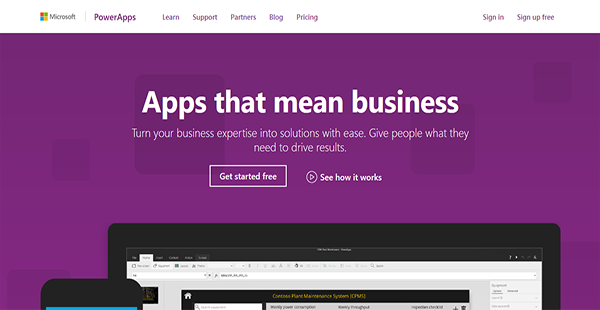
Microsoft PowerApps is a result-driven business application maker that aids organizations in pushing solutions to customers. This lets them create answers to problems in the form of web or mobile applications.
Microsoft PowerApps also has the ability to connect with an entity’s pre-existing or future services and systems such as Excel, SharePoint, and Dynamics 365. Through these synchronizations, users can further streamline the development process by automatically capturing and creating new data.
With Microsoft PowerApps, users can build apps from the ground app even without having to write a single line of code. The process is not as arduous as when developers have to manually write codes as the application already has pre-built templates. After which, they can publish their final outcome to the web and to mobile devices effortlessly.
Show MoreOverview of Microsoft PowerApps Benefits
Solution Making
Microsoft PowerApps can serve as a stepping stone for individuals and organizations to push new solutions as answers to upstanding problems. The service enables users to build applications from scratch that can be made available on the web or on mobile devices. With this, they can adequately meet the needs of their audiences.
No-Code Coding
Manual coding can be a long-haul process and stretches the time to market further. To avoid being beaten by the competition, organizations need to accelerate their development and publication processes. That is why Microsoft PowerApps has ready-made templates that users can use as foundations for their applications. This way, they can speed up their app building and provide solutions to their target market sooner.
Multi-Platform Development
Every developer has his own preferences with regard to working environments. This is something Microsoft understands, therefore PowerApps is accessible on different platforms including Windows devices, Android & iOS devices, and the web for the utmost convenience.
Automated Workflows
Since PowerApps is part of the Microsoft business application platform, developers can further enhance their processes by connecting with various applications. For example, they can accelerate their workflows by creating workflow automations with Microsoft Flow and understand their target market and business operations with Power BI.
Integrated Data Pull
With Microsoft PowerApps, developers can utilize data from Microsoft and third-party services to employ in their app building. This is made possible by the software’s wide integration and premium connectors.
Show MoreOverview of Microsoft PowerApps Features
- App Creation
- App Running
- App Sharing
- App Sharing via AppSource
- Common Data Service Usage
- Data Modeling via CDS
- Environments & User Policies Settings
- Office 365 & Dynamics 365 Services Connection
- Cloud-Based Services Integration
- Premium Connectors Integration
- Custom APIs
- Workflow Automation
- Collaboration Support
- Data Policies Support
- Company Policies Support
Microsoft PowerApps Position In Our Categories
Bearing in mind businesses have their own business-related needs, it is only practical they abstain from preferring an all-encompassing, ”best” system. Still, it is almost impossible to try to pinpoint such a software solution even among widely used software products. The best thing to do is to shortlist the varied vital aspects that entail research such as key features, price terms, technical skill aptitude of staff, business size, etc. Thereafter, you must follow through your research exhaustively. Have a look at these Microsoft PowerApps analyses and check out the other software systems in your shortlist in detail. Such comprehensive product investigation guarantee you avoid poorly fit software products and select the one that has all the tools your business requires.
Position of Microsoft PowerApps in our main categories:
TOP
3
Microsoft PowerApps is one of the top 3 Rapid Application Development Software - RAD products
If you are considering Microsoft PowerApps it may also be beneficial to investigate other subcategories of Rapid Application Development Software - RAD listed in our base of B2B software reviews.
Each business is different, and might require a specific Rapid Application Development Software - RAD solution that will be designed for their company size, type of clients and staff and even specific industry they cater to. We advise you don't count on locating an ideal solution that will work for every company no matter what their history is. It may be a good idea to read a few Microsoft PowerApps Rapid Application Development Software - RAD reviews first and even then you should remember what the service is supposed to do for your company and your staff. Do you require a simple and straightforward service with just essential functions? Will you actually make use of the advanced functionalities needed by pros and big enterprises? Are there any specific features that are especially useful for the industry you operate in? If you ask yourself these questions it will be much easier to find a trustworthy service that will match your budget.
How Much Does Microsoft PowerApps Cost?
Microsoft PowerApps Pricing Plans:
Free Trial
Office 365 & Dynamics 365
Contact vendor
Business Users (PowerApps Plan 1)
$7.00/user/month
App Makers & Admins
$40.00/user/month
What are Microsoft PowerApps pricing details?
Microsoft PowerApps Pricing Plans:
Free Trial
Office 365 & Dynamics 365
Contact vendor
Business Users (PowerApps Plan 1)
$7.00/user/month
App Makers & Admins
$40.00/user/month
Microsoft PowerApps offers the following SMB and enterprise pricing packages for users to choose from. Give the details a look, and select the best plan for your business.
Office 365 & Dynamics 365 – request a quote
- Included in select plans
- Create Custom Business Apps
- Run Custom Business Apps
- Extended Office 365 & Dynamics 365 Capabilities
- Automate Workflows with Microsoft Workflow
Business Users (PowerApps Plan 1) – $7.00/user/month
- All Office 365 & Dynamics 365 Features
- Connection with More Data Sources
- Premium Connectors
- Common Data Service Apps Use
App Makers & Admins – $40.00/user/month
- All PowerApps Plan 1 Features
- Data Modeling via Common Data Service
- Create & Manage CDS Instances
- Enterprise-Grade Administration
User Satisfaction
Positive Social Media Mentions
169
Negative Social Media Mentions
3
We are aware that when you decide to get a Rapid Application Development Software - RAD it’s important not only to see how experts score it in their reviews, but also to find out whether the actual users and businesses that bought it are genuinely happy with the product. That’s why we’ve devised our behavior-based Customer Satisfaction Algorithm™ that gathers customer reviews, comments and Microsoft PowerApps reviews across a wide array of social media sites. The data is then presented in an easy to digest way showing how many users had positive and negative experience with Microsoft PowerApps. With that information available you should be ready to make an informed buying decision that you won’t regret.
Video
Technical details
Devices Supported
- Windows
- Android
- iPhone/iPad
- Mac
- Web-based
- Windows Mobile
Deployment
- Cloud Hosted
- On Premise
Language Support
- English
- Chinese
- German
- Japanese
- Spanish
- French
- Russian
- Italian
- Dutch
- Portugese
- Polish
Pricing Model
- Monthly payment
- Quote-based
Customer Types
- Small Business
- Large Enterprises
- Medium Business
What Support Does This Vendor Offer?
- phone
- live support
- training
- tickets
What integrations are available for Microsoft PowerApps?
Microsoft PowerApps enable users to employ and connect with third-party services such as the following:
- Azure SQL
- Dropbox
- One Drive
- Slack
- Salesforce
- DB2
- MailChimp

Microsoft PowerApps
is waiting for
your first review.

Write your own review of this product
ADD A REVIEWMore reviews from 0 actual users:


Join a community of 7,369 SaaS experts
Thank you for the time you take to leave a quick review of this software. Our community and review base is constantly developing because of experts like you, who are willing to share their experience and knowledge with others to help them make more informed buying decisions.
Sign in with LinkedIn
Why we require LinkedIn?
- Show the community that you're an actual user.
- We will only show your name and profile image in your review.
- You can still post your review anonymously.
OR
Sign in with company emailSign in with company email
Popular Microsoft PowerApps Alternatives





Top Competitors To Microsoft PowerApps By Price
Product name:
Price:




Trending Rapid Application Development Software - RAD Reviews
7.6
92%




8.0
100%
Microsoft PowerApps Comparisons
Product name:





Page last modified



Did you find this review useful?
Yes
No
Thank you for your feedback
How can we make this page better?
Unsure about this software?
FIND ALTERNATIVES
 Why is FinancesOnline free?