
- Home
- Rapid Application Development Software - RAD
- Microsoft PowerApps

Microsoft PowerApps Review



What is Microsoft PowerApps?
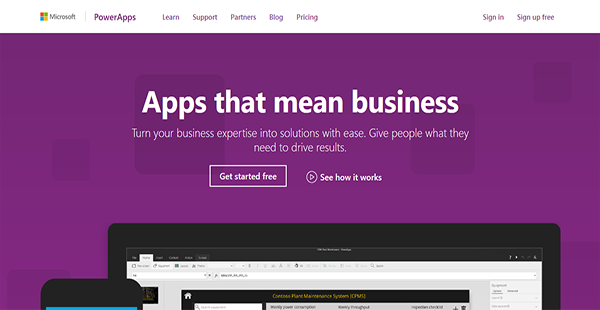
Microsoft PowerApps is a result-driven business application maker that aids organizations in pushing solutions to customers. This lets them create answers to problems in the form of web or mobile applications.
Microsoft PowerApps also has the ability to connect with an entity’s pre-existing or future services and systems such as Excel, SharePoint, and Dynamics 365. Through these synchronizations, users can further streamline the development process by automatically capturing and creating new data.
With Microsoft PowerApps, users can build apps from the ground app even without having to write a single line of code. The process is not as arduous as when developers have to manually write codes as the application already has pre-built templates. After which, they can publish their final outcome to the web and to mobile devices effortlessly.
Show MoreOverview of Microsoft PowerApps Benefits
Solution Making
Microsoft PowerApps can serve as a stepping stone for individuals and organizations to push new solutions as answers to upstanding problems. The service enables users to build applications from scratch that can be made available on the web or on mobile devices. With this, they can adequately meet the needs of their audiences.
No-Code Coding
Manual coding can be a long-haul process and stretches the time to market further. To avoid being beaten by the competition, organizations need to accelerate their development and publication processes. That is why Microsoft PowerApps has ready-made templates that users can use as foundations for their applications. This way, they can speed up their app building and provide solutions to their target market sooner.
Multi-Platform Development
Every developer has his own preferences with regard to working environments. This is something Microsoft understands, therefore PowerApps is accessible on different platforms including Windows devices, Android & iOS devices, and the web for the utmost convenience.
Automated Workflows
Since PowerApps is part of the Microsoft business application platform, developers can further enhance their processes by connecting with various applications. For example, they can accelerate their workflows by creating workflow automations with Microsoft Flow and understand their target market and business operations with Power BI.
Integrated Data Pull
With Microsoft PowerApps, developers can utilize data from Microsoft and third-party services to employ in their app building. This is made possible by the software’s wide integration and premium connectors.
Show MoreOverview of Microsoft PowerApps Features
- App Creation
- App Running
- App Sharing
- App Sharing via AppSource
- Common Data Service Usage
- Data Modeling via CDS
- Environments & User Policies Settings
- Office 365 & Dynamics 365 Services Connection
- Cloud-Based Services Integration
- Premium Connectors Integration
- Custom APIs
- Workflow Automation
- Collaboration Support
- Data Policies Support
- Company Policies Support
Microsoft PowerApps Position In Our Categories
Knowing that companies have their own business-related needs, it is only sensible that they avoid paying for a one-size-fits-all, ideal business application. Nevertheless, it would be futile to find such a software product even among popular software systems. The reasonable step to undertake can be to make a list of the numerous key aspects that necessitate careful thought such as important features, price terms, skill competence of staff, company size, etc. Next, you must perform your research exhaustively. Have a look at some Microsoft PowerApps evaluations and scrutinize the other software options in your list more closely. Such detailed product investigation makes sure you steer clear of unfit apps and pay for the one which meets all the aspects your company requires for success.
Position of Microsoft PowerApps in our main categories:
TOP
3
Microsoft PowerApps is one of the top 3 Rapid Application Development Software - RAD products
If you are considering Microsoft PowerApps it could also be sensible to examine other subcategories of Rapid Application Development Software - RAD collected in our base of SaaS software reviews.
It's crucial to keep in mind that virtually no software in the Rapid Application Development Software - RAD category is an ideal solution able to fulfill all the requirements of various company types, sizes and industries. It may be a good idea to read a few Microsoft PowerApps Rapid Application Development Software - RAD reviews first as certain solutions can excel just in a really small group of applications or be created with a very specific industry in mind. Others might operate with an idea of being simple and intuitive and consequently lack complex elements needed by more experienced users. You can also come across apps that support a broad group of users and offer a rich feature base, but this frequently comes at a higher price of such a software. Be certain that you're aware of your needs so that you buy a solution that provides all the elements you search for.
How Much Does Microsoft PowerApps Cost?
Microsoft PowerApps Pricing Plans:
Free Trial
Office 365 & Dynamics 365
Contact vendor
Business Users (PowerApps Plan 1)
$7.00/user/month
App Makers & Admins
$40.00/user/month
What are Microsoft PowerApps pricing details?
Microsoft PowerApps Pricing Plans:
Free Trial
Office 365 & Dynamics 365
Contact vendor
Business Users (PowerApps Plan 1)
$7.00/user/month
App Makers & Admins
$40.00/user/month
Microsoft PowerApps offers the following SMB and enterprise pricing packages for users to choose from. Give the details a look, and select the best plan for your business.
Office 365 & Dynamics 365 – request a quote
- Included in select plans
- Create Custom Business Apps
- Run Custom Business Apps
- Extended Office 365 & Dynamics 365 Capabilities
- Automate Workflows with Microsoft Workflow
Business Users (PowerApps Plan 1) – $7.00/user/month
- All Office 365 & Dynamics 365 Features
- Connection with More Data Sources
- Premium Connectors
- Common Data Service Apps Use
App Makers & Admins – $40.00/user/month
- All PowerApps Plan 1 Features
- Data Modeling via Common Data Service
- Create & Manage CDS Instances
- Enterprise-Grade Administration
User Satisfaction
Positive Social Media Mentions
169
Negative Social Media Mentions
3
We realize that when you make a decision to purchase a Rapid Application Development Software - RAD it’s crucial not only to learn how professionals score it in their reviews, but also to discover if the actual users and enterprises that use these solutions are indeed content with the service. That’s why we’ve devised our behavior-based Customer Satisfaction Algorithm™ that aggregates customer reviews, comments and Microsoft PowerApps reviews across a broad range of social media sites. The information is then presented in an easy to understand format showing how many clients had positive and negative experience with Microsoft PowerApps. With that information available you will be prepared to make an informed purchasing choice that you won’t regret.
Video
Technical details
Devices Supported
- Windows
- Android
- iPhone/iPad
- Mac
- Web-based
- Windows Mobile
Deployment
- Cloud Hosted
- On Premise
Language Support
- English
- Chinese
- German
- Japanese
- Spanish
- French
- Russian
- Italian
- Dutch
- Portugese
- Polish
Pricing Model
- Monthly payment
- Quote-based
Customer Types
- Small Business
- Large Enterprises
- Medium Business
What Support Does This Vendor Offer?
- phone
- live support
- training
- tickets
What integrations are available for Microsoft PowerApps?
Microsoft PowerApps enable users to employ and connect with third-party services such as the following:
- Azure SQL
- Dropbox
- One Drive
- Slack
- Salesforce
- DB2
- MailChimp

Microsoft PowerApps
is waiting for
your first review.

Write your own review of this product
ADD A REVIEWMore reviews from 0 actual users:


Join a community of 7,369 SaaS experts
Thank you for the time you take to leave a quick review of this software. Our community and review base is constantly developing because of experts like you, who are willing to share their experience and knowledge with others to help them make more informed buying decisions.
Sign in with LinkedIn
Why we require LinkedIn?
- Show the community that you're an actual user.
- We will only show your name and profile image in your review.
- You can still post your review anonymously.
OR
Sign in with company emailSign in with company email
Popular Microsoft PowerApps Alternatives




Top Competitors To Microsoft PowerApps By Price
Product name:
Price:


Trending Rapid Application Development Software - RAD Reviews

9.0
89%


8.0
100%
Microsoft PowerApps Comparisons
Product name:





Page last modified



Did you find this review useful?
Yes
No
Thank you for your feedback
How can we make this page better?
Unsure about this software?
FIND ALTERNATIVES
 Why is FinancesOnline free?