

MonoSign Review



What is MonoSign?
MonoSign is a Single Sign-On Software designed for businesses, providing users with a highly secure platform that simplifies and speeds up the sign-on process. It is designed to work compatibly with more than 5,500 business solutions and applications, including Suite, Workplace, Workday, SalesForce, Yubikey, and Office 365 among others.
With MonoSign, users only have to use a single account to access all their applications, systems, databases, and more. This drastically reduces the time it takes to log on to disparate systems and greatly enhances their productivity and efficiency. On top of that, MonoSign helps users configure access per role, designation, and task, as well as create authorizations that permit time-limited access to manage duration.
Show MoreOverview of MonoSign Benefits
Total Access Control
MonoSign helps you create profiles for your users and define their permissions and limitations based on their roles. For instance, your employees can have wide access to many of your company’s tools and applications while your clients can access a totally different set of applications, sites, portals, boards, etc.
You can customize groups and categorize your users, which can also include partners, consultants, distributors, higher management personnel, and more. Simply put, MonoSign helps you provide the right type of access and permissions to the right people from a single, unified location.
Highly Secure Process and Seamless Business Flows
As each user can only access applications, systems, and information based on their role, you can also do the same on tasks. Using an authority-based approach, you can utilize MonoSign to give users authorities based on their profiles and roles. This allows you to limit what they can do and information they can access and designate specific access platforms.
Time-Based Access
With MonoSign, you have the solution to create time-based authorizations per user. You can assign users a time-limited access to applications, log sessions out, lock sessions for a specific number of hours, and implement periodical limitations for application use.
Show MoreOverview of MonoSign Features
- User Activity Monitoring
- Account Management
- Compliance Management
- Multifactor Authentication
- Password Management
- Role Management
- Single Sign On
- User Provisioning
- Multifactor Authentication
- Password Management
- Policy Management
- Application Portfolio Management
- Architecture Governance
- Access Request Management
What Problems Will MonoSign Solve?
1) Segregation of Duties
A budget of $100K is approved and is directed to the authorized manager by the purchasing department. When the authorized manager does the act of confirmation, his/her action must be auditable by privileged accounts.
2) Hardware Keys
Physical keys like YubiKey creates one more step to provide authentication. It’s essential for critical roles, especially for manager accounts. With physical keys, managers need to plug a USB key and touch to activate their passwords on their personal devices.
3) Unified Directory
Assuming an enterprise level company is using 10 Active Directories and 100 applications. A person may have one or more accounts in all of the Active Directories and applications. To clear this and to prevent conflicts, a unified directory is mandatory.
MonoSign Position In Our Categories
Knowing that businesses have particular business-related demands, it is only rational that they abstain from seeking an all-in-one, ”best” business program. Be that as it may, it is troublesome to pinpoint such application even among well-known software solutions. The sensible thing to undertake can be to tabulate the numerous critical factors that entail scrutiny including key features, price terms, technical skill competence of the employees, company size, etc. Then, you should double down on the product research comprehensively. Have a look at some MonoSign evaluations and check out each of the software options in your list more closely. Such detailed research ensure you stay away from poorly fit applications and subscribe to the system which offers all the benefits your business requires to achieve growth.
Position of MonoSign in our main categories:
TOP
50
MonoSign is one of the top 50 Identity Management Software products
If you are interested in MonoSign it could also be sensible to analyze other subcategories of Identity Management Software collected in our database of B2B software reviews.
Every business is different, and might require a specific Identity Management Software solution that will be designed for their business size, type of customers and employees and even specific industry they deal with. It's not wise to count on finding a perfect services that is going to work for every business no matter what their background is. It may be a good idea to read a few MonoSign Identity Management Software reviews first and even then you should keep in mind what the service is supposed to do for your company and your staff. Do you require an easy and intuitive app with just elementary features? Will you really use the advanced functionalities needed by pros and large enterprises? Are there any particular tools that are especially beneficial for the industry you operate in? If you ask yourself these questions it is going to be much easier to get a trustworthy software that will fit your budget.
How Much Does MonoSign Cost?
MonoSign Pricing Plans:
Free Trial
Quote-based Plan
Contact Vendor
What are MonoSign pricing details?
MonoSign Pricing Plans:
Free Trial
Quote-based Plan
Contact Vendor
Contact MonoSign for basic and enterprise pricing information.
User Satisfaction
Positive Social Media Mentions
0
Negative Social Media Mentions
0
We are aware that when you make a decision to purchase a Identity Management Software it’s vital not only to find out how experts evaluate it in their reviews, but also to discover if the actual clients and companies that purchased it are indeed happy with the service. Because of that need we’ve devised our behavior-based Customer Satisfaction Algorithm™ that aggregates customer reviews, comments and MonoSign reviews across a vast array of social media sites. The information is then displayed in a simple to digest format revealing how many customers had positive and negative experience with MonoSign. With that information at hand you will be ready to make an informed purchasing choice that you won’t regret.
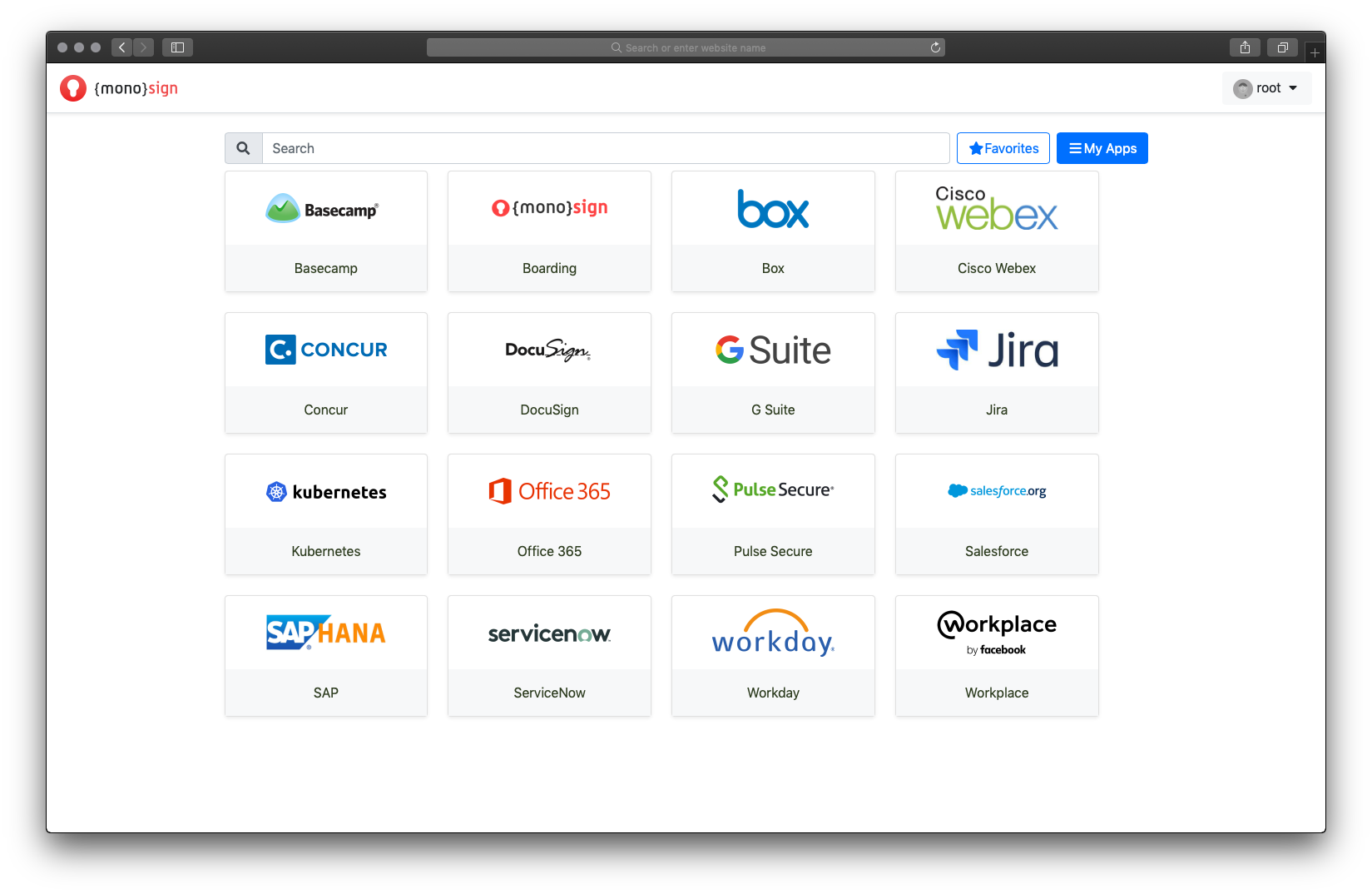
Screenshots


Technical details
Devices Supported
- Windows
- Linux
- Android
- iPhone/iPad
- Mac
- Web-based
Deployment
- Cloud Hosted
- On Premise
Language Support
- English
Pricing Model
- Quote-based
Customer Types
- Small Business
- Large Enterprises
- Medium Business
What Support Does This Vendor Offer?
- phone
- live support
- training
- tickets
What integrations are available for MonoSign?
MonoSign integrates with the following business systems and applications plus 5000 predefined global applications with the SAML 2.0 and OAuth 2.0:
- G Suite
- Workplace
- Workday
- SalesForce
- Yubikey
- Office 365
- Jira
- Box
- Cisco Webex
- Basecamp
- DocuSign
- PulseSecure
- Servicenow
- SAPHana
- Kubernetes
- Concur
- Google Apps
- Radius
- Outlook Web App
- Microsoft Dynamics
- Drupal
- HP Autonomy
- Confluence
- SharePoint
- ADFS
- Juniper
- SiteMinder
- Zoho CRM
- Remote Desktop Protocol
Vendor ensures MonoSign integrates very quickly with in-house applications as well (up to 15 minutes) if parts are responsive.

MonoSign
is waiting for
your first review.

Write your own review of this product
ADD A REVIEWMore reviews from 0 actual users:


Join a community of 7,369 SaaS experts
Thank you for the time you take to leave a quick review of this software. Our community and review base is constantly developing because of experts like you, who are willing to share their experience and knowledge with others to help them make more informed buying decisions.
Sign in with LinkedIn
Why we require LinkedIn?
- Show the community that you're an actual user.
- We will only show your name and profile image in your review.
- You can still post your review anonymously.
OR
Sign in with company emailSign in with company email
Popular MonoSign Alternatives




Top Competitors To MonoSign By Price
Product name:
Price:


Trending Identity Management Software Reviews


MonoSign Comparisons
Product name:



Page last modified


Did you find this review useful?
Yes
No
Thank you for your feedback
How can we make this page better?
Unsure about this software?
FIND ALTERNATIVES
 Why is FinancesOnline free?