

QueryStorm Review



What is QueryStorm?
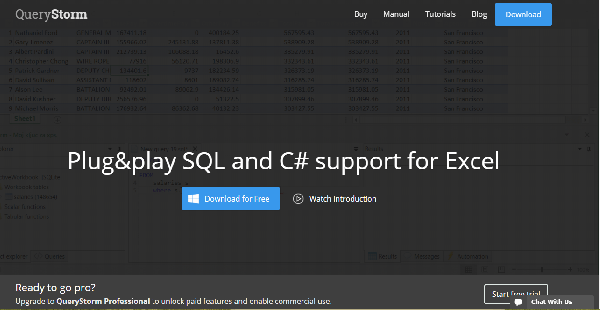
QueryStorm is an Excel plugin that adds powerful development and data processing capabilities and enables users to utilize SQL to clean, query and change data in Excel as if the data was in a database. With SQL in Excel, processing data becomes simpler and more powerful as users get tech-friendly spreadsheets.
QueryStorm has its own database engine (SQLite) but can also link up with different external databases, which allows for easy migration of data to any direction and process data with the resources and capabilities of the external database. Simply put, QueryStorm combines the best of both worlds into a single package: the processing might of SQL and the versatility and visualization capabilities of Excel.
Show MoreOverview of QueryStorm Benefits
QueryStorm provides you with an Excel plugin that brings both the processing power of SQL and development tools of Excel. This plugin, simply put, lets you interact with data just as if it is within a database while being able to look at it through it Excel’s intuitive GUI.
QueryStorm developers explained that it can function as a natural extension of your databases and the other way around. In that setup, you move your data with minimal effort, to any direction that you want. Whether you are working with MySQL, SQL Server, Postgres, ODBC, Access, SQLite, Oracle, or Redshift, it doesn’t matter. QueryStorm is made from the ground up to handle it and handle it well.
On top of that, QueryStorn offers support for C#. This functionality allows you to transform almost any .NET library out there so you can load data. Another benefit QueryStorm brings to the table that is worth noting is the plugin’s ability to design interactive workbooks. It does it so well, better than any other similar plugins or applications.
Last but not least, Excel plugin’s IDE, you can expect QueryStorm to provide modern capabilities such as auto formatting, autocomplete, function insights, error squiggles, symbol actions, and more.
Show MoreOverview of QueryStorm Features
- Full SQL support in Excel
- Full C# support
- Two-way database connectivity
- Spiffy IDE
What Problems Will QueryStorm Solve?
1. Data in Excel is usually difficult for tech users to work with.
With QueryStorm, though, they can use SQL and C# to work with data in Excel, giving them much more power of the data compared to native Excel functionality (including Get&Transform, formerly PowerQuery).
2. Moving data between Excel and databases is usually tedious and involves much preparation.
With QueryStorm, as soon as the user connects to an external database, Excel tables [not the same thing as sheets] are visible to the destination database as temp tables. This makes it trivial to import Excel data into databases, as well as to create Excel files that interactively update Excel tables with data from databases, as the user interacts with the workbook (e.g. changes the value of a cell that’s being used as a parameter in a query).
3. Building interactive Excel documents with C# instead of VBA.
With C# you get a great programming language and .NET libraries for almost anything you can think of. Using C# for fetching data and behavior, and Excel for storage, user input and visualization makes it easy to build powerful application-like documents, as well as to quickly create prototypes and ad-hoc applications.
Awards & Quality Certificates


QueryStorm Position In Our Categories
Bearing in mind companies have specific business-related demands, it is wise that they avoid seeking a one-size-fits-all, ”best” solution. Nevertheless, it would be hard to try to pinpoint such a software product even among branded software solutions. The logical step to undertake should be to jot down the various significant factors that require research like important features, budget, skill capability of staff, business size, etc. Next, you should conduct the research fully. Browse over some of these QueryStorm evaluations and explore each of the solutions in your list in detail. Such detailed research ascertains you stay away from poorly fit software products and choose the one which meets all the features your company requires to be successful.
Position of QueryStorm in our main categories:
TOP
50
QueryStorm is one of the top 50 Application Development Software products
If you are interested in QueryStorm it might also be beneficial to check out other subcategories of Application Development Software collected in our database of B2B software reviews.
It is important to keep in mind that hardly any service in the Application Development Software category will be an ideal solution able to meet all the goals of all business types, sizes and industries. It may be a good idea to read a few QueryStorm Application Development Software reviews first as specific software might perform well exclusively in a very narrow group of applications or be created with a really specific type of industry in mind. Others can operate with a goal of being easy and intuitive and therefore lack complicated features needed by more experienced users. There are also apps that focus on a broad group of users and provide a complex feature toolbox, but that usually comes at a higher cost of such a service. Be certain that you're aware of your requirements so that you buy a solution that provides specifically the functionalities you look for.
How Much Does QueryStorm Cost?
QueryStorm Pricing Plans:
Free Trial
Professional License
Starts at $15/user/month
Runtime license
Starts at $5/user/month
What are QueryStorm pricing details?
QueryStorm Pricing Plans:
Free Trial
Professional License
Starts at $15/user/month
Runtime license
Starts at $5/user/month
QueryStorm is free for non-commercial use. For commercial use, check out the following basic and enterprise pricing licensing packages they offer:
Professional License – starts at $15/user/month or $149/user/year
- Run Queries and Scripts
- Connect to External Databases
- Embed Code into Workbooks
Runtime license – starts at $5/user/month or $49/user/year
User Satisfaction
Positive Social Media Mentions
6
Negative Social Media Mentions
0
We realize that when you choose to buy a Application Development Software it’s vital not only to find out how experts score it in their reviews, but also to check if the actual users and companies that use it are indeed satisfied with the service. Because of that need we’ve devised our behavior-based Customer Satisfaction Algorithm™ that gathers customer reviews, comments and QueryStorm reviews across a vast range of social media sites. The information is then displayed in an easy to digest way showing how many clients had positive and negative experience with QueryStorm. With that information at hand you should be ready to make an informed business choice that you won’t regret.
Video
Technical details
Devices Supported
- Windows
Deployment
- On Premise
Language Support
- English
Pricing Model
- Monthly payment
- Annual Subscription
Customer Types
- Small Business
- Large Enterprises
- Medium Business
- Freelancers
What Support Does This Vendor Offer?
- phone
- live support
- training
- tickets
What integrations are available for QueryStorm?
QueryStorm integrates with the following business systems and applications:
- Microsoft Excel
- Roslyn
- SQLite
- Postgres
- MySQL
- Redshift
- Access
- Oracle
- SQL Server
QueryStorm User Reviews
QueryStorm average rating:
4/5
Overall impression
5/5
Customer Support
4/5
Value for Money
5/5
Ease of Use
Write your own review of this product
ADD A REVIEWMore reviews from 1 actual users:
Sort by:
Latest
- Latest
- Most useful
- Most positive
- Most negative
Great piece of software to integrate SQL Data and Excel.
Read full review >
4/5
Overall impression
5/5
Customer Support
5/5
Value for Money
4/5
Ease of Use
Published on: 29.06.2021
Company Size: N/A
Industry: N/A
PROS: Allows Data From SQL to be brought into Excel with Queries. The data in Excel can be formatted prior to the import and therefore that step never has to be repeated. You can have Subtotal set up and Totals which will stay in place between importing current data and future data. Slick.
CONS: Screen Real Estate is an issue. Seeing the query, the results of the query and the spreadsheet can be difficult if you are working on just your laptop. Larger screens or multiple screens fixes that issue.


Join a community of 7,369 SaaS experts
Thank you for the time you take to leave a quick review of this software. Our community and review base is constantly developing because of experts like you, who are willing to share their experience and knowledge with others to help them make more informed buying decisions.
Sign in with LinkedIn
Why we require LinkedIn?
- Show the community that you're an actual user.
- We will only show your name and profile image in your review.
- You can still post your review anonymously.
OR
Sign in with company emailSign in with company email
Popular QueryStorm Alternatives


Top Competitors To QueryStorm By Price
Product name:
Price:

By quote


Trending Application Development Software Reviews


QueryStorm Comparisons
Product name:


QueryStorm user reviews
Great piece of software to integrate SQL Data and Excel.
Read full review >
4/5
Overall impression
5/5
Customer Support
5/5
Value for Money
4/5
Ease of Use
Published on: 29.06.2021
Company Size: N/A
Industry: N/A

Page last modified



Did you find this review useful?
Yes
No
Thank you for your feedback
How can we make this page better?
Unsure about this software?
FIND ALTERNATIVES
 Why is FinancesOnline free?