

ScreenSteps Review


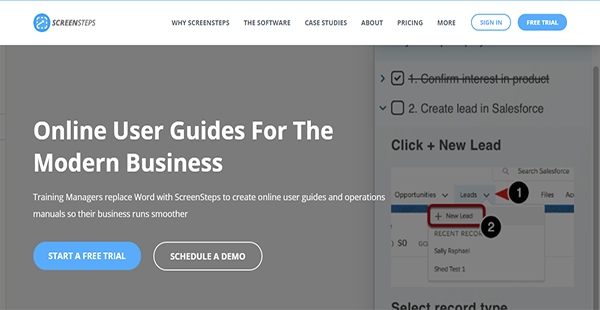

What is ScreenSteps?
ScreenSteps is an online training platform for your new hires or customers. With this, you can your organization’s traditional guides and operations manuals to ensure the fast and streamlined onboarding of recently acquired talents or consumers.
You can also build your knowledgebases from scratch with ScreenSteps, allowing you to customize fully the content that you are going to serve to your learners. They are also searchable, which makes it easier for your employees and patrons to find the help article they need.
Furthermore, ScreenSteps has contextual help functionality. With this, you can assist your learners exactly where they might have queries. This results in faster acquisition of knowledge and greater productivity.
Show MoreOverview of ScreenSteps Benefits
Searchable Knowledgebase
ScreenSteps can replace the traditional modes of teaching materials you have for your new employees or customers. With it, you can create knowledgebases where learners can find everything they need to gain additional knowledge and skills or familiarity with your products and services. They have built-in hierarchies and are searchable, too. This means finding the articles or help users need does not take much time and effort.
Articles & Courses Organization
When you upload articles to ScreenSteps, you can organize them into courses. Even when articles have been in the knowledgebases for long, you can still reorganize them. This way, you can create a learning platform that suits your changing organizational structure.
Additionally, you can assign courses to employees. This is especially beneficial when new hires or talents transferring to different positions require special training.
Contextual Assistance
ScreenSteps lets you put help right where it is needed. For example, when users are looking at a Salesforce element, you can configure the solution to suggest articles that may be of help. This functionality can be granular, too, to ensure that your learners find the articles that are specially prepared for them.
Interactive Content Creation
With ScreenSteps, you have access to a wide variety of tools that support full customization of learning materials. Among the features it has for that purpose are screen capture and annotation, text fields, and multimedia upload support. These components enable you to make your materials more engaging to keep the attention of your learners. On top of that, these can assist you in fully delivering knowledge and skills.
Show MoreOverview of ScreenSteps Features
- Keyword Search
- Built-in Knowledgebase Hierarchy
- Reusable Articles
- Employee Feedback
- Customizations
- Viewing Permissions
- Courses Management
- Articles Organization
- Course Assignments
- Course Completion & Engagement Tracking
- Granular Context Help
- Group Views
- Checklists
- Built-in Screen Capture
- Image Annotations
- Text Fields
- Checklists & Table of Contents
- Multimedia Courses
- Article Owners & Status
- Article Drafting
- Revision Management
- Editor Notes
- Activity Feed
- Article Analytics
- Checklist Analytics
- Analytics Filters
ScreenSteps Position In Our Categories
Since companies have specific business-related requirements, it is sensible that they avoid deciding on an all-encompassing, ”best” business application. Needless to say, it is nearly futile to discover such application even among sought-after software products. The logical step to do is to narrow down the several significant aspects which call for a analysis including important features, price terms, skill aptitude of staff members, organizational size, etc. The second step is, you must conduct the research to a full extent. Have a look at some ScreenSteps reviews and explore the other software options in your shortlist more closely. Such comprehensive product research guarantees you weed out poorly fit software products and buy the system that delivers all the benefits your company requires for optimal results.
Position of ScreenSteps in our main categories:
TOP
500
ScreenSteps is one of the top 500 Learning Management Systems (LMS) products
If you are interested in ScreenSteps it might also be beneficial to check out other subcategories of Learning Management Systems (LMS) gathered in our database of B2B software reviews.
There are trendy and widely used systems in each software group. But are they essentially the best fit for your company’s special needs? A popular software solution may have thousands of subscribers, but does it provide what you need? For this reason, do not blindly shell out for popular systems. Read at least a few ScreenSteps Learning Management Systems (LMS) reviews and think about the aspects that you want in the software such as the cost, main features, available integrations etc. Then, select a few apps that fit your wants. Check out the free trials of these platforms, read online comments, get clarifications from the maker, and do your research meticulously. This in-depth homework is certain to aid you choose the most excellent software platform for your organization’s specific requirements.
How Much Does ScreenSteps Cost?
ScreenSteps Pricing Plans:
Free Trial
Small Business
$109.00/month
Growing Business
$219.00/month
Medium Business
$329.00/month
Enterprise
Contact vendor
What are ScreenSteps pricing details?
ScreenSteps Pricing Plans:
Free Trial
Small Business
$109.00/month
Growing Business
$219.00/month
Medium Business
$329.00/month
Enterprise
Contact vendor
ScreenSteps has four tiers of enterprise pricing. With these, you can choose whether to pay monthly or annually. The details of these plans are also outlined below to help you come to a decision.
Small Business – $109.00/month or $99.00/month/annual billing
- 5 Admins/Authors
- 10 Active Learners
- Up to 3 Knowledgebases
- 10 Web Channels
- 1 Single Sign-on Connection
- Unlimited Knowledgebase Articles
- Unlimited Readers
- Reporting
Growing Business – $219.00/month or $199.00/month/annual billing
- All Small Business Features
- 12 Admins/Authors
- 25 Active Learners
- Up to 5 Knowledgebases
- 25 Web Channels
- 30 Courses
- Multiple Single Sign-on Connections
- Unlimited Checklists
Medium Business – $329.00/month or $299.00/month/annual billing
- All Growing Business Features
- 15 Admins/Authors
- 50 Active Learners
- Up to 5 Knowledgebases
- 30 Web Channels
- 100 Courses
Enterprise – custom pricing
- Custom Plan
User Satisfaction
Positive Social Media Mentions
0
Negative Social Media Mentions
0
We know that when you choose to purchase a Learning Management Systems (LMS) it’s important not only to see how professionals rank it in their reviews, but also to find out if the real users and businesses that bought it are actually satisfied with the service. That’s why we’ve devised our behavior-based Customer Satisfaction Algorithm™ that aggregates customer reviews, comments and ScreenSteps reviews across a wide array of social media sites. The information is then featured in an easy to understand format showing how many users had positive and negative experience with ScreenSteps. With that information at your disposal you should be prepared to make an informed business choice that you won’t regret.
Video
Technical details
Devices Supported
- Web-based
Deployment
- Cloud Hosted
- Open API
Language Support
- English
Pricing Model
- Monthly payment
- Annual Subscription
- Quote-based
Customer Types
- Small Business
- Large Enterprises
- Medium Business
What Support Does This Vendor Offer?
- phone
- live support
- training
- tickets
What integrations are available for ScreenSteps?
ScreenSteps can integrate with:
- Zendesk
- Salesforce
To enable you to create connections with your preferred tools, the solution has robust APIs that you can utilize.

ScreenSteps
is waiting for
your first review.

Write your own review of this product
ADD A REVIEWMore reviews from 0 actual users:


Join a community of 7,369 SaaS experts
Thank you for the time you take to leave a quick review of this software. Our community and review base is constantly developing because of experts like you, who are willing to share their experience and knowledge with others to help them make more informed buying decisions.
Sign in with LinkedIn
Why we require LinkedIn?
- Show the community that you're an actual user.
- We will only show your name and profile image in your review.
- You can still post your review anonymously.
OR
Sign in with company emailSign in with company email
Popular ScreenSteps Alternatives




Top Competitors To ScreenSteps By Price
Product name:
Price:

By quote



Trending Learning Management Systems (LMS) Reviews


ScreenSteps Comparisons
Product name:








Page last modified



Did you find this review useful?
Yes
No
Thank you for your feedback
How can we make this page better?
Unsure about this software?
FIND ALTERNATIVES
 Why is FinancesOnline free?