

V2 Cloud Review



What is V2 Cloud?
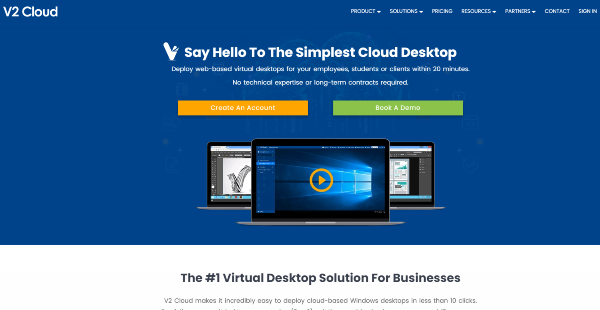
V2 Cloud is a Desktop-as-a-Service solution that allows businesses to have a fully customizable cloud desktop. It’s perfect for individual users or teams who need to work remotely from the main office or from different parts of the world.
With V2 Cloud’s scalable platform, administrators can add multiple users to one desktop. Users can then securely access their apps in the cloud and work faster from any location. The platform comes complete with file-sharing capabilities and administrator permissions so you can have the same level of control over who gets to access company apps and documents.
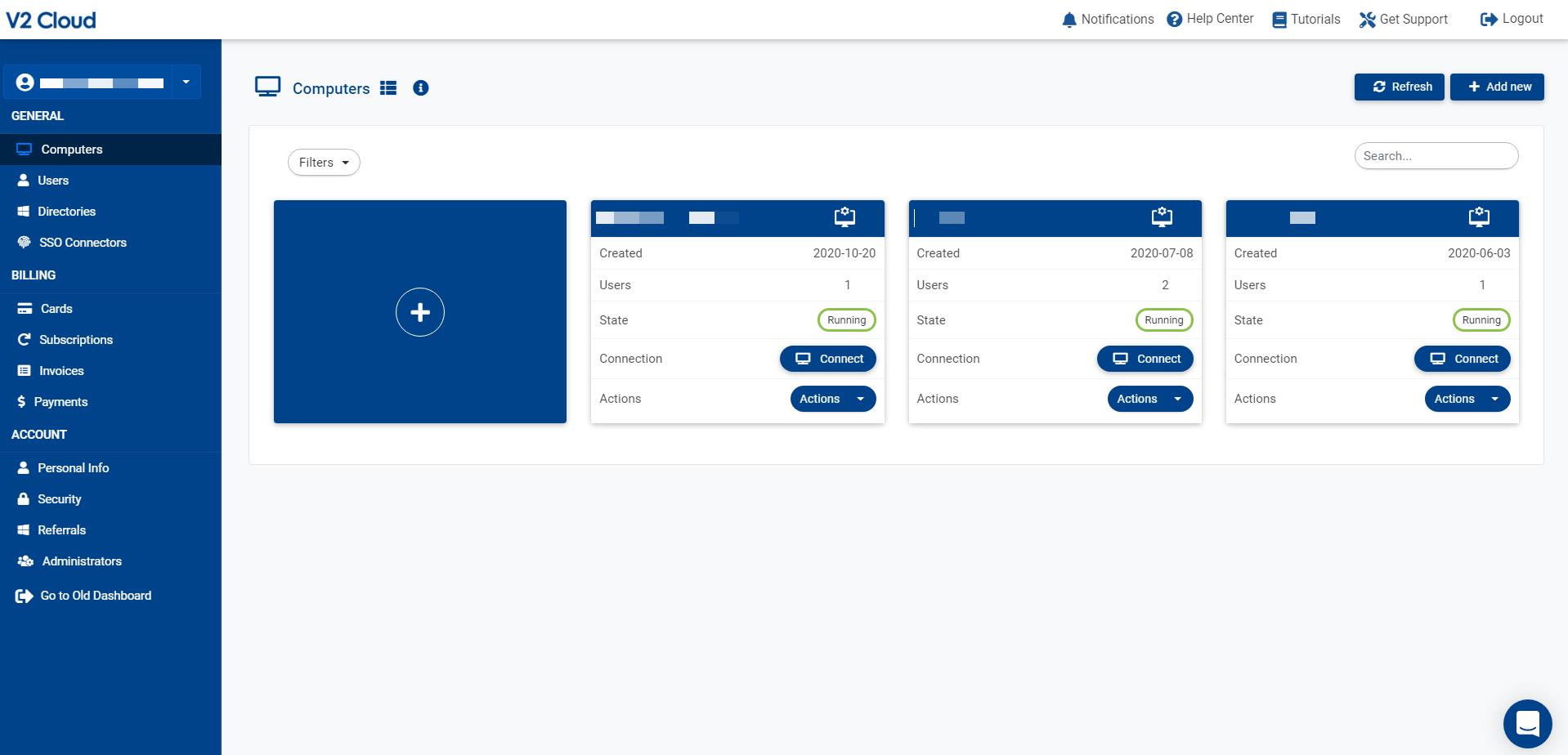
Moreover, V2 Cloud lets you monitor who is online or offline in the system, which makes the lives of supervisors and team leaders easier. Whether your team members are working from home in the same city or collaborating with coworkers in another region, V2 Cloud is an excellent tool to control computers with remote connections and improve your remote workforce management.
You can also use V2 Cloud to host your data in the cloud or offer a cloud-version of your software. V2 Cloud seamlessly integrates with AzureAD and Windows Active Directory, so users can access the platform using their existing credentials.
Show MoreOverview of V2 Cloud Benefits
Simplicity
Say goodbye to long virtualization setup processes, never-ending contracts, and high upfront costs. V2 Cloud enables you to create a cloud computer in 20 minutes with no IT skills necessary. Plus, you have a complete admin interface with straightforward and easy-to-understand options.
V2 Cloud is accessible via any browser or with our desktop/mobile app, so you can work from anywhere. It is flexible and will fit the usage you need—you pay-as-you-go with V2 Cloud.
Speed
The most important aspect of using a cloud computer should be performance. You want the same (and even better) experience you have with your work laptop. V2 Cloud gives you access to Enterprise-quality hardware with 3 to 8 times faster than the industry’s big players.
Collaboration is a big aspect of Desktop-as-a-Service, that’s why V2 Cloud lets you have more control over your business applications and who gets to access what. If your organization works with several freelancers or consultants, they will only see and access files or apps used for their tasks.
Support
Technical support should always be a part of IT. Not everyone is an expert, and managing a cloud infrastructure can get complicated, fast. V2 Cloud’s fully integrated solution comes with fanatical customer support. It’s free forever, and you can easily get in touch via chat, email, and phone.
With today’s sophisticated hackers, companies need to think hard about the steps they are taking to protect valuable data. The solution offers a safer and more secure system compared to traditional laptop and desktop computers. It takes daily snapshots automatically of your data (business plans only), so the software provider’s team can recover it in the event of a cyber intrusion or natural disaster.
Show MoreOverview of V2 Cloud Features
- Windows 10 multi-user (based on Server 2019)
- 50 GB disk space (expandable)
- Blazing fast processors and drives
- Screen sharing between users
- Admin remote control
- Unlimited teleportations globally
- Fanatical technical support
- All Basic Plan features
- Daily backup snapshots with 7 days history
- MalwareBytes Business antivirus
- Connect on-site resources with IPSec VPN
- Integration with on-prem AD or Azure AD DS
- Integration with SAML authentication
- API access
V2 Cloud Position In Our Categories
Knowing that companies have unique business-related wants, it is rational that they abstain from seeking a one-size-fits-all, “perfect” software system. Having said that, it would be almost impossible to try to come across such application even among sought-after software systems. The best thing to do can be to take note of the varied major aspects that merit careful thought such as important features, price terms, technical skill ability of staff members, company size, etc. After which, you must double down on the research through and through. Have a look at these V2 Cloud evaluations and explore the other applications in your list more closely. Such detailed product investigation guarantees you circumvent poorly fit software solutions and select the one which meets all the function your company requires for optimal results.
Position of V2 Cloud in our main categories:
TOP
20
V2 Cloud is one of the top 20 Virtual Desktop Infrastructure Software products
If you are considering V2 Cloud it might also be a good idea to examine other subcategories of Virtual Desktop Infrastructure Software listed in our database of SaaS software reviews.
Each enterprise has its own characteristics, and may require a particular type of Virtual Desktop Infrastructure Software solution that will be designed for their company size, type of clients and staff and even individual industry they deal with. We advise you don't count on locating an ideal services that will be suitable for each company regardless of their history is. It may be a good idea to read a few V2 Cloud Virtual Desktop Infrastructure Software reviews first and even then you should pay attention to what the solution is supposed to do for your business and your employees. Do you need a simple and intuitive service with only essential features? Will you actually use the advanced tools needed by experts and big enterprises? Are there any particular features that are especially useful for the industry you work in? If you ask yourself these questions it will be much easier to locate a trustworthy software that will match your budget.
How Much Does V2 Cloud Cost?
V2 Cloud Pricing Plans:
Free Trial
The Founder
$40/month
The Startup
$70/month
The SMB
$140/month
The Firm
$280/month
The Company
$560/month
The Enterprise
$25/user/month
What are V2 Cloud pricing details?
V2 Cloud Pricing Plans:
Free Trial
The Founder
$40/month
The Startup
$70/month
The SMB
$140/month
The Firm
$280/month
The Company
$560/month
The Enterprise
$25/user/month
V2 Cloud offers two pricing categories: Team Cloud Desktops and Individual Cloud Desktops. Team Cloud is best for users who are all in the same region, while Individual Cloud is ideal for organizations with users across multiple regions.
Under the two categories, you can choose between Basic and Business plans. The Team Cloud Basic and Business plans have six types of subscriptions namely The Founder, The Startup, The SMB, The Firm, The Company, and The Enterprise.
On the other hand, the Individual Cloud has four types of subscriptions for both Basic and Business plans. These are The Intern, The Doer, The Workaholic, and The Magnate.
Team Cloud Desktops: Basic Plan
- The Founder – $40/month
- The Startup – $70/month
- The SMB – $140/month
- The Firm – $280/month
- The Company – $560/month
- The Enterprise – $25/user/month
Basic Plan features:
- Windows 10 multi-user (based on Server 2019)
- 50 GB disk space (expandable)
- Blazing fast processors and drives
- Screen sharing between users
- Admin remote control
- Unlimited teleportations globally (America, Europe, Asia, Australia)
- Fanatical technical support
Team Cloud Desktops: Business Plan
- The Founder – $60/month
- The Startup – $105/month
- The SMB – $210/month
- The Firm – $420/month
- The Company – $840/month
- The Enterprise – $35/user/month
Business Plan features:
- All Basic Plan features
- Daily backup snapshots with 7 days history
- MalwareBytes Business antivirus
- Connect on-site resources with IPSec VPN
- Integration with on-prem AD or Azure AD DS
- Integration with SAML authentication
- API access
Every plan includes one admin user. Each additional user costs $10.
User Satisfaction
Positive Social Media Mentions
45
Negative Social Media Mentions
2
We know that when you choose to get a Virtual Desktop Infrastructure Software it’s vital not only to learn how experts evaluate it in their reviews, but also to find out whether the real users and businesses that purchased these solutions are indeed content with the product. Because of that need we’ve devised our behavior-based Customer Satisfaction Algorithm™ that aggregates customer reviews, comments and V2 Cloud reviews across a wide range of social media sites. The information is then displayed in a simple to understand form indicating how many customers had positive and negative experience with V2 Cloud. With that information available you will be equipped to make an informed purchasing decision that you won’t regret.
Video
Screenshots
Technical details
Devices Supported
- Windows
- Android
- iPhone/iPad
- Mac
- Web-based
Deployment
- Cloud Hosted
Language Support
- English
- German
- Spanish
- French
- Russian
- Italian
Pricing Model
- Monthly payment
Customer Types
- Small Business
- Large Enterprises
- Medium Business
What Support Does This Vendor Offer?
- phone
- live support
- training
- tickets
What integrations are available for V2 Cloud?
V2 Cloud integrations:
- Windows Active Directory
- AzureAD

V2 Cloud
is waiting for
your first review.

Write your own review of this product
ADD A REVIEWMore reviews from 0 actual users:


Join a community of 7,369 SaaS experts
Thank you for the time you take to leave a quick review of this software. Our community and review base is constantly developing because of experts like you, who are willing to share their experience and knowledge with others to help them make more informed buying decisions.
Sign in with LinkedIn
Why we require LinkedIn?
- Show the community that you're an actual user.
- We will only show your name and profile image in your review.
- You can still post your review anonymously.
OR
Sign in with company emailSign in with company email
Popular V2 Cloud Alternatives


Top Competitors To V2 Cloud By Price
Product name:
Price:

By quote


By quote

By quote

Trending Virtual Desktop Infrastructure Software Reviews


V2 Cloud Comparisons
Product name:





Page last modified



Did you find this review useful?
Yes
No
Thank you for your feedback
How can we make this page better?
Unsure about this software?
FIND ALTERNATIVES
 Why is FinancesOnline free?