
- Home
- GIS Software
- ArcGIS Enterprise

ArcGIS Enterprise Review



What is ArcGIS Enterprise?
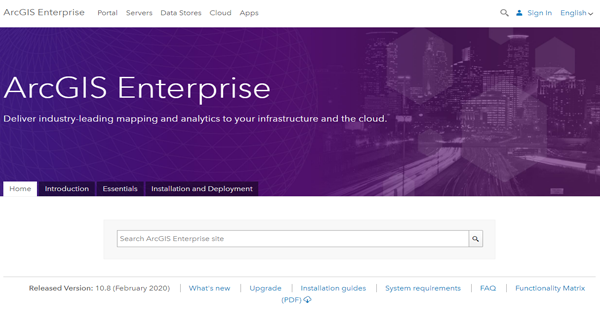
ArcGIS Enterprise is a GIS or geographic information system platform that provides the architecture you need for creating, running, and managing applications and solutions that have mapping and spatial data analytics capabilities. With this platform, you’ll be able to easily discover and solve complex location-driven problems faced by your community or business.
The platform lets you build, distribute, and handle maps, GIS applications, and location data from a central portal. It also comprises a server that delivers and manages GIS resources and functionalities for mapping, visualization, and analysis.
ArcGIS Enterprise can be deployed to any type of infrastructure you’re using, whether on-premise, cloud, or hybrid environment. You can enable additional capabilities as you deploy the platform by buying licenses for additional server roles. These capabilities include conducting a distributed analysis of raster, table, and feature data and integrating event-based data streams.
Show MoreOverview of ArcGIS Enterprise Benefits
Map & GIS App Building
ArcGIS helps you create modern, professional, and responsive web-based maps and GIS applications. These maps and applications make it easy for you along with collaborators and stakeholders to visualize and understand various location-based problems your community, organization, or business is dealing with.
You can create GIS applications where both maps and geospatial data are integrated into, and this can be done without requiring you to write a single line of code. The custom GIS applications can work on any platform as well, be it Windows, macOS, Linux, Android, or iOS.
Spatial Data Management & Analytics
The GIS platform provides you with the ability to collect, integrate, and analyze different types of geospatial data from sources and systems inside and outside of your organization. These include imagery, base maps, demographics, lifestyle, consumer spending, and more. You’ll be able to transform all the relevant geospatial data you need into 3D visualizations, models, and maps and generate rich and accurate location intelligence.
ArcGIS Enterprise assists you in identifying and understanding attributes, trends, patterns, relationships, and situations so you can make quicker and smarter decisions. For instance, the platform lets you know which states or localities have high crime rates, evaluate the contributory factors why they are considered as crime hot spots, and create and implement programs and policies to prevent crimes in these areas.
If your company belongs to the utilities industry, you can also use the GIS platform to monitor the environmental conditions of consumers who are using your utility assets and predict consumer locations that are most likely to experience outages.
Distributed Collaboration
ArcGIS Enterprise supports multiple patterns for distributed collaboration by which you’ll be able to share GIS resources such as maps and GIS applications, content, and data with employees, business partners, communities, or customers. You can set up a central portal to allow the sharing of GIS data between you and the different departments or teams in your organization.
GIS sharing and collaboration can also be implemented using two portals. In this collaboration pattern, two users share GIS resources with each other using their own deployment of the platform. Moreover, you can integrate ArcGIS Enterprise with ArcGIS Online to achieve such collaboration.
Show MoreOverview of ArcGIS Enterprise Features
- Map Building
- GIS App Development
- Spatial Data Management
- GIS Content Management
- Spatial Data Analytics
- GIS Sharing & Collaboration
- Deployment Flexibility
- Data Storage
ArcGIS Enterprise Position In Our Categories
Bearing in mind companies have special business demands, it is only sensible that they abstain from going for a one-size-fits-all, “perfect” software product. Nevertheless, it would be almost impossible to try to stumble on such a software system even among popular software systems. The clever step to do would be to narrow down the numerous essential functions which call for a careful thought including essential features, plans, skill ability of staff, organizational size, etc. After which, you must follow through your research systematically. Browse over some ArcGIS Enterprise analyses and look over the other software programs in your list more closely. Such all-encompassing research ascertains you stay away from poorly fit software products and choose the system that meets all the aspects your company requires.
Position of ArcGIS Enterprise in our main categories:
TOP
20
ArcGIS Enterprise is one of the top 20 GIS Software products
If you are considering ArcGIS Enterprise it could also be beneficial to examine other subcategories of GIS Software listed in our base of SaaS software reviews.
Each company has its own characteristics, and can require a particular type of GIS Software solution that will be fit for their company size, type of clients and employees and even particular industry they support. It's not wise to count on finding an ideal services that will work for each business no matter what their history is. It may be a good idea to read a few ArcGIS Enterprise GIS Software reviews first and even then you should keep in mind what the software is intended to do for your business and your staff. Do you require an easy and intuitive solution with just basic functions? Will you actually make use of the complex tools needed by experts and large enterprises? Are there any specific features that are especially useful for the industry you operate in? If you ask yourself these questions it will be much easier to find a solid software that will match your budget.
How Much Does ArcGIS Enterprise Cost?
ArcGIS Enterprise Pricing Plans:
Free Trial
ArcGIS Enterprise
Contact vendor
What are ArcGIS Enterprise pricing details?
ArcGIS Enterprise Pricing Plans:
Free Trial
ArcGIS Enterprise
Contact vendor
ArcGIS Enterprise applies per-user licensing, wherein pricing varies based on user type and system capacity. Please contact the software vendor to get all the enterprise pricing details you need.
User Satisfaction
Positive Social Media Mentions
339
Negative Social Media Mentions
11
We realize that when you choose to buy a GIS Software it’s crucial not only to find out how experts rank it in their reviews, but also to discover whether the actual clients and companies that bought this software are actually satisfied with the product. Because of that need we’ve created our behavior-based Customer Satisfaction Algorithm™ that aggregates customer reviews, comments and ArcGIS Enterprise reviews across a broad array of social media sites. The data is then displayed in an easy to understand form showing how many customers had positive and negative experience with ArcGIS Enterprise. With that information at your disposal you will be prepared to make an informed business decision that you won’t regret.
Video
Technical details
Devices Supported
- Windows
- Linux
- Android
- iPhone/iPad
- Mac
- Web-based
Deployment
- Cloud Hosted
- On Premise
Language Support
- English
- Chinese
- German
- Hindi
- Japanese
- Spanish
- French
- Russian
- Italian
- Dutch
- Portugese
- Polish
- Turkish
- Swedish
Pricing Model
- Quote-based
Customer Types
- Small Business
- Large Enterprises
- Medium Business
What Support Does This Vendor Offer?
- phone
- live support
- training
- tickets
What integrations are available for ArcGIS Enterprise?
ArcGIS Enterprise integrates with the following business systems and applications:
- ArcGIS Online
- ArcGIS Desktop
- ArcGIS Pro
- ArcGIS Notebooks
- ArcGIS Monitor
- Amazon Web Service
- Microsoft Azure
ArcGIS Enterprise User Reviews
ArcGIS Enterprise average rating:
4/5
Overall impression
5/5
Customer Support
4/5
Value for Money
4/5
Ease of Use
Write your own review of this product
ADD A REVIEWThe most favorable review

PROS: ArcGIS is great for creating maps and apps and has flexible options for you to personalize them. It's extremely user-friendly that I would recommend it to novice users of GIS platforms.
CONS: The version came out late and is lagging behind AGOL.
The least favorable review
PROS: The modules and features were impressive, especially that you can customize it more freely than other rival apps.
CONS: It remains to be highly complex to understand, My team will need more intensive training.
More reviews from 14 actual users:
Sort by:
Latest
- Latest
- Most useful
- Most positive
- Most negative
Excellent
Read full review >
5/5
Overall impression
5/5
Customer Support
4/5
Value for Money
5/5
Ease of Use
Published on: 22.10.2021
Company Size: 11-50 Employees
Industry: N/A
PROS: Flexible and efficient, ArcGIS fully allows deployment in the cloud environment. This allows greater access for various team members, flexible work platforms, has secured storage, and is lightweight. The software has zero lags even when handling heavy tasks. Improvements in analytics and mapping are superb and provide greater customization.
CONS: There are some installation difficulties that would require customer support. It would be much welcomed if ArcGIS makes its code open source so we users can improve and optimize the system's existing features.
Outstanding analytics that provides data-driven insights
Read full review >
4/5
Overall impression
4/5
Customer Support
4/5
Value for Money
3/5
Ease of Use
Published on: 17.08.2021
Company Size: More than 100 Employees
Industry: Utilities
PROS: Analytics and documentation of mapping are ArcGIS key strengths that our company is enjoying optimally.
CONS: It can add up more substantial components, specifically in improving server size for faster performance.
Great for efficient coordination within vast networks
Read full review >
5/5
Overall impression
5/5
Customer Support
5/5
Value for Money
5/5
Ease of Use
Published on: 07.08.2021
Company Size: More than 100 Employees
Industry: Law Enforcement
PROS: ArcGIS is great for creating maps and apps and has flexible options for you to personalize them. It's extremely user-friendly that I would recommend it to novice users of GIS platforms.
CONS: The version came out late and is lagging behind AGOL.
Robust features
Read full review >
4/5
Overall impression
3/5
Customer Support
4/5
Value for Money
3/5
Ease of Use
Published on: 02.08.2021
Company Size: 11-50 Employees
Industry: Defense and Space
PROS: ArcGIS Enterprise is a web-based platform with exhaustive and highly effective features such as mapping, visualization, analytics, and sharing across large networks.
CONS: There are issues in accessing certain networks.
Impressively functional
Read full review >
5/5
Overall impression
5/5
Customer Support
4/5
Value for Money
4/5
Ease of Use
Published on: 10.07.2021
Company Size: More than 100 Employees
Industry: Government Administration
PROS: Enterprise enhanced ArcGIS Online with features we users badly needed: a more secure firewall and more flexible functionalities.
CONS: Improvements on the Enterprise system are made on installments, on each new iteration released. This is unlike Online which provided all features in one go.
Our primary tool for mapping and analytics
Read full review >
5/5
Overall impression
4/5
Customer Support
4/5
Value for Money
4/5
Ease of Use
Published on: 19.06.2021
Company Size: More than 100 Employees
Industry: Architecture & Planning
PROS: ArcGIS Enterprise has become a fundamental part of our daily operations. It makes our work on mapping and analytics easier.
CONS: Installation is complicated. The same can be said with deployment which demands a great lot of servers. And even as deployments are made successful, the program runs as if there is miscommunication between GIS and the structure.
My remarkable experience with ArcGIS
Read full review >
5/5
Overall impression
4/5
Customer Support
4/5
Value for Money
5/5
Ease of Use
Published on: 18.06.2021
Company Size: 11-50 Employees
Industry: Mining & Metals
PROS: The ArcGIS platform is highly beneficial if you intend your deployment to be far-reaching and accessible to all team members. Plus, doing so does not require the tedious task of creating individual accounts for non-GIS users.
CONS: No major deal breakers really but we had encountered a rather strange problem where many accounts were nonfunctional until we signed them into a single account.
Great but manual deployment is still better
Read full review >
4/5
Overall impression
3/5
Customer Support
4/5
Value for Money
3/5
Ease of Use
Published on: 19.05.2021
Company Size: 51-100 Employees
Industry: N/A
PROS: ArcGIS refuted warnings that it won't go well when you harness a single platform for base deployment; everything went perfectly well with ArcGIS. The Enterprise platform allows for optimal tailor-fit so you can put in your app select features you want and not saturate it with unwanted components.
CONS: The Azure Cloud Builder was a drawback mainly due to little guidance on its use. We are growing more comfortable in using it. Nevertheless, the difficulties it presents will not be a good sell to newbies. Deployment is still better when done manually. But if you opt for automatic, there are many other apps that are better than ArcGIS.
Advantageous for work on data collection, management, and analytics
Read full review >
4/5
Overall impression
3/5
Customer Support
3/5
Value for Money
3/5
Ease of Use
Published on: 18.05.2021
Company Size: 11-50 Employees
Industry: Government Relations
PROS: Enterprise satisfies all my needs in data collection and analysis. The platform did not fall short of expectations of being a worthy upgrade of Online; aside from better security and having more control over the overall deployment, it could limit credits.
CONS: While it suits several business types, I think it does not fit in a small business's budget.
GIS enhancer with rich functionality
Read full review >
4/5
Overall impression
4/5
Customer Support
4/5
Value for Money
3/5
Ease of Use
Published on: 06.03.2021
Company Size: More than 100 Employees
Industry: N/A
PROS: Enterprise drastically improved GIS capabilities, stretching features to allow big data, imagery, and real-time tracking.
CONS: Because of stringent security measures, integrating with external platforms takes too long and can be a drag.
Excellent for bulk deployment
Read full review >
4/5
Overall impression
4/5
Customer Support
3/5
Value for Money
4/5
Ease of Use
Published on: 21.03.2020
Company Size: 11-50 Employees
Industry: Entertainment
PROS: Enterprise promotes transparency by allowing easy sharing to all even in a large network. Data mapping, analytics, and wide-scale collection are also beneficial features.
CONS: Server management is quite a time and resource-consuming.
Review from a loyal ArcGIS customer
Read full review >
4/5
Overall impression
3/5
Customer Support
3/5
Value for Money
4/5
Ease of Use
Published on: 11.03.2020
Company Size: More than 100 Employees
Industry: N/A
PROS: ArcGIS allows us to customize apps very securely within the safeguard of a firewall. Components like Geoevent and comprehensive documentation are very useful to a transportation company like us.
CONS: The servers required for deployment are many and some are quite costly.
Perfectly satisfies deployment needs
Read full review >
4/5
Overall impression
4/5
Customer Support
4/5
Value for Money
3/5
Ease of Use
Published on: 03.03.2020
Company Size: More than 100 Employees
Industry: Utilities
PROS: The modules and features were impressive, especially that you can customize it more freely than other rival apps.
CONS: It remains to be highly complex to understand, My team will need more intensive training.
A key tool to succeed in all biz endeavors
Read full review >
4/5
Overall impression
4/5
Customer Support
3/5
Value for Money
4/5
Ease of Use
Published on: 27.02.2020
Company Size: 11-50 Employees
Industry: Research
PROS: I have tried a few mapping platforms and nothing comes close to ArcGIS Enterprise. Its functions span across improving organization administration; data handling; mapping; analytics with easy to understand visualization. Today, the platform is a fundamental system in our daily grind.
CONS: There are a few components that have its kinks that have not been resolved. So it's half a star lower until those issues are fixed.


Join a community of 7,369 SaaS experts
Thank you for the time you take to leave a quick review of this software. Our community and review base is constantly developing because of experts like you, who are willing to share their experience and knowledge with others to help them make more informed buying decisions.
Sign in with LinkedIn
Why we require LinkedIn?
- Show the community that you're an actual user.
- We will only show your name and profile image in your review.
- You can still post your review anonymously.
OR
Sign in with company emailSign in with company email
Popular ArcGIS Enterprise Alternatives



Top Competitors To ArcGIS Enterprise By Price
Product name:
Price:

By quote

by quote



Trending GIS Software Reviews




ArcGIS Enterprise Comparisons
Product name:





ArcGIS Enterprise user reviews
Excellent
Read full review >
5/5
Overall impression
5/5
Customer Support
4/5
Value for Money
5/5
Ease of Use
Published on: 22.10.2021
Company Size: 11-50 Employees
Industry: N/A
Outstanding analytics that provides data-driven insights
Read full review >
4/5
Overall impression
4/5
Customer Support
4/5
Value for Money
3/5
Ease of Use
Published on: 17.08.2021
Company Size: More than 100 Employees
Industry: Utilities
Great for efficient coordination within vast networks
Read full review >
5/5
Overall impression
5/5
Customer Support
5/5
Value for Money
5/5
Ease of Use
Published on: 07.08.2021
Company Size: More than 100 Employees
Industry: Law Enforcement
Robust features
Read full review >
4/5
Overall impression
3/5
Customer Support
4/5
Value for Money
3/5
Ease of Use
Published on: 02.08.2021
Company Size: 11-50 Employees
Industry: Defense and Space
Impressively functional
Read full review >
5/5
Overall impression
5/5
Customer Support
4/5
Value for Money
4/5
Ease of Use
Published on: 10.07.2021
Company Size: More than 100 Employees
Industry: Government Administration

Page last modified



Did you find this review useful?
Yes
No
Thank you for your feedback
How can we make this page better?
Unsure about this software?
FIND ALTERNATIVES
 Why is FinancesOnline free?