
- Home
- GIS Software
- Cartographica

Cartographica Review



What is Cartographica?
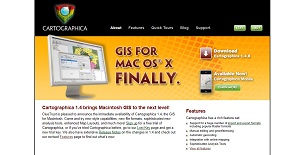
Cartographica is a Geographic Information System (GIS) software intended specifically for Mac OS. It is designed to store, retrieve, manage, analyze, and present different types of geographical and spatial data.
People who need to utilize geospatial resources can use Cartographica to create maps, examine findings, convert between formats, and even identify new characteristics. The software’s latest version, Cartographica 1.4.8, places emphasis on features that allow more convenient importation, exploration, analysis, and output. User reviews attest to its powerful tools that are highly functional yet easy to learn and fun to use.
Developed by software maker ClueTruse, Cartographica also has a mobile version for iOS devices, called CartoMobile.
Show MoreOverview of Cartographica Benefits
Cartographica has comprehensive file import functionalities to help users convert raw data into full-featured, professional-looking maps. It boasts of flexible importing capabilities that can work with georeferenced raster data, vector data from virtually any source, and even CSV text files.
The software has tools to easily obtain data from a Web Map Server or Web Feature Server and use it directly onto a map document. Users can avoid tedious work as Cartographica can even handle meticulous details such as matching the coordinate system to testing the boundaries. Graphics can also be warped to meet current CRS.
Cartographica can filter data fast with multi-variable searching and boolean operations. This helps reduce the time users spend on searching for materials. Users can also get more work done with simultaneous data and map browsing, with the ability to zoom and filter sections.
The software generates modern print layouts that pays special attention to details. Users can put different layers of scale bars, compasses, and legends, and add text notations. Multiple maps can also be placed on a page and displayed with different zoom levels, extents, and visible layers. Styling tools help define different map layers for a more sophisticated look. Cartographica allows users to create a new feature or directly edit an existing one with ease just by double-clicking and moving control points. Layer transparency also lets users create materials that see through one level of data to the next, with raster layer abilities to highlight important portions.
Cartographica also has a variety of functionalities that are useful in editing georeferencing information. From using a standard matrix, to changing Ground Control Points, to approximation, to controlling transparency, these tools help generate standout images.
Users do not need to worry about exploring geographical and spatial data. Cartographica’s Undo capabilities allow them to be more flexible when it comes to making geospatial materials.
Cartographica’s geocoding properties can take addresses from lists in text files, tables in databases, or vCards dropped on your map. This ensures that obtained data can be stored safely, for future use.
Show MoreOverview of Cartographica Features
- Adjustable file importing
- Online map service support
- Fast Filtering
- Modern Layout
- Versatile styles
- Direct editing
- Image georeferencing
- Flexible undo capabilities
- Layer transparency
- Simultaneous browsing of maps and data
- Comprehensive geocoding
- Advanced GPS support
- Access to direct database
- Intuitive projection management
- Thorough geospatial analysis
- Straightforward, functional navigation
Cartographica Position In Our Categories
Knowing that businesses have distinctive business-related wants, it is logical that they steer clear of buying an all-in-one, “perfect” solution. Still, it would be almost impossible to stumble on such application even among branded software systems. The practical thing to do should be to shortlist the varied main aspects which merit investigation like major features, price terms, technical skill competence of the employees, business size, etc. Next, you should follow through the research exhaustively. Browse over these Cartographica reviews and explore the other applications in your list in detail. Such comprehensive product investigation guarantee you weed out unfit apps and select the system that delivers all the function your business requires.
Position of Cartographica in our main categories:
TOP
50
Cartographica is one of the top 50 GIS Software products
If you are interested in Cartographica it might also be beneficial to check out other subcategories of GIS Software listed in our base of B2B software reviews.
It's important to note that almost no software in the GIS Software category will be an ideal solution able to meet all the requirements of different business types, sizes and industries. It may be a good idea to read a few Cartographica GIS Software reviews first as specific software can dominate just in a really narrow set of applications or be designed with a really specific type of industry in mind. Others can operate with an intention of being simple and intuitive and consequently lack complex features welcomed by more experienced users. You can also come across services that cater to a broad group of customers and give you a complex feature toolbox, however this in most cases comes at a higher cost of such a service. Make sure you're aware of your requirements so that you select a software that has all the elements you look for.
How Much Does Cartographica Cost?
Cartographica Pricing Plans:
Free Trial
Commercial rate
$495 one-time download
Academic and student pricing
$346.50 one-time download
Annual Student License
$99/year
What are Cartographica pricing details?
Cartographica Pricing Plans:
Free Trial
Commercial rate
$495 one-time download
Academic and student pricing
$346.50 one-time download
Annual Student License
$99/year
Cartographica offers several enterprise pricing packages to meet the needs of different users. Here are the details of each:
Commercial rate: $495 one-time download
Specialized pricing:
A. Academic and student pricing – $346.50 one-time download
– Available for individuals and organizations meeting certain criteria in order to prove eligibility as faculty, student, or staff of an approved and accredited degree-granting institution.
B. Annual Student License – $99/year
– The developer behind Cartographica offers an annual license for students enrolled in degree granting institutions. However, the license is locked to a particular machine.
User Satisfaction
Positive Social Media Mentions
50
Negative Social Media Mentions
0
We realize that when you decide to get a GIS Software it’s vital not only to find out how professionals rank it in their reviews, but also to discover if the actual people and companies that use these solutions are actually content with the product. Because of that need we’ve created our behavior-based Customer Satisfaction Algorithm™ that gathers customer reviews, comments and Cartographica reviews across a broad array of social media sites. The information is then presented in an easy to understand way indicating how many customers had positive and negative experience with Cartographica. With that information at hand you should be prepared to make an informed business decision that you won’t regret.
Video
Technical details
Devices Supported
- iPhone/iPad
- Mac
Deployment
- On Premise
Language Support
- English
Pricing Model
- One-time payment
- Annual Subscription
Customer Types
- Small Business
- Large Enterprises
- Medium Business
- Freelancers
What Support Does This Vendor Offer?
- phone
- live support
- training
- tickets
What integrations are available for Cartographica?
No information available.

Cartographica
is waiting for
your first review.

Write your own review of this product
ADD A REVIEWMore reviews from 0 actual users:


Join a community of 7,369 SaaS experts
Thank you for the time you take to leave a quick review of this software. Our community and review base is constantly developing because of experts like you, who are willing to share their experience and knowledge with others to help them make more informed buying decisions.
Sign in with LinkedIn
Why we require LinkedIn?
- Show the community that you're an actual user.
- We will only show your name and profile image in your review.
- You can still post your review anonymously.
OR
Sign in with company emailSign in with company email
Popular Cartographica Alternatives




Top Competitors To Cartographica By Price
Product name:
Price:



Trending GIS Software Reviews



6.4
100%


7.2
100%
Cartographica Comparisons
Product name:





Page last modified



Did you find this review useful?
Yes
No
Thank you for your feedback
How can we make this page better?
Unsure about this software?
FIND ALTERNATIVES
 Why is FinancesOnline free?