
- Home
- GIS Software
- SuperGIS Desktop

SuperGIS Desktop Review



What is SuperGIS Desktop?
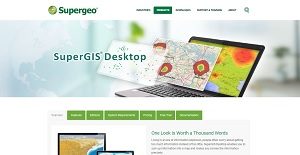
SuperGIS Desktop is a geographic information system (GIS) platform that sums up comprehensive spatial or geographic data into a map in order to present condensed yet accurate information. Developed by SuperGeoTek, the application is intended for Windows users from the field of transportation, urban planning, real estate, public health, geology, ecology, hydrology, and other similar industries.
SuperGIS Desktop has tools to manage assets, distribute resources, analyze spatial patterns, and create data.
It reduces information overload commonly experienced when using GIS programs by helping users identify differences and determine patterns.
The all-in-one spatial analysis software also helps with proximity analysis, overlay analysis, extract analysis, projections transformation, table processing, georeferencing, database management and more.
Show MoreOverview of SuperGIS Desktop Benefits
SuperGIS Desktop is integrated with a variety of add-ons and extensions to aid users in exploring and analyzing geospatial data. Its diverse capabilities help recognize unknown relations, estimate values, and find patterns.
With SuperGIS Desktop’s Process Designer, users can create and automate customized geospatial workflows. It is also capable of batch processing so that complex projects and reports become less tedious to do and can be completed much faster. Users can also publish workflows online in order to make them accessible anywhere that there is a web-enabled device.
SuperGIS has a Symbol Composer that allows users to import and manipulate customized images into their maps. The customized symbols can be reused even in other devices since they can be saved individually.
SuperGIS Desktop connects to the world by supporting OpenStreetMap and Open Geospatial Consortium (OGC) services. These external services provide users with more information to make their GIS projects more complete.
SuperGIS Desktop can integrate surveying data with COGO and Land Parcel tools. In addition to these, LiDAR tools allows users to edit and present data both in 2D and 3D environments.
Organizations can manage geo-data more effectively by allowing multiple users to edit simultaneously. This is via SuperGIS Desktop’s support for different spatial databases, such as Personal Geodatabase, SQL Server, Oracle Spatial, and PostgreSQL.
Using SuperGIS Desktop’s Network Analyst feature, users can identify their best delivery route. The feature converts raw data into network information to help transportation planners determine the shortest route to assign vehicles.
Show MoreOverview of SuperGIS Desktop Features
- Geospatial Analysis
- Map Creation
- Process Designer
- 2D and 3D Imagery
- Image Exporting
- Image Management
- Symbol Composer
- Supports OpenStreetMap and OGC Services
- Supports Different Spatial Databases
- Integrates Surveying Data
- Network Analyst
SuperGIS Desktop Position In Our Categories
Keeping in mind companies have unique business demands, it is logical they abstain from getting an all-in-one, ideal solution. Be that as it may, it would be almost impossible to try to stumble on such application even among recognizable software systems. The practicable step to do would be to set down the several major factors which necessitate examination like important features, price terms, technical skill aptitude of staff, business size, etc. Thereafter, you must perform your product research through and through. Have a look at some SuperGIS Desktop analyses and explore the other software options in your list in detail. Such detailed product research ascertain you take out unsuitable apps and select the one which includes all the features your company requires for optimal results.
Position of SuperGIS Desktop in our main categories:
TOP
50
SuperGIS Desktop is one of the top 50 GIS Software products
If you are considering SuperGIS Desktop it could also be sensible to investigate other subcategories of GIS Software gathered in our database of B2B software reviews.
There are popular and widely used solutions in each software group. But are they automatically the best fit for your company’s special wants? A market-leading software product may have thousands of users, but does it present what you need? For this reason, do not blindly shell out for popular systems. Read at least a few SuperGIS Desktop GIS Software reviews and think about the factors that you want in the software such as the fees, main tools, available integrations etc. Then, choose a few systems that fit your requirements. Try out the free trials of these products, read online comments, get information from the seller, and do your investigation systematically. This exhaustive groundwork is sure to aid you select the most excellent software platform for your organization’s special requirements.
How Much Does SuperGIS Desktop Cost?
SuperGIS Desktop Pricing Plans:
Free Trial
Quote-based Plan
Contact vendor
What are SuperGIS Desktop pricing details?
SuperGIS Desktop Pricing Plans:
Free Trial
Quote-based Plan
Contact vendor
SuperGeoTek does not publish enterprise pricing information for SuperGIS Desktop online. Interested parties may contact Supergeo Resellers for licensing options and pricing details that are dependent on their organization’s needs.
User Satisfaction
Positive Social Media Mentions
2
Negative Social Media Mentions
0
We know that when you make a decision to buy a GIS Software it’s important not only to see how professionals rank it in their reviews, but also to check if the actual people and enterprises that bought these solutions are actually satisfied with the service. Because of that need we’ve designer our behavior-based Customer Satisfaction Algorithm™ that gathers customer reviews, comments and SuperGIS Desktop reviews across a broad range of social media sites. The information is then displayed in a simple to understand format revealing how many users had positive and negative experience with SuperGIS Desktop. With that information at hand you will be ready to make an informed purchasing choice that you won’t regret.
Video
Technical details
Devices Supported
- Windows
Deployment
- On Premise
Language Support
- English
Pricing Model
- Quote-based
Customer Types
- Small Business
- Large Enterprises
- Medium Business
What Support Does This Vendor Offer?
- phone
- live support
- training
- tickets
What integrations are available for SuperGIS Desktop?
SuperGIS Desktop currently supports OpenStreetMap as basemaps and various OGC map service standards.
The application also supports various spatial databases, such as Personal Geodatabase, SQL Server, Oracle Spatial, and PostgreSQL.

SuperGIS Desktop
is waiting for
your first review.

Write your own review of this product
ADD A REVIEWMore reviews from 0 actual users:


Join a community of 7,369 SaaS experts
Thank you for the time you take to leave a quick review of this software. Our community and review base is constantly developing because of experts like you, who are willing to share their experience and knowledge with others to help them make more informed buying decisions.
Sign in with LinkedIn
Why we require LinkedIn?
- Show the community that you're an actual user.
- We will only show your name and profile image in your review.
- You can still post your review anonymously.
OR
Sign in with company emailSign in with company email
Popular SuperGIS Desktop Alternatives




Top Competitors To SuperGIS Desktop By Price
Product name:
Price:


by quote


by quote

by quote
Trending GIS Software Reviews


SuperGIS Desktop Comparisons
Product name:



Page last modified



Did you find this review useful?
Yes
No
Thank you for your feedback
How can we make this page better?
Unsure about this software?
FIND ALTERNATIVES
 Why is FinancesOnline free?