
- Home
- Virtual Desktop Infrastructure Software
- Citrix Virtual Apps & Desktops

Citrix Virtual Apps & Desktops Review



What is Citrix Virtual Apps & Desktops?
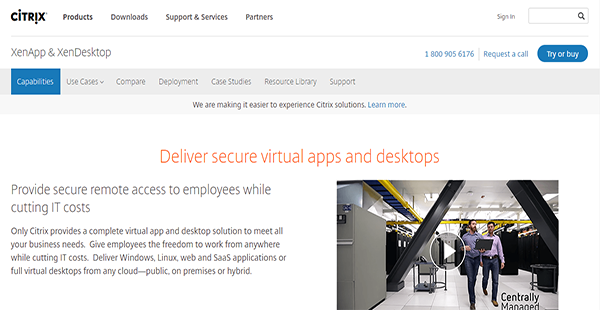
Citrix Virtual Apps and Desktops is a remote access solution that delivers virtual apps and desktops from any cloud. It affords your employees the mobility they need to work anywhere and even as they continually move between internal and external networks. Despite that, the solution can still help you minimize your IT expenses.
Citrix Virtual Apps and Desktops also has the ability to adapt to any screen size. As more people switch to portable devices such as tablets, Citrix has seen to it that their applications remain user-friendly regardless of the platform. Thus, employees can enjoy supreme navigability on their preferred devices.
Moreover, Citrix Virtual Apps and Desktops provides an avenue for seamless business communication. It has the ability to virtualize Skype for Business and other unified communication solutions to give you and your employees a secure mode for collaboration.
Show MoreOverview of Citrix Virtual Apps & Desktops Benefits
Top-Notch Simplicity
Despite its powerful capabilities, Citrix Virtual Apps and Desktops remains a simple solution for end-users. It delivers a simple and consistent user experience regardless of the devices and screen size, even if it is a ChromeOS-based machine. More than that, it has an automated client configuration that provides users with the best connection path without having them tinker with settings.
Excellent Graphics Performance
Citrix Virtual Apps and Desktops has a tight support for graphics acceleration for Intel, AMD, and NVIDIA GPUs. With this, employees who require heavy graphics lifting can perform their tasks seamlessly without sacrificing performance and quality.
Virtualized Communications
Aside from Skype for Business, Citrix Virtual Apps and Desktops can virtualize Cisco Jabber and Avaya One-X. These unified communication solutions provide you with the avenue to connect collaborators in one platform for centralized cooperation.
Segregated High-Risk Traffic
Ransomware, malware, and other malicious executables can find their way to an enterprise network through internet browsers. That is why Citrix Virtual Apps and Desktops protects your business by keeping web browsing activities away from the internal network. This way, users remain able to access internet browsers without opening the network to security risks.
BYOD Management
Aside from delivering virtual desktops and apps to in-office computers, Citrix Virtual Apps and Desktops can also deploy to Windows and Mac laptops owned by employees. Yet management remains simple as the solution can still efficiently deploy, update, and manage these virtual desktops. On top of that, the solution keeps your company’s data secure with its security features.
Show MoreOverview of Citrix Virtual Apps & Desktops Features
- Virtual Desktops
- Linux Virtual Desktop & Apps
- Virtualized Communications Apps
- Graphic-Intensive 3D Apps
- Browser-Based Attacks Protection
- Single Management Console
- Centralized Security
- Single Image Provisioning Technology
- Remote PC Access
Citrix Virtual Apps & Desktops Position In Our Categories
Because businesses have distinctive business-related requirements, it is rational they steer clear of deciding on a one-size-fits-all, “perfect” software product. Needless to say, it is troublesome to try to pinpoint such a software product even among sought-after software products. The efficient step to undertake can be to jot down the several significant functions which entail scrutiny including essential features, plans, skill ability of staff members, organizational size, etc. After which, you should do the research fully. Have a look at some of these Citrix Virtual Apps & Desktops review articles and check out each of the software products in your shortlist in detail. Such all-encompassing product research guarantee you weed out unsuitable software solutions and pay for the one that meets all the benefits your business requires.
Position of Citrix Virtual Apps & Desktops in our main categories:
TOP
10
Citrix Virtual Apps & Desktops is one of the top 10 Virtual Desktop Infrastructure Software products
If you are interested in Citrix Virtual Apps & Desktops it may also be beneficial to examine other subcategories of Virtual Desktop Infrastructure Software gathered in our database of B2B software reviews.
There are well-liked and widely used solutions in each software group. But are they automatically the best fit for your enterprise’s specific requirements? A trendy software application may have thousands of users, but does it provide what you require? For this reason, do not blindly spend on popular systems. Read at least a few Citrix Virtual Apps & Desktops Virtual Desktop Infrastructure Software reviews and consider the factors that you want in the software such as the fees, main functionality, available integrations etc. Then, shortlist a few systems that fit your requirements. Try out the free trials of these products, read online reviews, get information from the maker, and do your homework systematically. This in-depth groundwork is sure to help you select the finest software application for your company’s special requirements.
How Much Does Citrix Virtual Apps & Desktops Cost?
Citrix Virtual Apps & Desktops Pricing Plans:
Free Trial
VDI Edition-Concurrent User
$210.00/one-time payment
VDI Edition-User/Device
$102.00/one-time payment
Enterprise Edition-Concurrent User
$535.00/one-time payment
Enterprise Edition-User/Device
$240.00/one-time payment
Platinum Edition-Concurrent User
$750.00/one-time payment
Platinum Edition-User/Device
$375.00/one-time payment
What are Citrix Virtual Apps & Desktops pricing details?
Citrix Virtual Apps & Desktops Pricing Plans:
Free Trial
VDI Edition-Concurrent User
$210.00/one-time payment
VDI Edition-User/Device
$102.00/one-time payment
Enterprise Edition-Concurrent User
$535.00/one-time payment
Enterprise Edition-User/Device
$240.00/one-time payment
Platinum Edition-Concurrent User
$750.00/one-time payment
Platinum Edition-User/Device
$375.00/one-time payment
Citrix Virtual Apps and Desktops has three levels of enterprise pricing with two user modes: concurrent user or user/device. The prices are indicated below and are based on a single license only.
VDI Edition
- Concurrent User – $210.00/one-time payment
- User/Device – $102.00/one-time payment
Enterprise Edition
- Concurrent User – $535.00/one-time payment
- User/Device – $240.00/one-time payment
Platinum Edition
- Concurrent User – $750.00/one-time payment
- User/Device – $375.00/one-time payment
When you acquire a license for XenDesktop, you are able to access the following features:
- HDX Technology
- Published Applications
- Single Management Console
- Centralized Security
- Single Image Provisioning Technology
- VDI Desktops
- Remote PC Access
User Satisfaction
Positive Social Media Mentions
162
Negative Social Media Mentions
3
We are aware that when you decide to purchase a Virtual Desktop Infrastructure Software it’s crucial not only to learn how experts rank it in their reviews, but also to discover if the actual people and companies that bought this software are genuinely content with the service. That’s why we’ve devised our behavior-based Customer Satisfaction Algorithm™ that gathers customer reviews, comments and Citrix Virtual Apps & Desktops reviews across a broad array of social media sites. The data is then displayed in an easy to understand form showing how many clients had positive and negative experience with Citrix Virtual Apps & Desktops. With that information at your disposal you will be prepared to make an informed buying choice that you won’t regret.
Video
Technical details
Devices Supported
- Windows
- Android
- iPhone/iPad
- Mac
- Web-based
Deployment
- Cloud Hosted
- On Premise
Language Support
- English
Pricing Model
- One-time payment
Customer Types
- Small Business
- Large Enterprises
- Medium Business
What Support Does This Vendor Offer?
- phone
- live support
- training
- tickets
What integrations are available for Citrix Virtual Apps & Desktops?
No information available.

Citrix Virtual Apps & Desktops
is waiting for
your first review.

Write your own review of this product
ADD A REVIEWMore reviews from 0 actual users:


Join a community of 7,369 SaaS experts
Thank you for the time you take to leave a quick review of this software. Our community and review base is constantly developing because of experts like you, who are willing to share their experience and knowledge with others to help them make more informed buying decisions.
Sign in with LinkedIn
Why we require LinkedIn?
- Show the community that you're an actual user.
- We will only show your name and profile image in your review.
- You can still post your review anonymously.
OR
Sign in with company emailSign in with company email
Popular Citrix Virtual Apps & Desktops Alternatives


Top Competitors To Citrix Virtual Apps & Desktops By Price
Product name:
Price:



Trending Virtual Desktop Infrastructure Software Reviews




Citrix Virtual Apps & Desktops Comparisons
Product name:


Page last modified



Did you find this review useful?
Yes
No
Thank you for your feedback
How can we make this page better?
Unsure about this software?
FIND ALTERNATIVES
 Why is FinancesOnline free?