
- Home
- Virtual Desktop Infrastructure Software
- Citrix Virtual Apps & Desktops

Citrix Virtual Apps & Desktops Review



What is Citrix Virtual Apps & Desktops?
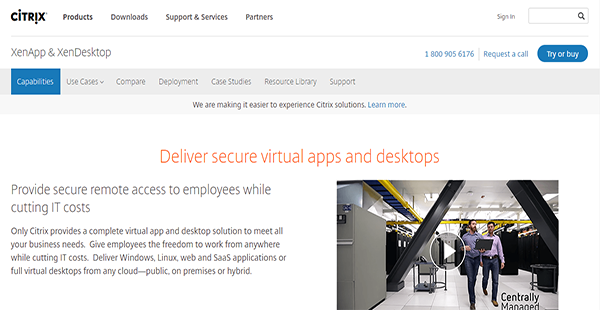
Citrix Virtual Apps and Desktops is a remote access solution that delivers virtual apps and desktops from any cloud. It affords your employees the mobility they need to work anywhere and even as they continually move between internal and external networks. Despite that, the solution can still help you minimize your IT expenses.
Citrix Virtual Apps and Desktops also has the ability to adapt to any screen size. As more people switch to portable devices such as tablets, Citrix has seen to it that their applications remain user-friendly regardless of the platform. Thus, employees can enjoy supreme navigability on their preferred devices.
Moreover, Citrix Virtual Apps and Desktops provides an avenue for seamless business communication. It has the ability to virtualize Skype for Business and other unified communication solutions to give you and your employees a secure mode for collaboration.
Show MoreOverview of Citrix Virtual Apps & Desktops Benefits
Top-Notch Simplicity
Despite its powerful capabilities, Citrix Virtual Apps and Desktops remains a simple solution for end-users. It delivers a simple and consistent user experience regardless of the devices and screen size, even if it is a ChromeOS-based machine. More than that, it has an automated client configuration that provides users with the best connection path without having them tinker with settings.
Excellent Graphics Performance
Citrix Virtual Apps and Desktops has a tight support for graphics acceleration for Intel, AMD, and NVIDIA GPUs. With this, employees who require heavy graphics lifting can perform their tasks seamlessly without sacrificing performance and quality.
Virtualized Communications
Aside from Skype for Business, Citrix Virtual Apps and Desktops can virtualize Cisco Jabber and Avaya One-X. These unified communication solutions provide you with the avenue to connect collaborators in one platform for centralized cooperation.
Segregated High-Risk Traffic
Ransomware, malware, and other malicious executables can find their way to an enterprise network through internet browsers. That is why Citrix Virtual Apps and Desktops protects your business by keeping web browsing activities away from the internal network. This way, users remain able to access internet browsers without opening the network to security risks.
BYOD Management
Aside from delivering virtual desktops and apps to in-office computers, Citrix Virtual Apps and Desktops can also deploy to Windows and Mac laptops owned by employees. Yet management remains simple as the solution can still efficiently deploy, update, and manage these virtual desktops. On top of that, the solution keeps your company’s data secure with its security features.
Show MoreOverview of Citrix Virtual Apps & Desktops Features
- Virtual Desktops
- Linux Virtual Desktop & Apps
- Virtualized Communications Apps
- Graphic-Intensive 3D Apps
- Browser-Based Attacks Protection
- Single Management Console
- Centralized Security
- Single Image Provisioning Technology
- Remote PC Access
Citrix Virtual Apps & Desktops Position In Our Categories
Knowing that companies have unique business needs, it is only sensible that they avoid going for a one-size-fits-all, ”best” software system. However, it is hard to try to come across such an app even among branded software systems. The rational step to do would be to write the various main aspects which call for a scrutiny including crucial features, plans, skill competence of staff members, company size, etc. After which, you must perform the research to a full extent. Have a look at these Citrix Virtual Apps & Desktops review articles and scrutinize each of the software options in your list more closely. Such well-rounded research can make sure you weed out ill-fitting software solutions and pay for the one which delivers all the features your company requires.
Position of Citrix Virtual Apps & Desktops in our main categories:
TOP
10
Citrix Virtual Apps & Desktops is one of the top 10 Virtual Desktop Infrastructure Software products
If you are considering Citrix Virtual Apps & Desktops it may also be sensible to analyze other subcategories of Virtual Desktop Infrastructure Software listed in our base of SaaS software reviews.
Each enterprise has different needs and requires a system that can be personalized for their size, type of employees and customers, and the particular industry they are in. For these reasons, no software can provide perfect features out-of-the-box. When you try to find a software product, first be sure what you need it for. Read some Citrix Virtual Apps & Desktops Virtual Desktop Infrastructure Software reviews and ask yourself do you want basic functionality or do you need advanced tools? Are there any industry-specific tools that you are searching for? Obtain the answers to these queries to assist your search. There are plenty of factors that you need to consider and these include your budget, specific business wants, your company size, integration requirements etc. Take your time, use a few free trials, and finally choose the platform that provides all that you require to enhance your firm efficiency and productivity.
How Much Does Citrix Virtual Apps & Desktops Cost?
Citrix Virtual Apps & Desktops Pricing Plans:
Free Trial
VDI Edition-Concurrent User
$210.00/one-time payment
VDI Edition-User/Device
$102.00/one-time payment
Enterprise Edition-Concurrent User
$535.00/one-time payment
Enterprise Edition-User/Device
$240.00/one-time payment
Platinum Edition-Concurrent User
$750.00/one-time payment
Platinum Edition-User/Device
$375.00/one-time payment
What are Citrix Virtual Apps & Desktops pricing details?
Citrix Virtual Apps & Desktops Pricing Plans:
Free Trial
VDI Edition-Concurrent User
$210.00/one-time payment
VDI Edition-User/Device
$102.00/one-time payment
Enterprise Edition-Concurrent User
$535.00/one-time payment
Enterprise Edition-User/Device
$240.00/one-time payment
Platinum Edition-Concurrent User
$750.00/one-time payment
Platinum Edition-User/Device
$375.00/one-time payment
Citrix Virtual Apps and Desktops has three levels of enterprise pricing with two user modes: concurrent user or user/device. The prices are indicated below and are based on a single license only.
VDI Edition
- Concurrent User – $210.00/one-time payment
- User/Device – $102.00/one-time payment
Enterprise Edition
- Concurrent User – $535.00/one-time payment
- User/Device – $240.00/one-time payment
Platinum Edition
- Concurrent User – $750.00/one-time payment
- User/Device – $375.00/one-time payment
When you acquire a license for XenDesktop, you are able to access the following features:
- HDX Technology
- Published Applications
- Single Management Console
- Centralized Security
- Single Image Provisioning Technology
- VDI Desktops
- Remote PC Access
User Satisfaction
Positive Social Media Mentions
162
Negative Social Media Mentions
3
We realize that when you make a decision to buy a Virtual Desktop Infrastructure Software it’s vital not only to find out how experts rank it in their reviews, but also to find out if the real users and businesses that purchased this software are indeed content with the service. That’s why we’ve created our behavior-based Customer Satisfaction Algorithm™ that collects customer reviews, comments and Citrix Virtual Apps & Desktops reviews across a broad range of social media sites. The data is then presented in a simple to digest form showing how many customers had positive and negative experience with Citrix Virtual Apps & Desktops. With that information at hand you will be ready to make an informed buying decision that you won’t regret.
Video
Technical details
Devices Supported
- Windows
- Android
- iPhone/iPad
- Mac
- Web-based
Deployment
- Cloud Hosted
- On Premise
Language Support
- English
Pricing Model
- One-time payment
Customer Types
- Small Business
- Large Enterprises
- Medium Business
What Support Does This Vendor Offer?
- phone
- live support
- training
- tickets
What integrations are available for Citrix Virtual Apps & Desktops?
No information available.

Citrix Virtual Apps & Desktops
is waiting for
your first review.

Write your own review of this product
ADD A REVIEWMore reviews from 0 actual users:


Join a community of 7,369 SaaS experts
Thank you for the time you take to leave a quick review of this software. Our community and review base is constantly developing because of experts like you, who are willing to share their experience and knowledge with others to help them make more informed buying decisions.
Sign in with LinkedIn
Why we require LinkedIn?
- Show the community that you're an actual user.
- We will only show your name and profile image in your review.
- You can still post your review anonymously.
OR
Sign in with company emailSign in with company email
Popular Citrix Virtual Apps & Desktops Alternatives




Top Competitors To Citrix Virtual Apps & Desktops By Price
Product name:
Price:




Trending Virtual Desktop Infrastructure Software Reviews


Citrix Virtual Apps & Desktops Comparisons
Product name:


Page last modified



Did you find this review useful?
Yes
No
Thank you for your feedback
How can we make this page better?
Unsure about this software?
FIND ALTERNATIVES
 Why is FinancesOnline free?