

Infolog WMS Review


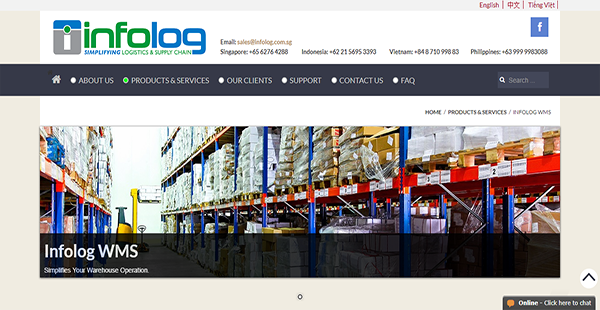

What is Infolog WMS?
Infolog WMS is a web-based warehouse management solution that is flexible and has a broad array of capabilities. It serves a wide range of industries in Southeast Asia and in other regions to help them with their time-critical logistics and distribution processes.
Aside from providing you with a host of beneficial features for in-house management, Infolog WMS also offers 3PL functionalities such as billing. Additionally, the software support multiple entities and multiple owners for maximum flexibility.
Moreover, Infolog WMS offers prompt support to customers throughout the world. You can contact them through email and phone if there is an Infolog presence in your country. If not, you can always get in touch for assistance through the website’s chat box or through Skype. This means that regardless of your location, you can receive aid that can minimize the impacts of technical and other kinds of issues on your business.
Show MoreOverview of Infolog WMS Benefits
Advanced Shipping Notification
Advanced Shipping Notification is a new concept in logistics brought about by technological innovations in the industry that Infolog WMS has incorporated. With this electronic document, you can alert your customers to the pending shipment of their orders. This allows you to be transparent fully with your clientele, such as the physical characteristics of the ordered products to avoid surprises and complications.
Monitored Repacking
If you purchase goods from your suppliers in bulk, chances are you need to repack them to suit your business model. Infolog WMS aids you in keeping track of packages that have been modified into bundles of different quantities. This lets you ensure that not even a single unit is unaccounted for after repacking so your business does not suffer a loss in revenue.
Multiple Tracking Options
Infolog WMS enables you to track and trace your inventory in different ways. It can be by lot, serial number, product characteristics, and even expiry dates. The latter is especially beneficial if you have perishable items in your warehouse. This way, you can remove consumables past their best by date to ensure that you only deliver fresh and safe products to your customers.
Equipment Integration
You can increase the speed of workflow cycles in your warehouse with Infolog WMS. The software supports integrations with different types of equipment that make it easier for your personnel to manage inventory. A couple of examples are the barcode scanner and the RFID reader. These expedite the scanning of items and allow your workers to focus on order fulfillment and other critical tasks.
3PL Capabilities
Infolog WMS may be designed for one owner but it does support third-party logistics. It has a billing function dedicated for that to silo it from other purposes. Additionally, the software has multi-ownership and multi-tenancy for flexibility and expansion.
Show MoreOverview of Infolog WMS Features
- Advanced Shipping Notification
- Expected & Blind Receiving
- Inventory Management
- Repacking
- Loose Picking & Replenishment
- Barcode Scanner Support
- Multi-Mode Item Tracking
- Dynamic Allocation Type
- Put-Away Strategy
- Cycle Count
- 3PL Activities Billing
- Bonded Warehouse & Reporting
- Warehouse Layout Graphical View
- Document & Image Management
- Multiple Entities & Multi-Ownership Support
Infolog WMS Position In Our Categories
Because businesses have their own business wants, it is only sensible that they abstain from selecting an all-in-one, ”best” solution. Still, it would be futile to try to stumble on such an app even among recognizable software solutions. The correct thing to do is to list the varied critical factors that demand deliberation such as major features, pricing, skill capability of the users, company size, etc. Next, you should double down on the product research fully. Have a look at some Infolog WMS review articles and check out each of the software solutions in your list in detail. Such detailed product research ensure you take out mismatched software products and choose the system that provides all the features your company requires.
Position of Infolog WMS in our main categories:
TOP
50
Infolog WMS is one of the top 50 Warehouse Management Software products
If you are interested in Infolog WMS it may also be beneficial to investigate other subcategories of Warehouse Management Software collected in our database of SaaS software reviews.
Companies have different needs and requirements and no software application can be perfect in such a situation. It is pointless to try to find a perfect out-of-the-box software app that meets all your business needs. The wise thing to do would be to modify the system for your specific wants, worker skill levels, finances, and other elements. For these reasons, do not rush and pay for well-publicized trendy systems. Though these may be widely used, they may not be the ideal fit for your unique wants. Do your groundwork, look into each short-listed system in detail, read a few Infolog WMS Warehouse Management Software reviews, speak to the maker for clarifications, and finally select the app that presents what you require.
How Much Does Infolog WMS Cost?
Infolog WMS Pricing Plans:
Free Trial
Quote-based Plan
Contact vendor
What are Infolog WMS pricing details?
Infolog WMS Pricing Plans:
Free Trial
Quote-based Plan
Contact vendor
Infolog WMS is a lightweight, web-based client for warehouse management. If you wish to learn more about the software and to enquire about its enterprise pricing, you can get in touch with the sales team by phone, email, or chat.
User Satisfaction
Positive Social Media Mentions
0
Negative Social Media Mentions
0
We are aware that when you make a decision to get a Warehouse Management Software it’s vital not only to find out how professionals evaluate it in their reviews, but also to check whether the actual people and businesses that use it are actually satisfied with the service. That’s why we’ve designer our behavior-based Customer Satisfaction Algorithm™ that aggregates customer reviews, comments and Infolog WMS reviews across a broad range of social media sites. The data is then featured in a simple to understand form showing how many people had positive and negative experience with Infolog WMS. With that information available you should be prepared to make an informed business choice that you won’t regret.
Technical details
Devices Supported
- Windows
- Mac
- Web-based
Deployment
- Cloud Hosted
Language Support
- English
- Chinese
Pricing Model
- Quote-based
Customer Types
- Small Business
- Large Enterprises
- Medium Business
What Support Does This Vendor Offer?
- phone
- live support
- training
- tickets
What integrations are available for Infolog WMS?
Infolog WMS currently does not have integrations with third-party applications. However, it does support connections with the following equipment:
- RF Handheld Barcode Scanner
- RFID Reader & Antenna
- Pick-to-Light Equipment
- Pick-to-Voice Technology
If you require additional information about integrations, get in touch with the support team.
Infolog WMS User Reviews
Infolog WMS average rating:
5/5
Overall impression
5/5
Customer Support
4/5
Value for Money
4/5
Ease of Use
Write your own review of this product
ADD A REVIEWThe most favorable review

PROS: Robust and easily customisable to suits your operational needs
CONS: Respond on non critical follow up can be better
The least favorable review
PROS: Clean layout, easy to update, user friendly purchase order and sales order setup, multiple ways of tracking and reviewing product/customer history, dependable program for everyday use, quick, friendly, and thorough customer service responses, active community of users to share and solve issues (and issues do get solved!), you get benefits out of the program in proportion to the information that you put into it. Especially, I like the team of people that built it. I like that they genuinely care about my issues. And the quality of the software reflects the solid engineering behind it.
CONS: Still needs some more robustness especially with stock movements and history reports.
More reviews from 3 actual users:
Sort by:
Latest
- Latest
- Most useful
- Most positive
- Most negative
More than what you paid for
Read full review >
5/5
Overall impression
4/5
Customer Support
5/5
Value for Money
4/5
Ease of Use
Published on: 19.11.2021
Company Size: More than 100 Employees
Industry: Logistics and Supply Chain
PROS: - Simple to use - Offer many features for warehouse operation - Affordable - Top notch support from their customer service team
CONS: The interface and report layout are quite cumbersome, hence make it hard to find the information you needs sometimes
It’s great!
Read full review >
4/5
Overall impression
5/5
Customer Support
4/5
Value for Money
3/5
Ease of Use
Published on: 09.02.2021
Company Size: 51-100 Employees
Industry: Warehousing
PROS: Clean layout, easy to update, user friendly purchase order and sales order setup, multiple ways of tracking and reviewing product/customer history, dependable program for everyday use, quick, friendly, and thorough customer service responses, active community of users to share and solve issues (and issues do get solved!), you get benefits out of the program in proportion to the information that you put into it. Especially, I like the team of people that built it. I like that they genuinely care about my issues. And the quality of the software reflects the solid engineering behind it.
CONS: Still needs some more robustness especially with stock movements and history reports.
Robust system with competitive price
Read full review >
5/5
Overall impression
4/5
Customer Support
5/5
Value for Money
5/5
Ease of Use
Published on: 27.05.2019
Company Size: More than 100 Employees
Industry: Logistics and Supply Chain
PROS: Robust and easily customisable to suits your operational needs
CONS: Respond on non critical follow up can be better


Join a community of 7,369 SaaS experts
Thank you for the time you take to leave a quick review of this software. Our community and review base is constantly developing because of experts like you, who are willing to share their experience and knowledge with others to help them make more informed buying decisions.
Sign in with LinkedIn
Why we require LinkedIn?
- Show the community that you're an actual user.
- We will only show your name and profile image in your review.
- You can still post your review anonymously.
OR
Sign in with company emailSign in with company email
Popular Infolog WMS Alternatives





Top Competitors To Infolog WMS By Price
Product name:
Price:





Trending Warehouse Management Software Reviews





Infolog WMS Comparisons
Product name:









Infolog WMS user reviews
More than what you paid for
Read full review >
5/5
Overall impression
4/5
Customer Support
5/5
Value for Money
4/5
Ease of Use
Published on: 19.11.2021
Company Size: More than 100 Employees
Industry: Logistics and Supply Chain
It’s great!
Read full review >
4/5
Overall impression
5/5
Customer Support
4/5
Value for Money
3/5
Ease of Use
Published on: 09.02.2021
Company Size: 51-100 Employees
Industry: Warehousing
Robust system with competitive price
Read full review >
5/5
Overall impression
4/5
Customer Support
5/5
Value for Money
5/5
Ease of Use
Published on: 27.05.2019
Company Size: More than 100 Employees
Industry: Logistics and Supply Chain

Page last modified



Did you find this review useful?
Yes
No
Thank you for your feedback
How can we make this page better?
Unsure about this software?
FIND ALTERNATIVES
 Why is FinancesOnline free?