
- Home
- Backup Software
- IvyBackup

IvyBackup Review



What is IvyBackup?
IvyBackup is a smart backup solutionthat allows users to perform fast and simple backups of their files in seconds. It comes with a user-friendly interface and presents no difficulty in usage, even for novice users.
A few clicks and IvyBack up has all the user’s files backed up and secure. The software automatically uploads the backup files to a cloud-based storage which users can access anytime.
With IvyBackUp, users are able to schecule simple and complicated backup tasks, configure and add filters to ensure that the system create backups of files that are specified or fall within the parameters.
Show MoreOverview of IvyBackup Benefits
IvyBackup creates backups of your files so fast that you never have to waste time creating backups ever again. A few clicks and the software has all your files backed up, whether simple or complex. It then automatically stows them in the cloud, so that means you never have to dedicate precious space in your system for storage. And since it’s in the cloud, you can access your backups anytime from anywhere.
Among its advantages is ease of use. IvyBackup is extremely friendly and easy to use. It is not a complicated platform and novice users will find it quick to learn and use right off the bat.
You can also configure IvyBackup to create backups of specific files and not the whole database. By only choosing to back up certain files, IvyBackup grants you total control of your files, saving you valuable time and effort that you can channel elsewhere.
Not only is IvyBackup powerful, it is also extremely lightweight. As a cloud-based platform, it doesn’t require you to invest in additional hardware. The software is totally optimized for low resource consumption, providing you with blazingly fast service without slowing you and your system down.
Whenever you restore your backups, IvyBackup checks your data to ensure that they are not corrupted, modified, or infected by malware prior to restoration. Even restoring your files is easy and doesn’t take much time at all.
Show MoreOverview of IvyBackup Features
- Instant Backups
- Integrated Backup Integrity Checks (hash and CRC checks)
- File/Folder filters
- Extensive Logging (text and PDF logs)
- Pre/Post Backup Actions
- Wholly Customizable Internal Scheduler
- Command line options
- Silent ModeBackup Compression Support
- Backup to network and removable disks
- Import/Export Backup Jobs
- Backup Open/Locked/In use files
- Discreet Alerts
- Windows Explorer Integration
- Cloud Integration
- Backup Tests
- Backup Manager
- User-friendly interface
- Upload backups to the cloud
- Full, differential and incremental backups
- Fast backup restore
- Single-click backups
What Problems Will IvyBackup Solve?
1. Backup Tests
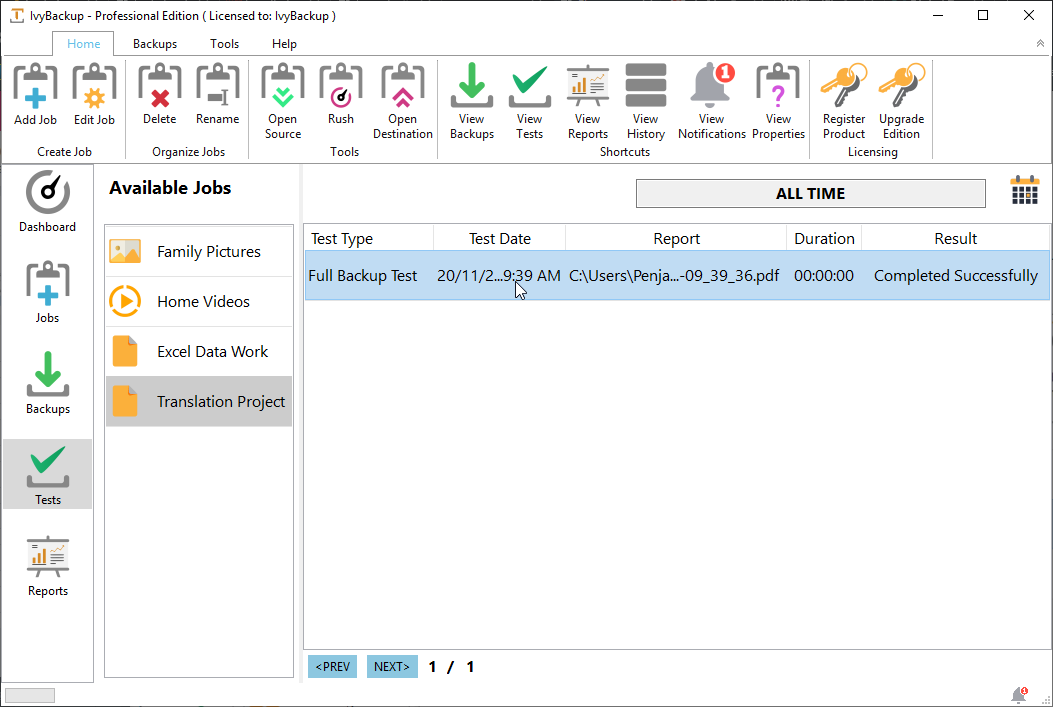
Small businesses often face serious difficulties upon knowing that their backups have failed or are invalid after following a regular backup schedule. These issues are due to many factors including malware, attackers etc. Unlike other services, you can schedule backup tests using IvyBackup to ensure your backups are always reliable.
2. Visual Backup Management
Backup software solutions are often overly complex with unnecessary restrictions and requirements that difficult to understand particularly for non-technical users. IvyBackup is extremely user-friendly. Professionals and individuals alike are able to make backups in seconds upon installation. The user interface is modern, intuitive and allows for an extremely productive workflow.
3. Cloud Storage Support
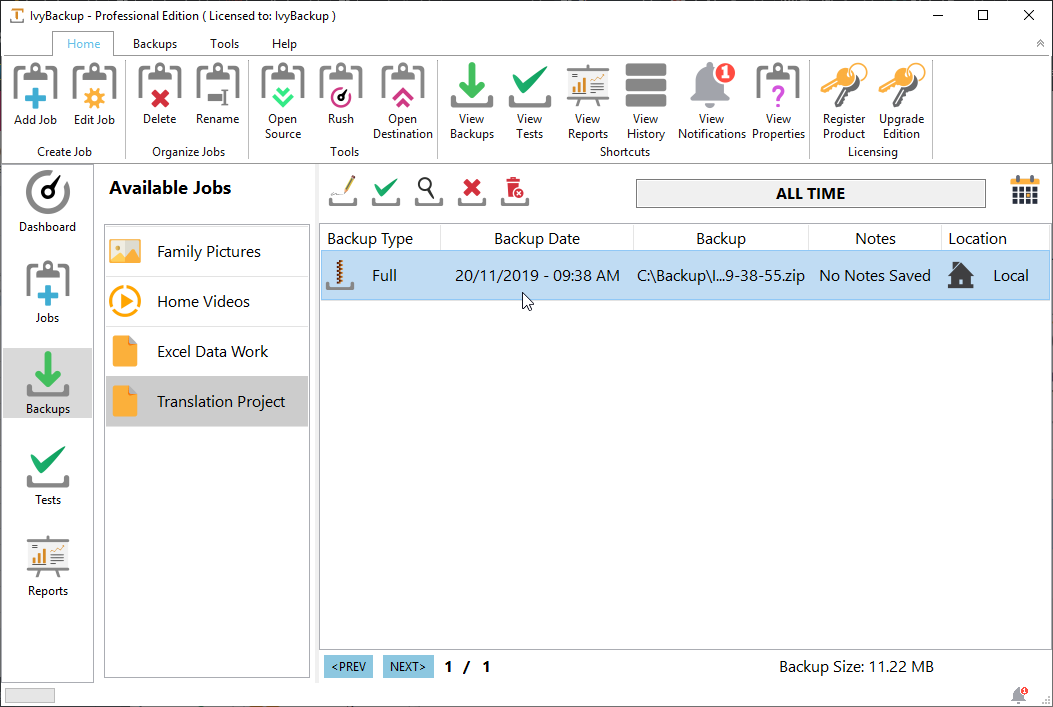
Uploading backups to the cloud allows users to store their backups in several different locations for added protection.
IvyBackup Position In Our Categories
Bearing in mind businesses have specific business-related demands, it is only logical they avoid settling on an all-encompassing, “perfect” business program. Nonetheless, it would be futile to try to stumble on such an app even among well-known software systems. The practicable step to do is to write the different vital aspects which need deliberation including essential features, pricing, skill levels of staff members, company size, etc. Next, you should perform the research thoroughly. Browse through some IvyBackup evaluations and check out the other solutions in your shortlist in detail. Such comprehensive product investigation ensure you steer clear of mismatched apps and choose the system which offers all the features your company requires.
Position of IvyBackup in our main categories:
TOP
50
IvyBackup is one of the top 50 Backup Software products
If you are considering IvyBackup it may also be beneficial to analyze other subcategories of Backup Software collected in our database of SaaS software reviews.
Since each organization has particular business wants, it is prudent for them to abstain from searching for a one-size-fits-all ideal software system. Needless to say, it would be pointless to try to find such a platform even among market-leading software platforms. The intelligent thing to do would be to catalog the various essential elements that need consideration such as main features, finances, skill levels of employees, company size etc. Then, you should do your research thoroughly. Read some IvyBackup Backup Software reviews and investigate each of the other apps in your shortlist in detail. Such comprehensive groundwork can ensure you reject ill-fitting platforms and select the app that offers all the features you need for business success.
How Much Does IvyBackup Cost?
IvyBackup Pricing Plans:
Free Trial
IvyBackup Home Edition License
$29
IvyBackup Standard Edition License
$39
IvyBackup Professional Edition License
$49
What are IvyBackup pricing details?
IvyBackup Pricing Plans:
Free Trial
IvyBackup Home Edition License
$29
IvyBackup Standard Edition License
$39
IvyBackup Professional Edition License
$49
IvyBackup offers three editions. Here are the details:
IvyBackup Home Edition License – $29
- Standard Email Support
- Free Minor Updates
IvyBackup Standard Edition License – $39
- Standard Email Support
- Free Minor Updates
IvyBackup Professional Edition License – $49
- Priority Email Support
- Free Minor Updates
User Satisfaction
Positive Social Media Mentions
23
Negative Social Media Mentions
0
We are aware that when you choose to buy a Backup Software it’s vital not only to see how professionals score it in their reviews, but also to discover if the actual users and businesses that use it are indeed happy with the product. That’s why we’ve created our behavior-based Customer Satisfaction Algorithm™ that gathers customer reviews, comments and IvyBackup reviews across a broad array of social media sites. The data is then presented in an easy to understand way revealing how many users had positive and negative experience with IvyBackup. With that information at your disposal you will be prepared to make an informed purchasing decision that you won’t regret.
Screenshots


Technical details
Devices Supported
- Windows
Deployment
- On Premise
Language Support
- English
- German
- French
- Russian
- Italian
- Polish
- Turkish
Pricing Model
- One-time payment
- Quote-based
Customer Types
- Small Business
- Freelancers
What Support Does This Vendor Offer?
- phone
- live support
- training
- tickets
What integrations are available for IvyBackup?
IvyBackup integrates with the following business systems and applications:
- Dropbox
- pCloud
- Google Drive
- Microsoft OneDrive
- FTP/FTPS

IvyBackup
is waiting for
your first review.

Write your own review of this product
ADD A REVIEWMore reviews from 0 actual users:


Join a community of 7,369 SaaS experts
Thank you for the time you take to leave a quick review of this software. Our community and review base is constantly developing because of experts like you, who are willing to share their experience and knowledge with others to help them make more informed buying decisions.
Sign in with LinkedIn
Why we require LinkedIn?
- Show the community that you're an actual user.
- We will only show your name and profile image in your review.
- You can still post your review anonymously.
OR
Sign in with company emailSign in with company email
Popular IvyBackup Alternatives


Top Competitors To IvyBackup By Price
Product name:
Price:


Trending Backup Software Reviews



IvyBackup Comparisons
Product name:


Page last modified



Did you find this review useful?
Yes
No
Thank you for your feedback
How can we make this page better?
Unsure about this software?
FIND ALTERNATIVES
 Why is FinancesOnline free?