
- Home
- ERP Software
- Kronos ERP

Kronos ERP Review



What is Kronos ERP?
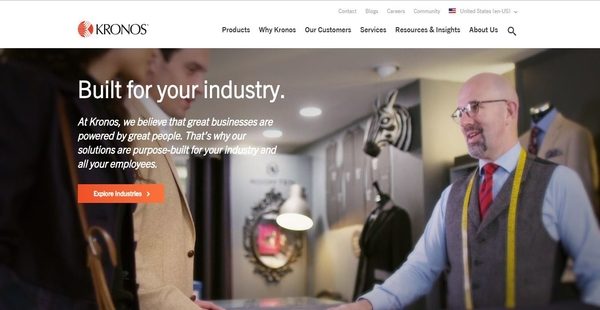
Kronos is a suite of automated, intelligent, and innovative human capital or workforce management solutions which assist organizations in handling the accounting aspect of enterprise resource planning and management which includes compensation management, payroll processing, garnishment processing, tax filing, and ACA (Affordable Care Act) compliance management. This accounting product suite aims to help businesses and organizations in various industries drive productivity, achieve accuracy and compliance, and enhance employee experience.
Kronos comes with a payroll processing solution which allows users to perform payroll runs quickly and deliver the paychecks needed by their employees, covering bonuses and commissions. The solution is equipped with reporting capabilities which let them easily gain insights into payroll data. Payroll information can also be edited intuitively and accessed by employees conveniently. Kronos deliver a tax management and filing tool that enables users to accurately calculate taxes and reduce tax filing errors. To improve compliance with garnishment processes and rules, the tool includes the ability to eliminate errors in the calculation of withholdings and simplify the management of third-party payments.
Moreover, Kronos delivers an automated solution which streamlines the process of planning and managing the compensation of employees; permitting users to set up different types of compensation cycles, define budgets for the compensation cycles they created, and enhance the review and approval of proposed salary increases through automated alerts and access controls. Last but not least, Kronos is built with an ACA manager that can be used for monitoring the ACA status of each employee within the organization and facilitating the enrollment, updating, and administration of ACA benefits.
Show MoreOverview of Kronos ERP Benefits
Eliminate Spreadsheets From Compensation Management Process
One of the efficient and automated tools that comprised Kronos is its compensation planning and management solution. With this tool, accounting and HR teams no longer need to send spreadsheets back and forth just to obtain the accurate data they need for managing the compensation of employees.
Set Up Different Types Of Compensation Cycles
Aside from being an efficient and automated compensation planning tool, the solution is also flexible. For instance, it permits users to create compensation cycles depending on the needs and requirements laid upon by their organization or business. They can set up compensation cycles on an annual, nonannual, or cycle basis. The solution also enables them to create business rules for salary increase programs and plans, specifying the eligibility requirements that employees need to meet.
Plan The Budget For Each Compensation Cycle
As users set up compensation cycles, the tool allows them to also prepare budgets for those compensation cycles. Through the aid of approval workflows, they will be able to review budgets set up for each compensation cycle and confirm whether they need to appropriate them. Furthermore, they can access valuable data from salary reports and compensation researches to aid them in coming up with intelligent decisions as they perform budget planning.
Streamline Compensation Planning And Protect Employee Information
With Kronos, teams can create and send alerts and notifications automatically, letting them streamline their compensation management processes. In addition, they can set up access controls so specific functionalities, employee information, and override privileges are only accessible or granted to authorized individuals.
Complete Payroll Runs On Schedules You Defined
Payroll processing is usually a tedious and time-consuming process. However, Kronos is designed to automate and streamline such process. It is built with a payroll engine that allows teams to create their own schedules for payroll runs and process payrolls based on those schedules in a timely manner.
Gain Insights Into Payroll Data Through Reporting
Payroll data is very important especially when it comes to budget planning and compliance management. With Kronos, payroll data can be readily accessible through the aid of its reporting capabilities. Thus, the solution permits teams to quickly access payroll data which they can use for generating accounting and financial reports, whether ad-hoc or standard reports. Once they’re done generating reports, they can sort, filter, and customize these reports and the data they contain.
Intuitively Edit Payroll Information
Kronos’ payroll processing tool and engine comes with an editing feature which makes it easy for users to change and update payroll information anytime. The payroll information that they can edit using this feature includes earnings, deduction codes, tax jurisdictions, and payroll deposits. They can even modify and manage multiple payroll information simultaneously, regardless of whether those pieces of information belong to a particular employee or group of employees.
Mobile App And Online Self-Service Tools
Kronos also has a mobile app and a set of online self-service tools that allow employees to conveniently access payroll information from their mobile devices such as pay stubs and earning histories. If they need to update their W-4 and W-2 forms or print them, the self-service tools will help them do that in less time.
Achieve Peace Of Mind In Tax Filing
The accounting and workforce management solution delivers a powerful tax management and filing solution which removes the pain associated with preparing and filing payroll taxes as well as processing garnishments. This tool can actually handle various types of taxes which are implemented on the local, state, or federal level. It ensures that users are able to instantly access any information and data they need to comply with tax requirements.
Automate Garnishment Processing
As mentioned earlier, Kronos’ tax management and filing solution includes the capability to process garnishments. Garnishment is a legal mechanism that authorizes a third-party to deduct an amount of money from the employee’s compensation as a payment for any type of debt that the employee owes to such third-party or institution. This legal process is enforced by a court order; although, in some jurisdictions, this can be carried out by tax agencies without securing a prior judgement or court order.
With Kronos, garnishment processing or making payments to third-parties can be done in an automated and accurate way. Whatever the type of debt that employees owe to third-parties, be it child support, student loan, or tax, the solution makes sure that users can confirm the exact withholding amounts and send the payments based on those calculated amounts.
Comply With Affordable Care Act Guidelines
Complying with the requirements and guidelines of the Affordable Care Act or ACA is no doubt a very complicated process. Kronos, however, can reduce the complexity associated with it through the aid of a tool called ACA Manager. This benefits governance tool can collect HR data and reports so teams can easily implement and track the guidelines specified in the Affordable Care Act.
Track The ACA Status Of Your Organization And Employees
For instance, ACA Manager offers management dashboards which make the monitoring of ACA status a breeze. Because of this, users can check the health insurance they need to offer to their employees, whether they are working full-time or part-time. They can drill down into employee information to verify the health insurance coverage and eligibility of each of their employees as well as gain insights into the ACA compliance status of their entire organization.
ACA Eligibility Alerts And Notifications
ACA Manager is also equipped with automated alerts. For instance, compliance managers will be notified instantly when a particular employee is set to work for hours which will make such employee go beyond the eligibility limit or threshold. When an employee shifts from part-time to full-time, reminders are also sent, enabling managers to update the ACA eligibility of that employee. Likewise, employees themselves can receive automated alerts and reminders with regard to their ACA eligibility.
ACA Benefits Enrollment
Benefits enrollment is a component of Krono’s ACA compliance management tool. Because Kronos organizes all HR data in one place which includes employee timesheet information, payroll data, ACA status, and audit records; the process of enrolling employees who are eligible to reap the benefits of ACA is streamlined. Also, the eligibility alerts that employees can receive contain links which direct them to the online self-service tools built into the solution. As a result, they will be able to accomplish the forms they need and enrol themselves in the ACA health insurance plans that they are qualified for.
Show MoreOverview of Kronos ERP Features
- Streamline and Automate Payroll Processing
- Control every Step of the Payroll Process
- Gain Access to Payroll Data
- Payroll Information Editor
- Convenient Mobile App and Self-Service Tools
- Better Manage Compensation Planning
- Manage Your Entire Compensation Cycle with Ease
- Define Budgets For All Compensation Cycles
- Handle The Review and Approval of Salary Increases
- Automated Alerts, Reminders, and Acess Controls
- Manage Payroll Taxes and Payments
- Simplify Payroll Tax Filing
- Streamlined Garnishment Processing
- Reduce Printing and Distribution Costs
- Gain Greater Control of your Taxes
- ACA Manager
- ACA Compliance Management Made Easier
- Comprehensive Visibility into ACA Status
- Automate Policy Enforcement for your ACA Strategy
- ACA Eligibility Alerts
- ACA Benefits Enrollment
Kronos ERP Position In Our Categories
Knowing that businesses have particular business-related wants, it is reasonable that they abstain from paying for an all-in-one, ”best” software. Having said that, it is nearly futile to find such application even among sought-after software systems. The logical step to do can be to list the numerous key aspects that require deliberation such as essential features, price plans, skill capability of staff, business size, etc. Thereafter, you should follow through the research comprehensively. Browse through some Kronos ERP evaluations and check out each of the software programs in your shortlist more closely. Such well-rounded product investigation can make sure you avoid poorly fit software solutions and pay for the system which includes all the tools your business requires for optimal results.
Position of Kronos ERP in our main categories:
TOP
100
Kronos ERP is one of the top 100 Accounting Software products
Companies have diverse wants and requirements and no software platform can be just right in such a situation. It is futile to try to find a perfect out-of-the-box software app that fulfills all your business requirements. The intelligent thing to do would be to customize the solution for your special requirements, employee skill levels, finances, and other factors. For these reasons, do not hurry and pay for well-publicized popular solutions. Though these may be widely used, they may not be the perfect fit for your particular needs. Do your homework, investigate each short-listed platform in detail, read a few Kronos ERP ERP Software reviews, speak to the maker for clarifications, and finally choose the application that presents what you require.
How Much Does Kronos ERP Cost?
Kronos ERP Pricing Plans:
Free Trial
Quote-based Plan
Contact vendor
What are Kronos ERP pricing details?
Kronos ERP Pricing Plans:
Free Trial
Quote-based Plan
Contact vendor
Kronos’ SMB and enterprise pricing plan information is available only upon request. Please contact a sales rep to obtain details on the pricing packages and options you can choose from.
User Satisfaction
Positive Social Media Mentions
15
Negative Social Media Mentions
0
We are aware that when you make a decision to get a ERP Software it’s crucial not only to find out how professionals rank it in their reviews, but also to check if the actual clients and businesses that use it are indeed happy with the service. That’s why we’ve designer our behavior-based Customer Satisfaction Algorithm™ that collects customer reviews, comments and Kronos ERP reviews across a wide range of social media sites. The information is then displayed in an easy to digest way indicating how many people had positive and negative experience with Kronos ERP. With that information at your disposal you will be ready to make an informed buying decision that you won’t regret.
Video
Technical details
Devices Supported
- Windows
- Android
- Mac
- Web-based
Deployment
- Cloud Hosted
- Open API
Language Support
- English
Pricing Model
- Quote-based
Customer Types
- Small Business
- Large Enterprises
- Medium Business
What Support Does This Vendor Offer?
- phone
- live support
- training
- tickets
What integrations are available for Kronos ERP?
Kronos is comprised of a suite of workforce management and accounting solutions which directly integrates with Kronos Incorporated’s family of software products which include Workforce Dimensions, Workforce Ready, and Workforce Central. The software can also be integrated with third-party business applications.

Kronos ERP
is waiting for
your first review.

Write your own review of this product
ADD A REVIEWMore reviews from 0 actual users:


Join a community of 7,369 SaaS experts
Thank you for the time you take to leave a quick review of this software. Our community and review base is constantly developing because of experts like you, who are willing to share their experience and knowledge with others to help them make more informed buying decisions.
Sign in with LinkedIn
Why we require LinkedIn?
- Show the community that you're an actual user.
- We will only show your name and profile image in your review.
- You can still post your review anonymously.
OR
Sign in with company emailSign in with company email
Popular Kronos ERP Alternatives


Top Competitors To Kronos ERP By Price
Product name:
Price:




Trending ERP Software Reviews


Kronos ERP Comparisons
Product name:


Page last modified



Did you find this review useful?
Yes
No
Thank you for your feedback
How can we make this page better?
Unsure about this software?
FIND ALTERNATIVES
 Why is FinancesOnline free?