

Paint 3D Review



What is Paint 3D?
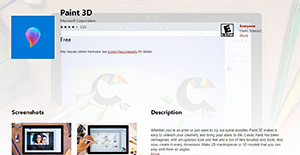
Paint 3D is a reliable, standalone graphics editing solution designed by Microsoft. The application is engineered to help seasoned artists and beginners to unleash their creativity and bring ideas to life. It’s a reimagined classic paint application that features an updated look and feel. Its variety of brushes and editing tools enables users to create virtually every dimension. Whether its 2D masterpieces or 3D models, Paint 3D enables you to structure your projects from all angles.
Although the program has added a dimension of the complex modeling application, it shares a lot in terms of the menu structure and the user interface with its older version. Paint 3D provides a set of features that add an extra facet to the casual image creation. The set comprises of: set the scene, debut work on Remix3D.com, 3D doodle tools, export video, and create instant cutouts.
Show MoreOverview of Paint 3D Benefits
A revamped and upgraded Classic Paint tool, Microsoft’s Paint 3D enables anyone – regardless of their skill level – to create 2D and 3D models. It comes free as a built-in application to Windows 10 which means if you are using this version, you can easily get your hands to the tool. The familiar yet redesigned interface lets you make 3D designs from scratch or from selecting models from its built-in library.
Basic tools such as brushes, 2D shapes, 3D shapes, stickers, 2D and 2D text options, 3D scene effects, digital canvas, Magic Select, 3D view mode, history slider, and mixed reality empowers users to bring their creative ideas into life with ease. In fact, a drawing sketch instantly transforms into a 3D model when using the 3D doodle tool.
Paint 3D also offers a Remix 3D community where you can import, edit and share your own digital work for others to see. This is also a great place to discover and browse through 3D designs created by others. For more engagement, you can also export the video of your creative process on how you designed your 3D model.
Show MoreOverview of Paint 3D Features
- Remix3D.com integration
- Realistic textures
- 3D doodle tool
- Export Video
- Replay process
- Create 2D cutouts
Paint 3D Position In Our Categories
Keeping in mind companies have their own business-related needs, it is only reasonable that they steer clear of picking a one-size-fits-all, “perfect” software. At any rate, it is futile to try to discover such an app even among recognizable software products. The reasonable thing to do would be to make a list of the varied vital aspects which call for a research like major features, price plans, skill ability of staff, business size, etc. The second step is, you should perform the product research fully. Read some of these Paint 3D evaluations and explore the other software solutions in your list more closely. Such all-encompassing product investigation makes sure you circumvent poorly fit software products and subscribe to the system that includes all the features your business requires in sustaining growth.
Position of Paint 3D in our main categories:
TOP
50
Paint 3D is one of the top 50 Graphic Design Software products
Since each enterprise has specific business needs, it is sensible for them to abstain from seeking a one-size-fits-all faultless software application. Needless to say, it would be pointless to try to find such a system even among popular software applications. The clever thing to do would be to jot down the various essential aspects that require consideration such as main features, budget, skill levels of staff members, company size etc. Then, you should do your groundwork thoroughly. Read some Paint 3D Graphic Design Software reviews and check out each of the other solutions in your shortlist in detail. Such in-depth research can make sure you weed out ill-fitting systems and select the app that offers all the elements you need for business success.
How Much Does Paint 3D Cost?
Paint 3D Pricing Plans:
Free Trial
Paint 3D
Free
What are Paint 3D pricing details?
Paint 3D Pricing Plans:
Free Trial
Paint 3D
Free
Paint 3D is a free image editing tool, and comes with no enterprise pricing fees to worry about.
User Satisfaction
Positive Social Media Mentions
93
Negative Social Media Mentions
6
We are aware that when you make a decision to buy a Graphic Design Software it’s important not only to learn how experts score it in their reviews, but also to check if the actual people and enterprises that purchased these solutions are actually content with the product. Because of that need we’ve designer our behavior-based Customer Satisfaction Algorithm™ that gathers customer reviews, comments and Paint 3D reviews across a vast range of social media sites. The information is then displayed in a simple to digest way revealing how many users had positive and negative experience with Paint 3D. With that information available you should be ready to make an informed buying choice that you won’t regret.
Video
Technical details
Devices Supported
- Windows
Deployment
- On Premise
Language Support
- English
Pricing Model
- Free
Customer Types
- Small Business
- Medium Business
- Freelancers
What Support Does This Vendor Offer?
- phone
- live support
- training
- tickets
What integrations are available for Paint 3D?
At the moment, Paint 3D offers a streamlined integration with Remix3D.com.

Paint 3D
is waiting for
your first review.

Write your own review of this product
ADD A REVIEWMore reviews from 0 actual users:


Join a community of 7,369 SaaS experts
Thank you for the time you take to leave a quick review of this software. Our community and review base is constantly developing because of experts like you, who are willing to share their experience and knowledge with others to help them make more informed buying decisions.
Sign in with LinkedIn
Why we require LinkedIn?
- Show the community that you're an actual user.
- We will only show your name and profile image in your review.
- You can still post your review anonymously.
OR
Sign in with company emailSign in with company email
Popular Paint 3D Alternatives




Top Competitors To Paint 3D By Price
Product name:
Price:




Trending Graphic Design Software Reviews


Paint 3D Comparisons
Product name:







Page last modified



Did you find this review useful?
Yes
No
Thank you for your feedback
How can we make this page better?
Unsure about this software?
FIND ALTERNATIVES
 Why is FinancesOnline free?