
- Home
- IT Security Software
- QuickLaunch

QuickLaunch Review



What is QuickLaunch?
QuickLaunch is a Single Sign-On Service that lets users sign in to their devices once and then launch multiple web applications without having to re-enter their credentials. It is an AI and blockchain-based identity-as-a-service platform (IDaaS) to leverage human and device authentication, identity protection,
The service eliminates the need for users to create and memorized complicated usernames and passwords that they have to regularly change or update. The security is also tight, which means users never have to worry about their accounts and devices being accessed by unauthorized parties, programs, and individuals.
With QuickLaunch, users are no longer required to remember usernames, passwords, and URLs, resulting in a significant improvement of their efficiency and productivity within a very secure environment. QuickLaunch is offered as an on-premise solution or a cloud-based service and is widely used in multiple industries and sectors, including business, academics, and government.
Show MoreOverview of QuickLaunch Benefits
Multi-Application Access
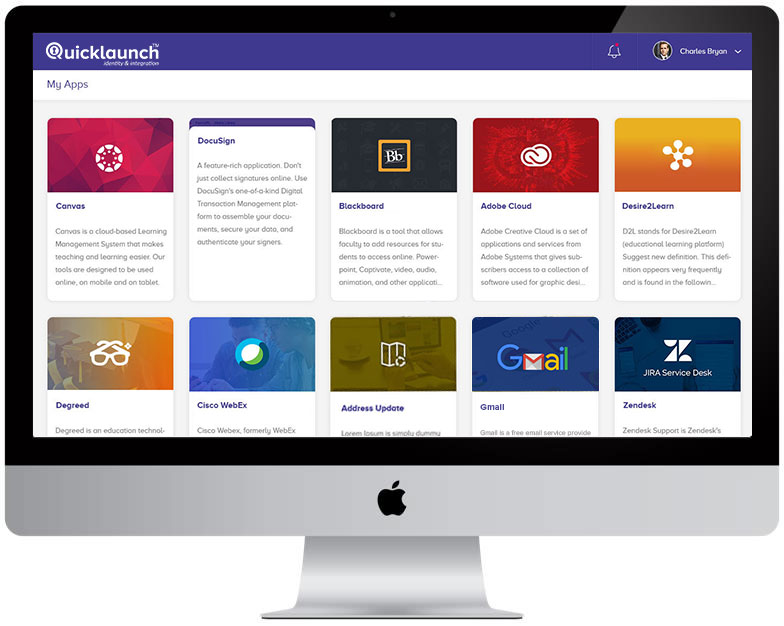
QuickLaunch’s Single Sign-On (SSO) allows you to access multiple applications for work and personal use, eliminating the need to remember multiple credentials for different applications. You can access all your applications from a single screen with just a click. SSO enhances productivity as you don’t have to enter multiple passwords for multiple applications, and switch between multiple screens.
Meanwhile, the Identity Provider (IDP) lets you create and manage user identities in the cloud while you have all the control. You can enable collaboration across multiple trust systems through QuickLaunch IDP federation support.
Secure Passwords
The software prioritizes security with its various features. Smart Password Manager helps the users to reset passwords on their own. They don’t need to repeatedly call help desk when they lose or forget their passwords.
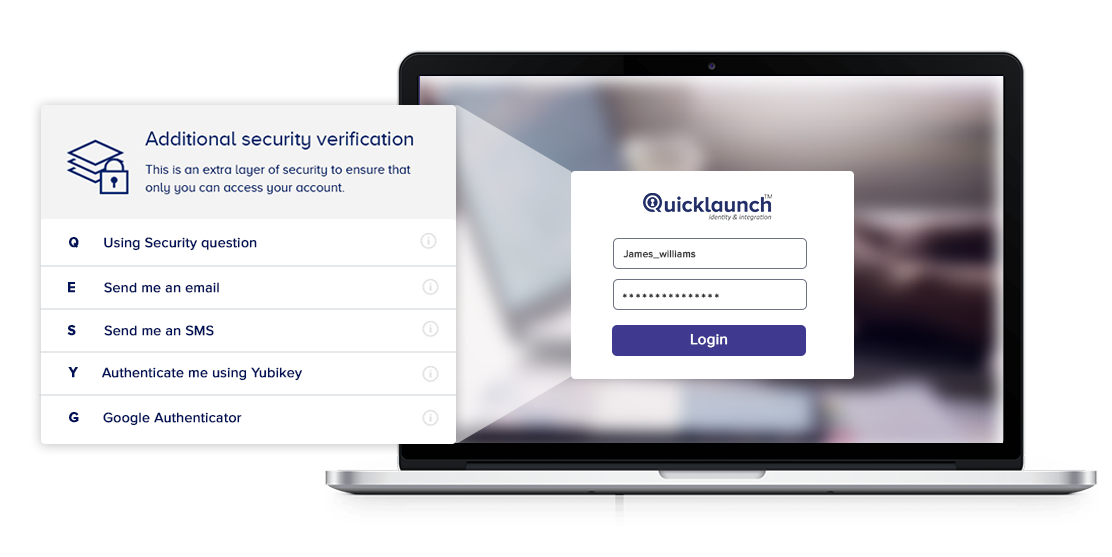
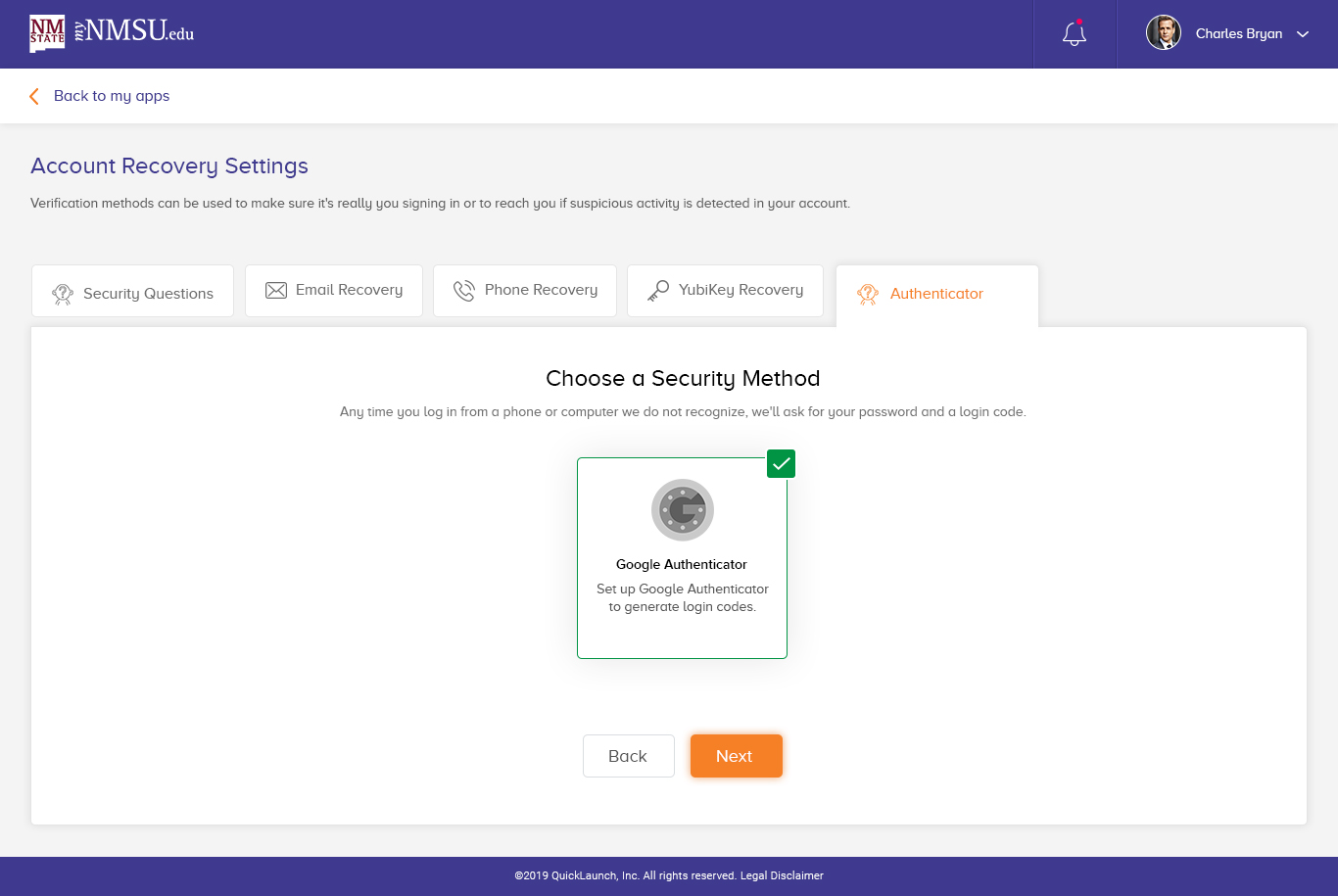
Multi-Factor Authentication (MFA) verifies the identity of end users with a password along with a secondary method of authentication. The secondary method of authenticating can either be an email, phone, browser push notifications, device-based or YubiKey. MFA ensures that the user accounts stay secure even if the credentials are compromised.
Adaptive Authentication prompts the user with MFA when the system detects suspicious user behaviors based on a broad set of inputs such as geography, networks, devices and time of login. This reduces the possibility of account takeover attacks.
User Self-Registration (First Time User or FTU) brings an end to the practice of sending default passwords to new users. The new users can set their own passwords once they make their first login to the online portal.
Automated Provisioning
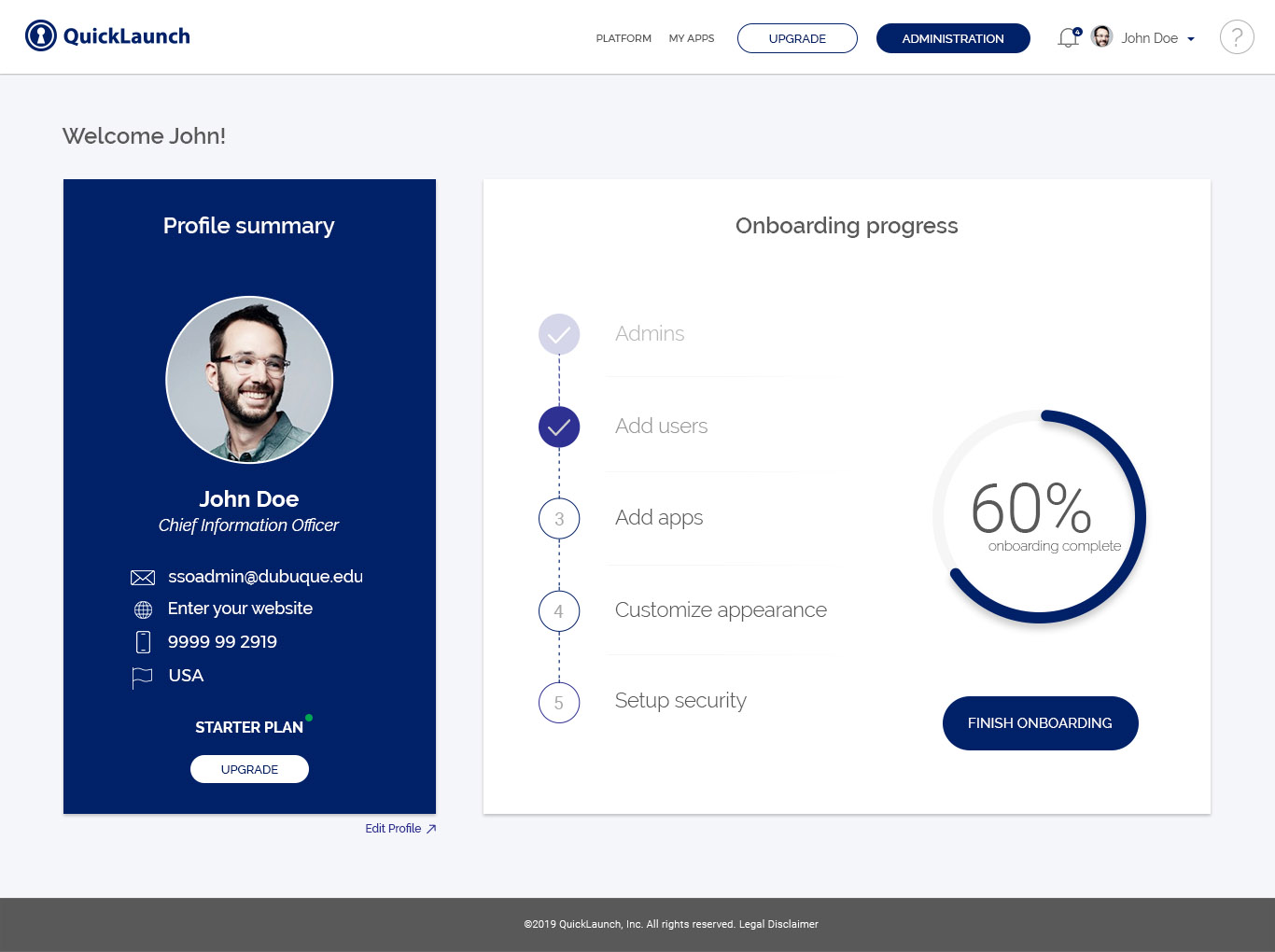
QuickLaunch streamlines user management across applications with its automated provisioning. It reduces human involvement and automates user onboarding/offboarding process by streamlining access control based on role, title, department and other attributes.
Show MoreOverview of QuickLaunch Features
Single Sign-On
- Self-Serviceability
- Federation Across Multiple Applications
- Reporting & Analytics
- Inbuilt App Library
- Federation Support
- Directory Integration
- SSO & SLO Support
- Self-Service Admin Interface
- Password Recovery
- Password Expiry Notifications
- Reports
- Configurable Password Policies
- Role-Based Authentication
- Identity-Theft Protection
- Security
- Multiple Modes of Authentication
- Password Manager Integration
- Detection Criteria
- Push Authentication Notifications
- Eliminate Account Takeover Attacks
- Fortify Security
- No Default Passwords
- Users can Set Their Own Passwords
- Password Policies for Users
- Flip-a-Switch Integration
- Configuration & Administration
- 50+ Built-in Connectors
- User Lifecycle
What Problems Will QuickLaunch Solve?
Problem #1: Multiple Credentials Risks
The number of applications an average person uses each day for personal use and at work is astounding. Users need to remember multiple credentials that are often lost, stolen, or forgotten, representing a huge risk.
Solution: QuickLaunch Single Sign-On (SSO) software eliminates much of this overhead for on-premises and cloud applications, by providing one-click secure access to all apps from a single screen.
Problem #2: Multiple Calls to Help Desk
Organizations incur thousands of dollars for multiple password reset requests going through the IT help desk. It’s not only expensive but also leads to unproductive utilization of IT resources.
Solution: QuickLaunch Smart Password Manager allows users to reset their passwords on their own using MFA capabilities. MFA provides an additional layer of security to authenticate users, ensuring that the actual user is resetting the password.
Problem #3: Manual Provisioning
Manual user provisioning requires a lot of efforts and time that could otherwise be utilized in some productive work if things are automated.
Solution: QuickLaunch Automated Provisioning lets you provision users from the source of truth to target applications on the fly. By streamlining user onboarding/offboarding process, you can automate access control based on role, department, title, and other attributes.
QuickLaunch Position In Our Categories
Since businesses have distinctive business-related needs, it is only sensible that they abstain from paying for a one-size-fits-all, “perfect” system. At any rate, it would be difficult to come across such application even among widely used software solutions. The right step to do should be to spell out the different vital factors that call for a investigation like major features, packages, skill aptitude of the employees, business size, etc. Then, you must do your research systematically. Have a look at these QuickLaunch reviews and check out each of the software products in your list more closely. Such comprehensive research ascertains you circumvent unfit applications and pay for the system which delivers all the aspects your company requires.
Position of QuickLaunch in our main categories:
TOP
100
QuickLaunch is one of the top 100 IT Management Software products
TOP
20
QuickLaunch is one of the 20 Workflow Management Software products
Every organization has different wants and needs a software that can be customized for their size, kind of staff members and customers, and the particular industry they are in. For these reasons, no software can proffer perfect functionality out-of-the-box. When you look for a software system, first be sure what you want it for. Read some QuickLaunch IT Security Software reviews and ask yourself do you need basic tools or do you want complex features? Are there any industry-specific features that you are looking for? Get the answers to these questions to aid your search. There are lots of aspects that you need to reflect on and these include your budget, particular business wants, your organization size, integration requirements etc. Take your time, try out a few free trials, and finally zero in on the platform that provides all that you require to improve your company effectiveness and productivity.
How Much Does QuickLaunch Cost?
QuickLaunch Pricing Plans:
Free Trial
Single Sign-On
$0.73/user/month
Smart Password Manager with MFA
$0.52/user/month
Adaptive Authentication
$0.75/user /month
Passwordless User Onboarding
$0.36/user/month
What are QuickLaunch pricing details?
QuickLaunch Pricing Plans:
Free Trial
Single Sign-On
$0.73/user/month
Smart Password Manager with MFA
$0.52/user/month
Adaptive Authentication
$0.75/user /month
Passwordless User Onboarding
$0.36/user/month
QuickLaunch offers structured enterprise pricing to address identity domain challenges of enterprises.
Pricing for 1000 Users
Single Sign-On & IDP – $0.73/user/month
- Self-Service
- Inbuilt App Suite
- Powerful Reporting and Analytics
- Role-Based Access Control
Smart Password Manager with MFA – $0.52/user/month
- Password Recovery
- Expiry Notifications
- Security Questions
- Recovery by Email/Phone
Adaptive Authentication – $0.75/user /month
- Role-based Authentication
- Custom Challenge Questions
- Fingerprint Authentication
Passwordless First Time User Onboarding – $0.36/user/month
- Fortified Security
- Operational ease of IT teams
- Enforce Strong Password for all users
- Eliminate Risk of Shared Default Passwords
User Satisfaction
Positive Social Media Mentions
53
Negative Social Media Mentions
1
We know that when you decide to purchase a IT Security Software it’s important not only to see how professionals rank it in their reviews, but also to discover if the real people and enterprises that use these solutions are genuinely satisfied with the service. That’s why we’ve designer our behavior-based Customer Satisfaction Algorithm™ that aggregates customer reviews, comments and QuickLaunch reviews across a wide range of social media sites. The data is then displayed in an easy to digest way showing how many clients had positive and negative experience with QuickLaunch. With that information at hand you will be ready to make an informed purchasing choice that you won’t regret.
Video
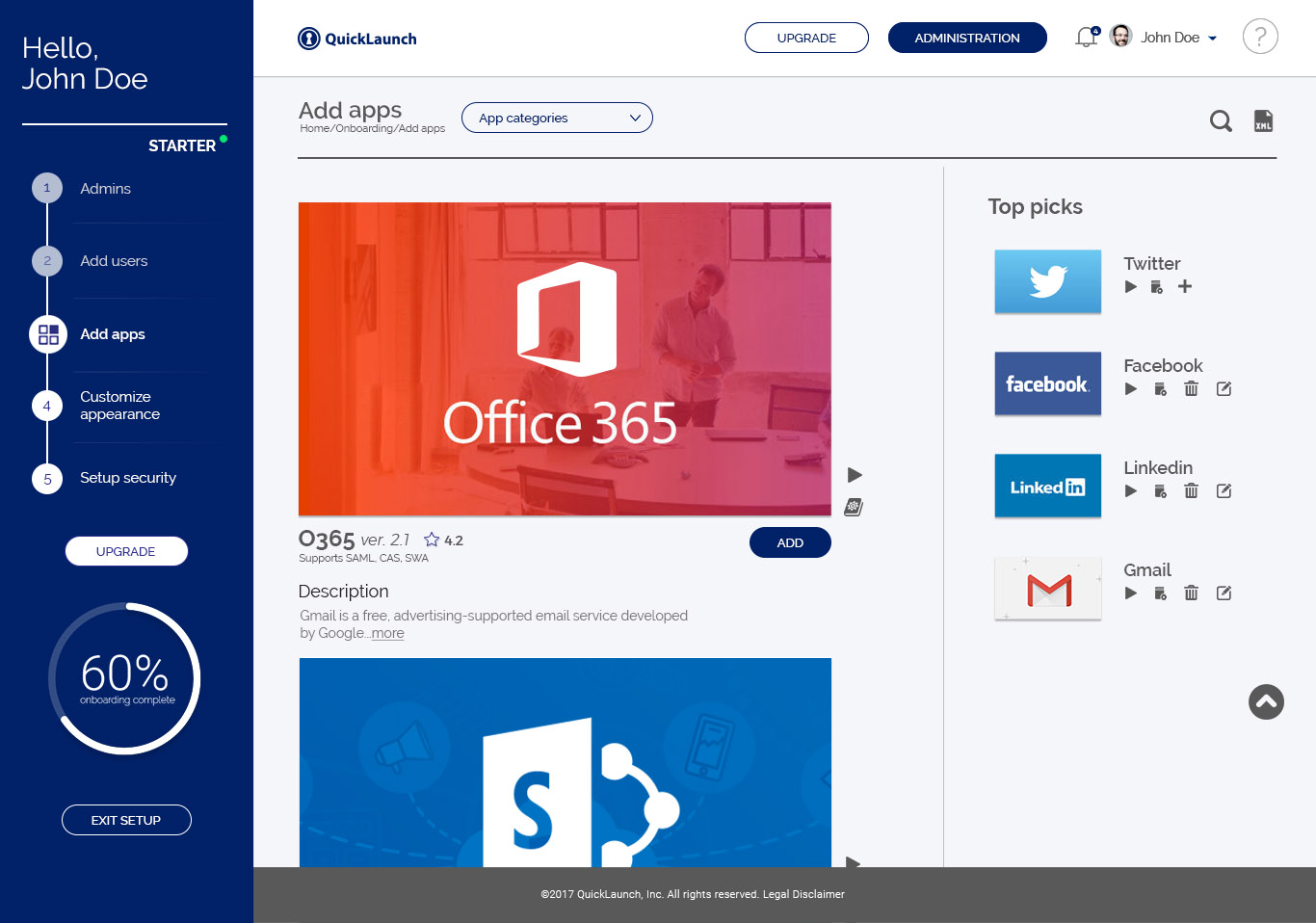
Screenshots
Technical details
Devices Supported
- Windows
- Linux
- Android
- iPhone/iPad
- Mac
- Web-based
- Windows Mobile
Deployment
- Cloud Hosted
- On Premise
- Open API
Language Support
- English
Pricing Model
- Annual Subscription
- Quote-based
Customer Types
- Small Business
- Large Enterprises
- Medium Business
What Support Does This Vendor Offer?
- phone
- live support
- training
- tickets
What integrations are available for QuickLaunch?
QuickLaunch integrates with a large number of business systems and applications. Here are some of them:
- Banner
- Canvas
- Salesforce
- SAP
- Skype
- Moodle
- G Suite
- Office 365
- PeopleSoft
- Zendesk
- ADP
- Box
QuickLaunch User Reviews
QuickLaunch average rating:
5/5
Overall impression
5/5
Customer Support
5/5
Value for Money
5/5
Ease of Use
Write your own review of this product
ADD A REVIEWThe most favorable review

PROS: SSO has been a great help to many initiatives here. These ease of use of the system is outstanding and the support we receive from our representative, Patrick has been above and beyond measure.
CONS: Maybe if they included a free mobile app but I think they do offer one at an additional cost.
The least favorable review

PROS: The product works well and the service is superior!
CONS: We use this product for several applications and they all work as expected.
More reviews from 2 actual users:
Sort by:
Latest
- Latest
- Most useful
- Most positive
- Most negative
QuickLaunch is a great company to work with
Read full review >
4/5
Overall impression
5/5
Customer Support
4/5
Value for Money
4/5
Ease of Use
Published on: 05.07.2021
Company Size: More than 100 Employees
Industry: Higher Education
PROS: The product works well and the service is superior!
CONS: We use this product for several applications and they all work as expected.
Great company to work with and very technically saavy.
Read full review >
5/5
Overall impression
5/5
Customer Support
5/5
Value for Money
5/5
Ease of Use
Published on: 16.04.2021
Company Size: More than 100 Employees
Industry: Higher Education
PROS: SSO has been a great help to many initiatives here. These ease of use of the system is outstanding and the support we receive from our representative, Patrick has been above and beyond measure.
CONS: Maybe if they included a free mobile app but I think they do offer one at an additional cost.


Join a community of 7,369 SaaS experts
Thank you for the time you take to leave a quick review of this software. Our community and review base is constantly developing because of experts like you, who are willing to share their experience and knowledge with others to help them make more informed buying decisions.
Sign in with LinkedIn
Why we require LinkedIn?
- Show the community that you're an actual user.
- We will only show your name and profile image in your review.
- You can still post your review anonymously.
OR
Sign in with company emailSign in with company email
Popular QuickLaunch Alternatives



Top Competitors To QuickLaunch By Price
Product name:
Price:




Trending IT Security Software Reviews


QuickLaunch Comparisons
Product name:


QuickLaunch user reviews
QuickLaunch is a great company to work with
Read full review >
4/5
Overall impression
5/5
Customer Support
4/5
Value for Money
4/5
Ease of Use
Published on: 05.07.2021
Company Size: More than 100 Employees
Industry: Higher Education
Great company to work with and very technically saavy.
Read full review >
5/5
Overall impression
5/5
Customer Support
5/5
Value for Money
5/5
Ease of Use
Published on: 16.04.2021
Company Size: More than 100 Employees
Industry: Higher Education

Page last modified



Did you find this review useful?
Yes
No
Thank you for your feedback
How can we make this page better?
Unsure about this software?
FIND ALTERNATIVES
 Why is FinancesOnline free?