

SignEasy Review



What is SignEasy?
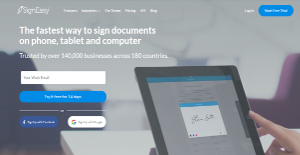
SignEasy is a digital signature platform to help businesses and organizations simplify the signing process for operations and other work-related purposes. With SignEasy, affixing your signatures legally to documents is a breeze and 100% legal and compliant to prevailing business rules and standards.
The software allows you, your business partners, superiors, colleagues, and clients to sign documents with ease from anywhere and anytime using a desktop, laptop, or any mobile device. Whether you’re at work or away from the office, you can easily sign your business documents or request for signatures from any party without having to send an actual piece of paper. With SignEasy, signing becomes a non-tedious task for you and your business.
Show MoreOverview of SignEasy Benefits
SignEasy makes signing a smooth and non-tedious process, helping accelerate workflows that require signatures, such as budget planning and releasing, purchases, approvals, and more.
This eSiganture software not only simplifies the signing process but also adheres to strict security standards and regulations. That means every signature you and other parties put to your business is legally binding while contents of your documents remain secure and only accessible to authorized personnel.
SignEasy features a sequential and parallel signing capability that allows you to send documents to multiple people and have them sign the documents following a systematic serial sequence or let them sign simultaneously at once. You can also monitor the progress of your documents and view who has already put their signatures and who still haven’t.
Need those critical signatures? You can configure the software to send reminders to your signers via email and push notification. You are also sent emails and push notifications when the signers in the workflow have signed the document.
Integrations with leading document database and sharing applications such as Google Drive, Zoho CRM, Box, and Dropbox gives you and your team the versatility and leverage you need to streamline your document management and signing processes.
Show MoreOverview of SignEasy Features
- Self Signing
- In-Person Signing
- Remote Signing
- Document Tracker
- Send and Receive Reminders/Notifications
- Third Party Integrations
- ESIGN Act & eIDAS Compliant
- Secure Passcode and Fingerprint Authentication
- SSL Encryption
- Digital Audit Trail
- Multiple file import options
- Wet, Ink-like Signatures
- Multiple signature options
- Add text and images
- Custom fields
- Custom Email Footer
- Offline Signing Multiple file formats
SignEasy Position In Our Categories
Knowing that companies have particular business requirements, it is only wise that they avoid selecting an all-in-one, ideal software solution. However, it would be difficult to find such application even among sought-after software products. The sensible step to do should be to tabulate the numerous key aspects which merit deliberation like major features, price plans, skill ability of the users, organizational size, etc. Then, you must do the research comprehensively. Browse through some of these SignEasy evaluations and explore the other software solutions in your shortlist more closely. Such detailed research guarantees you steer clear of ill-fitting apps and subscribe to the system which meets all the aspects your company requires for success.
Position of SignEasy in our main categories:
TOP
200
SignEasy is one of the top 200 Accounting Software products
Each organization has different needs and needs a software that can be customized for their size, type of workers and buyers, and the specific industry they are in. For these reasons, no platform can offer perfect tools off-the-shelf. When you search a software product, first be sure what you require it for. Read some SignEasy E-Signature Software reviews and ask yourself do you desire basic tools or do you need advanced tools? Are there any industry-specific features that you are seeking? Find the answers to these questions to assist your search. There are plenty of factors that you need to mull over and these include your finances, specific business wants, your company size, integration needs etc. Take your time, try out a few free trials, and finally select the system that presents all that you want to boost your company efficiency and productivity.
How Much Does SignEasy Cost?
SignEasy Pricing Plans:
Free Trial
Pro
$9.99/month
Business
$14.99/month
Business Plus
$59.99/month
Enterprise
By quote
What are SignEasy pricing details?
SignEasy Pricing Plans:
Free Trial
Pro
$9.99/month
Business
$14.99/month
Business Plus
$59.99/month
Enterprise
By quote
SignEasy offers four SMB and enterprise pricing packages for users to choose from. Give the details a look, and select the best plan for your company:
Pro – $9.99/month (annual billing)
- Sign unlimited documents
- Cloud storage integration
- Offline signing
- Passcode and Fingerprint authentication
- ESIGN and eIDAS compliant
- Works on phone, tablet, and desktop
- Email support
Business – $14.99/month (annual billing)
- All Pro features
- Send unlimited documents for signature
- Unlimited in-person signers
- Document workflows
- Document fields
- Reminders and status notifications
- Digital audit trail
- Email and phone support
- Only 1 sender allowed
Business Plus – $59.99/month (annual billing)
- All Business features
- Integrations for GSuite: Gmail and Google Drive
- Integrations for Outlook and Office 365
- Integrations for Zoho CRM and Salesforce
- Document templates
- Custom branding
- Dedicated account manager
- Email and priority phone support
- Up to 5 senders allowed
Enterprise – By quote
User Satisfaction
Positive Social Media Mentions
17
Negative Social Media Mentions
2
We know that when you make a decision to get a E-Signature Software it’s vital not only to see how professionals rank it in their reviews, but also to discover whether the real people and businesses that purchased it are actually satisfied with the service. That’s why we’ve created our behavior-based Customer Satisfaction Algorithm™ that aggregates customer reviews, comments and SignEasy reviews across a wide range of social media sites. The information is then featured in an easy to understand form showing how many clients had positive and negative experience with SignEasy. With that information at your disposal you should be equipped to make an informed buying choice that you won’t regret.
Video
Technical details
Devices Supported
- Windows
- iPhone/iPad
- Mac
- Web-based
Deployment
- Cloud Hosted
Language Support
- English
Pricing Model
- Monthly payment
- Annual Subscription
- Quote-based
Customer Types
- Small Business
- Large Enterprises
- Medium Business
- Freelancers
What Support Does This Vendor Offer?
- phone
- live support
- training
- tickets
What integrations are available for SignEasy?
SignEasy integrates with the following business systems and applications:
- MS Outlook
- MS Office 365
- Zoho CRM
- Salesforce
- Dropbox
- Box
- Gmail
- Google Drive
- Evernote
SignEasy User Reviews
SignEasy average rating:
5/5
Overall impression
5/5
Customer Support
5/5
Value for Money
5/5
Ease of Use
Write your own review of this product
ADD A REVIEWThe most favorable review

PROS: I like that this software is easy to use and it provides great integration with my email program and this means that all I have to do is to open the attachment for signing directly into SignEasy. I like that this tool is easy and understandable and it saves lot of time and money. I don’t have to download and print all the documents in order to sign them.
CONS: I couldn’t find a way to change my personal account into business account and to add licenses, thankfully, its customer service helped me in less than 10 min. Also, one of my colleague had purchased incorrect software but they have refunded him the charge in less than 30min.
The least favorable review
PROS: This tool makes me a part of Green Solutions, it allows me to sign docs or to send docs for signing via email. I started using this tool when I worked as freelancer and my supervisors were skeptic about this software but when they figured out how helpful this tool is they started using it right away. I cannot imagine my workday without this tool. It allows me to archive all docs within the system and to access them from any device. Also, its customer service is great and very helpful, they are always willing to help me.
CONS: I don’t have dislikes about this tool.
More reviews from 9 actual users:
Sort by:
Latest
- Latest
- Most useful
- Most positive
- Most negative
Give it a try, you won’t be disappointed
Read full review >
4/5
Overall impression
5/5
Customer Support
5/5
Value for Money
5/5
Ease of Use
Published on: 17.09.2021
Company Size: More than 100 Employees
Industry: N/A
PROS: This tool makes me a part of Green Solutions, it allows me to sign docs or to send docs for signing via email. I started using this tool when I worked as freelancer and my supervisors were skeptic about this software but when they figured out how helpful this tool is they started using it right away. I cannot imagine my workday without this tool. It allows me to archive all docs within the system and to access them from any device. Also, its customer service is great and very helpful, they are always willing to help me.
CONS: I don’t have dislikes about this tool.
Helpful tool for getting all the docs signed easily
Read full review >
5/5
Overall impression
5/5
Customer Support
5/5
Value for Money
5/5
Ease of Use
Published on: 28.08.2021
Company Size: 1-10 Employees
Industry: Accounting
PROS: The tool is easy to use and it doesn’t require payment for access when it comes to signing the documents. I like that I can send the docs directly from my mobile device or from the website.
CONS: Sometimes my clients have difficulties with receiving the docs so I have to re-send them over again. Also, the mobile app is limited when for some things, there are things that I cannot do via mobile that I can do on the site directly. In addition, clients are required to have SignEasy account in order to import, complete and sign the docs.
SignEasy is user-friendly and simple solution for signing documents on the go
Read full review >
5/5
Overall impression
5/5
Customer Support
5/5
Value for Money
5/5
Ease of Use
Published on: 15.08.2021
Company Size: 11-50 Employees
Industry: Marketing and Adverti
PROS: I needed a system that would help me to sign and send an NDA to one of my clients immediately, I was amazed by the simplicity of the whole process starting from importing a docs to signing it and sending it back via email. I love that I can use one account on mobile, tablet and desktop. My work-day is full with meeting clients and I cannot imagine my workday without this tool. It allows me to send docs for signature to other parties that are located in different cities.
CONS: They could improve the document organization by including tags or folders, because there are times that I need to get a doc immediately and I have to spend lot of time in order to find it.
Great tool to have your documents signed
Read full review >
5/5
Overall impression
5/5
Customer Support
5/5
Value for Money
5/5
Ease of Use
Published on: 02.06.2021
Company Size: More than 100 Employees
Industry: Transportation
PROS: The tool is easy to use and it meets all my needs. I like that I can use it on every device starting from Windows 8, Windows 10 Surface Pro, iPad 3 to iPhone 6S Plus and Samsung Note 4. The software is constantly updated even when it comes to uploading documents, they can be accessed from anywhere and any device. I can easily get others to sign via this tool. It provides email updates throughout the process.
CONS: The software is easy to use and I haven’t experienced some troubles while using it. I don’t have dislikes about this tool.
I have great experience with SignEasy software, it saves us lot of time and effort
Read full review >
5/5
Overall impression
5/5
Customer Support
5/5
Value for Money
5/5
Ease of Use
Published on: 01.03.2021
Company Size: More than 100 Employees
Industry: Internet
PROS: I like that I am able to archive and to access the docs through various devices. I tried other solution for e-signing and I can say that I’m not satisfied with none of it because I have found out that my signature can be easily faked. Finally, I have found SignEasy that allows me to have/use various real signature available. This is simple, secure and dependable software made for almost everyone.
CONS: I’m using it for inbound which is perfect solution, but I haven’t tried for getting outbound signatures.
I’m very satisfied with this product
Read full review >
5/5
Overall impression
5/5
Customer Support
5/5
Value for Money
5/5
Ease of Use
Published on: 01.01.2021
Company Size: More than 100 Employees
Industry: Biotechnology
PROS: I like that this software is easy to use and it provides great integration with my email program and this means that all I have to do is to open the attachment for signing directly into SignEasy. I like that this tool is easy and understandable and it saves lot of time and money. I don’t have to download and print all the documents in order to sign them.
CONS: I couldn’t find a way to change my personal account into business account and to add licenses, thankfully, its customer service helped me in less than 10 min. Also, one of my colleague had purchased incorrect software but they have refunded him the charge in less than 30min.
This is extremely helpful solution for both personal and business purposes
Read full review >
5/5
Overall impression
5/5
Customer Support
5/5
Value for Money
5/5
Ease of Use
Published on: 23.02.2018
Company Size: More than 100 Employees
Industry: Outsourcing
PROS: This is great tool for signing and requesting signatures from my mobile device, I am able to sign the docs in real time without printing them, signing and rescanning them over again. I use this tool for a personal usage. It offers NDA, property contracts, commission agreements and work orders. I love that I have all my documents into the app, email and Drive. I’m using SignEasy for more than 6 years by now and they have really improved the product.
CONS: I have found out that the integration with Drive via mobile version can be a little cumbersome but I believe this is more Google’s issue because the desktop version works great. They have really improved the tool so I cannot really say that I have something to complain about.
It saves lot of time and effort for signing the docs, it offers great mobile app so you can sign and get your docs signed on the go
Read full review >
5/5
Overall impression
5/5
Customer Support
5/5
Value for Money
5/5
Ease of Use
Published on: 01.02.2018
Company Size: More than 100 Employees
Industry: Management Consulting
PROS: With SignEasy we can get the agreements fast and with no effort at all. This software is easy to use and it is clear it makes the whole process of signing documents easy and smoothly. It allows me to fill out data fields and to add stored signatures. I can even use this tool for a personal purposes, this is great tool for every aspects of my life. It saves lot of time because it doesn’t require back-and-forth signing and making copies of the docs and there is no need of using paper.
CONS: Sometimes it can be complicated to fill out docs with lot of data fields within the app, it would be great if they could find a way to fill out all the text fields from desktop and to sync everything to the mobile app so I can add the signature.
Great product for signing documents
Read full review >
5/5
Overall impression
5/5
Customer Support
5/5
Value for Money
5/5
Ease of Use
Published on: 19.12.2017
Company Size: More than 100 Employees
Industry: Market Research
PROS: SignEasy offers affordable and cost-effective options and it allows unlimited number of signed documents with unlimited number of signers. This is extremely important if you are dealing with huge amount of documents that need to be signed weekly instead of spending lot of money on a pay-per document service. This software has intuitive and user-friendly interface, signers can use the screen on their device in order to record the signature. We can easily search and sort documents by title/text/dates/signatures.
CONS: I haven’t tried other products in order to compare them to this one. I don’t like that if I want to drag a text/date or signature to some location in the doc I have to remember to tap in the “white space” because otherwise the object will move back to the start, and this can be really annoying. Also, sometimes the app stops and we have to restart or close it down in order to fix it but it doesn’t lose the work.


Join a community of 7,369 SaaS experts
Thank you for the time you take to leave a quick review of this software. Our community and review base is constantly developing because of experts like you, who are willing to share their experience and knowledge with others to help them make more informed buying decisions.
Sign in with LinkedIn
Why we require LinkedIn?
- Show the community that you're an actual user.
- We will only show your name and profile image in your review.
- You can still post your review anonymously.
OR
Sign in with company emailSign in with company email
Popular SignEasy Alternatives




Top Competitors To SignEasy By Price
Product name:
Price:




Trending E-Signature Software Reviews


SignEasy Comparisons
Product name:




SignEasy user reviews
Give it a try, you won’t be disappointed
Read full review >
4/5
Overall impression
5/5
Customer Support
5/5
Value for Money
5/5
Ease of Use
Published on: 17.09.2021
Company Size: More than 100 Employees
Industry: N/A
Helpful tool for getting all the docs signed easily
Read full review >
5/5
Overall impression
5/5
Customer Support
5/5
Value for Money
5/5
Ease of Use
Published on: 28.08.2021
Company Size: 1-10 Employees
Industry: Accounting
SignEasy is user-friendly and simple solution for signing documents on the go
Read full review >
5/5
Overall impression
5/5
Customer Support
5/5
Value for Money
5/5
Ease of Use
Published on: 15.08.2021
Company Size: 11-50 Employees
Industry: Marketing and Adverti
Great tool to have your documents signed
Read full review >
5/5
Overall impression
5/5
Customer Support
5/5
Value for Money
5/5
Ease of Use
Published on: 02.06.2021
Company Size: More than 100 Employees
Industry: Transportation
I have great experience with SignEasy software, it saves us lot of time and effort
Read full review >
5/5
Overall impression
5/5
Customer Support
5/5
Value for Money
5/5
Ease of Use
Published on: 01.03.2021
Company Size: More than 100 Employees
Industry: Internet

Page last modified



 Why is FinancesOnline free?