

Statseeker Review



What is Statseeker?
Statseeker is a real-time network monitoring software with customizable alerts. It helps prevent downtimes by immediately notifying system administrators and enabling them to conduct reparative actions swiftly to prevent extended interruptions.
However, Statseeker also aids IT professionals in avoiding downtimes. The application does this through predictive analytics that tells users of their network’s future needs and possible issues to ensure the continuous productivity of the user population.
Statseeker is capable of doing these and more while running on minimal hardware requirements. This makes it a lightweight application, as well as a cost-effective solution as it does not necessitate additional assets.
Show MoreOverview of Statseeker Benefits
Reduced Network Downtimes
Network downtimes can significantly and negatively impact business processes. Statseeker understands the importance of a stable network, which is why the solution is equipped with a real-time network monitor and a proactive alert system. These tools ensure that administrators are instantly notified of network issues for them to restore it to a pristine state as soon as possible.
Predictive Solutions
Aside from its real-time alerts, Statseeker also has predictive analytics that aids IT administrators in streamlining the network’s processes. With it, they are able to foresee the needs of the network and act on it to make certain it is ready to meet future challenges.
Up-to-the-Minute Corrections
While administrators apply mitigating measures, Statseeker provides them with the most updated data to help them assess the situation. Since network states are variable every second, it is advantageous to have to latest information while operating corrective procedures.
Personalized Alerts
Each company has its own thresholds. Therefore, Statseeker provides them with the option to define the system thresholds to alert them only when it is reached. This helps avoid false positives and also saves administrators time from remedying minor issues.
Single Server Monitoring
Statseeker deploys its network monitoring capabilities from a single server. This makes it a scalable application, as well as a lightweight solution. This way, organizations are still able to utilize the majority of its assets and resources towards other endeavors.
Show MoreOverview of Statseeker Features
- Device Discovery
- Summary Reports
- Custom Reports
- Time Filters
- SLA Reporting
- Trendline Analysis
- Data Forecasting
- Anomaly Detection
- Diagnostic Reporting
- Emailing & Scheduling Reports
- Alerts
- Threshold Configuration
- Threshold Updating & Migration
- Even Management
- Netflow Configuration
- Traffic Analysis
- User Accounts & Authentication
- System Configuration
- API Integration
Statseeker Position In Our Categories
Bearing in mind businesses have specific business-related wants, it is only logical they abstain from purchasing a one-size-fits-all, “perfect” software solution. Nonetheless, it is troublesome to pinpoint such an app even among branded software products. The efficient thing to undertake would be to shortlist the varied important aspects which necessitate scrutiny like essential features, packages, technical skill capability of the users, company size, etc. Thereafter, you should conduct the research fully. Go over some of these Statseeker evaluations and explore each of the software products in your shortlist more closely. Such detailed product research ascertains you drop poorly fit software products and select the one which provides all the features your business requires in sustaining growth.
Position of Statseeker in our main categories:
TOP
50
Statseeker is one of the top 50 Network Management Software products
If you are considering Statseeker it could also be a good idea to investigate other subcategories of Network Management Software collected in our base of B2B software reviews.
It's crucial to note that virtually no service in the Network Management Software category will be a perfect solution able to meet all the goals of various company types, sizes and industries. It may be a good idea to read a few Statseeker Network Management Software reviews first as certain software might dominate just in a really small set of applications or be created with a very specific industry in mind. Others can work with an idea of being simple and intuitive and as a result lack advanced functionalities desired by more experienced users. You can also find services that cater to a wide group of customers and offer a powerful feature set, but that usually comes at a more significant price of such a solution. Be certain that you're aware of your requirements so that you get a service that has all the features you search for.
How Much Does Statseeker Cost?
Statseeker Pricing Plans:
Free Trial
Statseeker
From $3,995/year
What are Statseeker pricing details?
Statseeker Pricing Plans:
Free Trial
Statseeker
From $3,995/year
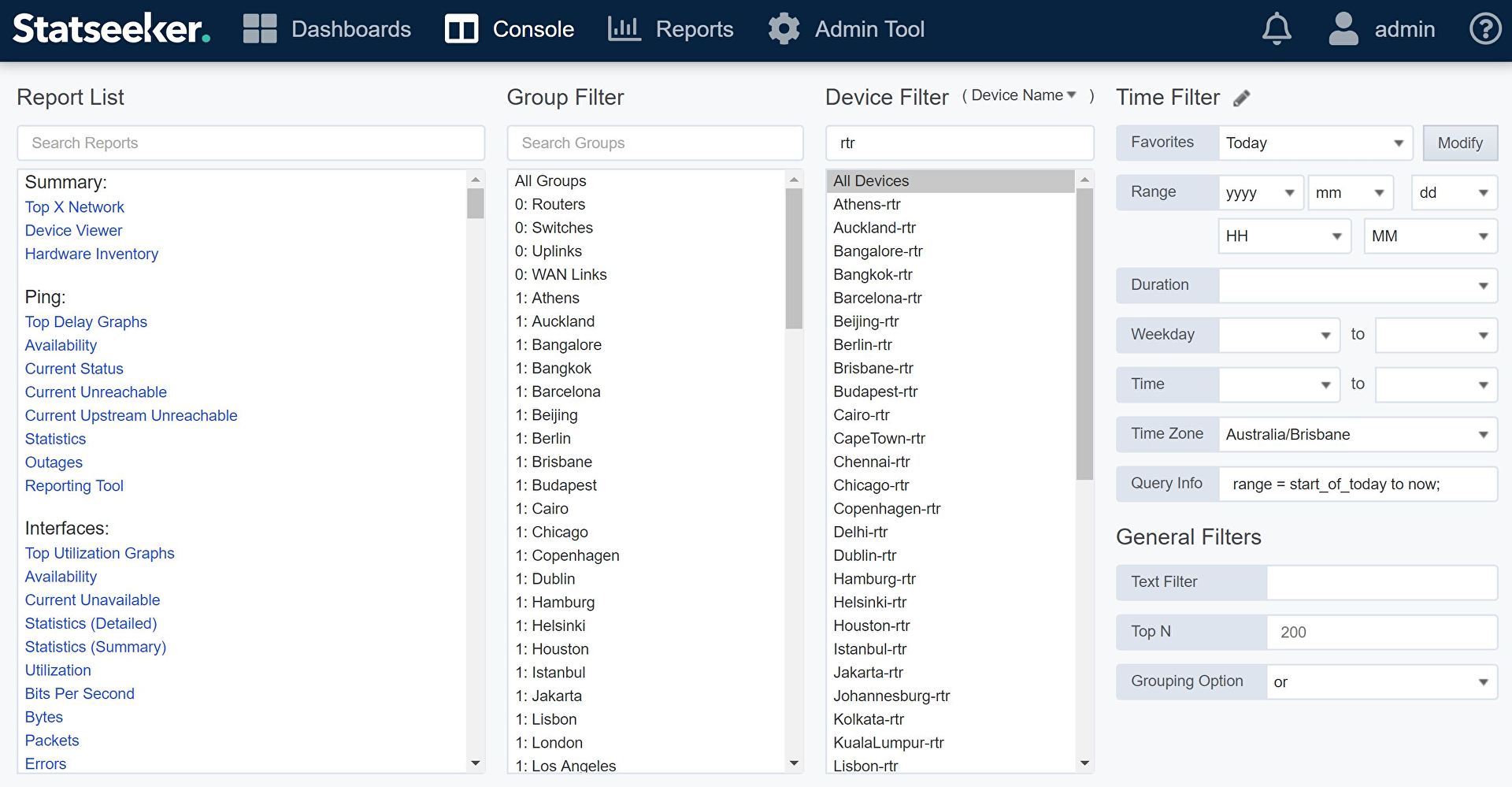
Zest offers pricing from $3,995 per year. A 45-day free trial is also available to test its features, provides support as well as a regular update. The enterprise pricing plans include the following:
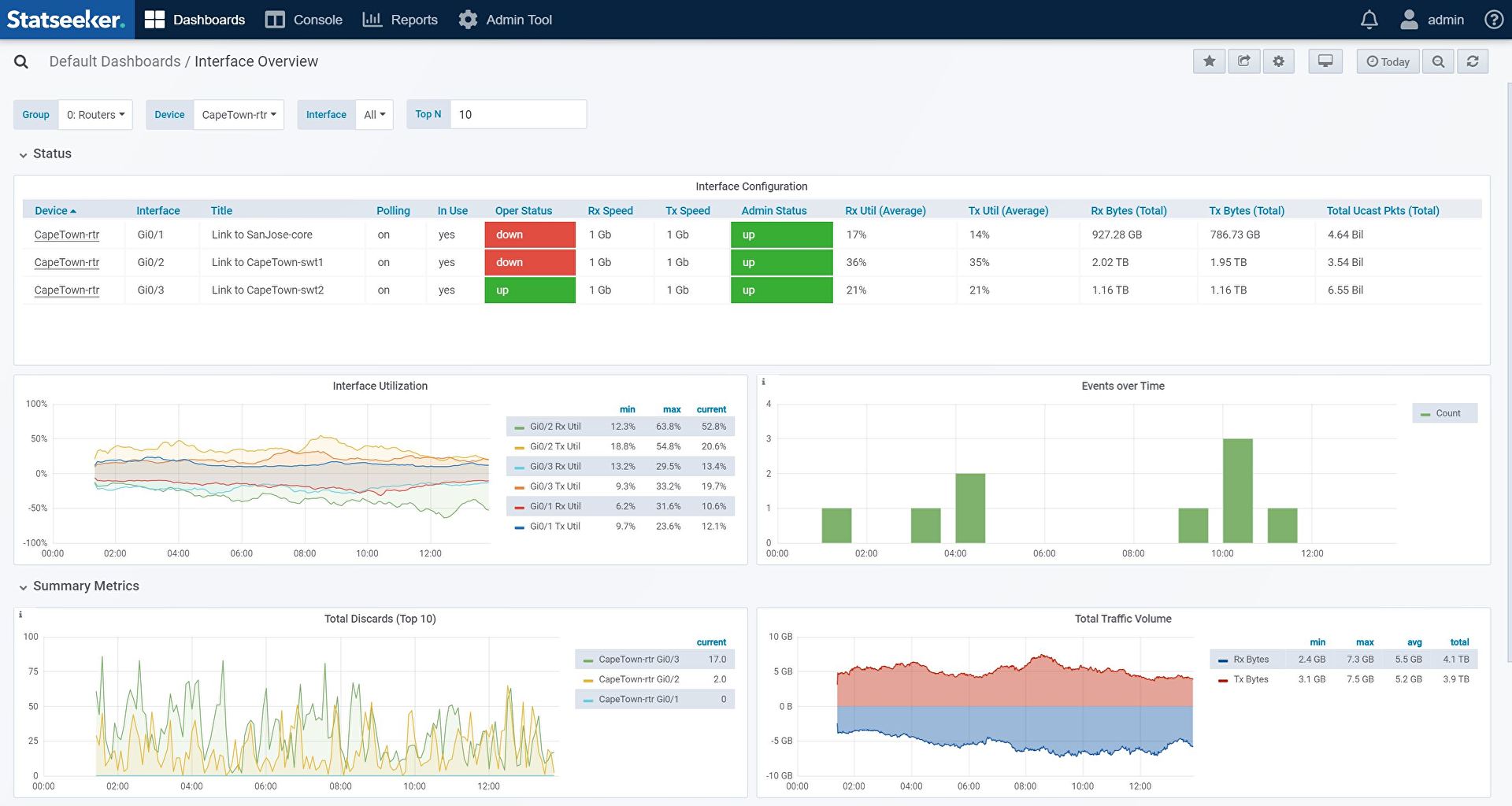
- New user interface
- Customizable dashboard
- Ability to expose and provide MAC/IP data via API
- Access to the hardware inventory and asset data via API
- Latitude and longitude coordinates-based asset location
User Satisfaction
Positive Social Media Mentions
34
Negative Social Media Mentions
1
We realize that when you make a decision to purchase a Network Management Software it’s crucial not only to learn how experts rank it in their reviews, but also to find out if the actual users and businesses that use this software are genuinely satisfied with the product. That’s why we’ve designer our behavior-based Customer Satisfaction Algorithm™ that aggregates customer reviews, comments and Statseeker reviews across a wide array of social media sites. The information is then displayed in an easy to digest form indicating how many clients had positive and negative experience with Statseeker. With that information at hand you should be prepared to make an informed purchasing decision that you won’t regret.
Video
Screenshots


Technical details
Devices Supported
- Windows
- Mac
- Web-based
Deployment
- Cloud Hosted
- On Premise
- Open API
Language Support
- English
Pricing Model
- Quote-based
Customer Types
- Small Business
- Large Enterprises
- Medium Business
What Support Does This Vendor Offer?
- phone
- live support
- training
- tickets
What integrations are available for Statseeker?
Statseeker is able to integrate with third-party applications through its advanced RESTful API. With an agile and highly skilled team of developers, we work closely with customers to understand their specific requirements.
We have designed integrated solutions with ChatOPs like Slack and ticketing platforms such as Service Now and Moogsoft. We have an integrated with downstream SIEM application Splunk, PHP Weathermap for topology and opensource dashboarding tool Grafana.
Get in contact with us during your evaluation or as a customer and tell us what you need.

Statseeker
is waiting for
your first review.

Write your own review of this product
ADD A REVIEWMore reviews from 0 actual users:


Join a community of 7,369 SaaS experts
Thank you for the time you take to leave a quick review of this software. Our community and review base is constantly developing because of experts like you, who are willing to share their experience and knowledge with others to help them make more informed buying decisions.
Sign in with LinkedIn
Why we require LinkedIn?
- Show the community that you're an actual user.
- We will only show your name and profile image in your review.
- You can still post your review anonymously.
OR
Sign in with company emailSign in with company email
Popular Statseeker Alternatives




Top Competitors To Statseeker By Price
Product name:
Price:


By quote
By quote

By quote

Trending Network Management Software Reviews


Statseeker Comparisons
Product name:


Page last modified



Did you find this review useful?
Yes
No
Thank you for your feedback
How can we make this page better?
Unsure about this software?
FIND ALTERNATIVES
 Why is FinancesOnline free?