
- Home
- Translation Software
- Wordbee Translator

Wordbee Translator Review



What is Wordbee Translator?
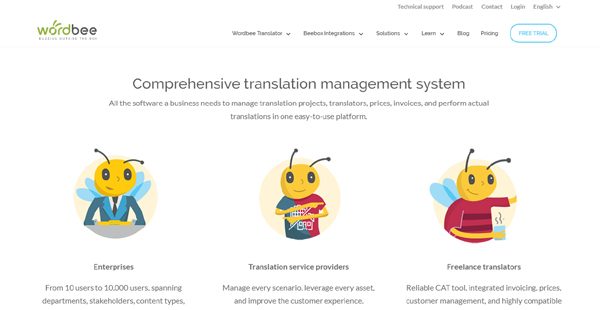
Wordbee Translator is a comprehensive translation management platform that does a lot more than help with translations. The system effectively fuses Enterprise level Translation Management and a CAT editor into a more comprehensive package that helps users perform their translation tasks, and automate their workflows to save money and time.
Wordbee Translator comes loaded with a very complete feature set that includes core functionalities for project management, client management, workflow management, reports and business analytics, among others. Many tasks like deadline calculations, project and workflow setup, and cost management can be automated to streamline all your processes. With Wordbee, you will reach your international audience by effortlessly providing high-quality translated content.
Show MoreOverview of Wordbee Translator Benefits
Wordbee Translator gives businesses an advanced web-based translation management system that simplifies all their translation processes and brings in all stakeholders, clients, vendors, and translators to a centralized environment where everyone can collaborate on projects, and work on translations simultaneously.
Wordbee makes it easy for project managers to build and manage their teams, facilitate their tasks and ensure that they are on track with their projects. They can see the progress and status of their work at all times. Project managers basically have a bird’s eye view over everything and can interfere at any stage of the project if necessary.
Linguists appreciate that they can work on projects simultaneously, use the same translation memories, and even search for a particular term or phrase across all resources, glossaries, databases, and documents, thereby accelerating their progress. The multi-column translation editor (CAT tool) allows translators to view multiple languages, context, notes or other information, improving the overall quality of translation. Team leaders and reviewers can also attach tags and write comments in the editor interface to provide tips and suggestions to the translators.
Show MoreOverview of Wordbee Translator Features
- Translation Management
- Website Translation
- Project Management
- Automated Workflows
- Client Portal
- Supplier Management
- Reports and Business Analytics
- Resource Management
- Invoicing Tool
- Cloud-based, multi-column Translation Editor
- Real-time collaboration
- Split documents, jobs and tasks
- Live-Preview
- REST APIs
Wordbee Translator Position In Our Categories
Bearing in mind companies have specific business demands, it is only practical they avoid picking a one-size-fits-all, ”best” system. However, it is nearly futile to try to find such application even among popular software systems. The logical thing to undertake is to jot down the numerous critical functions which require analysis like essential features, packages, technical skill capability of staff, organizational size, etc. Next, you should double down on the product research thoroughly. Read some of these Wordbee Translator analyses and look over each of the software products in your shortlist more closely. Such comprehensive product research guarantee you stay away from poorly fit apps and subscribe to the system that provides all the function your business requires.
Position of Wordbee Translator in our main categories:
TOP
50
Wordbee Translator is one of the top 50 Translation Software products
If you are considering Wordbee Translator it could also be a good idea to examine other subcategories of Translation Software collected in our database of SaaS software reviews.
There are popular and widely used systems in each software category. But are they necessarily the best fit for your organization’s specific wants? A popular software application may have thousands of subscribers, but does it offer what you require? For this reason, do not blindly shell out for popular systems. Read at least a few Wordbee Translator Translation Software reviews and consider the aspects that you wish to have in the software such as the price, main tools, available integrations etc. Then, choose a few systems that fit your needs. Try out the free trials of these apps, read online comments, get clarifications from the maker, and do your homework meticulously. This in-depth homework is sure to aid you choose the finest software platform for your organization’s specific wants.
How Much Does Wordbee Translator Cost?
Wordbee Translator Pricing Plans:
Free Trial
Freelancer
250€
Freelance Entrepreneur
450€
Premium Pack
3,000€
Enterprises and Translation Vendors
By quote
What are Wordbee Translator pricing details?
Wordbee Translator Pricing Plans:
Free Trial
Freelancer
250€
Freelance Entrepreneur
450€
Premium Pack
3,000€
Enterprises and Translation Vendors
By quote
Depending on the user’s requirements, Wordbee Translator offers four SMB and enterprise pricing plans to choose from. Give the details a look, and select your plan:
Freelancer – 250€ or 330$/year
- 1 User
- CAT editor
- Linguistic Resources
- Financial Management
- Client Management
Freelance Entrepreneur – 450€ or 518$/year
- All Freelancer features
- 2+ Users
- Supplier Management
- Project Management
- Automated Workflow
Premium Pack – 3,000€ or 3600$/year
- All Freelance Entrepreneur Features
- 5 Users
- Developer API
- Concurent licenses
- Wordbee Beebox connection ability
- Pay-per-use ability
- Global Search
- Reports & Business Analytics
Enterprises and Translation Vendors – contact for pricing
- Customizable Plan (Select the features you need)
- 6+ Users
- Developer API
- Concurrent licenses
- Wordbee Beebox connection ability
- Pay-per-use ability
- Customized storage
- Client Portal
- Global Search
- Reports & Business Analytics
User Satisfaction
Positive Social Media Mentions
57
Negative Social Media Mentions
0
We realize that when you make a decision to purchase a Translation Software it’s vital not only to learn how experts score it in their reviews, but also to find out if the real users and businesses that bought it are genuinely satisfied with the service. Because of that need we’ve devised our behavior-based Customer Satisfaction Algorithm™ that collects customer reviews, comments and Wordbee Translator reviews across a broad array of social media sites. The information is then featured in a simple to digest form showing how many clients had positive and negative experience with Wordbee Translator. With that information at hand you will be ready to make an informed business decision that you won’t regret.
Video
Technical details
Devices Supported
- Windows
- Android
- iPhone/iPad
- Mac
- Web-based
Deployment
- Cloud Hosted
Language Support
- English
- German
- Spanish
- French
- Italian
- Dutch
- Turkish
Pricing Model
- Monthly payment
Customer Types
- Small Business
- Large Enterprises
- Medium Business
- Freelancers
What Support Does This Vendor Offer?
- phone
- live support
- training
- tickets
What integrations are available for Wordbee Translator?
Wordbee Translator integrates with the following business systems and applications:
- Censhare
- WordPress
- Drupal
- Sitecore
- Adobe Experience Manager
- Joomla
- TYPO3
- Kentico
- EpiServer
- XLIFF
- Microsoft Word
- Outlook
Wordbee Translator User Reviews
Wordbee Translator average rating:
1/5
Overall impression
2/5
Customer Support
1/5
Value for Money
2/5
Ease of Use
Write your own review of this product
ADD A REVIEWThe most favorable review

PROS: It has some great features under the hood. It only is good enough for freelancers and small-size teams.
CONS: GUI is just slow to use. Project management and organisation is just chaotic bunch of features that make no sense to any modern project management. Maybe in 2008 it would've been good but in 2018 this is just waste of time. After using it for 4 years as co-TMS, we never saw a decent improvement in project management and folder/file organisation.
The least favorable review

PROS: It was free because the client forced me to use it.
CONS: Nothing works. It's slow and useless. It's like going back to pen and paper but takes longer .
More reviews from 3 actual users:
Sort by:
Latest
- Latest
- Most useful
- Most positive
- Most negative
Wordbee translator is just poor for project management
Read full review >
2/5
Overall impression
4/5
Customer Support
2/5
Value for Money
1/5
Ease of Use
Published on: 15.07.2021
Company Size: 11-50 Employees
Industry: Translation and Localization
PROS: It has some great features under the hood. It only is good enough for freelancers and small-size teams.
CONS: GUI is just slow to use. Project management and organisation is just chaotic bunch of features that make no sense to any modern project management. Maybe in 2008 it would've been good but in 2018 this is just waste of time. After using it for 4 years as co-TMS, we never saw a decent improvement in project management and folder/file organisation.
Worst CAT Tool experience in my life. It’s a pre-alfa of a normal product in fact.
Read full review >
1/5
Overall impression
1/5
Customer Support
1/5
Value for Money
1/5
Ease of Use
Published on: 11.02.2021
Company Size: 1-10 Employees
Industry: Translation and Localization
PROS: None! And I mean it. The tool is far from being ready to use.
CONS: 1. copy/paste doesn't work 2. high CPU usage due to online. The browser is working really slow with tool opened. 3. TM propagation isn't really functioning. You have to constantly make it manually for the translation to appear in the Translation column from the TM (due to CPU usage of course) 4. dumb and useless filtering. You can't sort the translation based on comments field. 5. translation being divided into pages, so you have to wait for another page to load and you can't see the entire text on one page. Which leads to lack of context. 6. lack of proofreading (I mean commas and style), just spellchecker provided 7. non-functional import of Excel files. It's just declared, but it doesn't work even barely.
Nothing works, it’s painfully slow, difficult to use, counter intuitive and kills productivity.
Read full review >
1/5
Overall impression
1/5
Customer Support
1/5
Value for Money
1/5
Ease of Use
Published on: 28.01.2021
Company Size: 1-10 Employees
Industry: Translation and Localization
PROS: It was free because the client forced me to use it.
CONS: Nothing works. It's slow and useless. It's like going back to pen and paper but takes longer .


Join a community of 7,369 SaaS experts
Thank you for the time you take to leave a quick review of this software. Our community and review base is constantly developing because of experts like you, who are willing to share their experience and knowledge with others to help them make more informed buying decisions.
Sign in with LinkedIn
Why we require LinkedIn?
- Show the community that you're an actual user.
- We will only show your name and profile image in your review.
- You can still post your review anonymously.
OR
Sign in with company emailSign in with company email
Popular Wordbee Translator Alternatives


Top Competitors To Wordbee Translator By Price
Product name:
Price:



Trending Translation Software Reviews


Wordbee Translator Comparisons
Product name:



Wordbee Translator user reviews
Wordbee translator is just poor for project management
Read full review >
2/5
Overall impression
4/5
Customer Support
2/5
Value for Money
1/5
Ease of Use
Published on: 15.07.2021
Company Size: 11-50 Employees
Industry: Translation and Localization
Worst CAT Tool experience in my life. It’s a pre-alfa of a normal product in fact.
Read full review >
1/5
Overall impression
1/5
Customer Support
1/5
Value for Money
1/5
Ease of Use
Published on: 11.02.2021
Company Size: 1-10 Employees
Industry: Translation and Localization
Nothing works, it’s painfully slow, difficult to use, counter intuitive and kills productivity.
Read full review >
1/5
Overall impression
1/5
Customer Support
1/5
Value for Money
1/5
Ease of Use
Published on: 28.01.2021
Company Size: 1-10 Employees
Industry: Translation and Localization

Page last modified


 Why is FinancesOnline free?