

X1 Search Review


What is X1 Search?
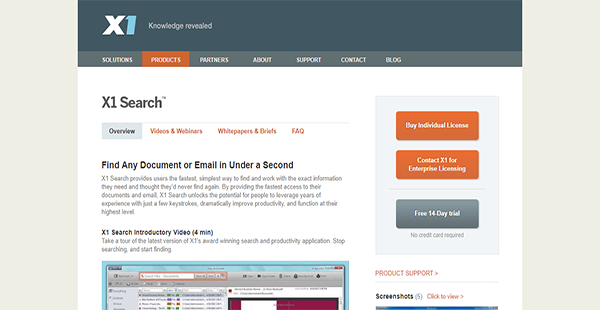
X1 Search is a next-generation unified search tool for physical desktops and virtual environments. It can help you find emails, attachments, documents, calendar data, and more in the space of a few seconds. That is because the solution displays information as you type, to aid you in retrieving data faster.
X1 Search is also a very thorough and comprehensive application. Even if you forget the name of a document, you can simply search for a keyword and the search tool can retrieve relevant documents.
Moreover, X1 Search is an application that provides you the necessary flexibility for an international workforce. Whether you are working on an office desktop or connecting with organization servers through a virtual desktop from a distant location, X1 Search enables you to find critical information when you need them.
Show MoreOverview of X1 Search Benefits
Deep Email Search
If you have information you need to retrieve but you can find it only in an old email, X1 Search can help you. The solution’s integration with Outlook, Gmail, Symantec vaults, and other IMAP-based email accounts enables it to do a deep dive into your messages to retrieve the data that you require.
Cloud Repository Search
Email clients and accounts are not the only ones X1 Search can work with. The search tool can also connect with cloud storage services like Box and OneDrive. With this, you can easily find data saved in different online repositories from a single pane.
Native File Preview
As X1 Search seamlessly integrates with SharePoint, you can get a preview of files in their native format. This means that you can see how a file is and make sure it is the correct document before you retrieve it.
Post-Search Actions
Because it is a federated tool, X1 Search affords you the ability to act on your retrieved information directly from the application’s interface regardless of the file format or source. It can help you save time and lets you become more productive.
On-the-Go Search
X1 Search is a tool you can bring with you wherever you go. It has a mobile application that lets you search your emails, desktop files, and cloud storages from your smartphone or tablet.
Show MoreOverview of X1 Search Features
- Unified Search
- Enterprise Search
- As-You-Type Search
- Refine Columns
- File Preview
- Post-Search Actions
- Custom Search Save & Share
X1 Search Position In Our Categories
Because companies have particular business needs, it is practical they steer clear of adopting an all-encompassing, ideal software system. Needless to say, it would be difficult to try to come across such application even among branded software products. The sensible thing to undertake should be to write the numerous critical functions which necessitate consideration including major features, price terms, technical skill aptitude of staff, business size, etc. Next, you should follow through the product research through and through. Go over some of these X1 Search review articles and explore the other software programs in your shortlist in detail. Such detailed research makes sure you circumvent poorly fit apps and choose the system which includes all the function your company requires.
Position of X1 Search in our main categories:
TOP
50
X1 Search is one of the top 50 Site Search Solutions products
If you are interested in X1 Search it may also be sensible to analyze other subcategories of Site Search Solutions listed in our database of B2B software reviews.
Each organization has different requirements and needs a system that can be personalized for their size, type of staff members and customers, and the specific industry they are in. For these reasons, no software can proffer perfect functionality out-of-the-box. When you look for a software app, first be sure what you need it for. Read some X1 Search Site Search Solutions reviews and ask yourself do you desire basic tools or do you want advanced features? Are there any industry-specific functionalities that you are searching for? Get the answers to these questions to aid your search. There are plenty of factors that you need to reflect on and these include your finances, particular business needs, your company size, integration needs etc. Take your time, check out a few free trials, and finally zero in on the platform that provides all that you require to boost your company effectiveness and productivity.
How Much Does X1 Search Cost?
X1 Search Pricing Plans:
Free Trial
Single User License
$96.00/one-time payment
Enterprise Licensing
Contact vendor
What are X1 Search pricing details?
X1 Search Pricing Plans:
Free Trial
Single User License
$96.00/one-time payment
Enterprise Licensing
Contact vendor
X1 Search has two options for enterprise pricing. The first is for single users in a company while the other is for large-scale deployments in global organizations. The basic information regarding the packages are shown below to help you decide which one is the best for your needs.
Single User License – $96.00/one-time payment
- Electronic Delivery
- Free 1-Year Support
Enterprise Licensing – request pricing information
- Silent Installation
- Large-Scale Deployment
- Volume Discounts for 500 or More Units
User Satisfaction
Positive Social Media Mentions
0
Negative Social Media Mentions
0
We know that when you decide to get a Site Search Solutions it’s important not only to see how experts rank it in their reviews, but also to discover if the real users and businesses that purchased these solutions are genuinely satisfied with the service. Because of that need we’ve devised our behavior-based Customer Satisfaction Algorithm™ that collects customer reviews, comments and X1 Search reviews across a vast range of social media sites. The information is then displayed in a simple to understand way indicating how many people had positive and negative experience with X1 Search. With that information available you will be prepared to make an informed business decision that you won’t regret.
Video
Technical details
Devices Supported
- Windows
Deployment
- On Premise
Language Support
- English
Pricing Model
- One-time payment
- Quote-based
Customer Types
- Small Business
- Large Enterprises
- Medium Business
What Support Does This Vendor Offer?
- phone
- live support
- training
- tickets
What integrations are available for X1 Search?
X1 Search supports email applications, email archives, SharePoint installations, and remote file sharing services. This means that the software can search inside them.
- Outlook
- Gmail
- Yahoo!
- AOL
- Other IMAP-Based Email Accounts
- Symantec Enterprise Vault
- SharePoint
- Box
- OneDrive
- OneDrive for Business (O365)
- OneDrive for Business (SharePoint 2013)

X1 Search
is waiting for
your first review.

Write your own review of this product
ADD A REVIEWMore reviews from 0 actual users:


Join a community of 7,369 SaaS experts
Thank you for the time you take to leave a quick review of this software. Our community and review base is constantly developing because of experts like you, who are willing to share their experience and knowledge with others to help them make more informed buying decisions.
Sign in with LinkedIn
Why we require LinkedIn?
- Show the community that you're an actual user.
- We will only show your name and profile image in your review.
- You can still post your review anonymously.
OR
Sign in with company emailSign in with company email
Popular X1 Search Alternatives


Top Competitors To X1 Search By Price
Product name:
Price:
By quote

By quote

By quote

by quote

€15,00
Trending Site Search Solutions Reviews




X1 Search Comparisons
Product name:


Page last modified


Did you find this review useful?
Yes
No
Thank you for your feedback
How can we make this page better?
Unsure about this software?
FIND ALTERNATIVES
 Why is FinancesOnline free?