
- Home
- E-Signature Software
- Adobe Sign

Adobe Sign Review



What is Adobe Sign?
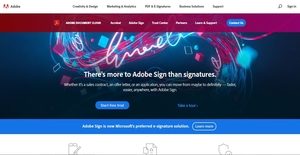
Adobe Sign is an electronic signature solution designed for companies and businesses who are managing sales contracts, employee on-boarding forms, credit applications, purchase orders, or legal documents. The e-signature platform is a part of Adobe Document Cloud suite, and aims to speed up transactions and business processes by allowing users to easily share online forms, digital documents, and applications, and collect legal electronic and digital signatures.
What Adobe Sign does the best is to allow users to create and design their business processes through the aid of workflow templates. The platform also enables them to scan paper documents using their phone camera and collect in-person signatures through a mobile phone. In addition, Adobe Sign provides them with the capability to create an internal portal where employees can search for forms easily and quickly. Last but not the least, the e-signature solution makes it possible to store signed documents, audit trails, and comply with e-sign laws and regulations implemented around the world.
Show MoreOverview of Adobe Sign Benefits
Adobe Sign has the capability to automatically detect form fields as users prepare documents for authoring and e-signing. Because of this, they will be able to easily add form fields to their documents and create online forms and digital documents faster.
To improve accuracy in authoring documents, Adobe Sign includes color codes to form and signature fields. These color codes are assigned to recipients who need to fill in those fields with their signatures. With this feature, users can avoid errors in collecting e-signatures, as designated signers and approvers are identified easily.
Adobe Sign also enhances compliance with e-signature laws and standards. The platform enables users to comply with the requirements specified under the EU eIDAS regulation by allowing them to add time stamps to their e-signed documents. eIDAS stands for electronic Identification, Authentication, and Trust Services; and it is composed of a set of standards implemented for electronic transactions in the European internet market.
Thus, time stamps are used to confirm the validity of e-signatures and the authenticity of their documents. In addition, Adobe Sign allows users from India to e-sign documents using their Aadhaar identity number. Aadhaar is a biometric ID system wherein residents in India are issued with a 12 digit unique-identity number by their government. With this feature, users in India will be able to comply with their data management and e-signature laws.
Meanwhile, Adobe Sign supports integration with Microsoft Outlook, Microsoft Word/PowerPoint, Microsoft Teams, Microsoft Flow, Dynamics CRM v6, Microsoft SharePoint Online, and other apps. As a result, users will be able to automate their document management workflows and signing processes. They can share agreements directly from these applications and send them to their partners, vendors, and colleagues for e-signing.
Show MoreOverview of Adobe Sign Features
- Automatic Form Field Detection
- Self-Serve Forms
- Form Field Fonts
- Color-Coded Recipient Fields
- EU Qualified Time Stamps
- Configurable Time Stamps
- Aadhaar Signing
- Integrations
- Document Workflow Triggers
- Written Signature Fully Replaces the Fax Workflow
- Drag and Drop Workflow Templates
- Mobile Sending, Track and Management of Signing Processes
- Branded Experiences
- Assign and Reassign User Licenses
- Security and Compliance
Adobe Sign Position In Our Categories
Knowing that companies have their own business-related needs, it is wise that they avoid selecting a one-size-fits-all, ideal business application. Just the same, it would be difficult to try to chance on such an app even among widely used software solutions. The rational step to undertake is to list the several main functions which entail careful thought like major features, packages, skill ability of the employees, company size, etc. The second step is, you must conduct your product research thoroughly. Go over some Adobe Sign evaluations and check out each of the software solutions in your list in detail. Such all-encompassing research guarantees you circumvent mismatched applications and subscribe to the system that has all the features your business requires for optimal results.
Position of Adobe Sign in our main categories:
TOP
200
Adobe Sign is one of the top 200 Accounting Software products
Since each enterprise has particular business needs, it is advisable for them to refrain from seeking a one-size-fits-all perfect software application. Needless to say, it would be useless to try to find such an app even among popular software solutions. The clever thing to do would be to list the various essential elements that require consideration such as main features, finances, skill levels of employees, company size etc. Then, you should do your homework thoroughly. Read some Adobe Sign E-Signature Software reviews and investigate each of the other solutions in your shortlist in detail. Such in-depth groundwork can ensure you reject ill-fitting platforms and choose the app that presents all the elements you need for business success.
How Much Does Adobe Sign Cost?
Adobe Sign Pricing Plans:
Free Trial
Individual
$14.99/mo.
Team
$24.99/seat/mo.
Business
Starting at 39.99/seat/mo.
Enterprise
Contact vendor
What are Adobe Sign pricing details?
Adobe Sign Pricing Plans:
Free Trial
Individual
$14.99/mo.
Team
$24.99/seat/mo.
Business
Starting at 39.99/seat/mo.
Enterprise
Contact vendor
Adobe Sign offers several SMB and enterprise pricing plans for users to choose from. All plans are offered on a monthly or annual basis. Give the details a look, and select the best plan for your organization:
Individual
- $14.99/mo. – billed monthly
- $119.88/yr. ($9.99/mo.) – billed annually
- Get signatures and track responses in real time
- Work from a web browser or mobile app
- Add business form fields or create your own
- Get in-person signatures on mobile
- Authenticate signer identities for basic legal compliance
- Work with digital IDs for advanced and qualified digital signature compliance
- Sign with business stamps
- Scan and sign on mobile
- Personalize your signature
- Set reminders and notifications
- Store final documents and audit trails automatically
Team
- $24.99/seat/mo. – billed monthly
- $299.88/yr. – billed annually
- Improve team efficiency and brand your experience
- Ideal for a small business with 2 to 9 users
- Create a branded signing experience for customers
- Share document templates across your team
- Manage user preferences and settings
Business
- Starting at 39.99/seat/mo. – billed monthly
- $479.88/yr. – billed annually
- Customize and optimize for your business
- Ideal for a medium to large business with 10 or more users
- Put self-serve, signable forms on your website
- Send for signature in bulk
- Boost identity confidence with two-factor signer authentication
- Get advanced form fields
- Collect attachments from signers
- Collect and display images from signers
Enterprise
- Integrate e-signatures into your business systems
- Ideal for use across an enterprise
- Use prebuilt integrations for rapid deployment with enterprise apps
- Use APls to embed Adobe Sign capabilities into custom applications.
- Build consistent, repeatable workflow templates with drag-and-drop ease
- Customize workflows with advanced roles and permissions
- Add premium support options
Please contact the company for more details on Adobe Sign’s business plan and to get a quote for its enterprise pricing plan.
User Satisfaction
Positive Social Media Mentions
366
Negative Social Media Mentions
5
We realize that when you decide to purchase a E-Signature Software it’s important not only to see how experts score it in their reviews, but also to check whether the real people and businesses that bought it are actually satisfied with the service. Because of that need we’ve designer our behavior-based Customer Satisfaction Algorithm™ that gathers customer reviews, comments and Adobe Sign reviews across a vast range of social media sites. The data is then presented in a simple to digest way showing how many users had positive and negative experience with Adobe Sign. With that information at hand you will be equipped to make an informed buying choice that you won’t regret.
Video
Technical details
Devices Supported
- Windows
- Linux
- Android
- iPhone/iPad
- Mac
- Web-based
- Windows Mobile
Deployment
- Cloud Hosted
- Open API
Language Support
- English
- Dutch
- Polish
- Turkish
- Swedish
Pricing Model
- Monthly payment
- Annual Subscription
- Quote-based
Customer Types
- Small Business
- Large Enterprises
- Medium Business
- Freelancers
What Support Does This Vendor Offer?
- phone
- live support
- training
- tickets
What integrations are available for Adobe Sign?
Adobe Sign integrates with the following business systems and applications:
- Microsoft Outlook
- Microsoft Word/PowerPoint
- Microsoft Teams
- Microsoft Flow
- Microsoft SharePoint Online
- Dynamics CRM v6
- Salesforce
- Workday
- SAP Ariba
- digital ID providers like InfoCert, Intesi Group, Trans Sped; and other apps.
Adobe Sign User Reviews
Adobe Sign average rating:
4/5
Overall impression
5/5
Customer Support
4/5
Value for Money
4/5
Ease of Use
Write your own review of this product
ADD A REVIEWThe most favorable review

PROS: The whole process is easy to do via Adobe e-sign, the uploading and sending the docs are quick and easy to do. We use its widgets which make our work much easier. I used other e-sign programs for our vendors and they were all complicated to use. The Adobe’ service is exceptional and friendly. Once you learn how to use this product everything becomes easier and we managed to reduce the negative reviews.
CONS: To be honest I don’t use this program to the fullest, I don’t even know about all its features and widget. I don’t even use tags even though I have seen they are nice features. What I don’t like is that I have to click the box in order to place the signature box, I don’t like to click the box it would be great if this goes automatically to place the signature box.
The least favorable review
PROS: Direct integration with the adobe reader which makes it nice to use offline.
CONS: Subscription model are quite bad, it makes it almost impossible to cancel the renewal of the licenses. It took me 2 hourse of customer support to cancel the subscription.
More reviews from 15 actual users:
Sort by:
Latest
- Latest
- Most useful
- Most positive
- Most negative
Market leading solution with a poor customer support and terrible subscription model
Read full review >
3/5
Overall impression
1/5
Customer Support
2/5
Value for Money
3/5
Ease of Use
Published on: 29.11.2021
Company Size: N/A
Industry: N/A
PROS: Direct integration with the adobe reader which makes it nice to use offline.
CONS: Subscription model are quite bad, it makes it almost impossible to cancel the renewal of the licenses. It took me 2 hourse of customer support to cancel the subscription.
We love working with Adobe e-sign tool
Read full review >
5/5
Overall impression
5/5
Customer Support
5/5
Value for Money
5/5
Ease of Use
Published on: 14.10.2021
Company Size: More than 100 Employees
Industry: Financial Services
PROS: The whole process is easy to do via Adobe e-sign, the uploading and sending the docs are quick and easy to do. We use its widgets which make our work much easier. I used other e-sign programs for our vendors and they were all complicated to use. The Adobe’ service is exceptional and friendly. Once you learn how to use this product everything becomes easier and we managed to reduce the negative reviews.
CONS: To be honest I don’t use this program to the fullest, I don’t even know about all its features and widget. I don’t even use tags even though I have seen they are nice features. What I don’t like is that I have to click the box in order to place the signature box, I don’t like to click the box it would be great if this goes automatically to place the signature box.
Adobe e-sign makes the whole process simple
Read full review >
5/5
Overall impression
5/5
Customer Support
5/5
Value for Money
5/5
Ease of Use
Published on: 21.08.2021
Company Size: 11-50 Employees
Industry: Financial Services
PROS: Adobe Sign is easy to use, and it has understandable learning curve. We get even more agreements back because our clients find this tool easy to use, all they have to do is to review the doc and click the sign without a need of printing, emailing, signing and fax back. We don’t have to worry about the missing pages thanks to this tool because all we have to do is to set the form up in minutes and send it, we are even able to track the doc along the way.
CONS: There is nothing to dislike. It would be helpful if they could include Adobe e-sign button within the programs like Word, Outlook or other that would save lot of time.
Great e-sign tool
Read full review >
4/5
Overall impression
4/5
Customer Support
4/5
Value for Money
4/5
Ease of Use
Published on: 12.08.2021
Company Size: More than 100 Employees
Industry: Utilities
PROS: Its functionality provides great field of validation and custom formulas. You can use it in older browsers. Because it is an Adobe product you already know how easy and intuitive this tool is, you can easily move things from a PDF into the system, you can quickly download documents into PDFs. The price is reasonable and they constantly improve the product and release new features.
CONS: It lacks some features, for e.g. if you made a mistake while sending contract you cannot go back and edit it or start new template you have to start over. In addition, if there are 2 fields from 2 different docs that have same name the system treats them like they are the same. Furthermore, the “manage” page can be confusing and it doesn’t allow a team to share contracts.
Great e-sign solution
Read full review >
4/5
Overall impression
4/5
Customer Support
4/5
Value for Money
4/5
Ease of Use
Published on: 18.07.2021
Company Size: More than 100 Employees
Industry: Real Estate
PROS: What I like most is that I can easily get the docs signed quickly. Adobe e-sign is user-friendly tool and helpful one. Its support team is responsive and always willing to help or provide additional service. We have great experience with this software even though we use some limitations for docs and processes within the company.
CONS: When dragging signatures you have to remember to click on multiple signatures in order to assign the signer or the signer needs to click on all indicated signatures to complete it. It would be great if they could include some training for dragging signatures.
Great e-sign tool
Read full review >
4/5
Overall impression
4/5
Customer Support
4/5
Value for Money
4/5
Ease of Use
Published on: 14.06.2021
Company Size: More than 100 Employees
Industry: Utilities
PROS: Its functionality provides great field of validation and custom formulas. You can use it in older browsers. Because it is an Adobe product you already know how easy and intuitive this tool is, you can easily move things from a PDF into the system, you can quickly download documents into PDFs. The price is reasonable and they constantly improve the product and release new features.
CONS: It lacks some features, for e.g. if you made a mistake while sending contract you cannot go back and edit it or start new template you have to start over. In addition, if there are 2 fields from 2 different docs that have same name the system treats them like they are the same. Furthermore, the “manage” page can be confusing and it doesn’t allow a team to share contracts.
I use Adobe on a daily basis and I highly recommend it
Read full review >
4/5
Overall impression
4/5
Customer Support
4/5
Value for Money
4/5
Ease of Use
Published on: 08.06.2021
Company Size: 11-50 Employees
Industry: Religious Institutions
PROS: There is a wonderful feature within Adobe, it scans the PDF for blanks to put data fields. I like that multiple users can sign the document. I’m able to handle complicated things for insurance and tax purposes. It allows me to use radio buttons for choosing multiple choice options.
CONS: The manage page is something that I don’t like because it shows everything that is based on signature data. I cannot find a way to organize signed documents in folders. I would like to see an option to export files into a folders and to mass download and delete confidential files. Also, there is no option to download a folder with signed files. In addition, you have to create a mass deleting function for files so you can select multiple signed documents on the manage page and to delete them.
We love working with Adobe e-sign tool
Read full review >
5/5
Overall impression
5/5
Customer Support
5/5
Value for Money
5/5
Ease of Use
Published on: 30.04.2021
Company Size: More than 100 Employees
Industry: Financial Services
PROS: The whole process is easy to do via Adobe e-sign, the uploading and sending the docs are quick and easy to do. We use its widgets which make our work much easier. I used other e-sign programs for our vendors and they were all complicated to use. The Adobe’ service is exceptional and friendly. Once you learn how to use this product everything becomes easier and we managed to reduce the negative reviews.
CONS: To be honest I don’t use this program to the fullest, I don’t even know about all its features and widget. I don’t even use tags even though I have seen they are nice features. What I don’t like is that I have to click the box in order to place the signature box, I don’t like to click the box it would be great if this goes automatically to place the signature box.
It’s Adobe’s product and that’s enough
Read full review >
5/5
Overall impression
5/5
Customer Support
5/5
Value for Money
5/5
Ease of Use
Published on: 27.04.2021
Company Size: More than 100 Employees
Industry: Management Consulting
PROS: Adobe’s Enterprise Plan 2 option allows us to request signatures so we can use digital certificates. Anyone who has digital certificate and Acrobat Reader configuration on their device can be incorporated in ad-hoc workflow. The other good thing is that the Signatories are not required to have sign service license or to install the tool on their device.
CONS: ASS leaves some server process marks on the docs that are handled via Sign Service and are not fully recognized by the public validation services in Swiss. I’m sure that Adobe Sign is not aware of the validator.ch and because of this documents that are valid qualified digital signatures processed via Sign service appear as invalid when checking through validator.ch.
Great e-sign solution
Read full review >
4/5
Overall impression
4/5
Customer Support
4/5
Value for Money
4/5
Ease of Use
Published on: 10.01.2021
Company Size: More than 100 Employees
Industry: Real Estate
PROS: What I like most is that I can easily get the docs signed quickly. Adobe e-sign is user-friendly tool and helpful one. Its support team is responsive and always willing to help or provide additional service. We have great experience with this software even though we use some limitations for docs and processes within the company.
CONS: When dragging signatures you have to remember to click on multiple signatures in order to assign the signer or the signer needs to click on all indicated signatures to complete it. It would be great if they could include some training for dragging signatures.
Adobe e-sign makes the whole process simple
Read full review >
5/5
Overall impression
5/5
Customer Support
5/5
Value for Money
5/5
Ease of Use
Published on: 22.02.2018
Company Size: 11-50 Employees
Industry: Financial Services
PROS: Adobe Sign is easy to use, and it has understandable learning curve. We get even more agreements back because our clients find this tool easy to use, all they have to do is to review the doc and click the sign without a need of printing, emailing, signing and fax back. We don’t have to worry about the missing pages thanks to this tool because all we have to do is to set the form up in minutes and send it, we are even able to track the doc along the way.
CONS: There is nothing to dislike. It would be helpful if they could include Adobe e-sign button within the programs like Word, Outlook or other that would save lot of time.
It’s Adobe’s product and that’s enough
Read full review >
5/5
Overall impression
5/5
Customer Support
5/5
Value for Money
5/5
Ease of Use
Published on: 01.02.2018
Company Size: More than 100 Employees
Industry: Management Consulting
PROS: Adobe’s Enterprise Plan 2 option allows us to request signatures so we can use digital certificates. Anyone who has digital certificate and Acrobat Reader configuration on their device can be incorporated in ad-hoc workflow. The other good thing is that the Signatories are not required to have sign service license or to install the tool on their device.
CONS: ASS leaves some server process marks on the docs that are handled via Sign Service and are not fully recognized by the public validation services in Swiss. I’m sure that Adobe Sign is not aware of the validator.ch and because of this documents that are valid qualified digital signatures processed via Sign service appear as invalid when checking through validator.ch.
I use Adobe on a daily basis and I highly recommend it
Read full review >
4/5
Overall impression
4/5
Customer Support
4/5
Value for Money
4/5
Ease of Use
Published on: 08.01.2018
Company Size: 11-50 Employees
Industry: Religious Institutions
PROS: There is a wonderful feature within Adobe, it scans the PDF for blanks to put data fields. I like that multiple users can sign the document. I’m able to handle complicated things for insurance and tax purposes. It allows me to use radio buttons for choosing multiple choice options.
CONS: The manage page is something that I don’t like because it shows everything that is based on signature data. I cannot find a way to organize signed documents in folders. I would like to see an option to export files into a folders and to mass download and delete confidential files. Also, there is no option to download a folder with signed files. In addition, you have to create a mass deleting function for files so you can select multiple signed documents on the manage page and to delete them.
This is helpful tool and they could make it more intutive
Read full review >
4/5
Overall impression
4/5
Customer Support
4/5
Value for Money
4/5
Ease of Use
Published on: 01.01.2018
Company Size: More than 100 Employees
Industry: Insurance
PROS: Repeating the same field on multiple pages it’s much easier for the signer. This tool allows me to export data that is collected in the form so with my programming skills I’m able to link it to my HRIS and to automate data input.
CONS: I cannot separate multiple forms that I have created by the template, in order to do this I have to use a back-end method by opening PDF into Chrome and to print new file so I can remove the security, then to add the top-level bookmarks for every form and to split the document by using the bookmark names in output settings field. Also, I’m Adobe Business subscriber with e-Sign but I don’t know how to embed the forms on my website and even the Adobe’s team doesn’t even know how to do that.
This is helpful tool and they could make it more intutive
Read full review >
4/5
Overall impression
4/5
Customer Support
4/5
Value for Money
4/5
Ease of Use
Published on: 26.12.2017
Company Size: More than 100 Employees
Industry: Insurance
PROS: Repeating the same field on multiple pages it’s much easier for the signer. This tool allows me to export data that is collected in the form so with my programming skills I’m able to link it to my HRIS and to automate data input.
CONS: I cannot separate multiple forms that I have created by the template, in order to do this I have to use a back-end method by opening PDF into Chrome and to print new file so I can remove the security, then to add the top-level bookmarks for every form and to split the document by using the bookmark names in output settings field. Also, I’m Adobe Business subscriber with e-Sign but I don’t know how to embed the forms on my website and even the Adobe’s team doesn’t even know how to do that.


Join a community of 7,369 SaaS experts
Thank you for the time you take to leave a quick review of this software. Our community and review base is constantly developing because of experts like you, who are willing to share their experience and knowledge with others to help them make more informed buying decisions.
Sign in with LinkedIn
Why we require LinkedIn?
- Show the community that you're an actual user.
- We will only show your name and profile image in your review.
- You can still post your review anonymously.
OR
Sign in with company emailSign in with company email
Popular Adobe Sign Alternatives




Top Competitors To Adobe Sign By Price
Product name:
Price:




Trending E-Signature Software Reviews



Adobe Sign Comparisons
Product name:









Adobe Sign user reviews
Market leading solution with a poor customer support and terrible subscription model
Read full review >
3/5
Overall impression
1/5
Customer Support
2/5
Value for Money
3/5
Ease of Use
Published on: 29.11.2021
Company Size: N/A
Industry: N/A
We love working with Adobe e-sign tool
Read full review >
5/5
Overall impression
5/5
Customer Support
5/5
Value for Money
5/5
Ease of Use
Published on: 14.10.2021
Company Size: More than 100 Employees
Industry: Financial Services
Adobe e-sign makes the whole process simple
Read full review >
5/5
Overall impression
5/5
Customer Support
5/5
Value for Money
5/5
Ease of Use
Published on: 21.08.2021
Company Size: 11-50 Employees
Industry: Financial Services
Great e-sign tool
Read full review >
4/5
Overall impression
4/5
Customer Support
4/5
Value for Money
4/5
Ease of Use
Published on: 12.08.2021
Company Size: More than 100 Employees
Industry: Utilities
Great e-sign solution
Read full review >
4/5
Overall impression
4/5
Customer Support
4/5
Value for Money
4/5
Ease of Use
Published on: 18.07.2021
Company Size: More than 100 Employees
Industry: Real Estate

Page last modified



Did you find this review useful?
Yes
No
Thank you for your feedback
How can we make this page better?
Unsure about this software?
FIND ALTERNATIVES
 Why is FinancesOnline free?