

AppManager Review



What is AppManager?
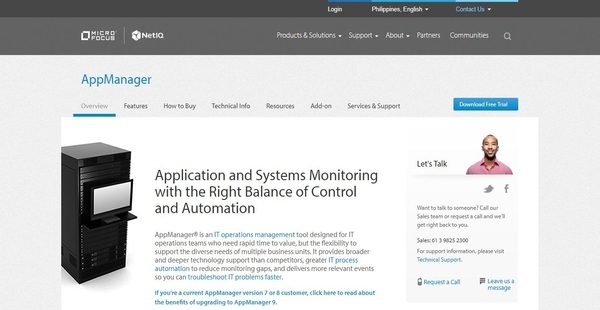
AppManager is a robust and an intelligent application management solution designed and built for IT operations teams, allowing them to handle and monitor the systems and applications that comprise their IT infrastructure rapidly and with flexibility. The solution is among the IT operations management tools delivered by Micro Focus, a global software company that provides organizations, institutions, and businesses with innovative enterprise software solutions that help them respond to the challenges associated with managing complex IT infrastructures.
Moreover, AppManager enables IT operations teams to easily monitor the performance of Windows, Linux, and UNIX applications from a centralized location through the aid of its modules. The application management solution permits the monitoring of web applications from the perspective of the end users; measuring user experiences and transactions, and generating reports to aid teams in identifying and troubleshooting application availability and performance issues.
AppManager has an automatic discovery and deployment capability which notifies users about the changes in their environment and helps them define and apply appropriate monitoring policies. With AppManager, performance data and events are collected by a single agent and stored on a single repository, giving teams a central view of all the critical information they need. AppManager also offers a unified user interface where users can access 3D charts, custom views, and reports so they can troubleshoot availability and performance issues efficiently and effectively.
Show MoreOverview of AppManager Benefits
Monitor And Manage Widely Used Applications
AppManager has over 60 built-in modules that are used for collecting data and monitoring the performance and availability of applications and systems within an IT infrastructure. These modules support the monitoring and management of many widely used Windows, Linux, and UNIX applications. In addition, the solution offers a module builder which allows teams to create modules to extend AppManager’s monitoring and data collection capabilities to any Windows-based application. AppManager also uses knowledge scripts which allow users to create and run monitoring tasks or jobs.
Monitor Web Applications From End Users’ Perspective
The application management solution gives IT operations teams the ability to monitor the performance and availability of web applications from the perspective of end users. Through the aid of its modules which are used for measuring transactions and response times, teams can collect data on the performance and availability of their web applications. The response time modules can execute transactions from client desktops. When they detect poor response times and availability issues, they send alerts and streamlines the reporting of performance and availability issues.
Automatic Discovery And Monitoring Policy Deployment
AppManager provides a set of features aimed at reducing administrative workload. Among these features is its automatic discovery and deployment feature. With this feature, IT operations teams will be able to immediately detect new configurations in their environment. Once these new configurations are discovered, AppManager creates and sends events, permitting teams to implement change management processes or apply monitoring policies. As an example, when it discovers a database instance that is critical to an application, it triggers the implementation of a monitoring policy. It can automatically apply the appropriate monitoring policy or notify the authorized users.
Rule-Based Management Groups
Another feature of AppManager that reduces workload is the application of rule-based management groups. This feature automatically assigns new applications or new components of applications to management groups based on pre-determined rules. These rules can be set up according to locations or business units. This feature is very useful when it comes to grouping applications that serve similar roles and purposes. As AppManager aggregates applications or components and assigns them to groups; the appropriate monitoring policies, custom properties, reporting can be easily applied to those groups.
Collect Events And Data Efficiently
As part of its reporting and analysis features, AppManager delivers a powerful feature that allows IT operations teams to gather events and data efficiently. The solution actually uses a single event to collect data and events. This is more cost-effective than using separate multiple agents, as can be observed in some application management tools. Additionally, this single agent stores the data and events it collected and processed on a single repository. Thus, all the relevant information that users need to troubleshoot issues are centrally organized in a single console and interface, preventing the loss of data points. From this single repository, they can review the gathered events and data through the aid of charts.
Visualize And Fix Availability And Performance Issues
AppManager makes its easy for IT operations teams to fix application availability and performance issues. This is because the solution comes with user-specific views which means users will be able to access information based on their specific roles and areas of concern. Teams can also visualize availability and performance issues through the aid service map views. Service map views display the relationships of applications and other IT components that teams are monitoring. They also provide information about the statuses of such applications and components, as well as show event conditions. Because of this, when issues arise, users can easily isolate the applications and components that are affected and not affected by those issues.
Show MoreOverview of AppManager Features
- Manage Windows, Linux, and Unix Applications
- End-User Experience Monitoring for Web and Windows Clients
- VoIP and Unified Communications (UC) Monitoring and Management
- Reduce Administrative Workload
- Automatic Discovery and Deployment
- Rule-Based Management Groups
- Job Scheduling and Script Execution Engine
- Reporting and Analysis
- Efficient Data Collection
- OLAP-Based Data Warehousing and Reporting
- Diagnostic and Resolution
- Performance and Availability Troubleshooting
- Service Maps to Visualize Problems
AppManager Position In Our Categories
Because companies have unique business needs, it is only reasonable that they abstain from picking a one-size-fits-all, “perfect” business program. Nonetheless, it would be difficult to find such application even among recognizable software products. The practical thing to do should be to make a list of the different important functions that call for a scrutiny like essential features, packages, technical skill levels of staff members, organizational size, etc. Next, you must conduct your product research exhaustively. Browse through some of these AppManager analyses and check out each of the solutions in your shortlist more closely. Such well-rounded product investigation ascertain you take out ill-fitting applications and subscribe to the system that has all the tools your business requires.
Position of AppManager in our main categories:
TOP
5
AppManager is one of the top 5 Application Performance Monitoring Software products
If you are considering AppManager it might also be sensible to examine other subcategories of Application Performance Monitoring Software collected in our database of SaaS software reviews.
Every enterprise has its own characteristics, and might require a specific Application Performance Monitoring Software solution that will be fit for their business size, type of customers and staff and even individual niche they cater to. It's not wise to count on getting a perfect solution that will be suitable for every company no matter what their background is. It may be a good idea to read a few AppManager Application Performance Monitoring Software reviews first and even then you should keep in mind what the solution is supposed to do for your company and your employees. Do you require a simple and straightforward service with only elementary features? Will you actually use the advanced tools needed by pros and large enterprises? Are there any particular tools that are especially useful for the industry you operate in? If you ask yourself these questions it will be much easier to locate a trustworthy software that will fit your budget.
How Much Does AppManager Cost?
AppManager Pricing Plans:
Free Trial
Quote-based Plan
Contact vendor
What are AppManager pricing details?
AppManager Pricing Plans:
Free Trial
Quote-based Plan
Contact vendor
AppManager’s SMB and enterprise pricing plan information is available only upon request. Please keep in touch with a sales representative to request for a quote. You can also receive pricing information by filling out and submitting a request form available on its official website.
User Satisfaction
Positive Social Media Mentions
13
Negative Social Media Mentions
0
We know that when you make a decision to get a Application Performance Monitoring Software it’s important not only to learn how experts evaluate it in their reviews, but also to discover if the actual users and companies that purchased it are indeed satisfied with the service. That’s why we’ve devised our behavior-based Customer Satisfaction Algorithm™ that gathers customer reviews, comments and AppManager reviews across a vast array of social media sites. The information is then featured in an easy to digest way showing how many users had positive and negative experience with AppManager. With that information at your disposal you should be prepared to make an informed buying decision that you won’t regret.
Video
Technical details
Devices Supported
- Windows
- Linux
- Web-based
Deployment
- Cloud Hosted
- Open API
Language Support
- English
Pricing Model
- Quote-based
Customer Types
- Small Business
- Large Enterprises
- Medium Business
What Support Does This Vendor Offer?
- phone
- live support
- training
- tickets
What integrations are available for AppManager?
Through the aid of connectors, AppManager can be integrated with third-party monitoring and management tools.

AppManager
is waiting for
your first review.

Write your own review of this product
ADD A REVIEWMore reviews from 0 actual users:


Join a community of 7,369 SaaS experts
Thank you for the time you take to leave a quick review of this software. Our community and review base is constantly developing because of experts like you, who are willing to share their experience and knowledge with others to help them make more informed buying decisions.
Sign in with LinkedIn
Why we require LinkedIn?
- Show the community that you're an actual user.
- We will only show your name and profile image in your review.
- You can still post your review anonymously.
OR
Sign in with company emailSign in with company email
Popular AppManager Alternatives


Top Competitors To AppManager By Price
Product name:
Price:


Trending Application Performance Monitoring Software Reviews


AppManager Comparisons
Product name:


Page last modified



Did you find this review useful?
Yes
No
Thank you for your feedback
How can we make this page better?
Unsure about this software?
FIND ALTERNATIVES
 Why is FinancesOnline free?