

ClickHelp Review


What is ClickHelp?
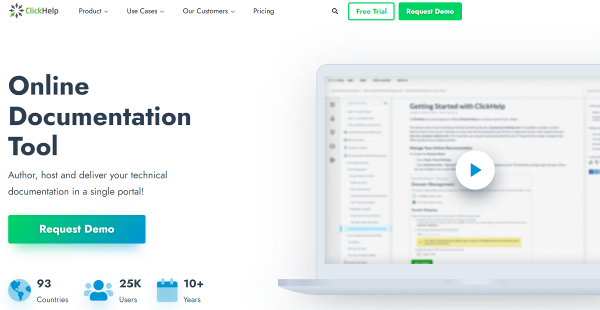
ClickHelp is an AI-powered online documentation and authoring tool that enables users to create all sorts of documents and manuals for online and offline consumption, including FAQs, tutorials, knowledge bases, and more. This platform is totally browser-based, hosted in the cloud, and highly flexible.
Whether you are working on online and printed documentation ranging from PDF docs, context help, policies to procedures, ClickHelp gives you all the tools you need to kickstart everything in minutes. It works well on both Mac and Microsoft Windows operating systems and runs smoothly on popular browsers such as Google Chrome, Firefox, Safari, and Internet Explorer.
ClickHelp offers a translation ecosystem to create a multi-language documentation site with ease and establish a convenient translation process with automatic synchronization of changes and progress reports.
Its smart and intuitive Translation Module enables you to write documentation and manage translations in one portal, use the Translator dashboard with a range of filters to easily sort out documents, keep track of the translation process with the help of progress indicators, localize downloadable materials, and localize Reader UI.
Plus, ClickHelp supports machine translation (MT) with Google Cloud Translation and Microsoft Translator. With ClickHelp’s MT feature, translation can be applied to specific segments, entire topics, and projects, or whole sets of documents with just a few clicks.
ClickHelp also has an RTL (“right-to-left”) language support. This enhancement allows authors to create and readers to consume content in a manner consistent with their familiar RTL language conventions.
If you work with special translation tools for documentation localization, ClickHelp supports import/export for XLIFF files. Use any third-party CAT tool available for the XLIFF format to work with a set of topic translations exported as XLIFF files. These files can be shared with external translation companies. When you get the translations back, ClickHelp allows the option to import this content, and the system will automatically categorize it into the right topics.
Companies can enhance security measures with IP Allowlist and Audit Trail.
Show MoreOverview of ClickHelp Benefits
ClickHelp is a very user-friendly authoring platform that doesn’t impede or hamper your work with a steep learning curve. Right off the bat, you can easily get acquainted with the system and utilize it fully to meet your authoring and documentation needs.
Built to be versatile and quickly address changing requirements and demands, ClickHelp is an ideal for small companies that are looking to grow as it is scalable and comes packed with features to meet the needs of companies and organizations that employ multiple authors and departments.
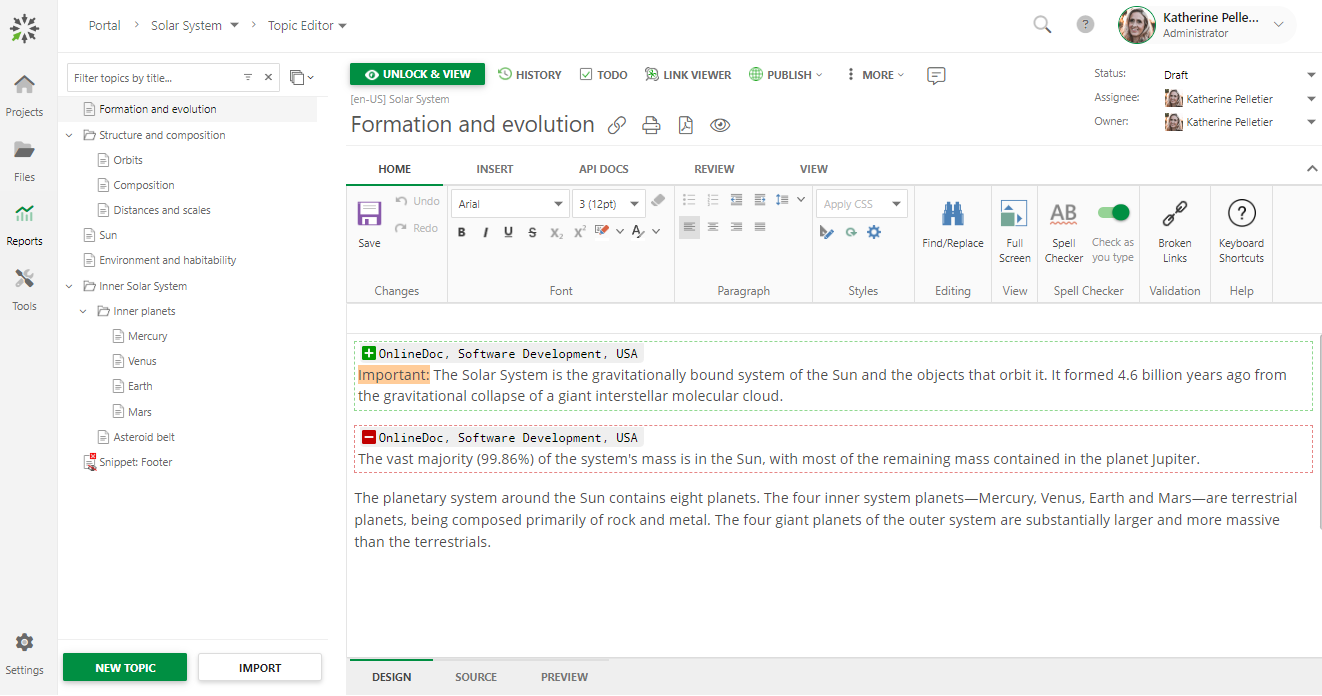
With ClickHelp, you never have to worry about managing multiple versions of a Word document, thanks to the system’s Variables, Conditional Content and Publish Configurations. These functionalities make it easy for your get varying content for each of your output formats, simplifying the whole process and saving you time.
ClickHelp eliminates the need to implement complicated structured authoring approaches to implement single-sourcing. The software lets you enjoy single sourcing and fully take advantage of the WYSIWYG and HTML source authoring it offers.
The application is also equipped with an SEO functionality to further make your content highly visible, particularly your help articles, FAQs, and resolution pages among others. People now seek the Internet whenever they run into a problem. ClickHelp helps you optimize your content so that your articles, manuals, and self-help materials are easily searchable and accessible to your visitors.
Show MoreOverview of ClickHelp Features
- Checklist
- Overview
- Integrations
- Single-Sourcing
- Content Management
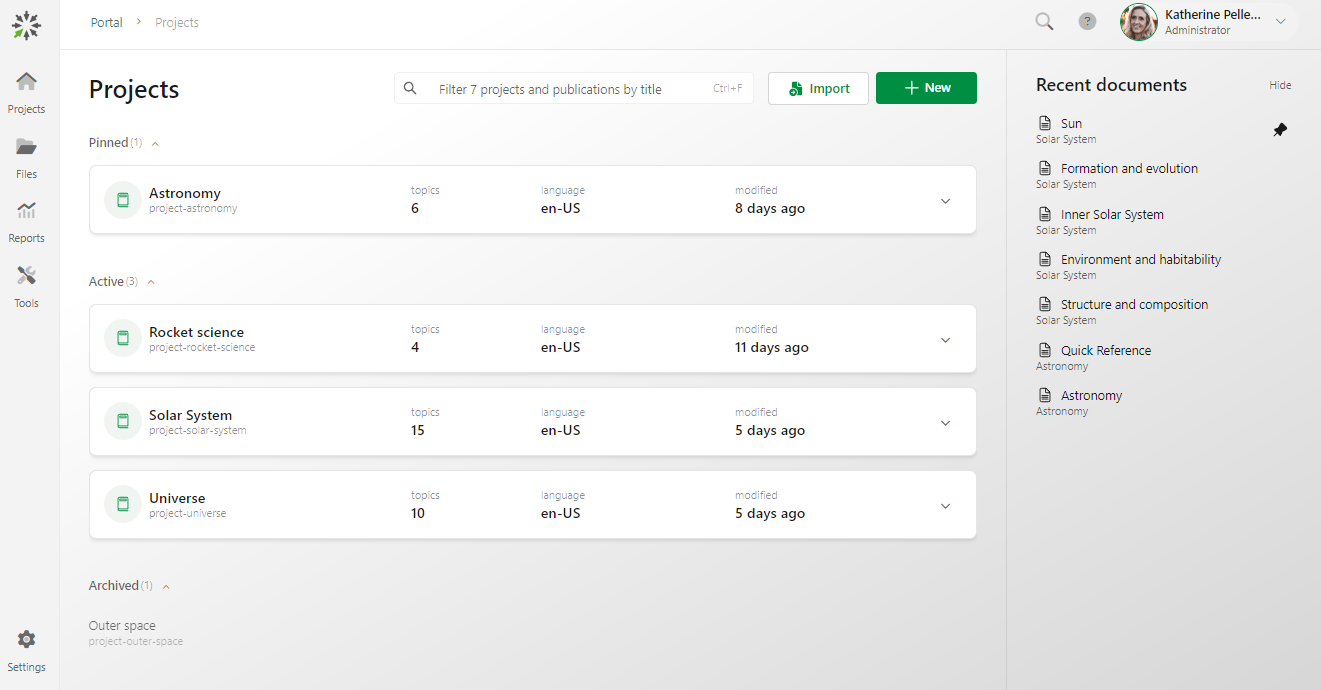
- Teamwork and Project Management
- Cloud Authoring
- Customer Feedback
- Search Engine Friendly
- Machine translation support
- API features
- Swagger/OpenAPI Definition import
What Problems Will ClickHelp Solve?
1. With ClickHelp, companies are able to create an online documentation site easily and start publishing content for the end users to be able to easily find the answers online (through the company website, or through Google).
2. ClickHelp provides fast and easy access configuration for your online documentation. This allows you to create groups of readers and manage access for several different groups in the fastest and easiest easy way – just select the docs available to each group and combine this with a per-user access configuration.
3. ClickHelp simplifies the way you make changes to the published content – just log in as an author, open the topic, and fix the things you need.
ClickHelp Position In Our Categories
Since companies have distinct business-related needs, it is only prudent that they avoid picking a one-size-fits-all, ideal business application. However, it is hard to try to discover such a software system even among recognizable software products. The practicable thing to do can be to make a list of the several key functions that entail examination including major features, price terms, technical skill aptitude of staff members, business size, etc. Thereafter, you should perform the research through and through. Have a look at some of these ClickHelp evaluations and explore the other applications in your shortlist more closely. Such comprehensive product investigation can make sure you drop poorly fit software solutions and subscribe to the one which offers all the features your company requires.
Position of ClickHelp in our main categories:
TOP
50
ClickHelp is one of the top 50 Document Creation Software products
If you are interested in ClickHelp it could also be beneficial to investigate other subcategories of Document Creation Software gathered in our base of SaaS software reviews.
It is essential to realize that hardly any service in the Document Creation Software category will be a perfect solution that can fulfill all the requirements of different business types, sizes and industries. It may be a good idea to read a few ClickHelp Document Creation Software reviews first as some services can perform well just in a very narrow group of applications or be prepared with a really specific industry in mind. Others may operate with a goal of being simple and intuitive and consequently lack complicated functions desired by more experienced users. You can also come across solutions that cater to a large group of users and give you a complex feature set, but that usually comes at a higher cost of such a software. Be certain that you're aware of your needs so that you choose a software that has exactly the features you look for.
How Much Does ClickHelp Cost?
ClickHelp Pricing Plans:
Free Trial
Starter
$185/month
Growth
$310/month
Professional
$610/month
What are ClickHelp pricing details?
ClickHelp Pricing Plans:
Free Trial
Starter
$185/month
Growth
$310/month
Professional
$610/month
ClickHelp offers three paid plans, with a free trial available, based on the number of contributors you have. You can also get optional add-ons and services. Contributors are the licensed users who create or edit content (authors, translators, reviewers). Reader accounts are always free and unlimited, no matter which plan you’re on. Here’s the pricing for 2 contributors:
Starter – $185/month
- Unlimited projects
- Unlimited reader accounts
- 500 topics (pages, articles)
- 2 contributors for free
- 5GB file storage
Modules: - Workflow & Review
- Permission Management
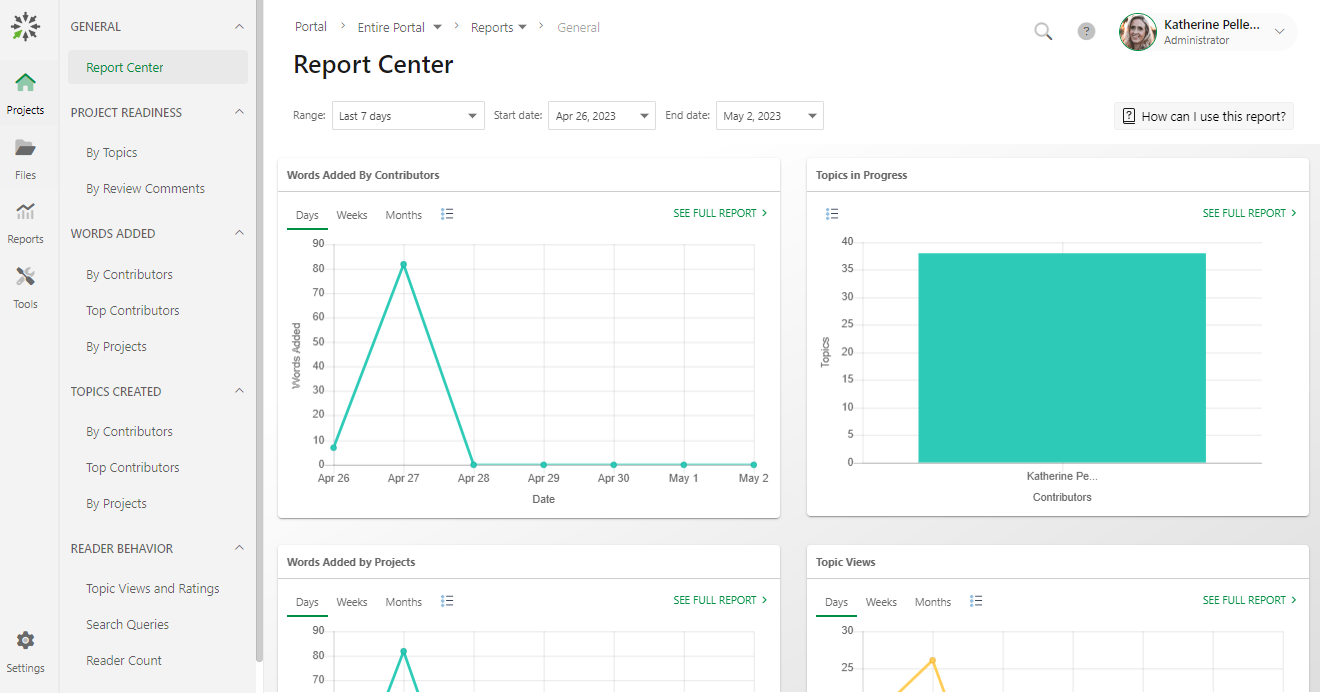
- Reporting
Growth – $310/month
- Unlimited projects
- Unlimited reader accounts
- Unlimited topics (pages, articles)
- 5 contributors for free
- 15GB file storage
Modules: - Everything in Starter plan, plus:
- API Documentation Tools
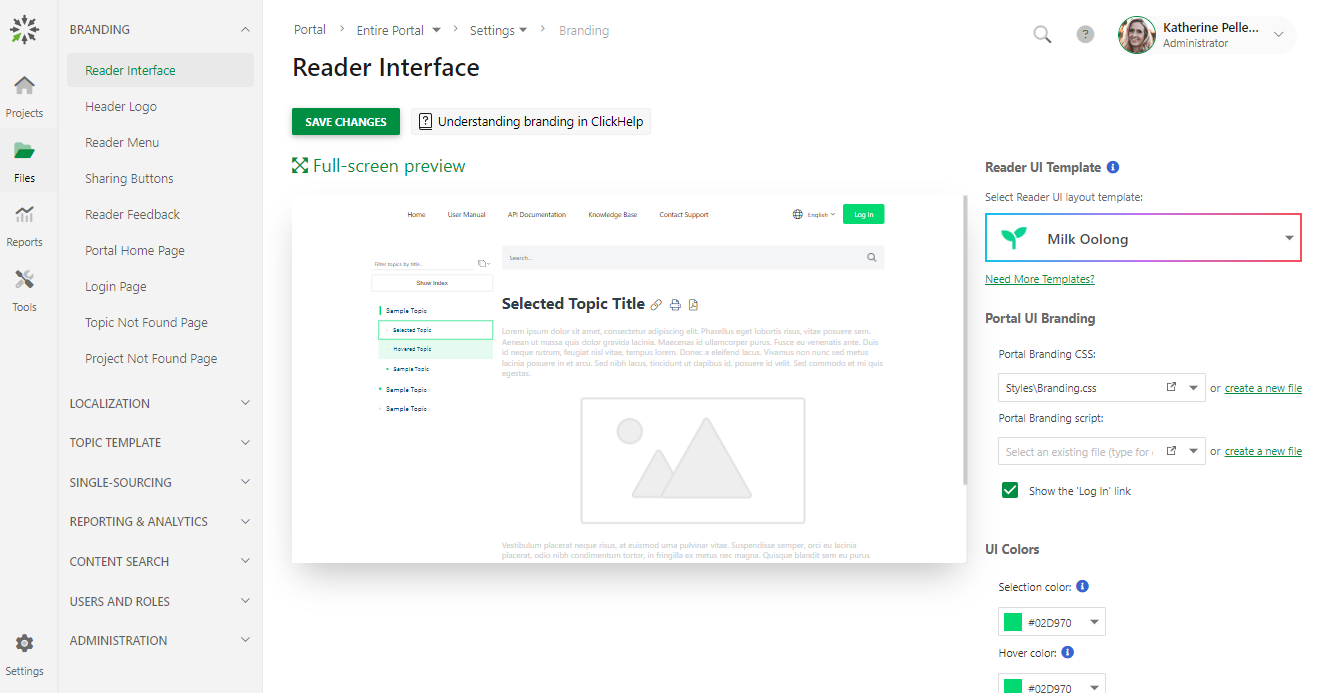
- Branding
Professional – $610/month
- Unlimited projects
- Unlimited reader accounts
- Unlimited topics (pages, articles)
- 10 contributors for free
- 30GB file storage
Modules: - Everything in Growth plan, plus:
- API & Extensibility
User Satisfaction
Positive Social Media Mentions
11
Negative Social Media Mentions
0
We are aware that when you choose to get a Document Creation Software it’s crucial not only to find out how professionals evaluate it in their reviews, but also to discover if the actual people and businesses that bought it are indeed content with the product. That’s why we’ve created our behavior-based Customer Satisfaction Algorithm™ that gathers customer reviews, comments and ClickHelp reviews across a vast range of social media sites. The information is then featured in a simple to understand way showing how many clients had positive and negative experience with ClickHelp. With that information available you will be ready to make an informed buying decision that you won’t regret.
Video
Screenshots
Technical details
Devices Supported
- Windows
- Linux
- Android
- iPhone/iPad
- Mac
- Web-based
Deployment
- Cloud Hosted
Language Support
- English
Pricing Model
- Monthly payment
- Annual Subscription
Customer Types
- Small Business
- Large Enterprises
- Medium Business
What Support Does This Vendor Offer?
- phone
- live support
- training
- tickets
What integrations are available for ClickHelp?
ClickHelp integrates with the following business systems and applications:
- Zendesk
- Zapier
- AddThis
- Azure AD
- Bing
- Disqus
- Google Analytics
- Google Search Console
- Google Translate
- Gravatar
- Highlight.JS
- Jotform
- Lightbox
- LiveChat
- OpenID
- Salesforce
- Screencast.com
- Vimeo
- Yandex.Webmaster
- YouTube
- GraphComment

ClickHelp
is waiting for
your first review.

Write your own review of this product
ADD A REVIEWMore reviews from 0 actual users:


Join a community of 7,369 SaaS experts
Thank you for the time you take to leave a quick review of this software. Our community and review base is constantly developing because of experts like you, who are willing to share their experience and knowledge with others to help them make more informed buying decisions.
Sign in with LinkedIn
Why we require LinkedIn?
- Show the community that you're an actual user.
- We will only show your name and profile image in your review.
- You can still post your review anonymously.
OR
Sign in with company emailSign in with company email
Popular ClickHelp Alternatives




Top Competitors To ClickHelp By Price
Product name:
Price:


Trending Document Creation Software Reviews




ClickHelp Comparisons
Product name:








Page last modified



Did you find this review useful?
Yes
No
Thank you for your feedback
How can we make this page better?
Unsure about this software?
FIND ALTERNATIVES
 Why is FinancesOnline free?