

Datadog Review


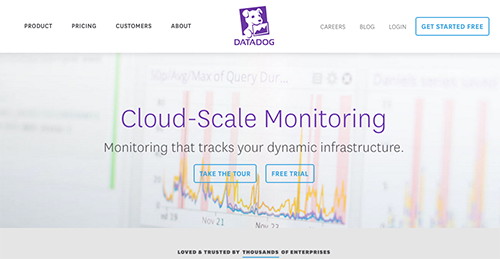

What is Datadog?
Datadog is designed to help app developers, IT professionals, and other app operations specialists to monitor the performance of their apps, tools, and services, gather data from scattered sources, and turn them into detailed and reliable insights. From there, users can produce sound strategies for their apps and tools, create better applications, and improve their services.
Datadog comes pre-integrated with leading third-party business applications and integrations, enabling seamless workflow for many users regardless of platform, geographical position, and language.
Show MoreOverview of Datadog Benefits
With Datadog, users can:
- Connect and compare metrics and other data from all apps and services as well as information coming from Amazon EC2, web servers, StatsD, SQL and NoSQL databases.
- Streamline information analysis and other related processes such as graphing and measuring in a matter of seconds, not minutes.
- Configure information filtration setup to only gather the metrics you need.
- Tweak the system to send alerts or notifications on issues that only require your immediate attention.
- Focus on the correct code configurations, significant updates, and scheduled operations.
- Extensive collaboration features enable you and your team to work hand in hand and provide comment and annotations for a productive session.
Overview of Datadog Features
- 80+ turn-key integrations for data aggregation
- Clean graphs of StatsD and other integrations
- Slice and dice graphs and alerts by tags, roles, and more
- Easy-to-use search for hosts, metrics, and tags
- Alert notifications via e-mail and PagerDuty
- Full API access
- Out-of-the-box and customizable monitoring dashboards
- Easy way to compute rates, ratios, averages, or integrals
- Sampling intervals of 10 seconds
- Mute all alerts with 1 click during upgrades and maintenance
- Tools for team collaboration
Datadog Position In Our Categories
Bearing in mind businesses have distinctive business-related wants, it is only prudent they abstain from purchasing a one-size-fits-all, ideal software product. However, it would be almost impossible to try to stumble on such a software solution even among branded software products. The rational step to do would be to note down the varied essential functions that need inspection including essential features, price plans, skill levels of staff, company size, etc. The second step is, you should follow through the product research exhaustively. Read some of these Datadog evaluations and explore each of the applications in your list in detail. Such well-rounded research ascertain you steer clear of unsuitable applications and select the system that meets all the features your company requires.
Position of Datadog in our main categories:
TOP
10
Datadog is one of the top 10 Application Performance Monitoring Software products
TOP
20
Datadog is one of the 20 Business Intelligence Software products
TOP
100
Datadog is one of the top 100 IT Management Software products
It is essential to keep in mind that almost no app in the Business Intelligence Software category is going to be a perfect solution that can meet all the needs of various business types, sizes and industries. It may be a good idea to read a few Datadog Business Intelligence Software reviews first as certain software may dominate exclusively in a really small set of applications or be designed with a really specific industry in mind. Others may work with an intention of being easy and intuitive and therefore lack complex features needed by more experienced users. You can also find software that cater to a wide group of customers and give you a rich feature base, however this frequently comes at a higher price of such a service. Ensure you're aware of your requirements so that you choose a service that has all the elements you search for.
How Much Does Datadog Cost?
Datadog Pricing Plans:
Free Trial
Free Plan
Free
Pro Plan
$18 monthly
Enterprise Plan
$27 monthly
What are Datadog pricing details?
Datadog Pricing Plans:
Free Trial
Free Plan
Free
Pro Plan
$18 monthly
Enterprise Plan
$27 monthly
Datadog provides one free bundle and two priced plans:
Free Plan – $0
- For 1 to 5 hosts
- Core collection and visualization features
- 1-day metric retention
- Discussion group started
Pro Plan – $15/host/month (billed annually) or $18 monthly
- Core features plus alerting, custom metrics, and more
- APM available
- For any number of hosts
- 15-month metric retention
- Chat and email support
Enterprise Plan – $23/host/month (billed annually) or $27 monthly
- All product features, advanced administration and reporting
- APM available
- For 100+ hosts
- 15-month metric retention
- Premium support
Volume discounts available for 1000+ hosts. Contact the company.
User Satisfaction
Positive Social Media Mentions
15
Negative Social Media Mentions
7
We realize that when you make a decision to purchase a Business Intelligence Software it’s important not only to find out how experts score it in their reviews, but also to check if the actual users and companies that bought these solutions are actually happy with the product. That’s why we’ve designer our behavior-based Customer Satisfaction Algorithm™ that gathers customer reviews, comments and Datadog reviews across a broad range of social media sites. The data is then featured in an easy to digest way indicating how many clients had positive and negative experience with Datadog. With that information at your disposal you should be prepared to make an informed buying decision that you won’t regret.
Technical details
Devices Supported
- Windows
- Linux
- Mac
Deployment
Language Support
- English
Pricing Model
- Annual Subscription
Customer Types
- Small Business
- Large Enterprises
- Medium Business
- Freelancers
What Support Does This Vendor Offer?
- phone
- live support
- training
- tickets
What integrations are available for Datadog?
- Airbrake
- Amazon
- Apache
- Cacti
- Capistrano
- Cassandra
- Centos
- CHEF
- CouchDB
- Debian
- Docker
- Fabric
- Git
- Github
- Google Cloud Platform
- Microsoft IIS
- Java
- Jenkins
- MemCached
- MongoDB
- MySQL
- Nagios
- Microsoft Net
- New Relic
- NGinx
- Node
- MAC OS X
- PagerDuty
- PHP
- Pingdom
- PuppetLabs
- Python
- RedHat
- Redis
- Ruby
- Splunk
- Apache Tomcat
- Ubuntu
- Varnish Cache
- Windows
Datadog User Reviews
Datadog average rating:
4/5
Overall impression
5/5
Customer Support
4/5
Value for Money
4/5
Ease of Use
Write your own review of this product
ADD A REVIEWThe most favorable review

PROS: Setting it up was simple. You can quickly begin monitoring your system. Both dashboards and its Infrastructure Host map are amazing. An overview of the Health Dashboard can be seen at a glance.
CONS: The monitoring setup and alerts appear to be not as intuitive. Expect some learning curve to learn how to make alert configurations.
The least favorable review
PROS: To start with, I like the flexibility of the monitor, it is integrated with more than 100 services, which theoretically means you can track everything! Checks the health of the server, and enables creation of personalized dashboards where you mix all sorts of data without confusing the program. I also like the custom tracking stats, since there are new generation's APIs where you build the desired gauges and stats to measure even uncommon matrics. Futuristic, ain't it?
CONS: The learning curve is demanding, especially to those who wish to master every matric, service, or measurement process. Be careful what you wish for, it is an unexplored ocean what you're diving in! In technical terms, I'd mention few bugs and scratches I picked up on the go, my research has not been that intense to discover serious cons. Let's say that some alerts are not functional, and integration with some important services is too simple and trivial. Finally, if you don't know what you're about to do with it, don't take it. It requires a plan.
More reviews from 10 actual users:
Sort by:
Latest
- Latest
- Most useful
- Most positive
- Most negative
Simple setup and usage of dashboard service.
Read full review >
4/5
Overall impression
4/5
Customer Support
4/5
Value for Money
4/5
Ease of Use
Published on: 01.12.2021
Company Size: More than 100 Employees
Industry: Internet
PROS: Setting things up and utilizing in code was simple enough. With just few lines of code calling through the library, it becomes a highly scalable and useful counter service. UI is simple. It comes with essential features you'd come to expect from a counter service.
CONS: Nothing specific. But there's one thing to take note. The more data you own, the slower its service will be. Expect its query service and certain counter to slow down significantly.
Sysadmin’s regrets for not discovering this amazing product before
Read full review >
5/5
Overall impression
5/5
Customer Support
5/5
Value for Money
5/5
Ease of Use
Published on: 27.09.2021
Company Size: More than 100 Employees
Industry: Computer Software
PROS: The ability to track and solve problems last minute was a decisive criterion when choosing an APM tool, and I'm frankly glad we narrowed the search to Datadog. The thing with Datadog is that the team behind it never stops adding value, and their graphs and alerts are constantly upgrading to adapt to the dynamics of your workline. You're not supposed to do additional entries, as the system relies on datacentres, hostnames, system types and all similar aggregating counts and sources you have on disposal.
CONS: You need to have your apps instrumented with StatsD, otherwise there will be a lot of catch-up work for you.
A product that’s easy on users.
Read full review >
4/5
Overall impression
4/5
Customer Support
4/5
Value for Money
4/5
Ease of Use
Published on: 25.07.2021
Company Size: More than 100 Employees
Industry: Internet
PROS: Setup was easy. The UI is simple and clean. User-friendly in a lot of ways. If you had expereience of StatsD/Grafana then you'll be glad how easy this can be.
CONS: One time, we moved our servers to another host. As a result, we had to pay twice as much for a few months since we didn't switch the Datadog agents on our older servers. It pays to be careful. Ask for further details if you happen to be hosting your apps on cloud servers and if you're frequently doing short-timed instances.
Does things well!
Read full review >
5/5
Overall impression
5/5
Customer Support
5/5
Value for Money
5/5
Ease of Use
Published on: 09.05.2021
Company Size: More than 100 Employees
Industry: Law Enforcement
PROS: I love how Datadog visualizes things. It lets you see how much data my app is currently using. The metrics it's using keeps you appraised on the current status of the app. It informs you in the form of latency, which is a big help.
CONS: There's nothing that I hate with it. So far, it does just about anything I want it to do.
Datadog is fantastic!
Read full review >
5/5
Overall impression
5/5
Customer Support
5/5
Value for Money
5/5
Ease of Use
Published on: 08.04.2021
Company Size: More than 100 Employees
Industry: 501-1000 Employees
PROS: Our current app uses so much data that we never thought we could 'pack' everything under the same roof. When Datadog joined our team-we did! We track all metrics easily, especially satisifed with the eye-pleasant interface and the perfect timing. Our overall opinion is that Datadog is a great tool, and it is useful in every situation.
CONS: I had quite a tough list of requests and expectations, and I was ashamed of even challenging Datadog to deal with them. Therefore, I have nothing to criticize about this program.
Offers versatility. It’d be nice if it came with support for wallboard.
Read full review >
4/5
Overall impression
4/5
Customer Support
4/5
Value for Money
4/5
Ease of Use
Published on: 11.02.2021
Company Size: More than 100 Employees
Industry: Computer Software
PROS: Flexibility at its finest. It's capable of tracking just about any metric out there. Great dashboad functionality. Dashboards can easily be shared.
CONS: Its agent hogs a lot of memory. Its front-end allows you to make different kinds of graphs. It's a bit difficult in making a TV-friendly dashboard that can read from far off. From time to time, a user would get logged out.
Setup was easy in this thing.
Read full review >
5/5
Overall impression
5/5
Customer Support
5/5
Value for Money
5/5
Ease of Use
Published on: 07.02.2018
Company Size: More than 100 Employees
Industry: Unavailable
PROS: Setting it up was simple. You can quickly begin monitoring your system. Both dashboards and its Infrastructure Host map are amazing. An overview of the Health Dashboard can be seen at a glance.
CONS: The monitoring setup and alerts appear to be not as intuitive. Expect some learning curve to learn how to make alert configurations.
Instant insight on server infrastructure
Read full review >
5/5
Overall impression
5/5
Customer Support
5/5
Value for Money
5/5
Ease of Use
Published on: 05.01.2018
Company Size: 11-50 Employees
Industry: Internet
PROS: It is the perfect couple with Windows, and that’s great because Windows agents complement missing metrics with robust IIS/MSSQL statistics and WMI customization. They should also be proud of their RabbitMQ support-an invaluable shortcut for routine checks on dashboard processes. Dashboards bask with customization, meaning we've personalized the tool to our needs, and we're now reliable problem solvers to our clients.
CONS: I feel bad to say whatever negative about their interface, but I honestly lack dashboard configuration capacity. While most dropdown forms are autocompleted, there are such that require typing in the memory fields, and that takes plenty of time.
Favorite among users
Read full review >
4/5
Overall impression
4/5
Customer Support
4/5
Value for Money
4/5
Ease of Use
Published on: 31.12.2017
Company Size: More than 100 Employees
Industry: Internet
PROS: When a tool is this simple, you enjoy it from the very first moment. Me and my colleagues love its user-orientated interface, and the fact that everything is positioned right where it is supposed to be. Set-up was also unexpectedly simple, much alike installing Grafana or StatsD. Our favorite features are on-time alerts, triggered every time metrics start behaving in a specific way. Other important pros to consider are the advanced plugins that fetch CPU, message queues, database metrics, etc. If nothing else, you'll grow to love the tool because it truly saves time.
CONS: Our server migration to a different host didn't have a glorious ending, as disabling the old server's Datadog agents slipped our minds completely. We had to pay for those few months, together with the price of the new agents, and the company didn't really consider helping us out. Therefore, if you're using the cloud version and have doubts on hosting and short-time instances, ask until everything becomes clear. Otherwise, you can end up paying a fortune for nothing. Beware that a host can only use 100 metrics, and every additional application he is running means additional expense (this one is a bit tricky, we are using more metrics than we're supposed to, but the price hasn't changed so far).
Solid tracking, at least
Read full review >
3/5
Overall impression
3/5
Customer Support
4/5
Value for Money
3/5
Ease of Use
Published on: 26.12.2017
Company Size: More than 100 Employees
Industry: Marketing and Advertising
PROS: To start with, I like the flexibility of the monitor, it is integrated with more than 100 services, which theoretically means you can track everything! Checks the health of the server, and enables creation of personalized dashboards where you mix all sorts of data without confusing the program. I also like the custom tracking stats, since there are new generation's APIs where you build the desired gauges and stats to measure even uncommon matrics. Futuristic, ain't it?
CONS: The learning curve is demanding, especially to those who wish to master every matric, service, or measurement process. Be careful what you wish for, it is an unexplored ocean what you're diving in! In technical terms, I'd mention few bugs and scratches I picked up on the go, my research has not been that intense to discover serious cons. Let's say that some alerts are not functional, and integration with some important services is too simple and trivial. Finally, if you don't know what you're about to do with it, don't take it. It requires a plan.


Join a community of 7,369 SaaS experts
Thank you for the time you take to leave a quick review of this software. Our community and review base is constantly developing because of experts like you, who are willing to share their experience and knowledge with others to help them make more informed buying decisions.
Sign in with LinkedIn
Why we require LinkedIn?
- Show the community that you're an actual user.
- We will only show your name and profile image in your review.
- You can still post your review anonymously.
OR
Sign in with company emailSign in with company email
Popular Datadog Alternatives


Top Competitors To Datadog By Price
Product name:
Price:





Trending Business Intelligence Software Reviews


Datadog Comparisons
Product name:



Datadog user reviews
Simple setup and usage of dashboard service.
Read full review >
4/5
Overall impression
4/5
Customer Support
4/5
Value for Money
4/5
Ease of Use
Published on: 01.12.2021
Company Size: More than 100 Employees
Industry: Internet
Sysadmin’s regrets for not discovering this amazing product before
Read full review >
5/5
Overall impression
5/5
Customer Support
5/5
Value for Money
5/5
Ease of Use
Published on: 27.09.2021
Company Size: More than 100 Employees
Industry: Computer Software
A product that’s easy on users.
Read full review >
4/5
Overall impression
4/5
Customer Support
4/5
Value for Money
4/5
Ease of Use
Published on: 25.07.2021
Company Size: More than 100 Employees
Industry: Internet
Does things well!
Read full review >
5/5
Overall impression
5/5
Customer Support
5/5
Value for Money
5/5
Ease of Use
Published on: 09.05.2021
Company Size: More than 100 Employees
Industry: Law Enforcement
Datadog is fantastic!
Read full review >
5/5
Overall impression
5/5
Customer Support
5/5
Value for Money
5/5
Ease of Use
Published on: 08.04.2021
Company Size: More than 100 Employees
Industry: 501-1000 Employees

Page last modified



Did you find this review useful?
Yes
No
Thank you for your feedback
How can we make this page better?
Unsure about this software?
FIND ALTERNATIVES
 Why is FinancesOnline free?