

Drag Review


What is Drag?
Drag App is a task management platform that provides businesses and organizations with a shared inbox for quick and easy communication, project management, collaboration, sales, and marketing. All team members have access to a single centralized inbox where all information and tasks are located and shared.
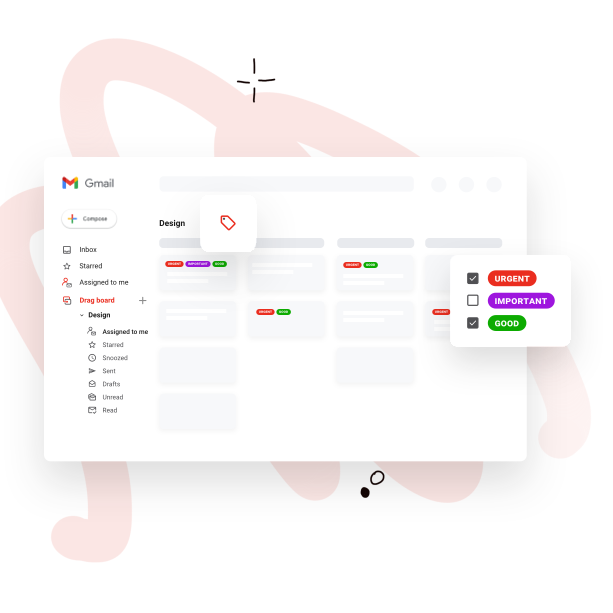
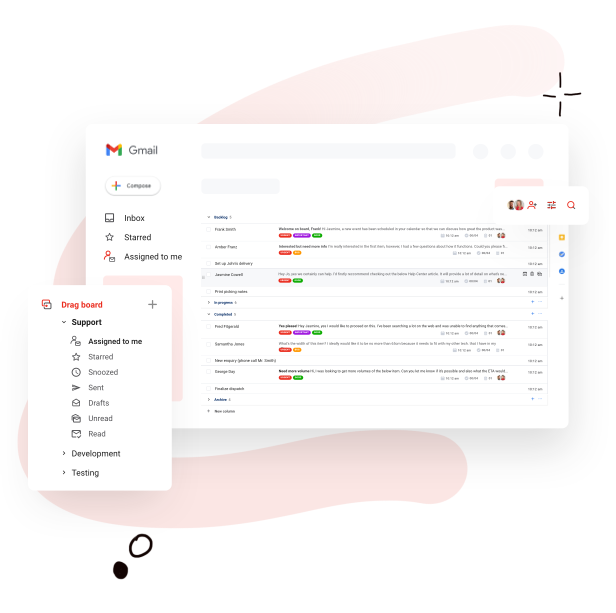
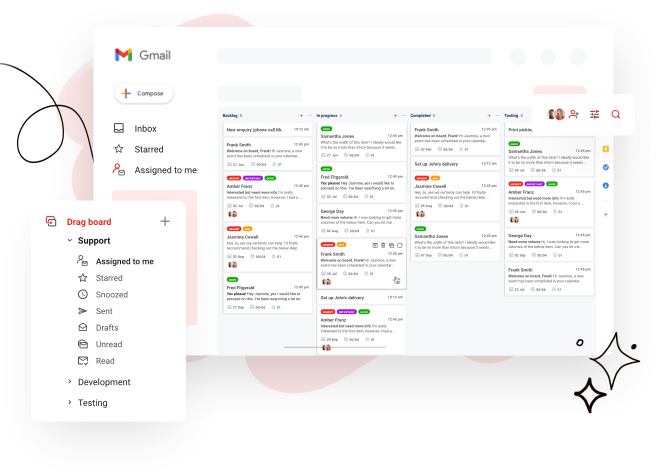
The software utilizes a kanban approach to help users visualize and organize their inbox, making it easy for them to view priorities, deadlines, schedules, and more. As everything and everyone are on the same page, Drag App allows teams to work more effectively and productively, whether as individuals or as teams. With Drag App, there is no need to exit the work inbox. Everything is shared, from emails, projects, tasks, and sales all in one place.
Show MoreOverview of Drag Benefits
Drag App transforms your inbox into a powerful and robust work board for you and the rest of your team. You have a platform that integrates the productivity of Kanban, collaboration, and information access into a single, unified inbox that everyone shares. All your information, projects, tasks, and people are working within the same environment, which drastically accelerates your workflows, enhances efficiencies, and boost productivity. All these and more without leaving your inbox.
While most collaboration tools offer a shared inbox feature that allows access via a single email address, Drag App enables users to view their inbox and perform their functions using their own email address.
Drag integrates smoothly with all Google apps, including Gmail. This functionality reduces the need for users going to and fro their inbox, tools, and calendar among others. Everything is in their inbox, which greatly improves their efficiency and productivity.
And since Drag smoothly integrates with Gmail, the main email client of choice by many email users, the software instantly feels familiar. There is no need to go through a learning curve to get acquainted with Drag. Just set it up, link it to your Gmail, and you can manage your projects, emails, schedules, and teams from your inbox.
Show MoreOverview of Drag Features
- Add tasks to inbox
- Checklists, notes, and due dates
- Unlimited boards and columns
- Sort emails and tasks
- No Drag signature
- Filter emails and tasks
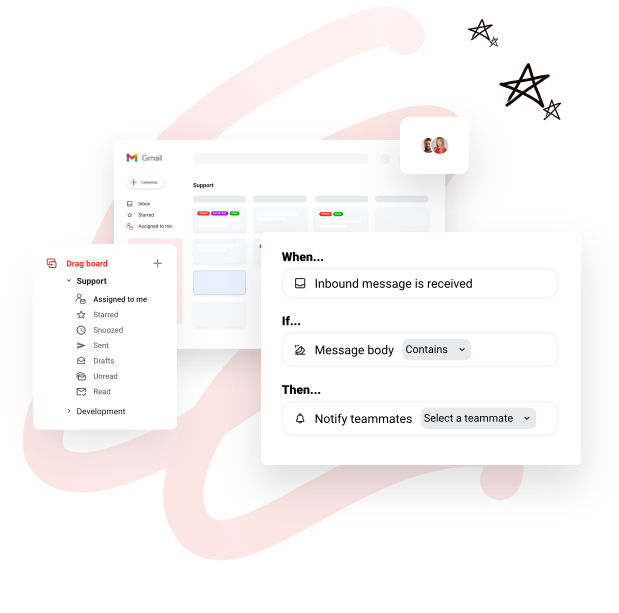
- Column automation
- Google Calendar integration
- Integrations (Calendar, CRM, other)
- Shared checklists and notes
- Shared comments
- Personal and shared boards
- Shared sales boards
- Shared helpdesk boards
- Shared marketing boards
- Shared project management boards
- Shared task boards
- Centralized billing
- User roles
What Problems Will Drag Solve?
1. Teams that share emails like support and sales
With Drag, teams can work together to reach inbox zero inside a shared inbox. With Drag you can set up your team to see and reply to inbound emails and get things closed, faster.
Example 1: A customer support team that currently uses an external, heavy Helpdesk software for customer support. Customer support tickets are emails converted into tickets, that are converted back into emails to customers. A team that migrated to Drag doesn’t need to go to any external app to manage their Helpdesk. They can do everything from inside Gmail: organize emails into kanban, assign emails to agents, add internal comments etc.
2. Make your own emails (john@) shareable to work of task forces
Choose what emails you receive personally, that you want to share. Select and send it to a board so your team can work on it.
Example 1: Duda and Nick are working on a fundraising campaign and are exchanging emails with several VCs in parallel. They can create a “Fundraising” board to keep their pipeline organized and can collaborate on interactions with VCs, where Duda can reply on behalf of Nick and vice-versa, they can add internal comments related to each potential investor, etc.
Example 2: Duda wants to delegate some of her emails to her personal assistant. Currently, she needs to use options such as cc, bcc or fwd in a very confusing way to delegate tasks to her assistant. By creating a “Delegated tasks” boards, she can instantly send emails to a shared board for her assistant to handle, while adding instructions and keeping an eye on the responses her assistant is giving. Even more, she can set Gmail rules so that some specific kind of emails go straight to a shared board with her assistant, saving Duda lots of time.
Awards & Quality Certificates


Drag Position In Our Categories
Since businesses have their own business-related demands, it is rational that they steer clear of choosing an all-encompassing, “perfect” software system. Just the same, it is hard to try to pinpoint such an app even among branded software systems. The best step to do is to shortlist the several essential aspects that call for a research including essential features, price terms, skill aptitude of staff, organizational size, etc. After which, you must double down on your research systematically. Browse through some of these Drag analyses and check out the other software options in your list in detail. Such well-rounded research ensure you keep away from mismatched software products and choose the system that meets all the function your business requires.
Position of Drag in our main categories:
TOP
200
Drag is one of the top 200 Communications Software products
Every company is different, and can require a specific Email Management Software solution that will be designed for their company size, type of clients and staff and even particular industry they cater to. You should not count on finding a perfect software that is going to be suitable for every company no matter what their history is. It may be a good idea to read a few Drag Email Management Software reviews first and even then you should pay attention to what the service is intended to do for your business and your staff. Do you require a simple and straightforward app with only essential functions? Will you actually make use of the complex functionalities needed by experts and large enterprises? Are there any particular features that are especially practical for the industry you work in? If you ask yourself these questions it will be much easier to locate a reliable solution that will fit your budget.
How Much Does Drag Cost?
Drag Pricing Plans:
Free Trial
Basic
free
Plus Plan
$8/user/month
Pro Plan
$12/user/month
What are Drag pricing details?
Drag Pricing Plans:
Free Trial
Basic
free
Plus Plan
$8/user/month
Pro Plan
$12/user/month
Basic Plan (Free Forever)
Plus Plan – $8/user/month (annual billing) or $10/user/month (monthly billing)
Pro Plan – $12/user/month (annual billing) or $15/user/month (monthly billing)
User Satisfaction
Positive Social Media Mentions
0
Negative Social Media Mentions
0
We realize that when you decide to get a Email Management Software it’s important not only to learn how professionals rank it in their reviews, but also to check if the actual users and enterprises that bought these solutions are indeed satisfied with the service. That’s why we’ve designer our behavior-based Customer Satisfaction Algorithm™ that collects customer reviews, comments and Drag reviews across a broad range of social media sites. The information is then featured in a simple to digest format revealing how many people had positive and negative experience with Drag. With that information at hand you should be equipped to make an informed buying decision that you won’t regret.
Video
Screenshots


Technical details
Devices Supported
- Windows
- Android
- iPhone/iPad
- Mac
- Web-based
Deployment
- Cloud Hosted
- On Premise
Language Support
- English
Pricing Model
- Free
- Monthly payment
- Annual Subscription
Customer Types
- Small Business
- Medium Business
- Freelancers
What Support Does This Vendor Offer?
- phone
- live support
- training
- tickets
What integrations are available for Drag?
Drag App integrates seamlessly with Gmail and G Suite apps such as Google Calendar, Google Groups and Gmail mobile app.

Drag
is waiting for
your first review.

Write your own review of this product
ADD A REVIEWMore reviews from 0 actual users:


Join a community of 7,369 SaaS experts
Thank you for the time you take to leave a quick review of this software. Our community and review base is constantly developing because of experts like you, who are willing to share their experience and knowledge with others to help them make more informed buying decisions.
Sign in with LinkedIn
Why we require LinkedIn?
- Show the community that you're an actual user.
- We will only show your name and profile image in your review.
- You can still post your review anonymously.
OR
Sign in with company emailSign in with company email
Popular Drag Alternatives



Top Competitors To Drag By Price
Product name:
Price:



Trending Email Management Software Reviews


Drag Comparisons
Product name:


Page last modified


Did you find this review useful?
Yes
No
Thank you for your feedback
How can we make this page better?
Unsure about this software?
FIND ALTERNATIVES
 Why is FinancesOnline free?