
- Home
- Employee Monitoring Software
- iMonitor EAM

iMonitor EAM Review



What is iMonitor EAM?
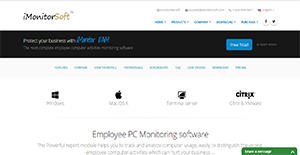
iMonitor EAM is a powerful employee activity monitoring software that works on Windows, Mac, terminal servers, and Citrix and VMware machines. The solution is centralized and is able to monitor more than a thousand computers from one server alone. It also affords businesses the ability to group these computers however they want to for a more flexible management.
With iMonitor EAM, businesses can rest assured that valuable company data are rigorously protected. The software lets employers know what kind of activities their staff is conducting such as copying files to external drives. On top of that, the application monitors computers through various ways that allow business owners and managers to instantly detect potential threats.
Additionally, iMonitor EAM enables employers to control their workers’ desktops or laptops in real-time so they can administer actions in case of company policy non-compliance.
Show MoreOverview of iMonitor EAM Benefits
Comprehensive Solution
iMonitor EAM provides an all-inclusive solution to employee monitoring. It renders visible all communications done by employees and other people who use the company’s IT resources. It robustly records all happenings and provides actionable data for incident reviewing and responses. On top of that, it also assists in protecting high-risk insiders to ensure that their data remain safe from security breaches.
Vigorous Activity Recording
No computer action is left unrecorded with iMonitor EAM. The software ensures that all actions and commands undertaken in computers are logged and sorted. These give the management invaluable insights as to how their resources are being used such as computers and time.
Remote Viewing and Control
With iMonitor EAM, employers, managers, and the IT department are able to remotely access staff computers. This way, they can robustly monitor employees’ activities. Additionally, remotely controlling computers let administrators deploy actions like opening the computer camera to see what is going on in the workers’ vicinity.
Powerful Reporting Function
Data iMonitor EAM records can be collated into reports. The software even enables users to create custom reports on metrics of their own choosing so they can expediently view information most relevant to them.
Configurable Blocking Features
iMonitor EAM is also equipped with the capability to block certain activities. This way, they can limit or extend the use of applications, the number of websites visited, and the actions employees are allowed to make on their respective computers. Not only does this promote increased productivity, it also adds to the protection of company assets and information.
Real-Time Alerts
iMonitor EAM can be configured to respond to particular actions and keywords. These can also be set to trigger shut downs or simply send an alert to the administrator’s computer. This way, owners and their security team can instantly review the activities happening on an employee’s computer and act from there.
Show MoreOverview of iMonitor EAM Features
- Online Monitoring
- PC Tracking & Management
- Live Remote Desktop & Control
- Filtering & Blocking
- Real-Time Alerts
- Reporting Functions
- Client Grouping Management
- Remote User Messaging
- Asset Auditing
- Centralized Database
- Stealth Mode
- Password Protection
- Multi-User/Limited User Accounts
- Database Backups
- Terminal Server & Citrix Monitoring
iMonitor EAM Position In Our Categories
Because companies have specific business-related needs, it is practical that they steer clear of going for a one-size-fits-all, ideal software solution. Be that as it may, it would be hard to come across such a software system even among recognizable software products. The sensible step to undertake would be to spell out the varied chief factors which require research such as important features, price terms, skill competence of staff, business size, etc. Then, you should do your research through and through. Go over some iMonitor EAM analyses and check out the other solutions in your list in detail. Such well-rounded product research ensure you keep away from mismatched applications and choose the system which includes all the benefits your business requires in sustaining growth.
Position of iMonitor EAM in our main categories:
TOP
100
iMonitor EAM is one of the Employee Monitoring Software products
Since each company has particular business wants, it is sensible for them to refrain from seeking a one-size-fits-all perfect software solution. Needless to say, it would be useless to try to find such an app even among market-leading software solutions. The clever thing to do would be to catalog the various vital elements that need consideration such as main features, budget, skill levels of workers, company size etc. Then, you should do your research thoroughly. Read some iMonitor EAM Employee Monitoring Software reviews and investigate each of the other apps in your shortlist in detail. Such exhaustive groundwork can make certain you reject ill-fitting applications and select the app that provides all the elements you require for business success.
How Much Does iMonitor EAM Cost?
iMonitor EAM Pricing Plans:
Free Trial
Professional
Starts at $76.75/one-time payment
Live Agent
Starts at $95.95/annual subscription
Standard
Starts at $58.75/one-time payment
Lite Agent
Starts at $48.95/one-time payment
What are iMonitor EAM pricing details?
iMonitor EAM Pricing Plans:
Free Trial
Professional
Starts at $76.75/one-time payment
Live Agent
Starts at $95.95/annual subscription
Standard
Starts at $58.75/one-time payment
Lite Agent
Starts at $48.95/one-time payment
iMonitor EAM offers four SMB and enterprise pricing plans for users to choose from. Give the details a look, and choose the best plan for your business:
- Professional – starts at $76.75/one-time payment
- Live Agent – starts at $95.95/annual subscription
- Standard – starts at $58.75/one-time payment
- Lite Agent – starts at $48.95/one-time payment
Prices indicated above are for agent licenses for client computers for administrators’ use. Additional agent licenses can be purchased. Volume discounts apply for all packages. Recurring payment terms are also available for the Live Agent package. For more information, get in touch with iMonitorSoft’s sales representatives or go to the software purchasing page.
iMonitor EAM is also available as tailored packages. To request a quote, email the sales team or use the website contact form.
User Satisfaction
Positive Social Media Mentions
5
Negative Social Media Mentions
0
We realize that when you choose to get a Employee Monitoring Software it’s vital not only to learn how experts evaluate it in their reviews, but also to check whether the real users and companies that purchased this software are actually content with the service. Because of that need we’ve designer our behavior-based Customer Satisfaction Algorithm™ that collects customer reviews, comments and iMonitor EAM reviews across a wide array of social media sites. The information is then displayed in an easy to digest way showing how many clients had positive and negative experience with iMonitor EAM. With that information at hand you should be equipped to make an informed buying decision that you won’t regret.
Video
Technical details
Devices Supported
- Windows
- Mac
Deployment
- On Premise
Language Support
- English
- Turkish
Pricing Model
- One-time payment
- Annual Subscription
- Quote-based
Customer Types
- Small Business
- Large Enterprises
- Medium Business
What Support Does This Vendor Offer?
- phone
- live support
- training
- tickets
What integrations are available for iMonitor EAM?
No information available.
iMonitor EAM User Reviews
iMonitor EAM average rating:
5/5
Overall impression
4/5
Customer Support
5/5
Value for Money
5/5
Ease of Use
Write your own review of this product
ADD A REVIEWMore reviews from 1 actual users:
Sort by:
Latest
- Latest
- Most useful
- Most positive
- Most negative
The best monitoring software I’ve ever tested
Read full review >
5/5
Overall impression
5/5
Customer Support
3/5
Value for Money
5/5
Ease of Use
Published on: 12.01.2021
Company Size: 1-10 Employees
Industry: Internet
PROS: Easy to deploy and use. Not like the other cloud based software, EAM is local server database guarantee data accuracy, completeness and timeliness. The customer services are very helpful and patience, they would help you remotely deploy and show you how to use the software. Working well on Mac computers. Unlimited data storage as long as my hard disk is large enough. It provides you more than what you expected from a monitoring tool.
CONS: It doesn't have mobile phone version.


Join a community of 7,369 SaaS experts
Thank you for the time you take to leave a quick review of this software. Our community and review base is constantly developing because of experts like you, who are willing to share their experience and knowledge with others to help them make more informed buying decisions.
Sign in with LinkedIn
Why we require LinkedIn?
- Show the community that you're an actual user.
- We will only show your name and profile image in your review.
- You can still post your review anonymously.
OR
Sign in with company emailSign in with company email
Popular iMonitor EAM Alternatives



Top Competitors To iMonitor EAM By Price
Product name:
Price:

by quote

By quote



Trending Employee Monitoring Software Reviews


7.9
100%

iMonitor EAM Comparisons
Product name:









iMonitor EAM user reviews
The best monitoring software I’ve ever tested
Read full review >
5/5
Overall impression
5/5
Customer Support
3/5
Value for Money
5/5
Ease of Use
Published on: 12.01.2021
Company Size: 1-10 Employees
Industry: Internet

Page last modified



 Why is FinancesOnline free?