
- Home
- Virtual Data Room Software
- Intralinks Virtual Data Room

Intralinks Virtual Data Room Review



What is Intralinks Virtual Data Room?
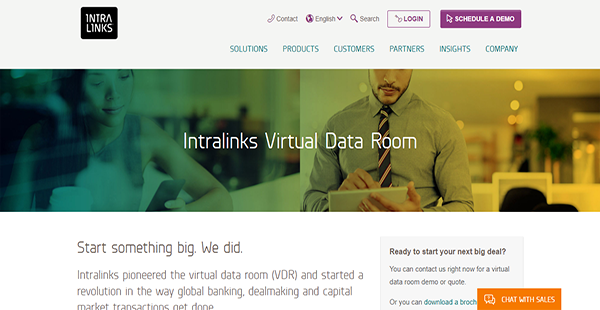
Intralinks Virtual Data Room is a pioneering innovation that integrates artificial intelligence to facilitate high-value transactions. It has a clean an intuitive interface that paves the way for an enhanced user experience. On top of that, the solution is versatile and adaptive to mobile devices’ screens.
Intralinks Virtual Data Room also works fast to help you successfully close transactions at a quicker pace. Standard application processes are completed swiftly and multi-stage workflows are finished rapidly.
With Intralinks Virtual Data Room, you can ensure that your business data is stringently guarded. You even have the means to modify access rights instantly in the software without having to use plugins.
Show MoreOverview of Intralinks Virtual Data Room Benefits
Artificial Intelligence Technology
The integration of artificial intelligence into Intralinks Virtual Data Room transforms the standard procedures of the application. The technology fully automates document sorting and contract reviewing for you to reduce your time spent on administrative tasks. More than that, the solution’s machine learning tools help you avoid costly errors.
Stringent File Protection
The main reason why 99% of the Fortune 1000 trust Intralinks Virtual Data Room is its security. The application gives them the confidence that their highly sensitive business information is safe from unauthorized intrusions. You can also enjoy the same sense of security when you sign up with the software.
Intuitive Interface
Deals require powerful information organization and retrieval functions. Intralinks Virtual Data Room offers those two things and more. With its intuitive user interface, you can expeditiously complete tasks and focus on deals rather than spend more of your time familiarizing yourself with tools and features.
Cross-Enterprise Collaboration
Intralinks Virtual Data Room promotes seamless collaboration between enterprise partners. Because of its security measures, the software provides dealmakers with a fortified platform to share confidential documents with each other, thus accelerating the closing of transactions.
Show MoreOverview of Intralinks Virtual Data Room Features
- Automated Deal Room Setup
- Contract Analysis & Organization
- Intralinks Designer
- Permissions Control
- Threaded Q&A
- Bulk File Importing
- Drag-and-Drop Function
- Granular Reports
Intralinks Virtual Data Room Position In Our Categories
Knowing that companies have their own business needs, it is only wise that they avoid seeking an all-in-one, ”best” business application. Be that as it may, it would be almost impossible to try to find such an app even among popular software solutions. The best step to do should be to tabulate the different significant factors which entail careful thought like crucial features, budget, skill ability of staff members, organizational size, etc. Next, you must perform your research thoroughly. Go over some of these Intralinks Virtual Data Room review articles and look into each of the applications in your shortlist more closely. Such well-rounded research ensure you circumvent mismatched apps and buy the one which includes all the features your business requires to be successful.
Position of Intralinks Virtual Data Room in our main categories:
TOP
1
Intralinks Virtual Data Room is top 1 Virtual Data Room Software product
If you are interested in Intralinks Virtual Data Room it might also be a good idea to examine other subcategories of Virtual Data Room Software listed in our base of SaaS software reviews.
Every company is different, and may call for a specific Virtual Data Room Software solution that will be adjusted to their business size, type of customers and employees and even particular niche they cater to. You should not count on getting an ideal software that will work for each company no matter what their background is. It may be a good idea to read a few Intralinks Virtual Data Room Virtual Data Room Software reviews first and even then you should remember what the software is intended to do for your company and your workers. Do you require an easy and intuitive service with just essential functions? Will you really use the complex functionalities required by experts and big enterprises? Are there any specific features that are especially useful for the industry you work in? If you ask yourself these questions it will be much easier to get a reliable software that will match your budget.
How Much Does Intralinks Virtual Data Room Cost?
Intralinks Virtual Data Room Pricing Plans:
Free Trial
Quote-based Plan
Contact vendor
What are Intralinks Virtual Data Room pricing details?
Intralinks Virtual Data Room Pricing Plans:
Free Trial
Quote-based Plan
Contact vendor
Intralinks Virtual Data Room is a financial technology solution that answers enterprises’ confidential document keeping needs. Its enterprise pricing is available only upon request from the sales team whom you can get in touch with by phone, live chat, or web form.
User Satisfaction
Positive Social Media Mentions
0
Negative Social Media Mentions
0
We know that when you decide to purchase a Virtual Data Room Software it’s important not only to find out how professionals rank it in their reviews, but also to find out whether the actual people and companies that use this software are genuinely satisfied with the product. That’s why we’ve created our behavior-based Customer Satisfaction Algorithm™ that aggregates customer reviews, comments and Intralinks Virtual Data Room reviews across a wide range of social media sites. The data is then presented in an easy to digest format indicating how many clients had positive and negative experience with Intralinks Virtual Data Room. With that information available you should be ready to make an informed purchasing choice that you won’t regret.
Video
Technical details
Devices Supported
- Windows
- Android
- iPhone/iPad
- Mac
- Web-based
Deployment
- Cloud Hosted
Language Support
- English
- Chinese
- German
- Spanish
- French
- Portugese
Pricing Model
- Quote-based
Customer Types
- Large Enterprises
- Medium Business
What Support Does This Vendor Offer?
- phone
- live support
- training
- tickets
What integrations are available for Intralinks Virtual Data Room?
Intralinks Virtual Data Room easily integrates with existing third-party platforms such as Microsoft SharePoint. If you wish to learn more about synchronizations with supported applications, get in touch with the support team.

Intralinks Virtual Data Room
is waiting for
your first review.

Write your own review of this product
ADD A REVIEWMore reviews from 0 actual users:


Join a community of 7,369 SaaS experts
Thank you for the time you take to leave a quick review of this software. Our community and review base is constantly developing because of experts like you, who are willing to share their experience and knowledge with others to help them make more informed buying decisions.
Sign in with LinkedIn
Why we require LinkedIn?
- Show the community that you're an actual user.
- We will only show your name and profile image in your review.
- You can still post your review anonymously.
OR
Sign in with company emailSign in with company email
Popular Intralinks Virtual Data Room Alternatives


Top Competitors To Intralinks Virtual Data Room By Price
Product name:
Price:


Trending Virtual Data Room Software Reviews


Intralinks Virtual Data Room Comparisons
Product name:





Page last modified



Did you find this review useful?
Yes
No
Thank you for your feedback
How can we make this page better?
Unsure about this software?
FIND ALTERNATIVES
 Why is FinancesOnline free?