
- Home
- IT Management Software
- Kaseya VSA

Kaseya VSA Review



What is Kaseya VSA?
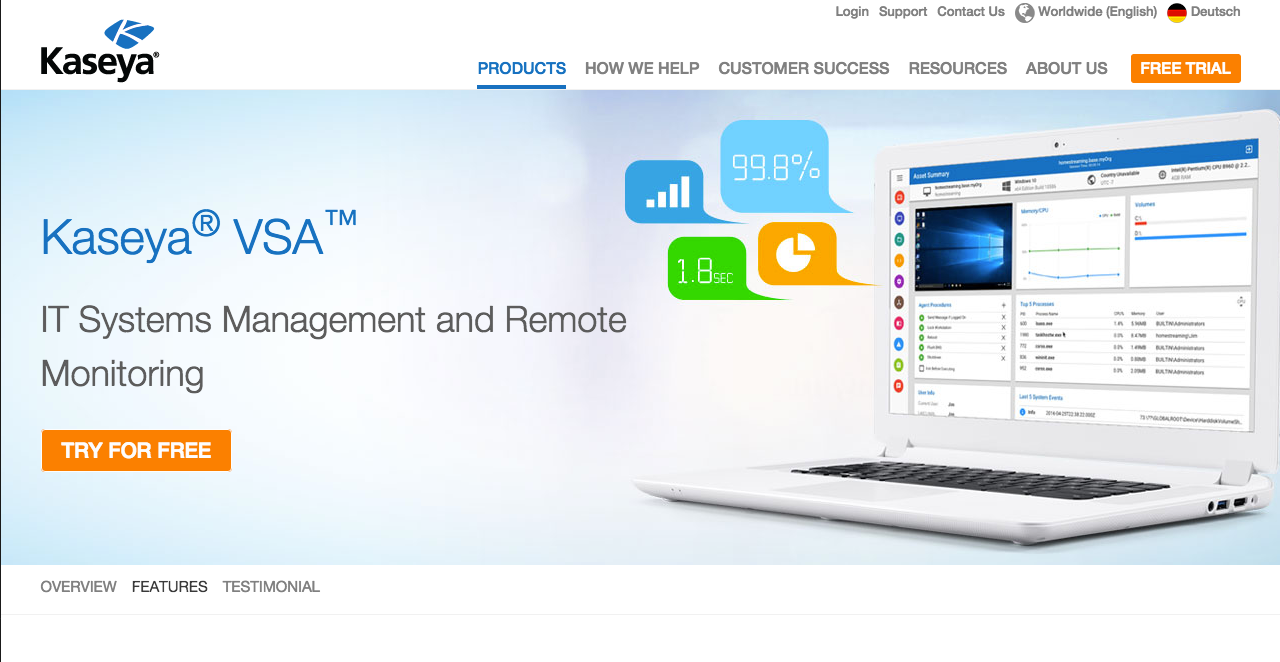
Kaseya VSA is a cloud-based, information technology (IT) management, remote monitoring, and network security solution that provides tools and functionalities to Managed Service Providers (MSP) and IT enterprises, enabling them to efficiently manage and secure IT capabilities. Kaseya VSA is intended to help staff become more productive and systems more secure, faster, and cost efficient.
Kaseya VSA was built to solve the problems that mean the most to you – delivering better service and improving your team’s efficiency. It allows you to deploy policy-based automation with proactive remediation to increase productivity. You can automate deployment of software, manage patches, and proactively resolve issues across your complete environment with the push of a button. You can also expand the power of VSA with security and backup integrations with the top providers in the business.
Kaseya VSA comes with tons of features and applications. The list includes process automation, remote control, remote monitoring, agentless network monitoring, patch management, disaster recovery, anti-virus, and more. The Kaseya VSA platform can be quickly deployed and is built to be straightforward yet intuitive so that organizations do not experience downtime or disruption to their business continuity.
Show MoreOverview of Kaseya VSA Benefits
Kaseya VSA is created to help businesses deliver on service level agreements (SLAs). The system makes information technology (IT) management simple as it automates and centrally manages IT to make and deliver predictable, reliable, and secure IT for businesses, regardless of size. With Kaseya VSA, IT managers can easily recognize issues within their IT environment and use the application’s tools and insights to resolve those issues before end users are impacted.
Through the integrated console of Kaseya VSA Network Performance Monitor, system and IT managers and their staff can derive insights into CPU, disk, memory, network bandwidth, files, logs and more. Users can proactively monitor the status and health of their servers, workstations, remote computers, and networks as well as Windows event logs and applications.
Kaseya VSA enables IT managers to do more with their existing staff since the system significantly reduces the time spent on routine maintenance and remediation functions. This results in more staff hours becoming available for critical projects rather than being spent on maintenance-related issues.
The system also helps users administer and secure widely distributed environments through remote monitoring and management. Kaseya VSA allows IT management to further extend their reach, significantly boost their efficiency, and enhance service levels by discovering and connecting to any device from any location through only a web browser. The system also allows users to access and remotely control computers securely at near instantaneous connect times with unparalleled reliability, even over high latency networks.
Kaseya VSA comes with the Kaseya Patch Management Software. This means users do not have to worry about updating their servers, workstations, and remote computers as the software automates the update process. Users get the latest important security patches and software updates.
Show MoreOverview of Kaseya VSA Features
- Agentless monitoring
- Capacity monitoring
- Compliance management
- Event logs
- Hardware inventory
- License management
- Patch management
- Remote-control management and access
- Software inventory
- User-activity monitoring
Kaseya VSA Position In Our Categories
Keeping in mind businesses have specific business-related wants, it is reasonable that they steer clear of adopting an all-encompassing, ideal business application. However, it is troublesome to try to pinpoint such a software solution even among sought-after software solutions. The sensible step to undertake would be to take note of the different important functions which need research including critical features, price terms, skill aptitude of staff members, company size, etc. Thereafter, you must follow through your product research comprehensively. Go over these Kaseya VSA evaluations and explore each of the software systems in your shortlist more closely. Such well-rounded product research ensure you avoid unfit apps and subscribe to the one which offers all the tools your company requires.
Position of Kaseya VSA in our main categories:
TOP
50
Kaseya VSA is one of the top 50 Backup Software products
TOP
500
Kaseya VSA is one of the 500 IT Management Software products
Each company has different requirements and requires an application that can be customized for their size, type of staff members and buyers, and the particular industry they are in. For these reasons, no system can proffer perfect tools off-the-shelf. When you try to find a software app, first be sure what you want it for. Read some Kaseya VSA IT Management Software reviews and ask yourself do you need basic tools or do you need advanced tools? Are there any industry-specific tools that you are seeking? Obtain the answers to these queries to assist your search. There are multiple elements that you need to reflect on and these include your finances, specific business needs, your organization size, integration needs etc. Take your time, use a few free trials, and finally select the platform that provides all that you need to enhance your firm effectiveness and productivity.
How Much Does Kaseya VSA Cost?
Kaseya VSA Pricing Plans:
Free Trial
Quote-based Plan
Contact vendor
What are Kaseya VSA pricing details?
Kaseya VSA Pricing Plans:
Free Trial
Quote-based Plan
Contact vendor
Kaseya VSA is priced on an end-point basis, enabling you to scale your operations according to the needs of your business. Aside from its main features, there are options offered for the following:
- Enterprise Mobility Management
- Software Deployment and Update
- Service Desk
- Endpoint Security
- Backup
User Satisfaction
Positive Social Media Mentions
73
Negative Social Media Mentions
0
We know that when you decide to purchase a IT Management Software it’s vital not only to learn how experts score it in their reviews, but also to find out whether the actual users and businesses that purchased this software are actually satisfied with the product. Because of that need we’ve created our behavior-based Customer Satisfaction Algorithm™ that aggregates customer reviews, comments and Kaseya VSA reviews across a wide array of social media sites. The information is then displayed in a simple to understand way showing how many clients had positive and negative experience with Kaseya VSA. With that information at your disposal you should be ready to make an informed buying decision that you won’t regret.
Video
Technical details
Devices Supported
- Windows
- Linux
- Android
- iPhone/iPad
- Mac
- Web-based
- Windows Mobile
Deployment
Language Support
- English
Pricing Model
- Quote-based
Customer Types
- Small Business
- Large Enterprises
- Medium Business
What Support Does This Vendor Offer?
- phone
- live support
- training
- tickets
What integrations are available for Kaseya VSA?
No information available.
Kaseya VSA User Reviews
Kaseya VSA average rating:
4/5
Overall impression
5/5
Customer Support
4/5
Value for Money
4/5
Ease of Use
Write your own review of this product
ADD A REVIEWThe most favorable review

PROS: This app gives me the right controls to work with a remote staff! It's especially useful during the lockdowns.
CONS: I don't think that asking for user permission to get on the screen is necessary.
The least favorable review
PROS: I love the patch control feature! It's really helpful.
CONS: I've encountered a couple of bugs when using the live connect remote control. I was being logged out quite frequently. It doesn't also recall the previous commands.
More reviews from 15 actual users:
Sort by:
Latest
- Latest
- Most useful
- Most positive
- Most negative
Remote IT management
Read full review >
4/5
Overall impression
3/5
Customer Support
4/5
Value for Money
4/5
Ease of Use
Published on: 14.10.2021
Company Size: 11-50 Employees
Industry: Information Technology and Services
PROS: I mainly use Kaseya for auditing multiple offices. It keeps me organized and I love that it's not complicated to use.
CONS: It would be so much better if there's an admin app that would allow us to see the screen of our clients to make it easier for us to guide them.
Efficient IT management system!
Read full review >
4/5
Overall impression
4/5
Customer Support
4/5
Value for Money
3/5
Ease of Use
Published on: 12.09.2021
Company Size: More than 100 Employees
Industry: Information Technology and Services
PROS: Kaseya VSA allows us to do a lot of things that we can't do when using other software: (1) efficient management of networks; (2) easy review of servers; (3) automated maintenance tasks; and (4) easy monitoring of user behavior. It help us provide better services.
CONS: The interface can be further improved by making it more intuitive and easy to navigate. I also wish they would look at some bugs that restart the computer sometimes when there's an error.
Improved our services
Read full review >
5/5
Overall impression
5/5
Customer Support
5/5
Value for Money
4/5
Ease of Use
Published on: 29.08.2021
Company Size: 11-50 Employees
Industry: N/A
PROS: It has a great collection of tools that users can use for IT management! It's so far the best program of its kind. It's really what my company needed.
CONS: Some of the modules are not updated.
Our favorite tool!
Read full review >
5/5
Overall impression
5/5
Customer Support
4/5
Value for Money
5/5
Ease of Use
Published on: 13.08.2021
Company Size: 11-50 Employees
Industry: Information Technology and Services
PROS: My favorite features of this program are its automation, accessibility, and scripting! Hands down, the best.
CONS: The interface keeps on improving but navigation is still not that great. It's not that intuitive.
Troubleshoot remotely
Read full review >
4/5
Overall impression
3/5
Customer Support
3/5
Value for Money
3/5
Ease of Use
Published on: 08.07.2021
Company Size: 11-50 Employees
Industry: N/A
PROS: Among Kaseya's amazing features, I found scripting the best and most usable for me. This app saves us a lot of time as a team because it automates some of our tasks.
CONS: I don't think this program works well with Mac, especially with the new iOS updates.
Improved my team’s performance.
Read full review >
4/5
Overall impression
3/5
Customer Support
3/5
Value for Money
3/5
Ease of Use
Published on: 21.06.2021
Company Size: 11-50 Employees
Industry: Information Technology and Services
PROS: What I love most about this program is they improve their services and features based on the requests and reviews of their users. The value-added every update is amazing! Our staff loves the automation because it's working perfectly to make their jobs easier and faster. It is dependable, secured, and accessible.
CONS: We encountered some bugs that were easily resolved right away. We also had problems with iOS updates and Kaspersky integration. It took longer to resolve, but it's all working now.
5-star for automation!
Read full review >
5/5
Overall impression
5/5
Customer Support
5/5
Value for Money
4/5
Ease of Use
Published on: 17.03.2021
Company Size: 11-50 Employees
Industry: Information Technology and Services
PROS: We've been using Kaseya for a decade already and we can confidently attest that it is a reliable software that helped our business grow and gain long-term customers. It enables us to manage 1,700 seats with only 5 technicians. How amazing is that?
CONS: Just a suggestion -- I hope there would be an iPad app that would allow us to connect to different devices/machines.
Improved our services
Read full review >
5/5
Overall impression
5/5
Customer Support
5/5
Value for Money
5/5
Ease of Use
Published on: 14.03.2021
Company Size: More than 100 Employees
Industry: Financial Services
PROS: Kaseya VSA has great tech support! I also love how easy it is to learn and use.
CONS: It would take time to learn it, but it's understandable since it has loads of new features.
A must-have for IT consultants
Read full review >
5/5
Overall impression
4/5
Customer Support
4/5
Value for Money
4/5
Ease of Use
Published on: 07.03.2021
Company Size: 11-50 Employees
Industry: N/A
PROS: I love how helpful their interactive guide into using the platform. It's great!
CONS: Navigating through the program can still be improved. It's not intuitive enough for me.
High-performing tool for IT management
Read full review >
4/5
Overall impression
4/5
Customer Support
4/5
Value for Money
3/5
Ease of Use
Published on: 06.02.2021
Company Size: More than 100 Employees
Industry: N/A
PROS: It helps us manage all of our systems remotely! I love every feature of it especially the remote desktop connection, virus protection, ticketing, customization, and software deployment!
CONS: Although it has a great range of functions, the interface can still be improved because it feels outdated compared to the interface of its competitors.
Useful IT software
Read full review >
4/5
Overall impression
3/5
Customer Support
4/5
Value for Money
4/5
Ease of Use
Published on: 19.05.2020
Company Size: 11-50 Employees
Industry: N/A
PROS: What I like best about Kaseya are these 3 main features: (1) ticketing; (2) agent management; and (3) policy management. Awesome.
CONS: I do think that the patch management and monitoring configuration can still be improved.
Helpful software
Read full review >
4/5
Overall impression
3/5
Customer Support
3/5
Value for Money
4/5
Ease of Use
Published on: 17.05.2020
Company Size: 11-50 Employees
Industry: Computer Hardware
PROS: I love the patch control feature! It's really helpful.
CONS: I've encountered a couple of bugs when using the live connect remote control. I was being logged out quite frequently. It doesn't also recall the previous commands.
Great for distant learning
Read full review >
5/5
Overall impression
5/5
Customer Support
5/5
Value for Money
5/5
Ease of Use
Published on: 14.05.2020
Company Size: More than 100 Employees
Industry: E-Learning
PROS: This app gives me the right controls to work with a remote staff! It's especially useful during the lockdowns.
CONS: I don't think that asking for user permission to get on the screen is necessary.
Beginner-friendly!
Read full review >
4/5
Overall impression
4/5
Customer Support
4/5
Value for Money
3/5
Ease of Use
Published on: 13.05.2020
Company Size: 11-50 Employees
Industry: Computer Software
PROS: Kaseya is user-friendly. It's easy to learn. Its features are not only helpful to us but also to our clients.
CONS: The reporting feature can still be improved. There's always a lot to fix whenever there's a system update.
A very nice RMM tool out there
Read full review >
5/5
Overall impression
4/5
Customer Support
5/5
Value for Money
4/5
Ease of Use
Published on: 20.08.2017
Company Size: More than 100 Employees
Industry: Information Services
PROS: Remote Connectivity and connection rate is very good, only few failures out of all the connections we make. Their UI is improving with every release, so overall a fine Remote monitoring and management tool.
CONS: Nothing as such, as they fixed their support, which was the only shaggy part. Support is good now and their response time is great too.


Join a community of 7,369 SaaS experts
Thank you for the time you take to leave a quick review of this software. Our community and review base is constantly developing because of experts like you, who are willing to share their experience and knowledge with others to help them make more informed buying decisions.
Sign in with LinkedIn
Why we require LinkedIn?
- Show the community that you're an actual user.
- We will only show your name and profile image in your review.
- You can still post your review anonymously.
OR
Sign in with company emailSign in with company email
Popular Kaseya VSA Alternatives


Top Competitors To Kaseya VSA By Price
Product name:
Price:


Trending IT Management Software Reviews


Kaseya VSA Comparisons
Product name:


Kaseya VSA user reviews
Remote IT management
Read full review >
4/5
Overall impression
3/5
Customer Support
4/5
Value for Money
4/5
Ease of Use
Published on: 14.10.2021
Company Size: 11-50 Employees
Industry: Information Technology and Services
Efficient IT management system!
Read full review >
4/5
Overall impression
4/5
Customer Support
4/5
Value for Money
3/5
Ease of Use
Published on: 12.09.2021
Company Size: More than 100 Employees
Industry: Information Technology and Services
Improved our services
Read full review >
5/5
Overall impression
5/5
Customer Support
5/5
Value for Money
4/5
Ease of Use
Published on: 29.08.2021
Company Size: 11-50 Employees
Industry: N/A
Our favorite tool!
Read full review >
5/5
Overall impression
5/5
Customer Support
4/5
Value for Money
5/5
Ease of Use
Published on: 13.08.2021
Company Size: 11-50 Employees
Industry: Information Technology and Services
Troubleshoot remotely
Read full review >
4/5
Overall impression
3/5
Customer Support
3/5
Value for Money
3/5
Ease of Use
Published on: 08.07.2021
Company Size: 11-50 Employees
Industry: N/A

Page last modified



Did you find this review useful?
Yes
No
Thank you for your feedback
How can we make this page better?
Unsure about this software?
FIND ALTERNATIVES
 Why is FinancesOnline free?